

Digital products are growing fast. People love buying eBooks, templates, software, and online courses on Amazon. This opens a huge chance for anyone who wants to sell without shipping, packing, or handling returns. If you are thinking about how to sell digital products on Amazon, you are in the right place.
Yes, you can sell digital products on Amazon. It is allowed and works well for sellers. Amazon lets you upload digital files and sell them through Kindle Direct Publishing, Amazon Ignite, and other digital platforms. This makes it simple to reach millions of customers.
This article explains how to get started with selling digital products on Amazon step by step. From choosing your product to setting up your listing and boosting sales, we will cover it all. Get ready for easy, step-by-step help to launch your digital product successfully.
What Are Digital Products?
Digital products are files you sell online. People buy them, download them, and use them right away. No shipping, no boxes, and no waiting.
Some popular types of digital products are eBooks, software, online courses, and audio files like songs or podcasts. Content creators also sell pintable’s, templates, stock photos, and other helpful online products.
Why Are Digital Products Profitable?
Digital products are profitable because you make them once but keep selling them to new customers. There’s no need to refill stock or ship packages. This saves time, money, and energy.
Another reason is scalability. You can sell to one person or a thousand without adding more work. Your digital product business keeps running, even when you’re asleep.
Starting this kind of business is simple. You don’t need a big budget, a team, or a warehouse. All you need is a valuable product and a place to sell it.
For content creators, digital goods are a smart way to build a steady income. They offer freedom, flexibility, and room to grow without high costs.
Can You Sell Digital Products on Amazon? Here’s the Truth
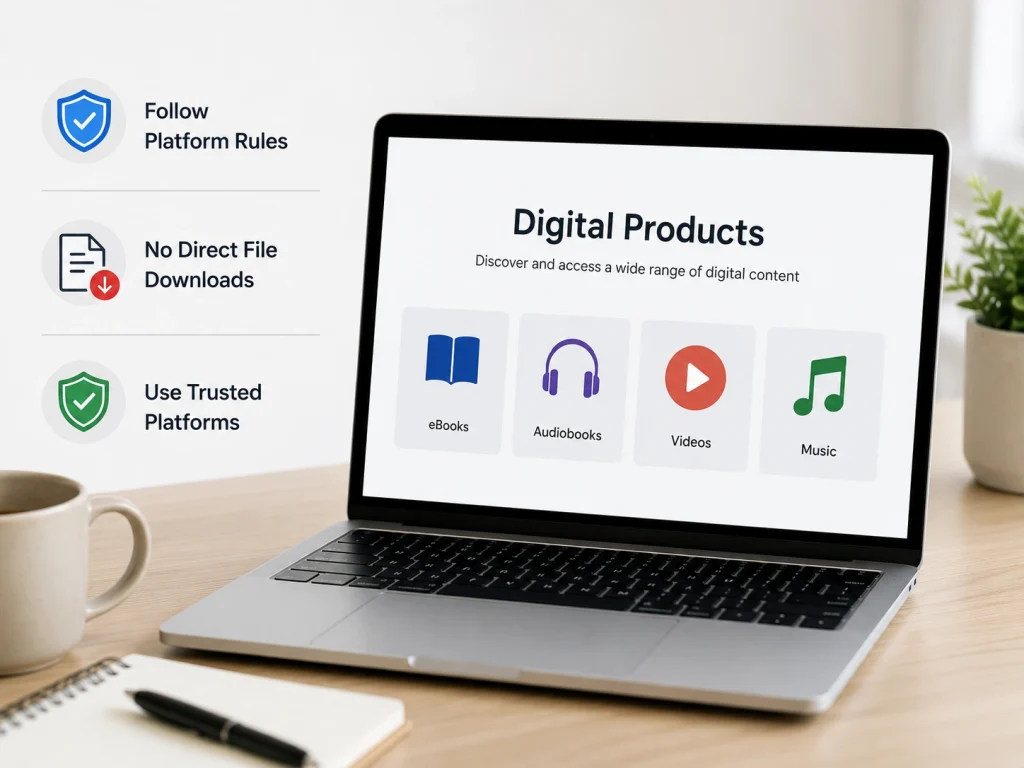
Yes, Amazon provides pathways for selling digital content, as long as policies are followed. However, you need to follow Amazon’s rules for digital content.
Amazon does not allow direct file downloads like PDFs through regular product listings. Instead, it uses trusted platforms to sell digital goods, which keeps buyers safe and ensures product quality.
How Amazon Handles Digital Products
Instead of direct uploads, Amazon offers dedicated platforms for each type of digital content. Each platform has its own tools, payment structures, and publishing process.
You must use the right one. Here are Amazon’s main platforms for selling digital products:
- Kindle Direct Publishing (KDP): This platform lets you publish eBooks and sell them on Amazon’s Kindle store. You can reach millions of readers worldwide. It supports different formats like novels, guides, and illustrated books. KDP also handles payments, royalties, and delivery to Kindle devices and apps.
- Audible ACX: Audible ACX is for selling audiobooks. You can upload your audiobook recordings or hire professional narrators through ACX. Audible distributes your audiobooks across Audible, Amazon, and iTunes. They also handle payments and listener access.
- Amazon Appstore: Amazon Appstore is where developers sell mobile apps, games, and software. It supports Android devices and Amazon Fire tablets. Developers can manage app listings, offer in-app purchases, and track performance within Amazon’s ecosystem.
- Amazon Music: Amazon Music allows artists to sell songs, albums, and other audio files. It helps you reach global listeners across Amazon Music Unlimited and Prime Music. Artists can manage their catalog, track streams, and earn royalties.
Important Restrictions and Policies
You cannot sell loose digital files like PDFs, Word docs, or ZIP folders directly on Amazon. This protects Amazon’s content policy from spam and low-quality uploads.
Review Amazon’s Seller Guidelines and Content Policies to stay compliant and protect your account.
Top Selling Digital Products on Amazon
If you are new to selling digital products, knowing what already works gives you a big advantage. Top-selling products show you what people actually buy. This helps you avoid guessing and wasting time on ideas that don’t sell.
Proven digital products help you succeed faster because they meet real customer demand. You can start with less risk and learn faster.
Best-Selling Digital Product Types on Amazon
Not every digital product sells well on Amazon. The best-selling types solve problems and are easy to use. Here are the top digital products people love to buy.
Ebooks (Kindle Store)
Ebooks are digital books people read on phones, tablets, or Kindle devices. They sell well because people love reading on the go. Popular buyers include students, hobbyists, and self-learners. For sellers, ebooks are easy to create and sell worldwide.
Audiobooks (Audible)
Audiobooks are recorded versions of books that people listen to while driving, exercising, or relaxing. Busy professionals and multitaskers often buy them. Sellers benefit because audiobooks can reach new audiences who prefer listening over reading.
Mobile Apps and Games (Amazon Appstore)
Mobile apps and games are software people download to their phones or tablets. Games, fitness apps, and productivity tools sell well. Tech-savvy users and casual gamers are top buyers. Sellers earn through app sales, ads, or in-app purchases.
Music and Podcasts (Amazon Music via TuneCore)
Artists and podcasters sell their audio content through Amazon Music. Songs, albums, and podcast episodes are popular digital products. Music lovers and podcast fans buy them. Sellers enjoy global reach and steady royalty payments.
Printable Planners and Templates (KDP Low-Content Products)
Printables are digital planners, journals, and templates people can print at home. They are popular among students, professionals, and home organizers. For sellers, they are quick to design and can be sold repeatedly without extra cost.
Digital Art and Graphics Bundles (Kindle/Amazon Merch)
Artists sell graphic designs, wallpapers, and digital art packs for personal or commercial use. Crafters, designers, and small businesses buy these products. Sellers can create once and earn passive income for every download.
Why These Digital Products Work Best on Amazon?
Digital products succeed on Amazon because they match how people shop today. Millions of customers visit Amazon every day looking for eBooks, audiobooks, apps, music, and printables. This built-in audience means you don’t have to spend a lot on marketing to get noticed.
Amazon’s search system helps buyers find exactly what they want. If your product fits their needs, it shows up quickly. This makes it easier for beginners to reach customers without advanced advertising skills.
Another reason is the low cost to create digital products. You don’t need to worry about stocking items, renting storage, or handling deliveries. You make the product once, and it can be sold over and over again.
This model brings in passive income. Your digital product keeps earning money, even while you sleep. For beginners, this is a smart way to build income without huge risks.
How to Sell Digital Products on Amazon : Step-by-Step
Many new sellers believe selling digital products on Amazon is as simple as uploading a file. However, Amazon has specific rules and processes for digital items.
Without following them, your product might never reach buyers. To succeed, you need to know the right steps from the start.
1. Choose Your Digital Product Type
First, decide what kind of digital product you want to sell. It could be an eBook, audiobook, mobile app, or printable template. Focus on something that solves a problem or entertains your audience.
A smart way to choose is by checking Amazon’s Best Sellers and seeing what people already buy. This helps you pick products with proven demand.
2. Sign Up for the Right Amazon Platform
You can’t sell digital files through Amazon’s regular product listings. You’ll need an Amazon account with access to Seller Central to manage your digital product listings. To sell digital products, Amazon requires using specific platforms designed for each product type.
For eBooks and printables, you’ll use KDP. Audiobooks go through Audible ACX. Apps and games are listed in the Amazon Appstore. TuneCore handles music distribution, while podcasts require Amazon’s podcast submission portal or supported hosting services.
Each platform has its own signup process and specific rules. Before uploading your product, always read their guidelines to avoid mistakes that could get your listing rejected.
3. Prepare Your Digital Product for Upload
Every platform has technical requirements for file formats, sizes, and quality. For example, eBooks need to be formatted correctly for Kindle devices, while apps must be tested to work on Amazon devices.
Use tools like Kindle Previewer to check how your files will look before submitting. This simple step saves you from fixing problems after publishing.
4. Create an Optimized Product Listing
Your product title, description, and keywords are what help customers find your digital product. Make sure your product metadata, including title, keywords, and description, is clear and optimized. Write descriptions that clearly explain how your product helps or entertains buyers.
Use simple and friendly language that speaks to your audience. Adding high-quality images or preview screenshots can also grab attention and increase clicks.
5. Set Pricing and Royalties
Each Amazon platform has its own royalty structure. For instance, KDP offers 35% or 70% royalties based on your chosen price.
Start with competitive pricing to attract early buyers. You can always adjust your price later as you gather sales data and customer feedback.
6. Publish and Promote Your Digital Product
After uploading your product, double-check everything to make sure it’s correct. Once published, don’t just wait for sales. Share your product link on social media, blogs, and email newsletters to drive traffic.
Consider running Amazon Ads to boost visibility, even with a small budget, and help your product get noticed faster.
7. Track Sales and Optimize
Keep an eye on your sales reports and customer reviews regularly. Feedback helps you understand what buyers like or want to improve.
Based on these insights, update your product descriptions, images, or pricing. Even small changes can make a big difference in boosting sales over time.
Amazon Fees, Commissions, and Earnings Breakdown
Many sellers get surprised when their Amazon earnings are far less than expected. That’s because platform fees, commissions, and royalties quietly reduce every sale.
But Amazon’s cut isn’t the same everywhere. KDP, ACX, Appstore, and TuneCore each follow their own rules. Here’s how those fees affect the money that actually reaches your pocket.
How Amazon Pays You for Digital Products
Amazon’s fees and royalties are different for each digital product platform. Before checking percentages, it’s smart to see what you actually earn per sale. The table below shows real examples.
| Platform | Royalty Rate | Example Sale Price | (After Fees) |
|---|---|---|---|
|
KDP (eBooks & Printables) |
70% (or 35%) |
$9.99 |
$6.90 |
|
Audible ACX (Audiobooks) |
40% (exclusive), 25% (non-exclusive)
|
$14.95
|
$5.98 |
|
Amazon Appstore (Apps/Games)
|
70% |
$2.99
|
$2.09
|
|
Amazon Music (via TuneCore)
|
70% per track sale |
$0.99
|
$0.70 per download
|
For KDP, your royalty can be 70% or 35%, depending on your book’s price. Amazon also charges a delivery fee based on your file size. That’s why your actual earnings for a $9.99 eBook often come down to around $6.90.
With Audible ACX, you earn 40% if you choose exclusive distribution. Non-exclusive deals pay less, at 25%. For a $14.95 audiobook sale, you’d typically earn about $5.98 with exclusivity.
Selling apps or games through Amazon’s Appstore gives you 70% of each sale. So, a $2.99 app would bring in about $2.09. This same 70% split applies to any in-app purchases your users make.
For music, TuneCore lets you keep roughly 70% of each track sold. A $0.99 song earns you about $0.70. However, streaming payouts are much lower, usually fractions of a cent per play. High play volumes are needed to earn noticeable income from streams.
How to Keep More of Your Earnings
- Choose the higher royalty rate when possible, but keep in mind delivery fees (KDP).
- Consider exclusivity for better ACX rates if it fits your goals.
- Keep app sizes optimized to avoid performance issues, which hurt sales.
- Focus on volume for music streams and promote your tracks consistently.
How to Optimize Digital Product Listings for More Sales?
If your Amazon listing doesn’t catch attention, even a great product won’t get sales. Shoppers scroll fast, so if they can’t find your listing in search results or trust it at a glance, they won’t click.
That is why Product optimization is important for improving search visibility and turning views into actual sales. Let’s go over how to fix your listing so it attracts attention and drives more purchases.
Make Your Title and Description Work Hard
Start with a clear, optimized title using keywords that improve search visibility and help your product rank better. Avoid keyword stuffing, as Amazon’s ranking factors value clarity and relevance.
In the description, use structured metadata like bullet points to highlight benefits and key features. Well-optimized digital listings improve both discoverability and conversion rates.
High-Quality Visuals Drive Clicks
On Amazon, visuals are important for catching attention and increasing product visibility. High-quality images and A+ Content create a professional look that builds trust quickly.
Use clear, polished images that showcase your product effectively. Good visuals are proven to boost conversion rates by making shoppers stop and engage with your listing.
Customer Reviews Build Trust Fast
Shoppers trust other buyers more than your description. Genuine reviews can make or break your sales. After purchase, politely ask satisfied buyers for honest reviews.
Amazon allows this with follow-up emails. Never buy fake reviews. Amazon removes them and may suspend your account for violations.
Marketing and Promoting Your Digital Products on Amazon
Publishing your digital product is only step one. You still need a plan to reach the right buyers. Even though Amazon brings in shoppers every day, your product won’t appear unless you take action.
To help people discover what you’ve made, you need to focus on Amazon ads, outside traffic, and trusted voices that can help spread the word.
Promote Within Amazon (Sponsored Products & KDP Ads)
Amazon has built-in tools that put your product in front of people already searching. Sponsored Products work for eligible digital products like apps or music. These ads show up in search results and on related product pages. You choose what to promote, set your keywords, and control how much you spend.
If you’re offering an eBook, KDP Ads help you reach Kindle readers based on category, interest, or keyword. It helps to appear in the Kindle Store, where people are already looking for their next book. Use a small starting budget and track which ads perform best over time.
Running simple Amazon advertising campaigns can lead to steady traffic and help your product appear in more places. Good targeting builds visibility and gives new shoppers a reason to click and explore your product.
Drive Traffic from Outside Amazon
Not everyone starts their shopping on Amazon. Some people discover products through social media, blogs, or emails.
Reaching those people on Amazon can bring in new buyers and also boost your product’s rank in Amazon search. It’s a smart way to grow your reach beyond the usual audience.
Social Media Marketing
Use platforms like Instagram, TikTok, Facebook, Pinterest, or YouTube to highlight your product in action.
Share helpful tips, product previews, or real feedback. Make sure your Amazon link is easy to find in your profile or post.
Email Marketing
Stay in touch with past customers or people who follow your brand. Share news, tips, or special offers.
Use tools like Mailchimp or ConvertKit to manage your emails and include your Amazon link clearly.
Content Marketing (Blog + YouTube)
Write blog posts or make short videos that talk about the problems your product solves.
This kind of content brings people in through search and helps them understand what you offer. Link to your Amazon page naturally when it fits the content.
Online Communities and Forums
Join real conversations in places like Reddit, Quora, or Facebook groups. Answer questions in a helpful way and only share your product if it adds value to the discussion.
This builds trust and often brings in highly interested visitors. When you bring traffic from trusted outside sources, it will help your product stand out and support long-term success.
Leverage Affiliate & Influencer Marketing
Affiliate and influencer partnerships can give your product exposure in front of new audiences. Amazon’s Affiliate Program lets creators earn commissions by sharing their product links. It’s an easy way to get others to promote your listings without upfront costs.
Influencer marketing adds a personal touch. When a trusted voice shares your eBook, app, or digital product, their followers are more likely to check it out. Look for influencers in your niche who already speak to your target audience.
Promotion Action Checklist
Use this list to plan your next steps and keep your marketing efforts focused. Each task is designed to help you get more attention, clicks, and sales.
- Set up Sponsored Product or KDP Ads with strong keywords and a clear goal.
- Share useful content and product previews on social platforms.
- Create blog posts or videos that naturally include your product.
- Send updates or offers to your email list with a link to your Amazon listing.
- Connect with affiliates or influencers who already reach your target audience.
- Track what brings in results and make small changes to improve over time.
Challenges of Selling Digital Products on Amazon
You can gain a lot by selling digital products on Amazon, but you’ll face some tough challenges too. Many sellers launch with high hopes, only to face problems they didn’t expect.
If you want long-term success, you need to understand these challenges and know how to respond when they appear.
1. Heavy Competition in Popular Categories
High competition is one of the biggest selling challenges. Categories like eBooks and mobile apps are packed with similar listings.
This makes it harder for new products to appear on search pages or catch buyer attention. Large brands and early sellers often dominate top spots, leaving little space for newer creators.
Focus on a smaller, clearly defined audience. Study your niche and look for gaps other sellers ignore. Start with basic market research to learn what buyers in your niche search for.
Use competition analysis tools to guide your listing decisions. Improve your branding, cover design, and product descriptions to stand out. Strong visuals and focused messaging help with handling competition effectively.
2. Limited Access to Customer Data and Feedback
Sellers don’t get direct access to buyer information. You can’t collect emails or track who has purchased. This limits your ability to connect, follow up, or build a community. Without data control, it becomes harder to grow your brand beyond one-time sales.
Offer bonus materials through a download link or landing page. Ask buyers to share their email to access extra content. This builds your own list and helps with customer retention. Even simple follow-up emails can make a big difference in repeat sales.
3. Platform Restrictions on Format and Delivery
Amazon has rules about what types of digital products are allowed. You can’t upload standard PDFs, ZIP files, or unsupported media. These platform limitations can block your product from being listed or confuse first-time sellers.
Use Amazon-approved formats like Kindle eBooks or apps through the Amazon Appstore. For other digital products, set up a separate site on Gumroad, Payhip, or Shopify. You gain more control over your business when you sell your digital product elsewhere.
Pro Tips & Best Practices from Successful Sellers
Some new sellers think posting their product is enough. But when sales don’t come, they feel stuck. The sellers who succeed follow expert tips and best practices.
They learn what works, test ideas, and improve often. These niche selling tips come from real sellers who grew through consistent digital selling efforts.
- Start with niche research before you build your product. Look at forums, subreddits, or Amazon reviews to find pain points and keyword gaps.
- Bundle related items to increase order value. Sellers often pair eBooks with printables or digital planners to offer more usefulness.
- Use cross-selling inside your product listing or thank-you content. Suggest related products that match the customer’s needs or topic.
- Track results using analytics tools like Publisher Rocket or Book Report. Look at category performance and test pricing changes.
- Keep your listing updated with better keywords, sharper visuals, and clearer product benefits. These small changes help improve visibility.
- Scale your selling efforts slowly. Start with one traffic source or campaign, and grow only when results are consistent.
- Add simple engagement tactics inside your product. Link to your site, invite feedback, or share a bonus resource.
- Study what the top sellers in your category are doing. Look at how they write titles, build bundles, and respond to reviews.
- Use practical optimization methods regularly. Tweak your offer, design, or positioning based on buyer behavior and search trends.
- Focus on small wins that stack up over time. Success comes from steady improvements, not shortcuts or overnight tricks.
What Digital Products Can You Actually Sell on Amazon?
You can sell digital products on Amazon, but not every digital file is allowed through a normal Amazon Seller Central listing. Amazon mainly supports digital selling through specific platforms such as Kindle Direct Publishing, ACX, Amazon Appstore, and Amazon Music.
The most common digital products are Kindle eBooks, audiobooks, mobile apps, games, music, and digital audio content. KDP allows authors to publish eBooks, paperbacks, and hardcovers directly on Amazon, while ACX is used for audiobook production and distribution through Audible, Amazon, and Apple Books.
If you want to sell simple PDFs, planners, worksheets, templates, or printables, Amazon is not as flexible as Etsy or Gumroad. In most cases, you need to turn the content into a Kindle eBook, a print-on-demand workbook through KDP, or another approved digital format.
Amazon Platform Comparison: KDP vs ACX vs Appstore vs Amazon Music
KDP is best for authors, bloggers, coaches, educators, and creators who want to sell eBooks or print-on-demand books. It works well for guides, how-to books, journals, workbooks, recipe books, and niche educational content.
ACX is best for audiobook creators. If you have a published book or rights to produce audio content, ACX lets you create and submit audiobooks for Amazon and Audible. ACX requires submitted audiobooks to follow audio standards, and unauthorized AI or automated narration is not allowed unless specifically authorized.
Amazon Appstore is for apps and games. Developers must create a developer account, upload the app file, choose supported devices, add content ratings, provide privacy details, and submit the app for review. Amazon Music is different because artists usually deliver music through labels or distributors instead of uploading tracks like a normal seller.
Amazon Digital Product Requirements Before Uploading
Before uploading any digital product to Amazon, confirm that you own the content or have legal rights to publish it. This includes text, images, music, narration, app code, cover designs, trademarks, and any third-party material used in the product.
Your product must also match the technical rules of the platform. KDP needs properly formatted manuscripts and cover files. ACX needs professional-quality audio that passes review. Amazon Appstore requires a working app file, device compatibility, privacy information, content rating, and compliance with Amazon’s app content policy.
You should also prepare optimized metadata before submission. This includes a clear title, subtitle, product description, keywords, category selection, cover image, pricing, and audience targeting. Poor metadata can reduce visibility even if the product is approved.
The safest approach is simple: choose the right Amazon platform first, format the product for that platform, check ownership rights, follow upload requirements, and optimize the listing for search intent before publishing.
Frequently Asked Questions(FAQs)
Still have questions about selling digital products on Amazon? Here are some common ones sellers often ask before or after they get started.
Digital products can be listed across multiple Amazon marketplaces. Each region may require different pricing, tax settings, and content guidelines. Always review local platform rules to ensure proper compliance before publishing.
It’s not required to start, but copyright protects your content. If you’re selling branded or original content, consider registering your work for legal protection, especially if you plan to scale.
It depends on the platform. KDP and App Store approvals can take 24 to 72 hours. Audible ACX and Amazon Music may take longer, especially during busy periods or if your product needs review.
Yes. On platforms like KDP or Appstore, you can update your file, metadata, or price. Changes may take a few hours to reflect. Use updates to fix issues or improve the customer experience.
Amazon usually handles digital sales tax in states or countries where required. However, it’s still smart to consult a tax advisor if you’re earning consistent income from multiple platforms or countries.
Need Help Selling Digital Products on Amazon? Brands Bro Can Help!
You’ve seen what it takes to sell digital products on Amazon, from setup to promotion to long-term growth. But knowing the steps and doing them right are two different things. That’s where we come in.
Brand’s Bro has over 10+ years of experience helping sellers launch, optimize, and scale digital products on Amazon. If you’re stuck during setup, feeling lost in a crowded category, or not seeing the results you expected, we can help.
We handle product listings, category targeting, marketing campaigns, and everything in between. You stay focused on your ideas, and we’ll make sure they reach the right buyers.
Need help? Book a free meeting with our team. We’ll review your goals and help you move forward with clarity.


