
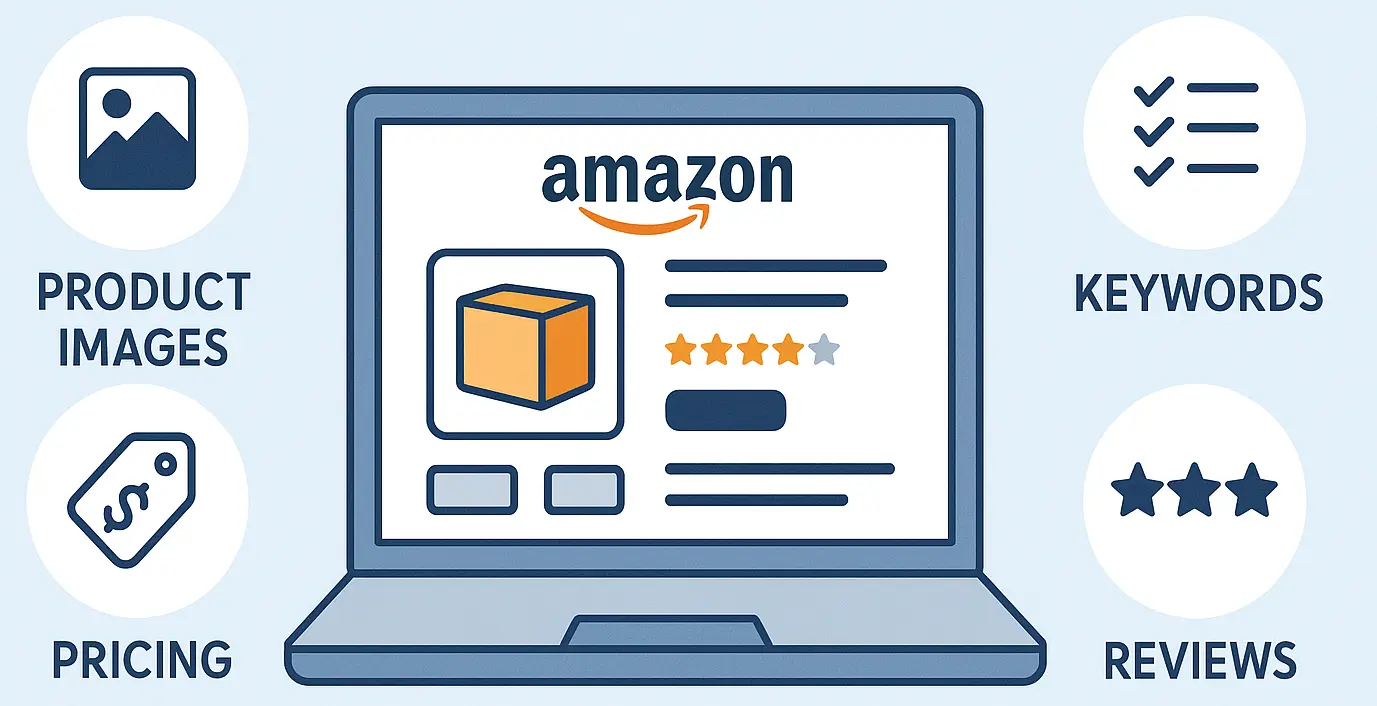
Most Amazon sellers struggle to get seen. Their Amazon listing gets buried, sales stay flat, and organic ranking never improves. That pain comes from poor product visibility, lack of sales growth, and not knowing how to optimize Amazon listing the right way.
To optimize an Amazon listing, use exact-match keywords, bullet points, clear benefits, sharp images, and correct categories. These steps improve product visibility, increase conversion rate, raise organic ranking, and support sales increase while helping maximize Amazon sales.
You’ll learn how Amazon’s A9 and A10 algorithm ranks listings and how to match their key requirements. Next, we’ll cover step-by-step optimization tactics, pricing strategies, promotions, and how to grow your online business through testing and continuous improvement.
What is Amazon Listing Optimization?
Amazon listing optimization means improving your Amazon listing to match how the A9 and A10 algorithm works. It includes keyword-rich titles, bullet points with features, clear descriptions, sharp images, and accurate categories. These updates help improve product visibility and make your listing appear in more relevant searches.
The Amazon algorithm ranks listings based on keyword relevance, content quality, and listing performance. Poor listings stay hidden in search, which limits visibility and slows down conversion and sales growth. Optimized listings attract more clicks, improve product visibility, and help maximize Amazon sales with less effort.
Amazon sellers use listing optimization to build trust, increase rank, and gain long-term e-commerce success. This process helps grow an online business by reaching more shoppers and turning traffic into steady sales.
When every part of the listing works together, it becomes easier to maximize Amazon sales without wasting the budget.
Amazon’s A10 Algorithm and Its A9 Foundations

Plenty of sellers want higher visibility, yet they follow tactics Amazon’s algorithm no longer favors. They ignore how the Amazon algorithm works today. A clear understanding of Amazon’s algorithm helps you shape listings that perform better in search. The A9 system started it, but A10 now decides how your product ranks.
A9 Algorithm Ranking Process
The Amazon A9 algorithm ranked products based on simple on-page signals. It focused heavily on keyword placement and sales velocity. Conversion rate also played a strong role in how your listing appeared in search results. The faster your product sells, the more visibility it gains on Amazon.
A9 ranking favored listings with tightly matched keywords and strong internal performance. That meant sellers could win traffic with keyword stuffing or quick sales spikes. At the time, A9 ranking factors were easier to game. This made visibility more mechanical and less tied to buyer behavior.
A10 Algorithm Key Changes
The A10 algorithm added deeper buyer signals, off-site traffic, and seller authority into the ranking system. Now Amazon looks at how relevant your listing is and how buyers engage with it. A10 still uses A9 logic but now values more than just keywords or internal sales.
Traffic from blogs or social media can increase your product’s chances of ranking higher. Amazon also gives weight to listings that perform well in search relevance and conversion rate. Keyword relevance still matters, but A10 wants authentic engagement, not just technical tricks.
Key Ranking Factors That Matter Now
The A10 algorithm uses several signals to decide which listings rank higher in Amazon search results.
Below are the most important ranking factors every seller must understand and align with.
- Sales Velocity tells Amazon your product is popular when daily sales remain strong and consistent.
- Conversion Rate helps your listing rank higher when more visitors turn into buyers.
- Keyword Relevance improves product visibility when exact-match terms appear in titles and bullet points.
- Customer reviews boost trust and ranking when reviews are recent, positive, and consistent.
- External Traffic increases ranking strength when shoppers come from blogs, websites, or social media.
How to Optimize Amazon Listing?
Most sellers want more clicks, but their listings don’t rank well or convert shoppers into buyers. That usually happens when keyword research is weak or when listings lack the right structure.
To help you fix that, here’s a step-by-step process to fully optimize your Amazon listing from start to finish.
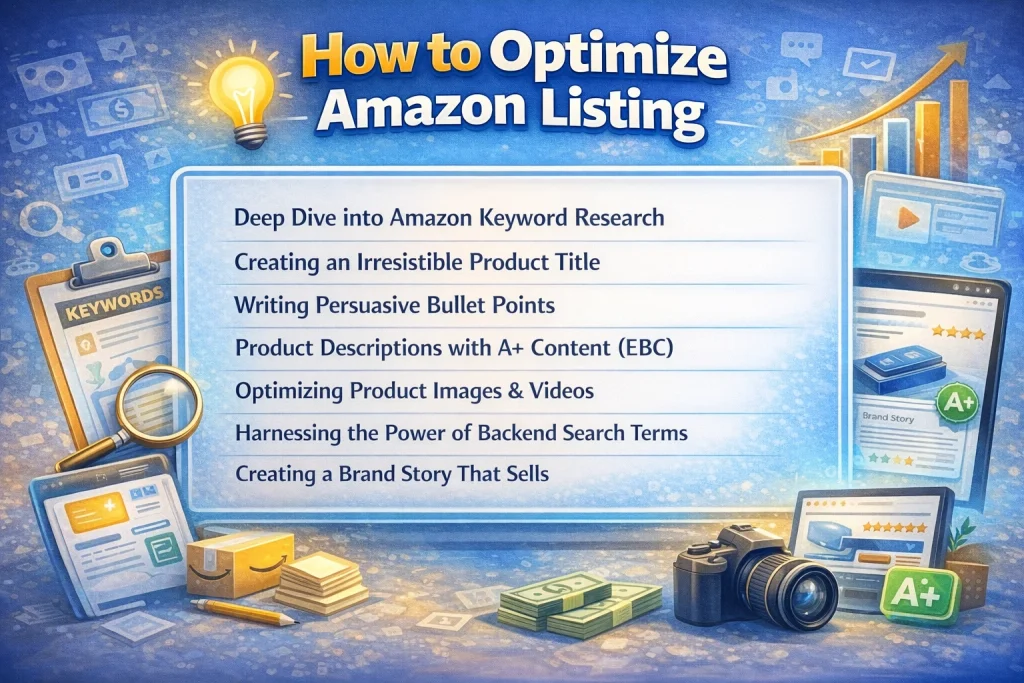
Deep Dive into Amazon Keyword Research
Keyword research tells Amazon what your product is and which customers should see it in search results. Without the right Amazon keywords, your product may stay hidden no matter how useful or unique it is. Smart sellers treat Amazon keyword research as the first and most important step in optimization.
The Amazon search bar is a good place to begin. Type a word, and it shows high-volume keywords shoppers frequently use. Tools like Helium 10, Jungle Scout, and Sonar provide accurate Amazon keyword research data for better targeting.
These keyword tools also help with competitor keyword analysis and uncover hidden keyword gaps.
Use a mix of keyword types. Your list should include primary keywords, long-tail keywords, and seasonal or trend-based terms. Secondary keywords improve your Amazon keyword research by expanding reach across broader queries.
A well-planned keyword strategy improves ranking and supports long-term listing success.
Choose keywords with high search volume and direct product relevance. Don’t include off-topic terms or competitor brand names. Focus on search intent and competitor analysis to find what buyers actively search for.
Every keyword should support traffic, ranking, and conversion without wasting space or breaking compliance.
Creating an Irresistible Product Title
The product title shows up first when buyers search or scroll through Amazon listings. A weak product title lowers search visibility, reduces trust, and costs you valuable traffic and conversions. A strong title supports click-through rate, drives sales, and helps optimize product title performance.
Follow Amazon title guidelines closely. Use the format: Brand Name + Model Number + Key Product Features. Start with the primary keyword to support search relevance and satisfy Amazon title guidelines. The first 50 characters matter most because they appear in mobile and desktop views.
Write product title content that feels human but aligns with Amazon’s algorithm. Avoid all caps, symbols, and marketing words like “guaranteed” or “best value.” Those break Amazon guidelines and make your listing look unprofessional. Clarity always ranks higher than hype.
Compare your title with high-ranking competitors in your niche. Use competitor analysis to see what formats and features appear most. Then, adjust your structure to include brand name, product features, and a primary keyword at the front. Better placement earns stronger results in mobile and desktop searches.
Writing Persuasive Bullet Points
Bullet points help shoppers scan your listing fast and understand what makes your product different. They highlight product features, explain benefits, and address customer pain points that often block sales. Weak bullet points confuse buyers and lower your chance of conversion.
Write bullet points that clearly explain key features and lead with strong, specific benefits. Start each line with a bold label if your brand style supports it. Keep the structure consistent, and always focus on what the customer gains from the product.
Highlight unique selling points that answer real shopper concerns and create trust. For example, mention tested durability, faster setup, or safety certifications. If you ignore these details, your listing will blend in with everyone else’s.
Use secondary keywords in your bullet points naturally without keyword stuffing. Amazon keyword indexing improves when keyword variety flows with natural language. Overusing the primary keyword hurts readability and goes against Amazon’s quality guidelines.
Address customer pain points by understanding what keeps buyers from completing their order. Then turn those objections into clear feature-based solutions. Shoppers appreciate honesty, clarity, and thoughtful product presentation.
Product Descriptions with A+ Content (EBC)
A weak description loses buyers fast. A great one builds trust, answers doubts, and pushes the shopper to buy.
Start with the problem your product solves. Then explain how it improves the buyer’s life. Highlight practical, everyday benefits – less hassle, more comfort, better results. Real advantages sell. Empty claims don’t.
Use emotional triggers tied to safety, ease, confidence, or performance. Follow with proof – materials, durability, or test results. People want facts with a purpose.
Include long-tail keywords that match what buyers search for. Each line should boost visibility without sounding robotic.
Keep your format easy to scan. Use short lines. Bold the big benefits. Help shoppers find answers fast.
If you’re brand-registered, upgrade with A+ Content (also known as EBC or Enhanced Brand Content). It replaces plain text with visuals, comparison blocks, and styled layouts. It makes your listing feel professional, complete, and trustworthy.
Your description isn’t just space to fill. It’s where sales begin.
Optimizing Product Images & Videos
High-quality product images and videos help your listing earn trust, hold attention, and convert faster. Shoppers decide quickly based on visuals, so weak images cost sales and damage credibility. Great visuals create a clean, trustworthy, and click-worthy listing.
Start with your main image. Use a white background, strong lighting, and a clear view of the product. Amazon guidelines require the product to fill at least 85 percent of the frame without any watermarks or added graphics.
Use lifestyle photos that display how the product fits into everyday situations. Help the shopper picture it in their home, car, or routine. Use infographics to explain size, benefits, or features without crowding the listing with blocks of text.
Product videos offer extra time on the page and can quickly build buyer confidence. Show the product in action to highlight results and usability. Keep your clips short, clear, and focused on the benefits that matter most to the shopper.
Amazon’s image resolution standard requires a minimum of 1000 x 1000 pixels for zoom capability. High-resolution visuals improve buyer confidence and reduce hesitation. This helps listings with detail-sensitive buyers, especially in competitive categories.
Optimize product images and videos for trust, speed, and emotional connection. Add product video elements that reinforce your brand and support the final buying decision.
Harnessing the Power of Backend Search Terms
Backend search terms help Amazon understand your listing without adding clutter to the visible content. These hidden keywords give your product more exposure in search results without affecting how your page looks. When used properly, they increase traffic and improve keyword indexing.
Use backend search terms to include relevant phrases that do not appear in your bullets or description. This includes synonyms, misspellings, and alternate names shoppers may use to search for your product. Adding these terms boosts discoverability across a wider set of buyer queries.
Avoid keyword stuffing and duplication. Repeating visible content in the backend field wastes character space and hurts SEO. Amazon backend keywords should be unique, accurate, and based on actual search behavior, not guesswork or outdated tactics.
Add hidden keywords that support the product’s features, use cases, and category relevance. Do not include brand names, competitor listings, or terms that mislead search intent. Amazon may penalize listings that misuse this backend field.
Stay under Amazon’s character limit, and avoid using commas or symbols. Use spaces to separate each term so Amazon can index them properly. When you optimize backend search content, help your listing appear for a wider range of relevant keyword searches.
Creating a Brand Story That Sells
Your product tells buyers what it does. Your brand story tells them why they should trust you.
A clear, compelling brand story builds connection. It helps shoppers feel aligned with your mission, values, and quality standards – especially when they’re comparing dozens of similar products. When done right, your story becomes your strongest competitive edge.
Start with your origin. What inspired you to build this product? Was it a personal frustration, a market gap, or a bold idea to do things better? Authenticity beats polish. Share real moments buyers can relate to – because people remember stories more than specs.
Next, focus on your mission and product philosophy. What does your brand stand for? Is it quality without compromise? Smarter solutions? Cleaner ingredients? Buyers don’t just want function – they want purpose. Spell it out with confidence, not fluff.
Then bring in the proof. Mention product testing, certifications, or years of development. Talk about how your team obsesses over the details, because trust grows when you show that you care deeply about the result.
If you’re using Amazon’s Brand Story module inside A+ Content (EBC), use it to guide the customer journey. Add:
- Founder’s quote or timeline to humanize the brand.
- Value blocks showing your key promises.
- Visuals of your team or product in action to build emotional credibility.
Pricing Strategies & Promotions
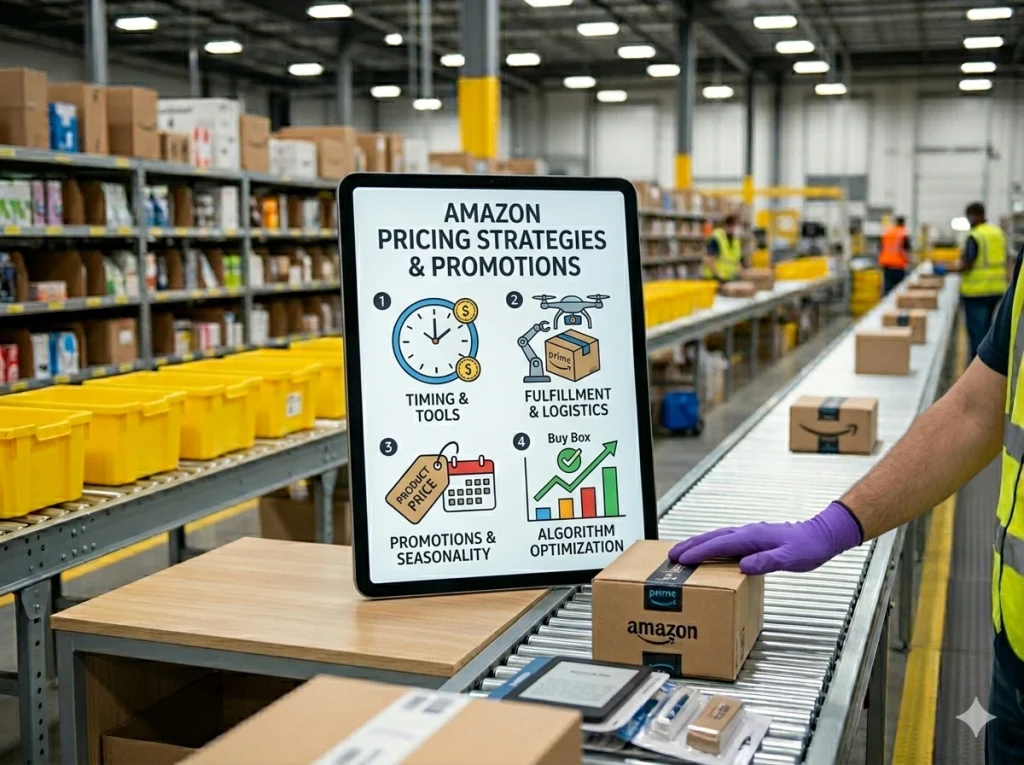
Some sellers price lower than competitors but still lose sales and Buy Box visibility. That’s because Amazon doesn’t reward the lowest price alone.
Amazon’s pricing strategy depends on tools, timing, fulfillment, and promotional activity. Every decision must align with what the algorithm values most.
To stay competitive and profitable, sellers must focus on several key pricing factors that directly influence performance:
- Set prices to match top sellers without dropping so low that buyers question your product quality.
- Use tools like RepricerExpress, Aura, or any other Automate Pricing solution to respond to market shifts instantly.
- Choose amounts like $19.99 or $48.90 instead of round prices that feel less strategic.
- Fulfillment by Amazon helps win the Buy Box even when your product isn’t the cheapest option.
- Amazon favors listings that combine fair pricing with great metrics, fulfillment, and availability.
Smart Promotions That Increase Sales
Promotions create urgency, improve click-through rates, and help listings stand out in crowded categories. They are especially effective during product launches, seasonal peaks, and times when traffic dips. Use Amazon promotions as part of your overall pricing strategy to boost sales velocity and visibility.
| Promotion Type | When to Use | Best For | Result |
|---|---|---|---|
|
Coupons |
New launches, early reviews, cold traffic |
New sellers, first-time buyers |
Increases click-through, builds trust quickly |
|
Lightning Deals |
Prime Day, Black Friday, seasonal bursts
|
High-demand products with volume margin
|
Drives urgency, improves sales velocity fast
|
|
Percent-Off Offers |
Clearing old stock, boosting low performers |
Products with margin room |
Attracts deal shoppers and price-sensitive buyers |
|
Buy X Get Y Offers |
Bundles or add-ons |
Repeat purchases, low-cost accessories |
Increases average order size and repeat rate
|
|
Limited-Time Sales |
Short campaigns with tool support |
Slow periods, new competitors entering |
Boosts visibility without permanent price drops |
The Power of Social Proof: Reviews & Q&A Optimization
Your product looks great, the price is right, but no one’s clicking the buy button. That’s not always a pricing issue. Many shoppers hold off when they don’t see proof from real people. Customer reviews and the Q&A section give your listing the trust it needs to convert more often.
Amazon treats reviews and product ratings as signals of quality and buyer confidence. A product with solid feedback will rank higher and attract better traffic. Buyers rarely scroll past listings with zero reviews. Even one or two early reviews can make a big difference in performance.
You can generate customer reviews by asking through Amazon’s request-a-review button after each purchase. The message comes from Amazon, so it feels more neutral and trustworthy. Sellers using this consistently often see faster review growth without risking policy violations.
If your listing includes a Q&A section, keep it active. When shoppers ask about fit, material, or function, give answers that are honest and direct. Always use the right keywords in your replies without forcing them. That way, your answers help clarify details and support organic ranking at the same time.
Sometimes, feedback is critical. Instead of avoiding it, respond with patience and clarity. Buyers respect brands that fix problems and take ownership. If you’re launching a product, Amazon Vine is a smart way to collect early, high-quality reviews from real shoppers.
Monitoring, Testing & Continuous Listing Improvement
Updating your listing once is not enough. Amazon constantly shifts what it shows and how it ranks products. Ongoing listing optimization requires you to track performance, test different elements, and adjust based on results. That’s how high-performing sellers stay visible while others fall behind.
Smart optimization starts with knowing what to measure. Amazon makes key performance metrics available inside your Seller Central dashboard. These metrics tell you what’s working and what needs testing or improvement.
- Click-Through Rate (CTR): Measures how many shoppers clicked your listing after it appeared in search results.
- Conversion Rate: Reveals what portion of visitors turned into actual buyers who completed a purchase after viewing your product page.
- Sessions: Tracks unique visitors and helps reveal whether your listing gets enough visibility from Amazon.
To monitor performance over time, use built-in tools like Brand Analytics and Business Reports in Seller Central. These tools show which search terms convert and which listings need better targeting. You can also review search term data and monitor competitor moves through Helium 10 or similar tools.
Amazon A/B testing helps you test elements like titles, images, and pricing to find what works best. Use performance analysis to decide what to test and when to test it. Small changes in messaging or layout can make a measurable difference over time.
You don’t need to guess what to test. The table below shows key listing elements and what each one improves.
| What to Test | What It Improves |
|---|---|
|
Product Titles
|
Strong titles raise CTR and improve search performance across desktop and mobile. |
|
Main Images |
Visual upgrades can increase page views and hold attention longer. |
|
Bullet Points |
Clear points help buyers understand value faster and improve conversion rates. |
|
Pricing
|
Adjusting pricing can boost Buy Box eligibility and daily sales volume.
|
Advanced Amazon Listing Optimization Tactics
Basic listing strategies help you get seen. Advanced tactics help you stay competitive and scale faster. These proven methods improve visibility, raise order value, and build lasting brand loyalty across Amazon and beyond.
- Virtual Bundles: Let buyers purchase multiple products together, even when shipped separately. Bundles grow average order size without added inventory or packaging costs. Create virtual bundles based on items that often sell together inside your Seller Central reports.
- Amazon Posts: Share product-focused content that appears on your listing and Amazon’s mobile shopping feed. Posts increase exposure by linking lifestyle images to relevant search terms. Publish consistently to attract new visitors through Amazon’s internal content system.
- Amazon Live: Stream real-time video to showcase your product and answer questions while shoppers watch. Live streams build trust and boost engagement through direct interaction. Use Amazon Live for launches, peak seasons, or when search traffic starts to dip.
- Off-Amazon Traffic: Send shoppers from social media, email, or blogs directly to your Amazon product page. Amazon favors listings that drive off-Amazon traffic with improved ranking signals. Use Attribution Tags to track source performance and refine your traffic strategy.
- Product Inserts: Add inserts that thank customers and offer helpful product guidance or usage tips. Inserts support repeat sales and reinforce product legitimacy without asking for reviews. Keep the message short, helpful, and compliant with Amazon’s communication rules.
- Parent-Child Variations: Group variations like size, color, or quantity under one main listing to simplify comparison. This improves the shopper experience and reduces listing fragmentation. Optimize parent-child structure to increase visibility and support stronger performance across variations.
Common Amazon Listing Optimization Mistakes to Avoid
Even small mistakes can silently damage your ranking. Amazon may suppress your listing without any warning. Avoiding these errors protects your traffic, trust, and account health.
Here are some mistakes with the solution to Amazon optimizing below:
- Mistake: Keyword Stuffing makes listings unreadable.
- Solution: To prevent search engine drops and Amazon penalties, avoid keyword stuffing.
- Mistakes: Low-quality images lower trust and conversions.
- Solution: Always upload clean, bright photos with the correct size and resolution.
- Mistakes: Ignoring Customer Reviews signals a weak customer experience.
- Solution: Reply to feedback to protect product credibility.
- Mistakes: Breaking Amazon Policies causes Amazon policy violations.
- Solution: This can lower the ranking or trigger account suspension.
- Mistakes: Weak Product Titles confuse buyers and the algorithm.
- Solution: Write titles that stay relevant, clear, and keyword-aligned.
- Mistakes: Overusing Backend Keywords reduces index value.
- Solution: Target exact matches only and remove duplicated terms.
- Mistakes: Missing Product Variations, split traffic, and reviews.
- Solution: Use parent-child formats to group related SKUs properly.
- Mistakes: Slow Q&A Responses damage trust.
- Solution: Clear answers help improve product legitimacy and drive conversions.
- Mistakes: Ignoring Listing Health Metrics blocks insight.
- Solution: Regularly check Seller Central to prevent ranking loss.
How to Use Amazon Search Query Performance Data to Improve Your Listing
Amazon Search Query Performance data helps sellers understand which search terms bring impressions, clicks, add-to-carts, and purchases. Use this report to find the exact keywords shoppers use before buying your product.
Start by checking high-impression keywords with low click-through rates. If shoppers see your product but do not click, your main image, title, price, rating, or coupon may be weak compared to competitors.
Next, review keywords with clicks but low purchases. This usually means the listing is attracting traffic but not converting. Improve bullet points, product images, A+ Content, reviews, and offer clarity around the main buyer concern.
Use top-performing search terms naturally in your title, bullets, backend keywords, and image copy. Do not stuff keywords. Amazon listing optimization works best when search terms match real customer intent.
Amazon Listing Optimization Checklist Before Publishing
Before publishing an Amazon listing, make sure your title clearly includes the main keyword, product type, key feature, size, color, quantity, and compatibility where relevant. A confusing title kills both ranking and clicks.
Your main image should show the exact product on a clean background and match the product title. Secondary images should explain benefits, dimensions, use cases, packaging, and comparison points.
Write bullet points for buyers, not just algorithms. Cover the product’s biggest benefits, materials, size, use case, care instructions, and what is included in the box.
Finally, check backend search terms, category selection, variation setup, pricing, shipping method, and inventory. A listing can have great copy and still fail if the offer, category, or fulfillment setup is wrong.
How to Avoid Amazon Listing Suppression and Policy Violations
Amazon listing suppression happens when a product detail page violates Amazon rules, has missing required information, or contains restricted claims. The safest approach is to build the listing correctly before it goes live.
Avoid prohibited words, medical claims, fake urgency, review manipulation, competitor brand names, inaccurate product details, and misleading images. Do not claim something the product cannot prove.
Make sure your listing matches the actual product. The title, images, bullets, variations, brand name, model number, and package contents must all describe the same item accurately.
Check Account Health, Manage Inventory, and listing quality alerts regularly. If Amazon suppresses a listing, fix the exact flagged issue first instead of randomly editing the whole page. Random changes can create more policy problems.
Frequently Asked Questions (FAQs)
Have more questions about optimizing your Amazon listing? Here are quick answers to what most sellers ask.
You should use as many relevant keywords as you can fit within Amazon’s 250-byte limit. Don’t reuse keywords that are already included in your product title or bullets. Include misspellings, synonyms, and alternate phrasing to widen your reach across searches.
The Buy Box depends on pricing, fulfillment method, shipping speed, and seller performance metrics. FBA usually increases eligibility. A strong order history and competitive pricing both increase the likelihood that your offer appears in the Buy Box.
Yes, you can request a category change through Seller Central, but Amazon must approve it. The new category should accurately reflect your product and help improve visibility. Wrong categories can limit ranking and discoverability.
Product videos increase time spent on your page, boost trust, and explain usage faster than text alone. Listings with videos often convert better, especially for complex products. Short clips that show benefits tend to perform best.
A+ Content replaces your product description if you’re brand-registered. It adds visuals, comparison charts, and branded storytelling. This helps build buyer trust, improves SEO, and can reduce return rates by setting better expectations.
Want Better Results from Your Amazon Listing? Let Brand’s Bro Help!
You now understand what goes into a high-performing Amazon listing. But knowing the steps and seeing real results are not the same. Many sellers follow the basics but still miss clicks, rankings, or conversions.
Brand’s Bro helps fix what’s not working. We support you with keyword research, listing structure, A+ content, Brand story, Storefront, and product images. Our services also include Amazon SEO, PPC strategy, content writing, and design setup to build listings that convert.
If you need guidance, book a free meeting with our team. We’ll review your goals and help you take the next step.


