
When Amazon shows “Payment Revision Needed,” it means the order payment did not go through properly or needs to be updated. Many sellers ignore this as a small buyer-side issue, but that is a mistake. Payment problems can delay orders, increase cancellations, hurt customer trust, and quietly reduce revenue.
At Brand’s Bro, we have worked with Amazon sellers and ecommerce brands across the USA, Canada, the UK, and Australia. We have helped clients fix order issues, payment-related delays, customer communication gaps, and sales recovery problems.
One Amazon client was losing completed orders because buyers were confused by payment revision errors. After we improved their response process and customer guidance, their successful order completion rate increased by 37% within 60 days.
Another client had repeated payment delays and abandoned orders. After we optimized their Amazon support flow, monthly revenue increased by 28%, and unresolved payment-related orders dropped.
If Amazon Payment Revision Needed is stopping your orders or hurting your revenue, Brand’s Bro can help you find the real cause, fix the issue, and recover lost sales. You can book a meeting with us today.
What Does “Amazon Payment Revision Needed” Mean?

The message “Amazon Payment Revision Needed” appears when Amazon can’t complete your payment during checkout. It’s triggered by a payment method problem that stops the order from being processed correctly. The message can show up for both buyers and sellers.
If you’re a buyer, your credit or debit card may have expired or been declined for payment. Amazon attempted to charge the card but was unable to complete the transaction. You’ll need to revise your payment method in your buyer account settings before your order can ship.
However, if you’re a seller, this message may appear when your buyer’s payment doesn’t go through. The order remains in review until payment clears. It doesn’t mean your account is suspended or that your product has been removed.
Real or Scam? How to Verify the Message is Legit
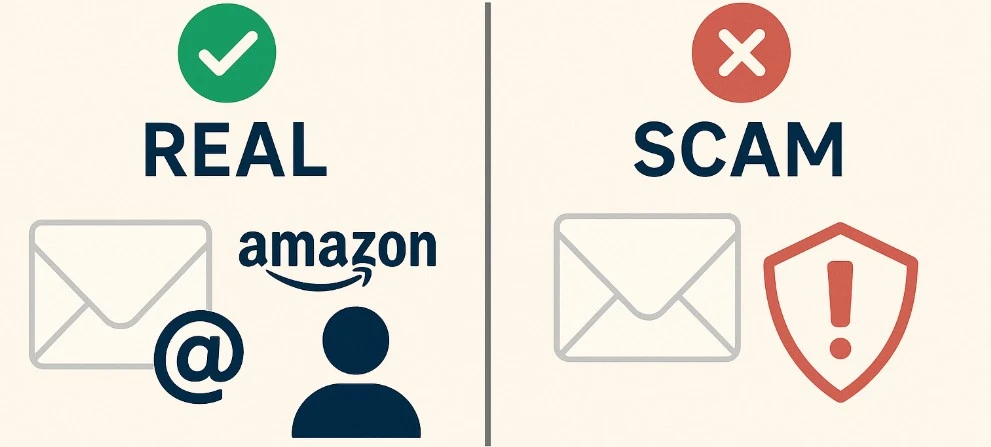
Verify the sender, check the official website/app directly, avoid suspicious links, look for spelling or payment pressure, and contact the company through verified support before replying or paying.
Not every ‘amazon saying payment revision needed’ message is real. Some scammers copy Amazon emails to trick you. You need to know how to spot the difference. Check the details before you click anything that seems suspicious.
Real Amazon Message
A real message from Amazon follows a clear pattern. These signs help confirm it’s actually from Amazon:
- Comes from an official domain like @amazon.com or @payments.amazon.com
- Has your full name and correct order details from your recent purchase.
- Links lead directly to https://www.amazon.com with no extra symbols or numbers.
- The message also shows inside your Amazon buyer dashboard.
Fake Amazon Scam
Scammers try to copy Amazon emails, but there are red flags that give them away. Watch for these signs:
- Comes from emails like @amz-support.com or other misspelled domains.
- Uses general terms like “Dear Customer” with no personal info.
- Links may look close to Amazon but lead elsewhere (like amazon-help-login.com).
- Message only appears in your inbox, not in your Amazon account.
Top Reasons for the “Amazon Payment Revision Needed” Message
When Amazon displays a “Payment Revision Needed” message, it’s often due to a specific issue related to your payment method. Below are the most common reasons, along with the exact steps to fix each one.
- Log into Buyer or Seller Account
- Navigate to Your Orders / Payment Settings
- Update Billing or Card Details
- Retry the Payment
- Contact Support if Still Blocked

Expired or Invalid Credit Card
Your credit or debit card may have expired, been replaced, or blocked without your knowledge. When that happens, Amazon cannot process the transaction. You’ll need to update your payment method inside the buyer dashboard. Replace the old card with a valid one. Most of the time, your order will resume within 1 to 5 minutes.
Incorrect Billing Address
Amazon verifies that the billing address on your order matches the one your bank has on file. If they don’t match, the payment gateway may decline the transaction. Please verify and correct your billing address during checkout. Updating the address typically resolves the issue within 5 to 10 minutes.
Bank Decline or Insufficient Funds
If your bank notices a large amount, an unusual purchase, or low balance, it may block the charge. Contact your bank to confirm if there’s a block on the card. You can also try using a different card. Once the issue is resolved, payment may be processed within 1 to 2 business days.
Unaccepted Card Type or Prepaid
Amazon doesn’t always accept prepaid cards, gift cards, or unsupported international cards. Use a regular debit or credit card from a central U.S. bank. If the card is valid and supported, payment will usually succeed within minutes after switching.
Suspicious Login or Order Pattern
Amazon’s system may freeze a payment if it detects unusual login activity, a suspicious device, or irregular order behavior. In these cases, Amazon holds the transaction for security review. You can wait, or contact Amazon Support through your account. Resolution time varies depending on the case.
We helped a client who was struggling with Amazon Payment Revision Needed issues, unclear product presentation, and low customer engagement.
The BrandsBro team reviewed the problem, improved the payment revision approach, refined the storefront layout, and made the shopping experience more professional and trustworthy.
As a result, the client gained a stronger brand presence and a better-performing Amazon storefront.
Facing a similar Amazon Payment Revision issue? Book a free meeting with us here:
How to Fix the Amazon Payment Revision Needed Error (Step-by-Step)
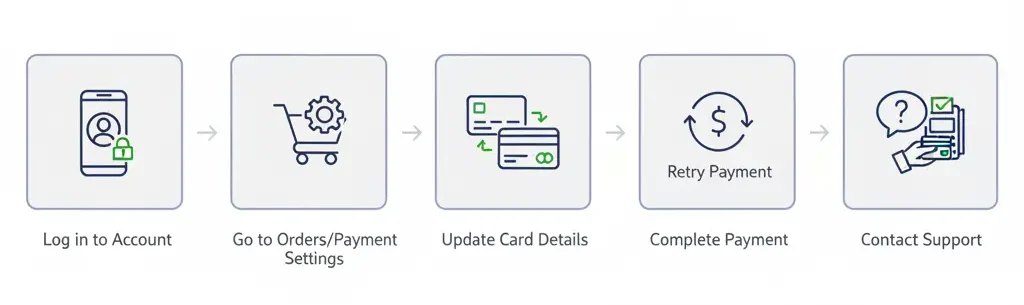
To fix Amazon “Payment Revision Needed,” update your payment method, verify billing details, ensure enough balance, contact your bank, then retry payment from Your Orders.
If you know what caused the error, the next step is to fix it. Most issues can be solved quickly if you update your payment method or confirm your account details. These steps will help you resolve the message and complete your order successfully.
- Log in to your buyer or seller account using a familiar device to avoid added verification steps.
- Go to “Your Orders” or open “Payment Settings” from the dashboard or Seller Central settings menu.
- Replace your expired or declined card with a valid one that has correct billing address information.
- Return to the failed order and click “Retry Payment” or choose “Change Payment Method” to continue.
- Use the new card to complete your payment. Amazon usually clears updated transactions within minutes.
- Contact Amazon Support through the Help page if your update didn’t fix the issue or payment still fails.
- Include your order number and the steps you’ve tried. This speeds up the review process on Amazon’s side.
How Long Does It Take to Resolve?

What is a payment revision? It means Amazon could not complete your payment and needs you to update or confirm your payment method. If your issue is a declined card, expired card, or wrong billing address, the fix is usually quick.
Amazon Payment Revision issues often resolve within 1 to 5 minutes after updating payment details. Manual reviews can take 24 to 72 hours, depending on bank verification or account activity.
To learn how to revise payment on Amazon, go to your order details, choose Revise Payment Method, update your card or billing information, and retry the payment. In most cases, the update works within 1 to 5 minutes, and Amazon confirms the order shortly after.
So, why does my Amazon say payment revision needed? This can happen because of bank decline, incorrect payment details, expired card, suspicious activity, or unusual account behavior. Sometimes Amazon may also place the order under manual review.
If Amazon is saying payment revision needed and the issue does not clear after updating your payment, wait up to 24 to 72 hours. If nothing changes, contact Amazon Customer Service from your Amazon dashboard.
What Happens If You Ignore the Message?
Amazon Payment Revision Needed means Amazon could not fully verify or process your payment, even if your bank shows a charge or pending hold. If Amazon says payment revision needed but charged, the amount is usually a temporary authorization hold, not a completed payment, and you should update the payment method or confirm your billing details from Your Orders.
Ignoring this warning can create bigger problems later. Buyers may face delayed or canceled orders, while sellers can deal with payout issues, order holds, and account trust problems. So, what does payment revision needed mean on Amazon? It means Amazon needs you to fix the payment before the order can move forward safely.
If you’re a buyer:
Your order will stay stuck in processing until payment is cleared. If no action is taken, Amazon cancels the order. You won’t be charged, but please note that the product may be out of stock. You’ll need to place the order again, and you may lose any promotional offers or shipping slots associated with it.
If you’re a seller:
When a buyer fails to revise their payment, Amazon holds your payout until the issue is resolved. Excessive failed payments may result in account warnings, lower trust scores, and disqualify your listing from the Buy Box. If it becomes a pattern, Amazon may flag your account for review.
How to Contact Amazon Support for Payment Issues?
Contact Amazon Support for payment issues by signing in, going to Customer Service > Payment, charges, or gift cards, selecting your issue, then choosing chat or phone support.
If the ‘Amazon Payment Revision Needed’ message doesn’t go away after you update your details, contact Amazon’s support team. You’ll reach the right support if you follow the steps based on your account type.
Start by signing in to your Amazon account. If you’re a buyer, scroll down to the footer and click “Help.” If you’re a seller, go to Seller Central and click “Help” in the top right corner.
Next, choose “Need More Help?” and then click “Contact Us.” Amazon will ask you to pick a topic. Choose “Something Else”, then select “Payment Issues” from the list of options provided.
You’ll see several support channels, including Live Chat, Call Me Now, and the Support Form. Pick the one that fits your needs. Most users prefer live chat or phone for faster help.
Tips to Prevent Payment Revision Errors in the Future
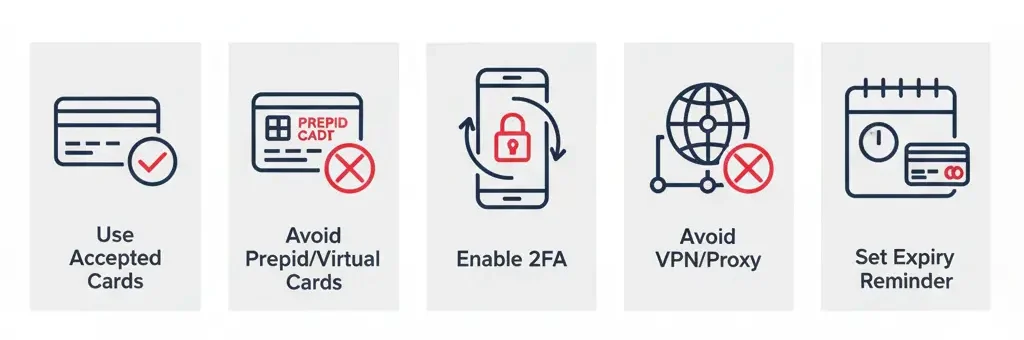
If your payment went through after a quick fix, that’s good news. But you should still take a few steps to prevent the “Amazon Payment Revision Needed” message from showing up again. These small actions protect your account and avoid future delays or transaction issues.
- Use a debit or credit card that is accepted in most countries and supported by Amazon’s payment system.
- Avoid prepaid cards, virtual-only cards, or one-time-use cards, which often fail during account verification.
- Turn on two-factor authentication (2FA) using an authenticator app or SMS code for added account security.
- Do not access your Amazon account while connected to a proxy or VPN. These logins may trigger fraud flags.
- Set a reminder for your card’s expiry date so you can update it before Amazon blocks your transaction.
How to Revise Payment on Amazon App and Desktop
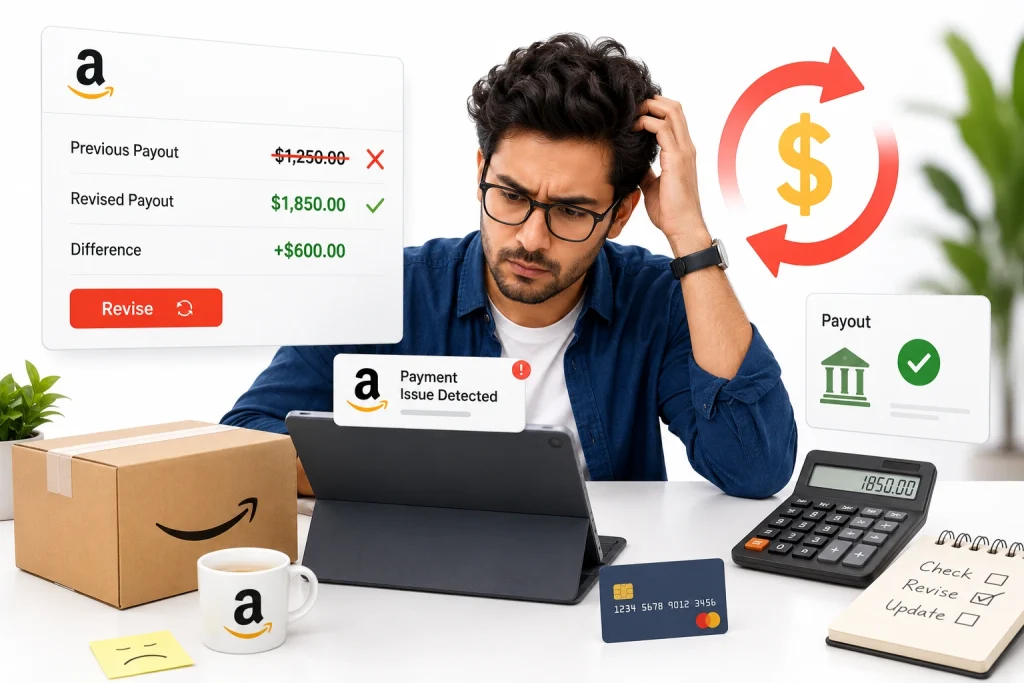
To revise payment on Amazon, go to Your Orders, find the order with the payment issue, select Change Payment Method, choose another saved card or add a new payment method, then confirm the update. Amazon’s help page gives the same core process for fixing a declined payment.
On desktop, sign in to Amazon, open Returns & Orders, and check any order marked with a payment problem. If the option appears, update the card, billing address, or payment method. Amazon also allows customers to manage saved cards from Your Payments.
On the Amazon app, open the menu, tap Orders, choose the affected order, and look for the payment revision option. The exact button may vary, but the goal is the same: replace the failed payment method before Amazon cancels or delays the order.
For Sellers: What to Do When an Amazon Order Is Pending for Payment Verification
If an Amazon order is pending for payment verification, sellers should not ship it manually, contact the buyer for payment, or treat it as a confirmed sale. Pending means Amazon is still checking the buyer’s payment or order details.
For seller-fulfilled orders, wait until the order moves from Pending to a shippable status in Seller Central. For FBA orders, Amazon handles fulfillment only after payment clears. Amazon says payment and order verification can sometimes extend processing for up to 21 days.
The smart move is simple: monitor the order, protect inventory planning, and avoid promising shipment until Amazon confirms the order. If many orders stay pending at once, sellers should check Seller Central alerts, account health, and support cases because it may indicate a broader account or listing issue.
Payment Revision Needed vs Amazon Account Hold: What’s the Difference?
Payment revision needed usually means one order has a failed or declined payment method. The buyer can often fix it by updating the card, changing the payment method, or contacting the bank if the card authorization failed.
An Amazon account hold is broader. It may affect account access, ordering ability, seller disbursements, or verification status. Unlike payment revision, it is not always solved by changing one card. Amazon may require identity, billing, bank, or account security verification.
In simple terms, payment revision is usually an order-level payment problem. Account hold is an account-level trust, security, or verification problem. Buyers should update payment details first; sellers should follow Seller Central instructions and avoid shipping or refunding outside Amazon’s system.
Frequently Asked Questions (FAQs)
Even after updating your payment method or following Amazon’s help steps, you might still have questions. These answers are based on what buyers and sellers often ask when facing real problems with the “Amazon Payment Revision Needed” message.
Your new card may still be blocked or under review. Try removing and re-adding it. If that fails, contact Amazon or your bank to check for fraud flags or verification delays.
Yes, but only if your gift card covers the full total. Amazon won’t let you combine it with a failed card. Fix the failed method or change your payment option entirely.
It’s usually a bank processing delay. Contact your bank to confirm the charge. Then reach Amazon support with a screenshot or statement to resolve the issue quickly.
Yes. The payment revision error can block digital items, pre-orders, and Prime renewals. Update your card in “Memberships & Subscriptions” and retry the payment manually through your account dashboard.
Yes. Frequent payment issues may lower your trust score, trigger fraud checks, and affect Buy Box eligibility if you’re a seller. Resolving issues early helps maintain your account’s health and ranking.
Fix Amazon Payment Flags Before They Hurt Your Sales!
Payment revision errors can stop orders, delay payouts, and hurt your Amazon seller trust. If left unresolved, they may lead to lost rankings, Buy Box removal, or even account flags during peak season.
Brands Bro helps sellers resolve payment issues, recover blocked orders, and protect their account standing. From billing errors to Buy Box recovery, we handle what slows down your growth. Flagged listings, failed payouts, and trust score concerns? We fix what Amazon won’t explain.
Our Amazon account specialists are ready to troubleshoot and support you today.
