
You might have great products on your Magento store, but they don’t show up on Google. Maybe traffic is low, or sales are slower than expected. This is a common problem for many Magento store owners.
The main reason? Your Magento e-commerce website is not SEO optimized to rank higher in search results. So, how to do SEO on Magento? You can start doing SEO by fixing URLs, writing better product content, and improving site speed so Google understands and shows your store more often.
In this guide, you’ll learn step by step how to do SEO on Magento. We’ll cover the basics, what works, what doesn’t, and how to make your store stand out online.
Understanding Magento SEO Basics
Magento SEO is about making your store visible in search results. It ensures that search engines can crawl, understand, and rank your pages. Without it, even the best products and designs may never reach the customers who are searching for them.
Magento also works differently from other e-commerce platforms. Shopify, for example, comes with many SEO features already configured. It makes Shopify easier for beginners but less flexible.
Magento, on the other hand, gives you advanced control over how your site is optimized. That flexibility is powerful, but it also means you must take care of technical details like duplicate content, URLs, and site speed.
| Feature | Magento SEO | Shopify SEO |
|---|---|---|
|
URL Control
|
Full control, but manual setup is needed
|
Auto-generated, less customization
|
|
Duplicate Content
|
Common due to layered navigation
|
Easier to manage, fewer duplicates
|
|
Speed Optimization
|
Requires caching/CDN setup
|
Built-in, less server work
|
|
SEO Extensions
|
Wide range, highly customizable
|
Limited compared to Magento
|
|
Flexibility |
Advanced control for big catalogs
|
Simpler but less flexible |
Before going deeper, it’s helpful to understand the main elements of Magento SEO.
- Crawlability: Google must be able to find and index your pages.
- Content: Product and category descriptions should be unique, helpful, and keyword-focused.
- Technical Setup: Things like clean URLs, meta tags, sitemaps, speed, and mobile optimization all matter.
- User Experience: Fast-loading, mobile-friendly stores get better rankings and keep shoppers longer.
How to Do SEO on Magento: Essential Steps for Better Rankings
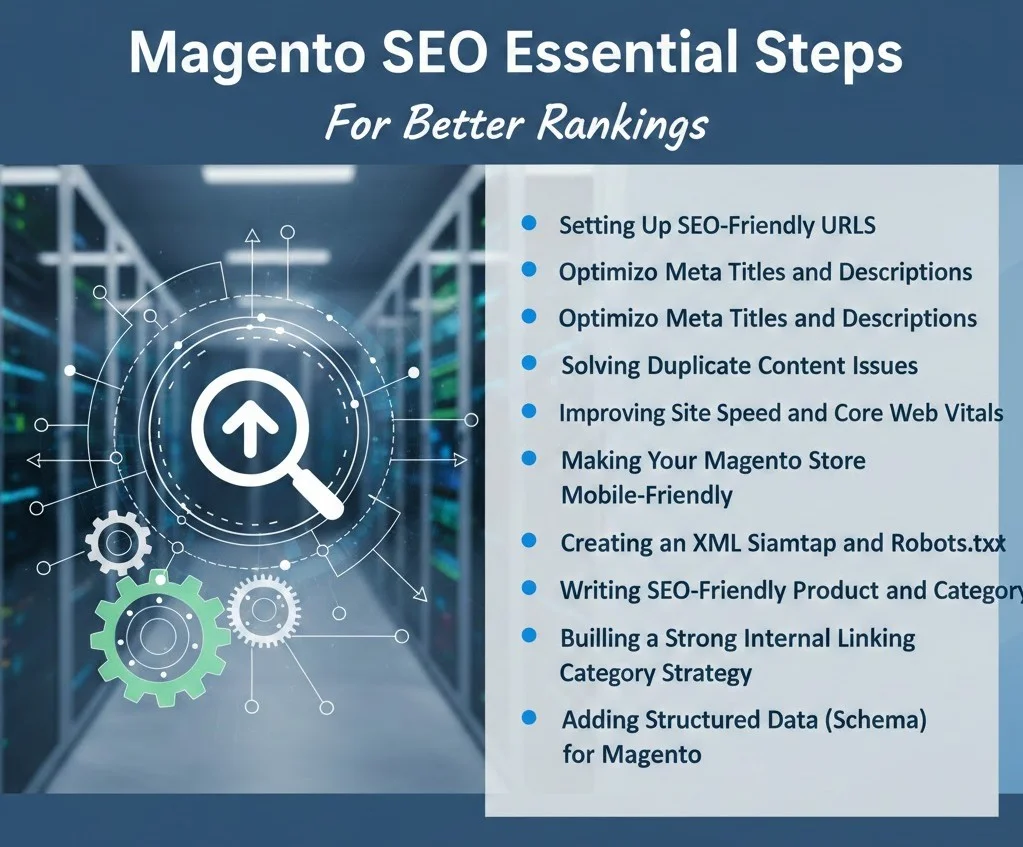
Magento SEO requires optimized titles, clean URLs, fast site speed, structured data, XML sitemaps, mobile-friendly design, internal linking, and regular content updates for better rankings.
Search engines decide which stores appear first when buyers search online. If your Magento site isn’t optimized, it can slip behind competitors, no matter how strong your products are. Here are some core SEO practices you can use to improve visibility and attract more traffic.
Setting Up SEO-Friendly URLs
Magento store’s URLs play a big role in how search engines and customers view your site. A clean, descriptive URL is easier to rank, easier to read, and more likely to be clicked in search results. Here’s how to set them up the right way in Magento:
Enable URL Rewrites in Magento Admin:
Search engines and users both prefer short, clean links. Magento doesn’t always create them by default. Instead, it may add extra text like index.php inside your URLs, which makes them look confusing.
For example:
- Wrong: www.mystore.com/index.php/product?id=123
- Correct: www.mystore.com/red-running-shoes
The first URL looks messy and tells you nothing about the product. The second is clear, easy to read, and more likely to get clicked. Google also prefers the second style because it describes the page content directly.
You can fix this in just a few steps:
- In your Magento Admin, go to Stores > Configuration > Catalog > Search Engine Optimization.
- Find Use Web Server Rewrites.
- Then, set it to ‘Yes’ and save.
Avoid Dynamic Parameters:
Dynamic URLs are links with random numbers, IDs, or symbols in them. Magento often creates these when filters or product variations are used. While they work for the site, they’re not good for SEO or users. For example:
- Wrong: www.mystore.com/product?id=123&color=blue
- Correct: www.mystore.com/blue-running-shoes
The first URL is hard to understand. Neither Google nor customers know what the page is about. The second is clear, descriptive, and easy to remember.
Google struggles to decide if dynamic URLs are separate pages or duplicates. So, if you set too many parameters, you waste the crawl budget and may stop important pages from being indexed. That’s why clean URLs get higher click-through rates because people trust them more.
Here’s how to fix the dynamic parameters in Magento:
- Use Magento’s URL rewrite tool to replace parameter-heavy links with descriptive slugs.
- Avoid auto-generated links with session IDs or unnecessary query strings.
- Include relevant keywords, like product type, color, or size, directly in the URL.
Use Short, Keyword-Based Slugs:
In Magento, a slug is the text at the end of your URL. Keeping it short and keyword-focused makes it easier for Google to rank and for users to click.
Best practices for slugs:
- Keep them short, and no extra words.
- Use the primary keyword naturally (e.g., /wireless-headphones).
- Remove filler words like “the” or “and.”
- Avoid long category chains unless necessary.
A short, keyword-based slug helps search engines understand the page quickly and gives shoppers a clean, trustworthy link to click.
Hyphens Over Underscores:
When separating words in a URL, always use hyphens – instead of underscores _. Google treats hyphens as spaces but sees underscores as part of the word.
The first URL tells Google there are two words: red and shoes. The second looks like a single word, which makes the URL harder to read and less SEO-friendly.
In Magento, make sure your product and category slugs automatically use hyphens. If you see underscores, edit them in the URL Key field when creating or updating products.
Magento SEO Checklist: Product Pages vs Category Pages
Good table columns:
| SEO Area | Product Pages | Category Pages | Priority |
|---|---|---|---|
| Meta title | Product keyword + USP | Main category keyword | High |
| Meta description | Benefits + product intent | Category value + range | High |
| URL key | Short product URL | Clean category URL | High |
| Internal links | Related products | Subcategories/products | Medium |
| Schema | Product schema | Breadcrumb/category support | High |
Optimizing Meta Titles and Descriptions
Meta titles and descriptions are the first things people see in Google search results. They influence both rankings and clicks, which makes them one of the most critical areas to optimize for any Magento store.
Meta Titles
The meta title is your primary ranking signal. It tells search engines what the page is about and appears as the clickable headline in search results.
Best practices:
- Keep titles between 55-60 characters.
- Place the target keyword at the front.
- Add a clear benefit to attract clicks.
To change meta titles, please go to the catalog in Magento >Products, open a product, and scroll down to the Search Engine Optimization section. Edit the Meta Title field directly.
For bulk updates, you can use dynamic templates. But high-value pages like the homepage should always be optimized manually.
Meta Descriptions
The meta description doesn’t directly affect rankings, but it strongly impacts the click-through rate (CTR). Think of it as a short sales pitch that convinces shoppers to choose your link over competitors.
Best practices:
Keep descriptions within 150-160 characters.
Include the target keyword naturally.
Add a reason to click using action words like Shop, Discover, or Save.
You can set this in the same Search Engine Optimization section of the product page in Magento Admin. A well-written description makes your listings stand out and drive more sales.
Solving Duplicate Content Issues
Duplicate content is one of the biggest SEO challenges in Magento. It shows up when different URLs point to nearly identical pages. Google then wastes time crawling them, splits your ranking signals, and may display the wrong page.
Canonical Tags
Canonical tags tell search engines which version of a page should be treated as the main one. Without canonical tags, Magento often creates duplicates when products have variations like size or color. For example:
/red-shoes
/blue-shoes
Both can point back to the main product page /shoes.
How to fix canonical tags in Magento
You can fix the canonical tags issue directly inside your Magento settings. Start by going to Stores > Configuration > Catalog > Catalog > Search Engine Optimization in your admin panel.
Once there, turn on the option to use the canonical link meta tag for products and set it to “Yes.” This tells Google which product page should be treated as the main version.
After that, apply the same setting for Categories. Enabling canonical tags helps duplicate category variations point back to the original page. This simple adjustment helps Google focus on your core URLs instead of splitting authority across duplicates.
Layered Navigation and Filters
Magento’s filters are great for shoppers but bad for SEO. Each filter, like color, size, or price, creates a new URL with duplicate content.
To fix the layered navigation issue, start by adding canonical tags. It points back to the main category page. This combines ranking signals and avoids duplicate content.
You can also use a noindex, follow tag so filter pages don’t rank, but still let crawlers find products.
For extra control, block unnecessary parameters in your robots.txt, but always test first to avoid hiding valuable pages.
This keeps your index clean and ensures Google focuses on your core product and category pages.
Page Pagination
Large Magento stores often split products across several pages. Like: /shoes?page=2
/shoes?page=3
Without guidance, Google may see them as duplicates of page one. The fix is to guide crawlers so they understand the relationship between paginated pages. The first step is to keep a self-canonical on each page in the series.
Next, add rel=”next” and rel=”prev” tags to connect the pages. This shows Google that they belong to the same sequence and should be treated as a set.
If your store has a fast-loading “View All” page, you can point all versions back to that single page. This helps consolidate signals and makes crawling easier.
These steps will enable Google to view every product without confusing pagination for duplicate content.
Improving Site Speed and Core Web Vitals
Speed is one of the biggest ranking factors in SEO. A slow Magento store hurts visibility and frustrates shoppers to lower conversions.
Google measures this site’s speed through Core Web Vitals. It tracks how fast your site loads, how quickly it responds, and how stable the page looks. Here’s how you can improve speed in Magento.
Magento Caching
Magento is powerful, but it can be resource-heavy. Every time someone visits your store, the server rebuilds the page. This slows things down unless caching is enabled.
Varnish and Redis are two caching solutions built for Magento:
Varnish creates a full-page cache, so returning visitors see a prebuilt page instead of waiting for the server to rebuild it.
Redis is perfect for caching sessions and objects, reducing load on the database.
To set this up, go to Stores > Configuration > Advanced > System > Full Page Cache in your Magento admin panel.
Under the caching application option, choose Varnish Cache if your hosting supports it. This is the most efficient way to speed up your store.
If Varnish isn’t available, start with the built-in cache instead. You can also ask your developer about integrating Redis for deeper performance improvements.
Once caching is enabled, your pages will load much faster because Magento doesn’t need to rebuild everything on each visit.
Content Delivery Network (CDN):
Magento stores with global traffic need a CDN. A CDN stores your static content (like images, CSS, JS) on servers around the world. When someone visits your store, files are loaded from the server nearest to them.
Example: If your store is hosted in New York and a customer shops from London, a CDN will serve assets from a local UK server. This avoids sending everything across the ocean and makes your site load faster.
Recommended CDNs for Magento:
- Cloudflare: Simple to set up, free basic plan, strong security.
- Fastly: Works seamlessly with Magento Commerce, designed for high performance.
Integrating a CDN reduces latency, speeds up delivery, and prevents your origin server from being overloaded.
Optimize Images:
Images are often the largest files on a Magento store. If left unoptimized, they slow everything down.
Best practices for optimizing images:
- Convert images to WebP format, which is 25 – 35% smaller than JPEG or PNG without losing quality.
- Enable lazy loading, so off-screen images load only when the shopper scrolls down to them.
- Use an extension or online tool (like TinyPNG or ImageMagick) to compress product images before upload.
Minify CSS and JavaScript:
Magento stores often ship with a lot of CSS and JS files. Each file adds to the load time. Minifying and bundling them cuts out unnecessary code and reduces the number of requests.
How to Minify CSS and JavaScript in Magento:
Go to Stores > Configuration > Advanced > Developer in your admin panel.
Next, set both Merge CSS Files and Merge JavaScript Files to “Yes.” This combines multiple files into fewer requests, which speeds up loading.
Finally, enable Minify CSS/JS as well. Minification removes unnecessary code and whitespace, making your files lighter and faster to load.
Extensions like Amasty or Magepack can further optimize how scripts load, especially for stores with custom themes.
Core Web Vitals:
Google looks at three signals when deciding if your store provides a good user experience:
- LCP (Largest Contentful Paint): Measures how fast the main content appears.
- FID (First Input Delay): Measures how quickly your store responds after a click or tap.
- CLS (Cumulative Layout Shift): Measures how stable the page is while loading.
Magento sites often struggle with LCP because of large product images and with CLS due to shifting banners or dynamic elements. Fixes like caching, image optimization, and cleaner CSS all directly improve these scores.
You can track Core Web Vitals using Google PageSpeed Insights or Search Console. Run regular tests to see how your changes affect performance.
Making Your Magento Store Mobile-Friendly
Most online shopping now happens on mobile. If your store doesn’t work well on a phone, you’ll lose sales and rankings. Google uses mobile-first indexing, which means it judges your site based on the mobile version.
Here are the key steps to make your Magento store mobile-friendly:
Choose a Responsive Magento Theme
A responsive theme automatically adjusts to any screen size. This means your store will look good whether someone is on a desktop, tablet, or smartphone.
You won’t need a separate mobile version, and your visitors get a smooth experience on any device.
If your current theme isn’t responsive, it’s important to upgrade. A modern, flexible theme helps keep customers engaged and reduces frustration, which can improve sales and rankings.
Improve Navigation and Buttons
Navigation should be simple and easy to use on a touchscreen. Menus need to open smoothly, scroll easily, and let shoppers find what they want without frustration.
Buttons like Add to Cart or Checkout should be big enough for thumbs and spaced far enough apart. This prevents mistakes and makes shopping faster. Shoppers shouldn’t have to pinch, zoom, or struggle to tap the right link.
Test Your Store With Google’s Tool
Use Google’s Mobile-Friendly Test to check how your Magento store works on different devices. This free tool shows if your site is easy to read, navigate, and use on phones and tablets.
The tool points out problems like text that is too small, buttons or links that are too close together, or scripts that block content. Fixing these issues step by step makes your store smoother for both shoppers and search engines.
Creating an XML Sitemap and Robots.txt
Google needs help finding and understanding your Magento store. An XML sitemap shows the pages you want crawled, while a robots.txt file tells Google which pages to skip.
Together, they save crawl budgets and guide search engines to the most important parts of your site.
Building an XML Sitemap
A sitemap is like a map of your store. It should include:
Product pages
Category pages
CMS pages like “About Us” and “Contact”
In Magento, you can create a sitemap by going to Marketing > SEO & Search > Site Map. After generating it, submit the sitemap URL in Google Search Console. This makes sure new products and updates are found quickly by Google.
Setting Up Robots.txt
Robots.txt works like a filter. It tells Google what not to crawl so resources aren’t wasted. In Magento, you should block things like:
Disallow: /catalogsearch/
Disallow: /checkout/
Disallow: /customer/
Disallow: /*?color=
Disallow: /*?size=
These pages don’t need to rank and often create duplicates. To set this up, go to Content > Design > Configuration > Edit > Search Engine Robots in your Magento Admin.
Writing SEO-Friendly Product and Category Content
Product and category pages are the heart of your Magento store. These are the pages that make you money, so they deserve more attention than any other part of your site. Writing unique, keyword-rich content here not only improves rankings but also convinces shoppers to buy.
Always Write Unique Content
Never copy and paste text from a manufacturer’s website. Google sees duplicate descriptions as low-quality and will ignore them. More importantly, copied text doesn’t help your products stand out.
Write your own descriptions with details buyers actually care about – features, benefits, and reasons to choose your product over others. Even a short, unique description is better than using the same generic text that thousands of other stores have.
Use Keyword Research to Guide Content
Good content starts with the right keywords. Do basic research to find both head terms (e.g., “wireless headphones”) and long-tail terms (e.g., “best wireless headphones under $100”).
For products, include buying intent keywords like “buy,” “deal,” or “discount.” For categories, think broader: “best running shoes,” “golf clubs near me,” or “summer dresses on sale.” These signals show Google that your page is meant for shoppers ready to purchase.
Make Category Pages Work Harder
Category pages are more than product grids. Add a short block of descriptive text above or below the product listings. This content should explain what the category is about, highlight top products, and naturally include keywords.
Example: A “Running Shoes” category could mention styles for men and women, top-selling brands, and benefits like cushioning or durability. This turns a simple listing into a page that can rank and convert.
Add Product FAQs
Product FAQs are an easy way to capture long-tail searches. Think about the questions buyers ask:
“Is this waterproof?”
“Does it come with a warranty?”
“What sizes are available?”
Adding these directly to product pages not only improves SEO but also reduces pre-purchase hesitation.
Building a Strong Internal Linking Strategy
Internal links connect the different pages of your Magento store. They guide users from one section to another and tell Google which pages are important.
Without a strong internal linking structure, your deeper product and category pages may stay hidden in search results.
Breadcrumb NavigationBreadcrumb Navigation
Breadcrumbs create a simple trail that shows users where they are: Home > Category > Product.
What to do with it:
Enable breadcrumbs in Magento under Content > Design > Configuration > HTML Head > Breadcrumbs.
Use them on all categories and product pages.
Breadcrumbs help shoppers move smoothly between products and categories without using the back button. For SEO, they pass link equity back up the chain to category and homepage levels, which strengthens the overall site structure.
Related Products and Recommendations
Magento allows you to add “Related Products” or “You May Also Like” sections to product pages.
What to do with it:
Add relevant cross-links between complementary products.
Use these links to keep users engaged and push them toward additional purchases.
This creates keyword-rich internal links that help Google understand product relationships. For users, it increases time on site and average order value. For example, a page about running shoes can link to socks, insoles, or sports watches.
Linking From Blogs to Store Pages
Blog content shouldn’t sit in isolation. Each post can funnel readers back to your money pages.
What to do with it
Add contextual links in blogs pointing to product or category pages.
Use natural anchor text like “best running shoes” instead of generic “click here.”
It helps pass SEO authority from informational content to transactional pages. It also moves readers closer to making a purchase. For example, a blog on “Top 10 Summer Running Shoes” should link to the Running Shoes category page.
Adding Structured Data (Schema) for Magento
Structured data (schema) is extra code that explains your content to search engines. It doesn’t change how your store looks, but it changes how your pages appear in search results.
When implemented correctly, schema can add star ratings, prices, stock levels, and even FAQs directly under your listing. This makes your result more attractive, improves click-through rates, and builds trust with shoppers.
Product Schema
Product schema is the most important for Magento stores. It highlights key details like:
Product name
Price and currency
Availability (In stock / Out of stock)
Customer ratings and reviews
With product schema, Google can display rich snippets that instantly tell buyers what to expect. Instead of a plain blue link, your product could show a 4.7 rating, price, and “In stock” tag all before the click.
Breadcrumb Schema
Breadcrumb schema turns your navigation path (Home > Category > Product) into a cleaner display in search results. Instead of showing a long, messy URL, Google shows the breadcrumb trail. This not only improves readability but also signals your site’s structure to crawlers..
FAQ Schema
The FAQ schema can be applied to product or category pages with a Q&A block. Common questions like “Is this waterproof?” or “Does it come with a warranty?” can appear directly in search results. This helps your listing take up more space on the page and answer doubts before users click.
We worked on a Magento SEO project in the outdoor niche with the BrandsBro team. The client was struggling with a weak SEO structure, poor product presentation, and low customer engagement, which made the storefront less effective and less trustworthy for shoppers.
Our team improved the Magento SEO strategy, redesigned the visual layout, and optimized the shopping experience to create a stronger brand presence and a better-performing storefront. If your Magento store is facing similar issues, you can book a free discussion with us:
Tracking SEO Performance on Magento

Track Magento SEO performance by monitoring organic traffic, keyword rankings, product page visibility, crawl issues, conversions, and revenue impact through GA4, Search Console, and Magento analytics.
Optimizing your Magento store is only half the job. The other half is tracking results. Without data, you won’t know what’s working or where you’re losing sales. Tracking SEO performance shows you what to fix, what to scale, and how your store is growing over time.
Google Analytics 4 (GA4)
GA4 shows how organic traffic impacts your business. After setting up eCommerce tracking, you can measure:
- Sessions: How many visits come from search.
- Conversion rate: How many of those visits turn into sales.
- Revenue: the actual money earned from organic traffic.
This tells you if your SEO work is bringing the right kind of visitors, not just traffic that doesn’t convert.
Google Search Console (GSC)
GSC is your direct line to Google. It shows how often your pages appear in search and how many people click them.
Track these metrics:
- Impressions and clicks: Visibility and traffic.
- Click-through rate (CTR): How attractive your listings look.
- Core Web Vitals: Loading speed, interactivity, and stability.
If product pages aren’t being indexed, GSC will alert you.
Screaming Frog
Screaming Frog crawls your site like a search engine. It’s great for spotting technical problems.
It can find:
- Broken links
- Duplicate meta tags
- Pages blocked from crawling
- Redirect issues
Running regular audits keeps your Magento store healthy and easy for Google to navigate.
With GA4, GSC, and crawl audits, you’ll know what’s driving results and where improvements are needed. Tracking makes your Magento SEO strategy data-driven, helping you grow traffic and sales step by step.
Common Magento SEO Mistakes to Avoid
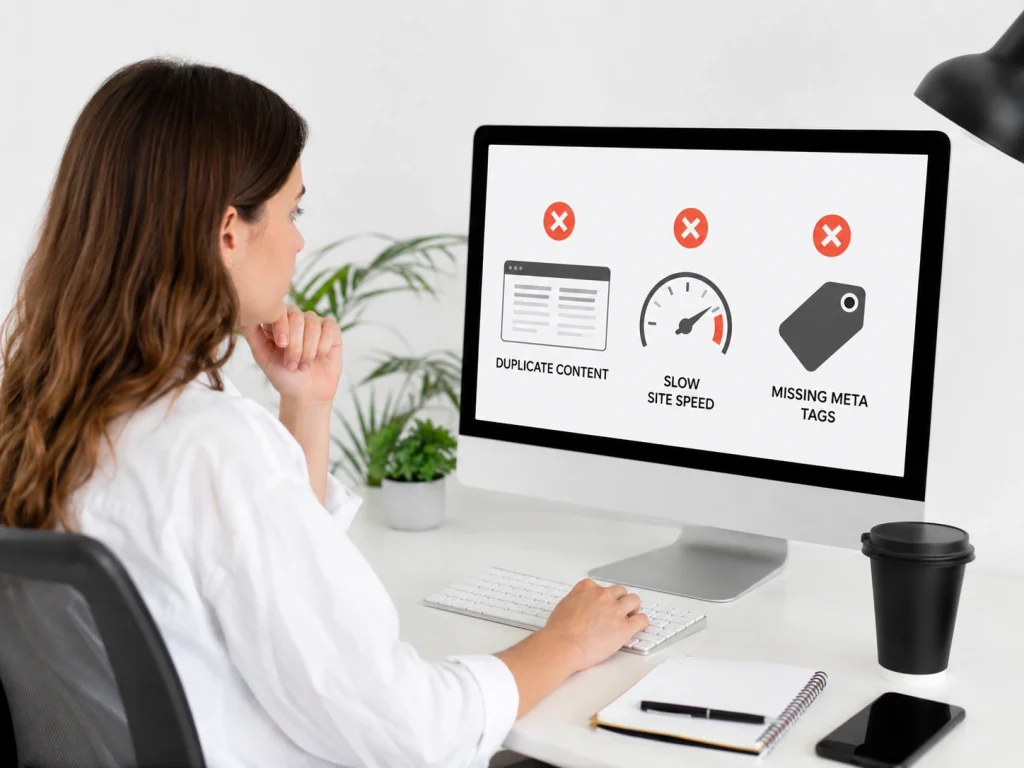
Avoid common Magento SEO mistakes like duplicate content, slow pages, missing metadata, poor URL structure, weak internal links, and unoptimized product pages that reduce visibility and conversions.
Many Magento stores fail at SEO because they do not avoid avoidable mistakes. Ignoring the basics can hold your site back, even if you have great products.
One common issue is leaving default titles and meta descriptions in place. Magento often fills these fields automatically, but when every page looks the same, your SEO potential is wasted. It creates a unique title and description that includes relevant keywords and shows the benefits of each page.
Duplicate content is another frequent problem. When product or category pages repeat the same text, search engines get confused. Without canonical tags, robots.txt rules, or unique content, Google may not know which page to rank.
Site speed can also hurt SEO if you ignore it. Many Magento stores use heavy themes that are not optimized for performance. Slow-loading sites can hurt Core Web Vitals and lower rankings. Choosing a lightweight, responsive theme helps your site load faster and keeps visitors engaged.
Magento Crawl Budget & Index Bloat: How to Control Faceted Navigation, Search, Sort, and Session URLs
Magento crawl budget issues usually start when faceted navigation creates thousands of filter URLs from color, size, price, brand, rating, availability, and sort combinations. These pages often show the same products in a different order, which creates duplicate content and wastes Googlebot’s crawl activity. Google recommends controlling faceted URLs when they offer little search value.
The safest rule is simple: index only pages that match real search demand. A category like “men’s leather boots” may deserve indexing, but a URL filtered by size, color, price, and sort order usually should not. Use canonical tags, robots.txt rules, parameter controls, and noindex rules carefully. Do not block important category or product pages by mistake.
Magento store owners should also control internal search URLs, session IDs, sort URLs, pagination, and tracking parameters. These URLs should not compete with primary product and category pages. Canonical tags help Google understand the preferred version of duplicate or similar pages.
Magento Product and Category Page SEO: How to Optimize Pages That Actually Drive Sales
Magento product page SEO should focus on search intent, conversion, and unique value. A strong product page needs a keyword-focused title, clean URL, unique product description, optimized images, product schema, reviews, FAQs, and clear buying information. Do not copy manufacturer descriptions across hundreds of products because that creates weak, duplicate pages.
Category pages often drive more organic sales than individual products because they target broader commercial keywords. A good Magento category page should include a short helpful intro, crawlable product listings, optimized heading structure, internal links, filters that do not create index bloat, and copy that explains product types, use cases, and buying factors.
Magento includes SEO features for metadata, URL structure, canonical tags, sitemaps, and redirects. Adobe Commerce documentation also confirms that Commerce includes built-in SEO tools to improve how pages are indexed by search engines.
Best Magento SEO Extensions and Built-in Settings Checklist
Before installing Magento SEO extensions, fix the built-in settings first. Enable canonical tags for products and categories, write unique meta titles and descriptions, create clean URL rewrites, generate XML sitemaps, configure robots.txt, and remove duplicate parameter URLs from the index. Adobe’s documentation shows that canonical meta tags can be enabled from the Catalog SEO settings.
Use SEO extensions only when Magento’s default settings are not enough. Good extensions can help with advanced canonicals, layered navigation SEO, structured data, hreflang, redirects, meta templates, HTML sitemaps, and broken link management. But installing too many extensions can slow the store or create conflicts.
The final checklist is direct: keep product and category URLs clean, redirect old URLs with 301 rewrites, noindex low-value pages, control faceted navigation, optimize metadata, submit accurate sitemaps, and monitor Google Search Console for duplicate, crawled-not-indexed, and canonical issues. Magento URL rewrites can create permanent redirects from old URLs to new ones, which helps preserve SEO value during changes.
Frequently Asked Questions (FAQs)
Magento SEO helps your store get found on Google and turn more shoppers into buyers. Here are common questions with clear answers to guide setup, extensions, content, and realistic timelines.
Yes. Magento includes features like custom URLs, meta tags, sitemaps, and canonical tags. These tools give you a good starting point, but you still need to set them up and optimize your content.
Extensions like Amasty or Mageplaza SEO Suite are beginner-friendly. They make tasks like adding schema, managing redirects, or setting canonicals easier. Still, extensions work best when paired with a solid SEO strategy.
SEO is a long-term effort. Most Magento stores see small improvements within 3 – 4 months, with stronger growth in 6-12 months. The timeline depends on competition and how well your site is optimized.
Not always. Many settings can be changed directly in Magento Admin. For advanced fixes like caching or server optimization, it helps to work with a developer or use trusted extensions.
You can, but it’s harder. Unique product and category descriptions are essential for visibility. Adding blogs or guides helps you target more keywords and build authority, making it easier to outrank competitors.
Ready to Grow With Magento SEO?
Your Magento store deserves more visibility, higher rankings, and stronger sales. Our expert Magento SEO service helps you fix the fundamentals, build authority, and unlock long-term growth.
Get Your Free Magento SEO Audit Today


