
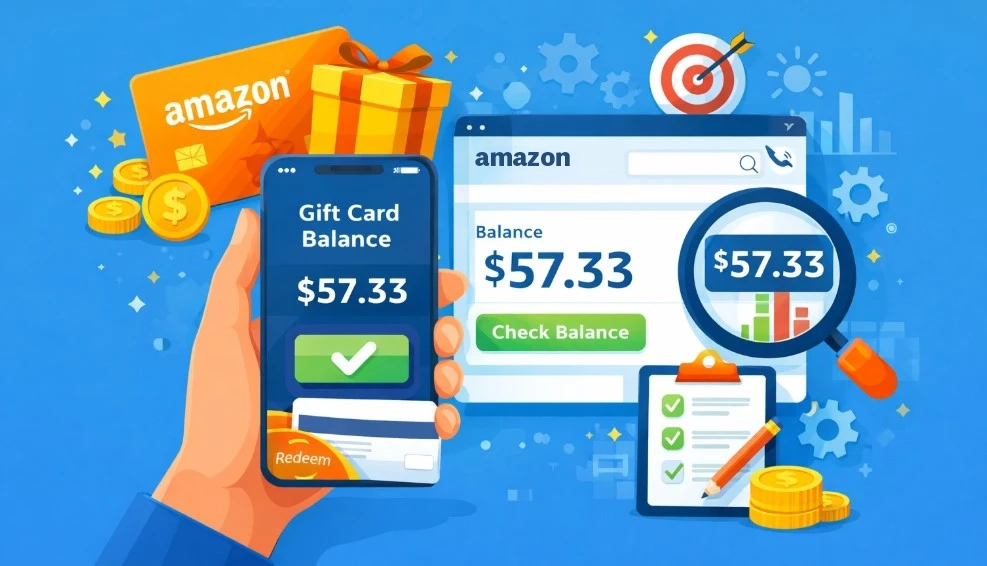
It’s a frustrating magic trick when money you know you have performed a vanishing act. An Amazon gift card balance can disappear right when you need it most. The solution is not magic. It is knowing how to check the balance on an Amazon gift card.
The money has not truly disappeared. You can find your complete balance on the “Gift Cards” page in your Amazon account. This matters because it lets you shop with confidence and avoid checkout surprises.
We will now show you the step-by-step path to that balance. This guide is also designed to clear up all the common confusion. You will have a perfect understanding of how your gift cards work.
How Amazon’s Gift Card Balance System Works?
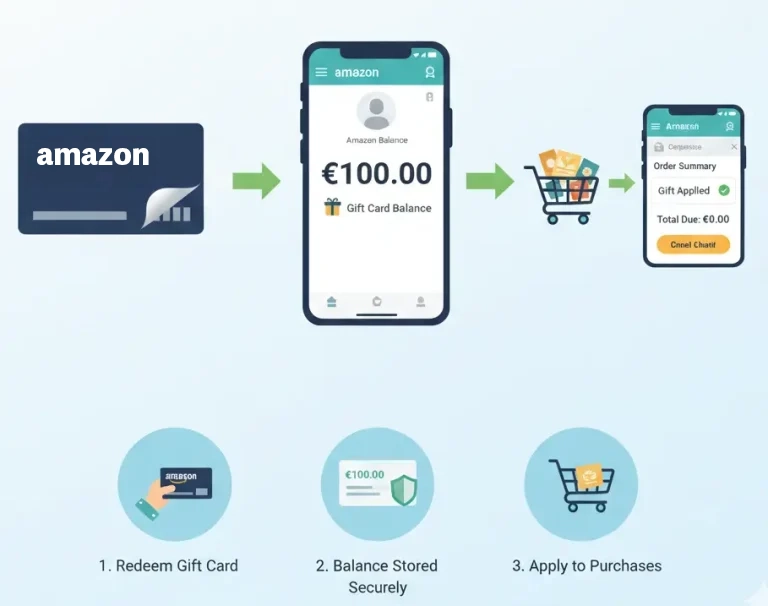
Amazon’s gift card balance system stores redeemed card value in your account, automatically applies it to eligible purchases, and lets you track remaining funds from your Amazon balance page.
Let’s uncover the secret behind that money magic trick. It is helpful to think of your Amazon account like a digital piggy bank. A plastic gift card is just the key. It is used one time to put money into your personal piggy bank.
Once the money goes into your piggy bank, it joins any other gift funds. Amazon adds them all together to create one single account balance. This makes it easy. You only ever have one total amount to keep track of.
This special piggy bank is kept safe right inside your main Amazon account. It is not lost or floating around in a different place. The money is always held in that one central spot, waiting for you whenever you are ready to shop.
When you decide to buy something, Amazon’s system is very smart. It automatically looks inside your piggy bank first for payment. This happens before it ever tries to use your credit card or bank account. It always wants to use your gift money first.
So, during the checkout process, the system pays with that balance. You do not have to click any extra buttons or do anything special. The process is designed to be completely automatic to make your shopping experience much simpler.
That is why the balance can seem to disappear after you buy something. The system is just doing its job. It makes sure your gift card money is always the first to be spent, so no gift is ever wasted.
How to Check Balance on Amazon Gift Card and Track Your Purchases?
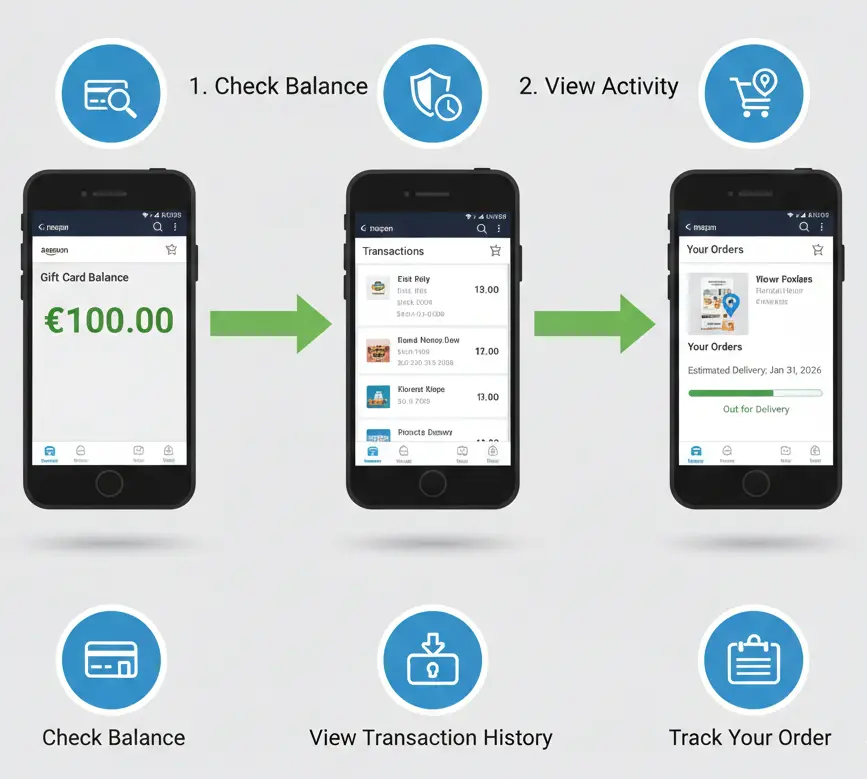
To check your Amazon gift card balance, go to Your Account > Gift Cards. Amazon shows your available balance, reload history, and purchases paid with gift card funds.
The easiest way to check your Amazon gift card balance is to visit the “Gift Cards” page inside your account. While that answer sounds simple, the Amazon website is a big place, and finding that specific page can feel tricky. The exact path below shows you precisely where to click, making the process simple.
1. Go to the Amazon Website and Sign In
First, you need to open the Amazon website on your computer. Find the button that says “Sign in” and click on it. You will need to type in your email and password. This makes sure you are looking at your own personal account.
It is very important to sign in to your own account. This is the only way to see your special piggy bank and the money inside. It keeps your balance information private and secure just for you.
2. Find the "Account & Lists" Menu
After you have signed in, look at the top part of the Amazon page. You will see some words near the search bar. Find the section that says “Account & Lists.” It is usually located on the top right side of your screen.
You do not have to click on it yet. Just move your computer mouse so that it hovers right over these words. This will make a new menu appear on your screen. This menu has a lot of different options for you to choose from.
3. Click on the "Gift Cards" Option
That new menu contains a list of many different choices. You will see options like “Your Orders” and other account settings. Look carefully through that list for the words “Gift Cards.” This is the specific link that you will need to click.
This click takes you to the special gift card section of your account. Think of it as the control center for your entire piggy bank. It is the main hub where you can see your balance, add new cards, and manage your gift funds.
4. See Your Total Gift Card Balance
The new page will now load on your screen. The very first thing you will see is your total balance. It is usually inside a special box at the top of the page. The number shown is the total of all gift cards you have put into your account.
This number is the full amount of money in your piggy bank. It is now ready to be used on your next purchase. You can come back to this page anytime to check my Amazon gift card balance.
Checking Your Balance on Desktop (Amazon Website)
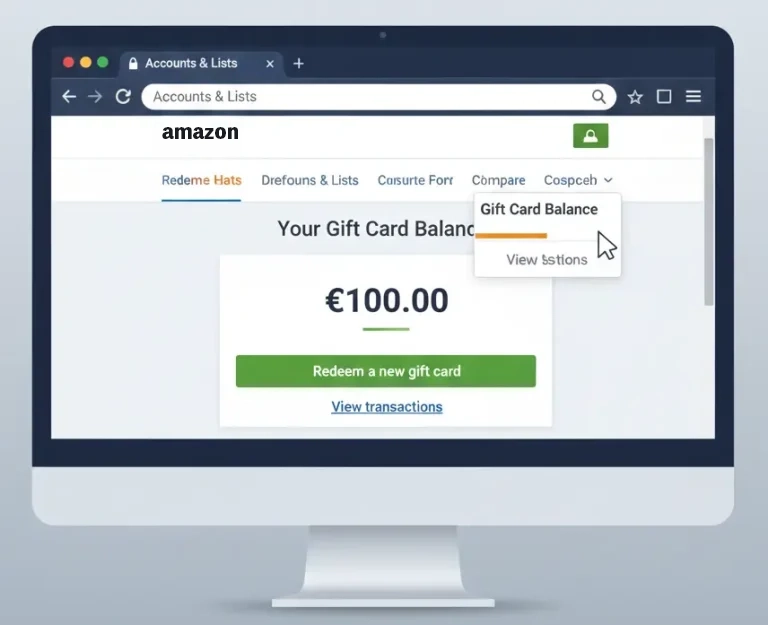
Those general steps work on any device. When you are on a desktop computer, the Amazon website looks a little different. It is filled with many menus, but finding your balance is simple when you know the correct path to follow.
- Start on the Amazon Homepage: First, open the main Amazon.com website on your computer. You will need to be signed in to your account. If you are not signed in, please do so now. This is the only way to see your personal balance.
- Hover Over “Account & Lists”: Look at the top right corner of the page, near the search bar. You will see a section that says “Account & Lists.” Move your mouse pointer and let it rest right on top of these words. A big menu will appear below it.
- Go to the “Gift Cards” Page: In this new menu, look down the list of options. Find the link that says “Gift Cards” and click on it. This single click will take you directly to the correct page where your balance is safely kept. You can also get to this page instantly. Just type amazon.com/giftcards into the address bar of your web browser. This special link lets you skip all the menu clicks.
- View Your Total Balance: As soon as the page loads, you will see your balance. It is always the first thing shown at the top of the page. This number is your complete gift card total. It is the amount that is ready for you to use on your next order.
A Common Mistake to Avoid
It is easy to get confused and think your balance has vanished. This frustration often happens when people look for the amount on the Amazon homepage or in their shopping cart before a purchase.
However, your total gift card balance is never displayed in these locations. You must always navigate to the official “Gift Cards” page. This is the one and only place on the website that shows your correct and current total.
- On an Android phone: Look for the section named “Amazon Wallet.” Tap on it. Your total gift card balance is shown clearly at the top of this page.
- On an iPhone: You will need to scroll down the “Your Account” page. Find the section called “Payments” and tap “Manage gift card balance” to see your total.
Checking Your Balance in the Amazon Mobile App
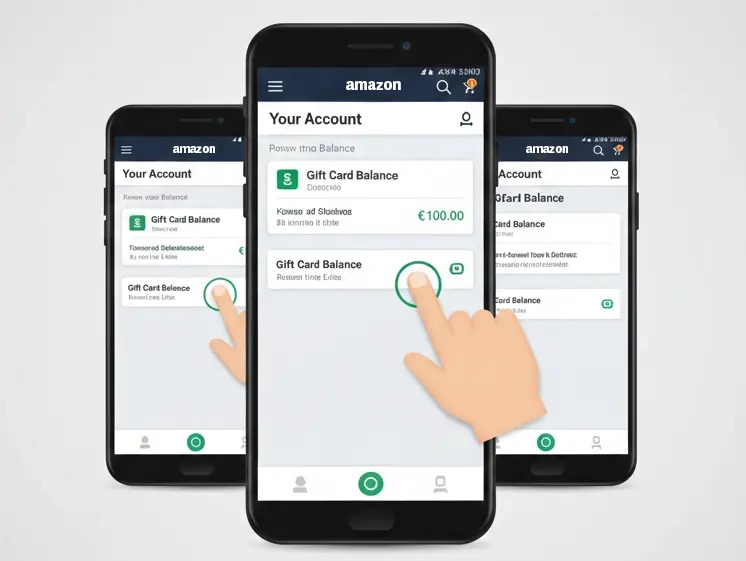
It is also very simple to check an Amazon gift card balance on your phone. The Amazon shopping app works a bit differently from the website.
The good news is that the first few taps are the same for everyone, no matter what kind of phone you use.
1. Open the App and Sign In: First, find and open the Amazon shopping app on your phone. It is very important that you are signed in to your account. This is the only way to see your personal and private gift card balance.
2. Tap the Profile Icon: Look at the menu bar at the very bottom of the app screen. You will see a small icon that looks like a person. This is the profile button. Please tap on this icon to go to the next screen.
3. Go to “Your Account”: After you tap the icon, a new screen will appear. You will see several large buttons near the top of this screen. Tap on the button that is labeled “Your Account.” This will take you to all of your main account settings.
4. Find Your Gift Card Balance: This is the one step that is different for Android and iPhone users. Follow the path that matches the phone you are using.
- On an Android phone: Look for the section named “Amazon Wallet.” Tap on it. Your total gift card balance is shown clearly at the top of this page.
- On an iPhone: You will need to scroll down the “Your Account” page. Find the section called “Payments” and tap “Manage gift card balance” to see your total.
Note: Amazon sometimes updates the app, which can change how the menus look. If these steps do not work, do not worry. Just look for keywords like “Payments,” “Wallet,” or “Gift Card Balance” inside your account settings to find the right page.
Top 5 Chrome Extensions to Check Amazon Gift Card Balance
If you’re looking to keep track of your Amazon gift card balance, you’re probably aware that Amazon doesn’t offer a dedicated Chrome extension for this. But don’t worry!
There are some handy third-party extensions that can help you manage rewards, cashback, and even track gift cards from other platforms.
Some of which can be redeemed for Amazon gift cards. Here’s a quick rundown of the top 5 options:
- FreeRedeemCode.net – This extension lets you monitor your points and available gift cards from multiple platforms, including Amazon. Perfect for those who like to manage all their rewards in one place.
- AutoZon Balance Reloader – While it doesn’t show your balance, AutoZon helps automate Amazon gift card reloads to maximize credit card rewards.
- Honey – If you don’t already have Honey, it’s a must-have. It helps find deals, apply coupons, and sometimes offers cashback that can be redeemed for Amazon gift cards.
- ShopBack – Earn cashback on purchases that you can convert into Amazon gift cards. It’s a solid option for shoppers looking for rewards.
- Capital One Shopping – This extension offers cashback and rewards, which can be used for Amazon gift cards.
While none of these will show your balance directly, they can still help you save and earn gift cards. Just make sure to use extensions from trusted sources!
Ways to Check Your Balance Without Redeeming the Card
You may want to know a gift card’s value before adding it to your account. Many users want to know how to check amazon gift card balance without redeeming it. For your security, Amazon does not offer a balance checker tool.
However, there are a few safe and simple things you can do to find out the card’s intended value or check its condition.
- Ask the person who gave it to you. This is often the fastest and easiest method. The person who purchased the gift card for you will be able to tell you the exact dollar amount that was loaded onto it.
- Check the physical card itself. Some gift cards have the value printed directly on them, like $25 or $50. You should also look at the protective sticker over the claim code. This helps you see if it has been tampered with.
- Contact Amazon support for help. This option is for special cases, like when a card is damaged and you cannot read the claim code. An agent may ask for the card’s long serial number to help verify its status.
The only way to know the balance with 100% certainty is to redeem the card. This adds the money safely to your account and keeps it secure. Never use any other website that claims it can check amazon gift card balance without redeeming, as these are not safe.
Check your gift card balance without redeeming it by visiting the official balance page, entering the card details, using the retailer’s app, or contacting customer support directly.
Balance Lookup With a Serial Number: What’s Actually Possible

The long number printed on the back of your gift card is its serial number. It looks official, so many people hope it can check the balance. However, this number has a very specific job that is often misunderstood. Let’s explore what it can and cannot do.
1. Understand the Serial Number's Job
The first thing to know is that the serial number is just an ID tag. It identifies the physical plastic card itself, like a name tag on a shirt. It does not hold any money. The shorter claim code hidden under the sticker is what holds the actual dollar value.
2. Know Its Limitations
It is very important to know what this number is not used for. This will save you a lot of time and frustration when you are trying to find your balance.
- A serial number cannot be used to check amazon gift card balance with serial number. It also cannot be used as a payment method to buy things on Amazon.
- The serial number can help an Amazon support agent identify the card in their system if it gets damaged or if you suspect there is a problem with it.
3. See Its Real Use
Here is a perfect example of when the serial number is needed. Imagine you scratch the protective sticker too hard. The claim code becomes impossible to read. You would then call Amazon support. They will ask you for the serial number to try and help you recover the funds.
Important Rules About Amazon Gift Card Balances
Once you redeem a card, the money is safe in your account. To make sure you have the best shopping experience, it is helpful to know a few simple rules about how your total balance works. These facts will prevent any future surprises.
Here is your quick checklist of things to remember.
- No Expiration Dates: This is the best rule of all. The money in your Amazon gift card balance will never expire or go away. It will wait safely in your account for years if you need it to.
- Locked to One Country: Your balance must be used on the Amazon website for the country where the card was bought. A gift card for Amazon.com in the United States will not work on the Amazon.co.uk website.
- Used First, Automatically: The Amazon system will always use your gift card money first. It happens automatically before it tries to charge your credit card. You cannot choose to save your balance for a later purchase.
Can You Transfer Amazon Gift Card Balance to Another Account?
No, you generally cannot transfer an Amazon gift card balance to another account after it has been redeemed. Once the gift card claim code is added to an Amazon account, the balance becomes linked to that account and cannot be moved, sold, withdrawn, or transferred to another user.
If you have not redeemed the gift card yet, you can give the unused claim code to someone else. That person can redeem it on their own Amazon account. But once the code is applied to your account, Amazon treats the balance as part of your account’s gift card funds.
This is why you should always double-check the account before redeeming a gift card. If you use multiple Amazon accounts, make sure you are logged into the correct one before entering the claim code. Redeeming it on the wrong account can create a frustrating problem.
If you accidentally redeemed a gift card to the wrong account, your best option is to contact Amazon Customer Service. However, there is no guarantee they will transfer the balance. In most cases, Amazon gift card balances stay locked to the account where they were redeemed.
Why Is My Amazon Gift Card Balance Not Showing?
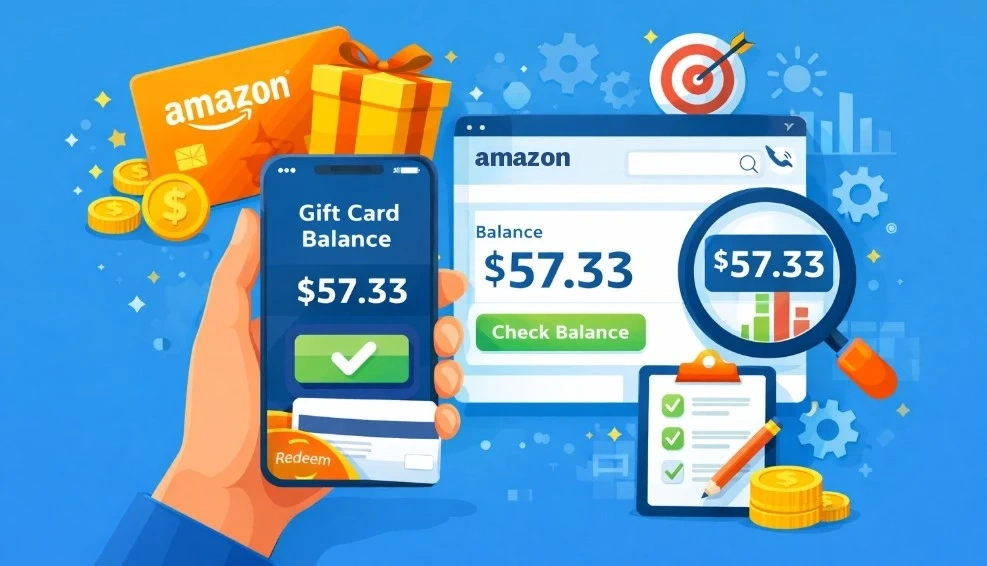
Your Amazon gift card balance may not be showing because you are signed into the wrong Amazon account. This is one of the most common reasons. If the gift card was redeemed on another account, the balance will not appear in your current account’s gift card section.
Another reason is that the gift card balance may have already been used. Amazon can automatically apply gift card funds to eligible orders during checkout. If you recently placed an order, check your order details to see whether the gift card balance was used as payment.
The balance may also fail to show because of a delay, app issue, browser problem, or outdated Amazon app. Try refreshing the page, logging out and back in, clearing your browser cache, or checking from a desktop browser instead of the mobile app.
If your Amazon gift card balance still does not appear, check whether the claim code was entered correctly. For damaged, unreadable, or already-redeemed codes, contact Amazon Customer Service with the gift card details, order number, receipt, or proof of purchase. Avoid using third-party balance checker websites because they can put your gift card code at risk.
Frequently Asked Questions (FAQs)
Even with the rules and steps, a few specific questions often come up. These are the most common things people ask. Here are the quick and simple answers to help you solve any remaining issues.
This usually happens for two reasons. The card may have already been added to your account or another account. Or, there might be a small typo. Carefully re-enter the claim code to make sure it is exactly right.
A zero balance almost always means the funds were already used. The Amazon system automatically applies your balance to your purchases. A past order probably used up the money, even if you did not realize it at the time.
No, this is not possible. Once you redeem a gift card, the money can only be used to buy items on the Amazon website. You can not transfer amazon gift card balance to bank account as cash or send it to a bank.
A gift card balance cannot be moved. After you redeem a card, its value is locked to that specific Amazon account forever. It is important to always be signed in to the correct account before you add a new gift card.
The system will handle this for you. Amazon will use all of your available gift card balance first. Then, it will charge the rest of the cost to your main credit card or other payment method on your account.
Conclusion
That money magic trick is finally solved. You now know the secret to finding your gift card balance. Your digital piggy bank keeps all of your funds completely safe. The balance is always there inside your personal account.
Always remember to protect your physical gift cards. You should treat their secret claim codes just like cash. This is the best way to keep your money secure. Now you can use every gift card with total confidence.
