

You sent your products to Amazon and are expecting them to sell. But then you notice something’s wrong. A product disappears from your active listings, and suddenly, your money is stuck. That’s Amazon FBA Stranded Inventory.
Its inventory is trapped in the warehouse for reasons you might not even see at first. Not selling. Not moving. Still costing you every day.
You get hit hard because it’s invisible. Customers can’t buy it, but you’re still on the hook. But don’t worry. It’s solvable.
With a few targeted fixes, those products can start selling again, and the red numbers can finally turn green.
Why Amazon FBA Stranded Inventory Makes Stock Inactive
Listings don’t disappear for no reason. Usually, it’s just a broken link or a small error. Frustrating and invisible, but completely fixable. One click can free products and stop the losses.
Stranded stock is inventory sitting in Amazon’s warehouse that customers can’t buy. Links break, SKUs vanish, or listings fail. The products are there, but they’re not selling. Plus, they still cost money.
It’s easy to confuse stranded stock with unsellable stock, but the difference matters. Unsellable items that are damaged, returned, or defective must be removed. Stranded stock is fine, the problem is in the listing data.
Amazon’s system is kinda like a strict librarian. You have a missing price or wrong category, the listing gets blocked instantly to protect shoppers.
Status | What it Means | Can You Sell It? |
Stranded | Listing error | Yes, after a fix |
Unsellable | Physical damage | No, must remove |
Why Your FBA Listings Suddenly Disappear: Root Causes
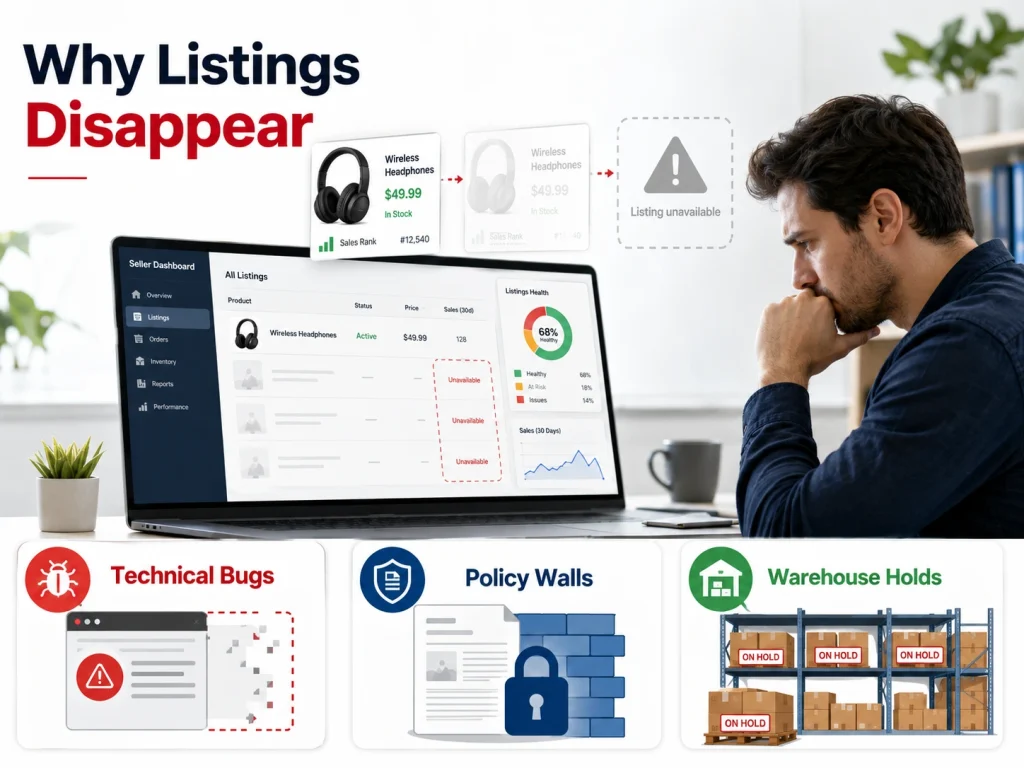
Knowing the root cause saves you hours of clicking the wrong buttons. Most errors fall into three buckets: technical bugs, policy walls, or warehouse holds.
Resolving "No Listing Exists" and Technical Bugs
This is the most common issue everyone faces. You sent the stock, but the system forgot it was supposed to be attached to a specific page.
Mapping Mismatched SKUs to Physical Inventory
Sometimes the SKU in your shipping plan does not match the SKU in your inventory list. When this happens, the warehouse has the box, but the computer does not know which listing it belongs to. You must align these two identifiers to bridge the gap.
Recovering FBA Stock from Deleted Product Pages
Deleting a listing accidentally while stock is still in the warehouse makes the inventory an orphan.
The physical units are still there, but their “home” on the website is gone. You must recreate the listing with the exact same SKU to bring those orphans back to life.
If rebuilding pages is becoming a regular thing, it’s a sign to get professional Amazon listing optimization. That way, your catalog stays clean, organized, and much less prone to these frustrating errors.
Price Violations and Policy Compliance Hurdles
Amazon wants to be the “Earth’s most customer-centric company,” which means they are obsessed with fair pricing. If your price looks weird, they will hide your product until you fix it.
Fix Price Errors: Setting Floor and Ceiling Limits
Pricing errors happen when your current price falls outside your set range. If you do not set a minimum and maximum price, the algorithm guesses for you. Setting these boundaries manually tells Amazon exactly what you consider a “fair” price.
Restricted Brands and Gated Category Obstacles
Sometimes you start selling a product, and then the rules change. A brand might suddenly go “gated,” or a category might require new safety certificates. When the gates close, your stock stays inside, and you are locked out.
Defending Against IP Claims and Listing Suspension
A competitor might claim you are infringing on their trademark. Even if they are lying, Amazon will strand your inventory while they investigate.
This is a defensive move by the platform to avoid legal trouble. Using Amazon design services helps your brand stand out and stay compliant while reducing the risk of future conflicts.
Warehouse Holds: Expirations and Hazmat Reviews
Sometimes the physical nature of your product causes stranding. This is usually about safety or shelf life.
Managing Expired Stock and QC Quality Audits
If you sell food or supplements, the clock is always ticking. Once a product hits its “use by” date, Amazon strands it to prevent a safety issue. Regular audits of your expiration dates are the only way to stay ahead of this.
Navigating Dangerous Goods and Safety Documentation
Products like batteries or perfumes often go under “Hazmat” review. During this time, the inventory is stranded because Amazon needs to ensure it won’t catch fire in the warehouse. Providing a Safety Data Sheet (SDS) is usually the key to unlocking these units.
We worked on an Amazon FBA listing issue where the client’s products suddenly disappeared due to weak compliance checks, listing errors, and poor backend management. The BrandsBro team identified the root causes, fixed the listing structure, and improved the optimization process, helping the brand restore visibility, reduce listing risks, and keep products better positioned for performance.
Having similar problems with your Amazon Storefront? Schedule a free consultation with us, and we’ll review your issue and discuss the best way to fix it.
High Fees and Low IPI Scores

Ignoring your stranded stock is not free. It is like leaving a hotel room booked and empty while you still pay for the minibar.
How Stranded Units Tank Your IPI Performance
Your Inventory Performance Index (IPI) measures how well you manage your stock. Stranded inventory is a massive weight on this score. A low IPI leads to storage limits, which means you can’t send in new, fast-selling stock. It is a downward spiral that starts with a few ignored units.
Avoid Death by Fees: Storage and Aging Surcharges
Amazon charges you for every cubic foot you use. If your stock is stranded, you are paying for space that generates zero revenue. After 180 days, those fees jump significantly. These aged inventory surcharges can eat your entire profit margin in a single month.
The Hidden Cost: Loss of Sales Rank and BSR
When a listing goes dark, your Best Seller Rank (BSR) begins to tank. The longer you are “out of stock” because of stranding, the harder it is to reclaim your spot on page one. You are losing organic traffic every hour your inventory is stuck.
Reclaiming Capital Locked in Dead Inventory
Every stranded unit represents cash you cannot spend on new growth. Let’s say you have 100 units worth $20 each, that is $2,000 sitting in a box. Fixing the error is the fastest way to inject cash back into your business.
The Recovery Roadmap: Step-by-Step Fixes for Every SKU
Let’s get to work on the actual repairs. Most of these fixes take less than five minutes if you know where to look.
Master the "Fix Stranded Inventory" Dashboard
Now, you are in your command center. Go to “Inventory” and then “Manage Inventory,” where you will see a link for “Fix Stranded Inventory.” This page lists every item that needs help and gives you a specific “Reason” for the error.
Using the 1-Click Relist Tool for Instant Fixes
For simple glitches, Amazon offers a “Relist” button. This is the “have you tried turning it off and on again” of the FBA world. Often, clicking this button refreshes the data connection and puts your listing back online in minutes.
Batch Recovery: Bulk Fixing SKUs via Flat Files
If you have dozens of stranded items, don’t fix them one by one. Use an Inventory Loader file. You can upload a simple spreadsheet to update prices, titles, and SKUs all at once. It saves time and reduces human error.
Converting MFN Listings Back to FBA Fulfillment
Sometimes a listing accidentally switches to “Merchant Fulfilled.” If this happens, Amazon thinks you are shipping it from your house, even though the stock is in their warehouse. Switching the fulfillment channel back to “Amazon” usually clears the stranding immediately.
Advanced Fixes: Overcoming Stubborn System Glitches

Sometimes the standard buttons don’t work. When the “Relist” button fails, you need to use more powerful tactics.
The 24-Hour Delete and Recreate Power Move
This sounds scary, and it does come with risks. If you delete a listing entirely while FBA inventory is attached, you risk turning that stock into “orphaned” inventory that the system can no longer locate.
A safer approach is to simply close the listing, wait 24 hours, and then relist it. If you do delete the listing completely, you may need to create a new SKU and contact Seller Support to merge the old FNSKU with the new listing to recover your units.
Re-Mapping FNSKUs to Resolve Catalog Conflicts
Your FNSKU is the barcode on the physical product. If your listing is attached to the wrong ASIN, the FNSKU won’t match. You may need to create a new SKU that points to the correct catalog page to align the physical box with the digital offer.
Escalating Issues to Amazon Seller Support Pros
When all else fails, you have to talk to a human. But don’t just ask for “help.” You need to be specific and provide evidence.
Opening High-Priority Inventory Support Cases
Use the phrase “Inventory investigation” in your subject line. Clearly state that your inventory is stranded despite the listing being active. Provide the SKU, the ASIN, and the number of units affected.
Preparing Proof: Invoices and BOL Documentation
If Amazon claims they don’t have the stock, show them the Bill of Lading (BOL). If they claim the product is restricted, provide your brand authorization letter. Having your paperwork ready makes it impossible for support to ignore you.
Inventory Automation: Managing Removals and Relisting
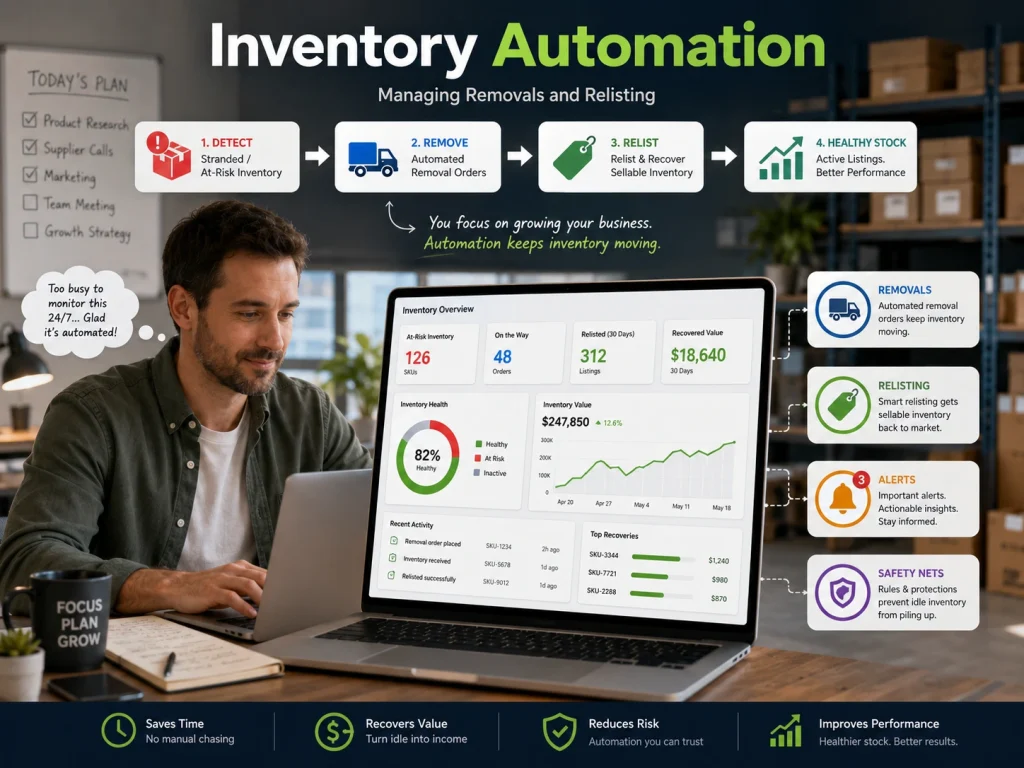
You are a busy entrepreneur, and you can’t live in the dashboard. Setting up safety nets ensures that your inventory doesn’t rot if you forget to check the news.
Configuring Auto-Relist for Common Error Codes
Amazon does not currently offer a universal “Automatic Action” button that fixes all stranded inventory. You can, however, configure automated settings for Fulfillment by Amazon (FBA) returns and removals.
For listing errors (like missing attributes or price violations), manual intervention is almost always required. The system cannot auto-relist an item if the underlying data error (such as a missing safety document) hasn’t been resolved by the seller.
Setting Up Safety Nets: Automated Removal Orders
If an item cannot be fixed within 30 days, Amazon will eventually dispose of it. You should set up “Automated Removals.” This ensures that unfixable stock is shipped back to you or a 3PL instead of being thrown in the trash.
Liquidate or Grade: Smart Exit Strategies for Stock
If you can’t fix a listing, don’t just pay storage fees. You have options to recoup some of your money.
Maximizing ROI via the FBA Grade & Resell Program
Amazon can inspect your returned or stranded items and sell them as “Used” for you. They handle the grading and the shipping. You get a portion of the sale, and you stop paying storage fees.
Tax Benefits of the FBA Donations Program
If the stock isn’t worth shipping back, choose the donation option. Amazon will give it to a charity. You avoid disposal fees, and you can often get a tax receipt for the donation. This turns a loss into a minor win.
Prevent Stranded Inventory Before It Happens
Lorem ipsum dolor sit amet, The best way to handle Amazon FBA Stranded Inventory is to make sure it never happens in the first place. A little bit of maintenance goes a long way.adipiscing elit. Ut elit tellus, luctus nec ullamcorper mattis, pulvinar dapibus leo.
The Weekly Health Audit: Monitoring Your Stock
Set a calendar reminder for every Monday morning. Check your stranded inventory dashboard as your first task. Catching an error on day one costs you pennies; catching it on day 100 costs you hundreds of dollars.
Defensive Pricing: Setting Buffers on New Listings
Whenever you create a new listing, immediately set your “Minimum” and “Maximum” price. This prevents “Potential Low Price” or “Potential High Price” errors before they even happen. It is a simple shield for your listings.
Pre-Shipment Checks: Brand Gating and Restrictions
Before you buy a single unit of stock, check if you are allowed to sell it. Use tools like SellerAmp or the Amazon Seller App to see if you are gated. Never ship stock to a warehouse until you are 100% sure the listing is active and approved.
Data Integrity: Auditing Backend Search Terms
Sometimes, the inventory strands because of a banned word in your backend search terms. Avoid using brand names that aren’t yours or claims like “BPA-free” if you don’t have the proof. Clean data keeps the algorithm happy, and your listings live.
Solving Common Stranded Stock Queries
You probably still have a few questions about the nitty-gritty details. Here are the quick answers you need to stay compliant.
Timelines: How Long Before Stock is Disposed?
Amazon usually gives you 30 days of “Stranded” status before they require action. After that, if you haven’t fixed it or set up a removal order, they may dispose of it. Always act within the first two weeks to be safe.
Storage Limits: Does Stranded Stock Reduce Space?
Yes, it does. Every stranded unit counts toward your total storage volume. When you are close to your limit, these “dead” units could prevent you from sending in your next big shipment.
New Shipment Stranding: Why It Happens Mid-Transit
Sometimes stock strands while it is still on the truck. This usually happens because you deleted the shipping plan or the listing while the boxes were moving. Don’t panic; once the warehouse fully checks them in, you can usually relist them with one click.
Getting Reimbursed for System Errors
If your inventory was stranded because of an Amazon warehouse error, you can ask for a refund of the storage fees. You will need to prove that the listing was fine and the error was on their side. Use your case logs and shipping documents to make your claim.
Fixing your inventory is about taking back your power. Your business deserves to have every unit active and ready for a customer. Start with the dashboard, follow the roadmap, and get those products moving again.
Amazon Stranded Inventory Reason Codes and What Each One Means
Amazon stranded inventory reason codes explain why your FBA inventory is sitting in an Amazon fulfillment center but is not available for sale. The most common causes include listing errors, missing SKUs, restricted ASINs, pricing problems, suppressed listings, deleted listings, and brand or item qualification issues. Amazon also shows a “Stranded reason” column inside the Fix Stranded Inventory page to help sellers understand the exact issue before taking action.
A Missing SKU reason usually means the FBA inventory and Manage Inventory listing are not properly connected. This can happen when the SKU, ASIN, UPC, or product ID does not match, or when the listing no longer exists under Manage Inventory. This is one of the most dangerous stranded inventory issues because creating a new SKU may not reconnect the old FBA stock. In many cases, the seller needs to restore or relist using the original SKU and ASIN combination.
A Listing Error means Amazon has found a problem with the listing that prevents the offer from becoming active. This may involve missing product details, incorrect catalog data, variation problems, suppressed content, or a technical listing issue. A Restricted ASIN means the product cannot currently be sold because Amazon has restricted the ASIN due to approval, compliance, safety, quality, or policy requirements.
Other stranded inventory reason codes may include Closed Listing, Deleted Listing, Pricing Error, Brand Qualification Required, Item Qualification Required, or Inventory Error. A closed or deleted listing often needs to be relisted. A pricing error usually requires correcting the minimum and maximum price. A qualification issue means Amazon wants approval before the product can go live. An inventory error may require Seller Support if the listing looks correct but the stock still does not become sellable.
How to Read the Stranded Inventory Report Before Taking Action
To read the Amazon Stranded Inventory Report correctly, start with the reason code, not the quantity. The reason code tells you whether the problem is caused by the listing, catalog, pricing, compliance, or Amazon’s internal system. Acting before reading the reason properly is a rookie mistake. You can waste days creating new listings, removing good inventory, or opening useless support cases.
Next, check the SKU, ASIN, FNSKU, available quantity, stranded date, and recommended action. Compare the SKU in the report with the SKU in Manage Inventory. If they do not match, do not create a random new SKU and hope it works. That can make the situation worse. The goal is to reconnect the existing FBA inventory to the correct active offer.
Then check whether the ASIN is active, suppressed, restricted, or missing required information. If the listing is suppressed, update the missing fields. If the product is restricted, review the approval or compliance request. If the listing was deleted by mistake, relist using the same SKU and ASIN whenever possible. If Amazon recommends “Relist,” use that option first before trying more aggressive fixes.
Finally, look at how long the inventory has been stranded. Amazon may require removal or disposal after the maximum allowed days for the stranded reason code if stranded removal settings are not configured. That means ignoring stranded inventory is not harmless. It can lead to storage fees, lost sales, aged inventory risk, and forced removal or disposal.
When to Relist, Remove, Liquidate, Donate, or Open a Seller Support Case
Relist the product when the issue is simple and the product is still worth selling. This is usually the right move for deleted listings, closed listings, missing offer connections, or basic listing errors. If the ASIN is healthy, the product still has demand, and the inventory is in sellable condition, relisting should be your first choice. Do not remove inventory just because it is stranded for one day.
Remove the inventory when the product is not profitable, the listing cannot be fixed, the ASIN is permanently restricted, or the storage cost is higher than the recovery value. Removal is also smart when the product has compliance risk, poor reviews, or no realistic chance of selling. Be honest here: keeping bad inventory at FBA does not make it an asset. It is just trapped cash with storage fees attached.
Liquidate or donate the inventory when resale value is low but you still want to recover something or avoid paying long-term storage costs. Liquidation may return a small portion of the product value, while donation can help clear stock without bringing units back to your warehouse. These options make sense for slow-moving, seasonal, damaged-packaging, or low-margin products where relisting is not worth the time.
Open a Seller Support case when the stranded reason does not match the actual listing condition, the ASIN is active but inventory remains stranded, the system shows an inventory error, or relisting fails after 24 hours. Include the SKU, ASIN, FNSKU, stranded reason, screenshots, and the exact action you already tried. Vague cases get vague replies. A clear case gives Amazon fewer excuses to send a copy-paste answer.
Frequently Asked Questions (FAQs)
Once stranded inventory is fixed, it’s time to shift focus. Don’t just stop losses. Optimize listings, SEO, content, and ads to grow sales. Here are some of the most common questions you should know:
You usually have 30 days to take action. After that, Amazon may dispose of your items or ship them back. Check your “Automated Removal” settings to ensure you don’t lose your stock to a surprise disposal.
Yes, it hurts your score quite a bit. It counts as excess inventory that is not moving. A lower IPI leads to strict storage limits. Fixing these errors is a top priority to keep your account healthy.
You can if the error was Amazon’s fault. If a system glitch caused the stranding, open a case with Seller Support. Provide clear proof that your listing was correct to claim your storage money back.
This is often a “No Listing Exists” error. The physical stock is not linked to the digital offer. Usually, a simple “Relist” or a quick SKU refresh in Seller Central fixes this technical handshake issue.
Use an Inventory Loader flat file. Instead of clicking one by one, upload a spreadsheet to update your SKUs in bulk. This saves hours of work and gets your entire catalog back online much faster.
Take Back Your Profit Today
Money shouldn’t sit idle while it could be earning. Yet stranded inventory does exactly that. Silent, slow, painful profit loss. Every hour a product stays stuck? Another sale disappears.
Amazon FBA Stranded Inventory sneaks up fast. A broken listing. A mislinked SKU. Suddenly, hundreds or maybe thousands of dollars are trapped. Storage fees keep climbing. Customers can’t buy. Frustration builds.
Go to the dashboard. Spot the errors. Open the cases. Fix the listings. Watch the red numbers disappear. To get even faster results, pair these fixes with smart Amazon ads. Push your products back into the spotlight and start selling again.
You have to take control. Every unit back on the shelf is money back in your pocket. Less clutter, fewer fees, and sales finally start moving. No excuses. Just results.
