
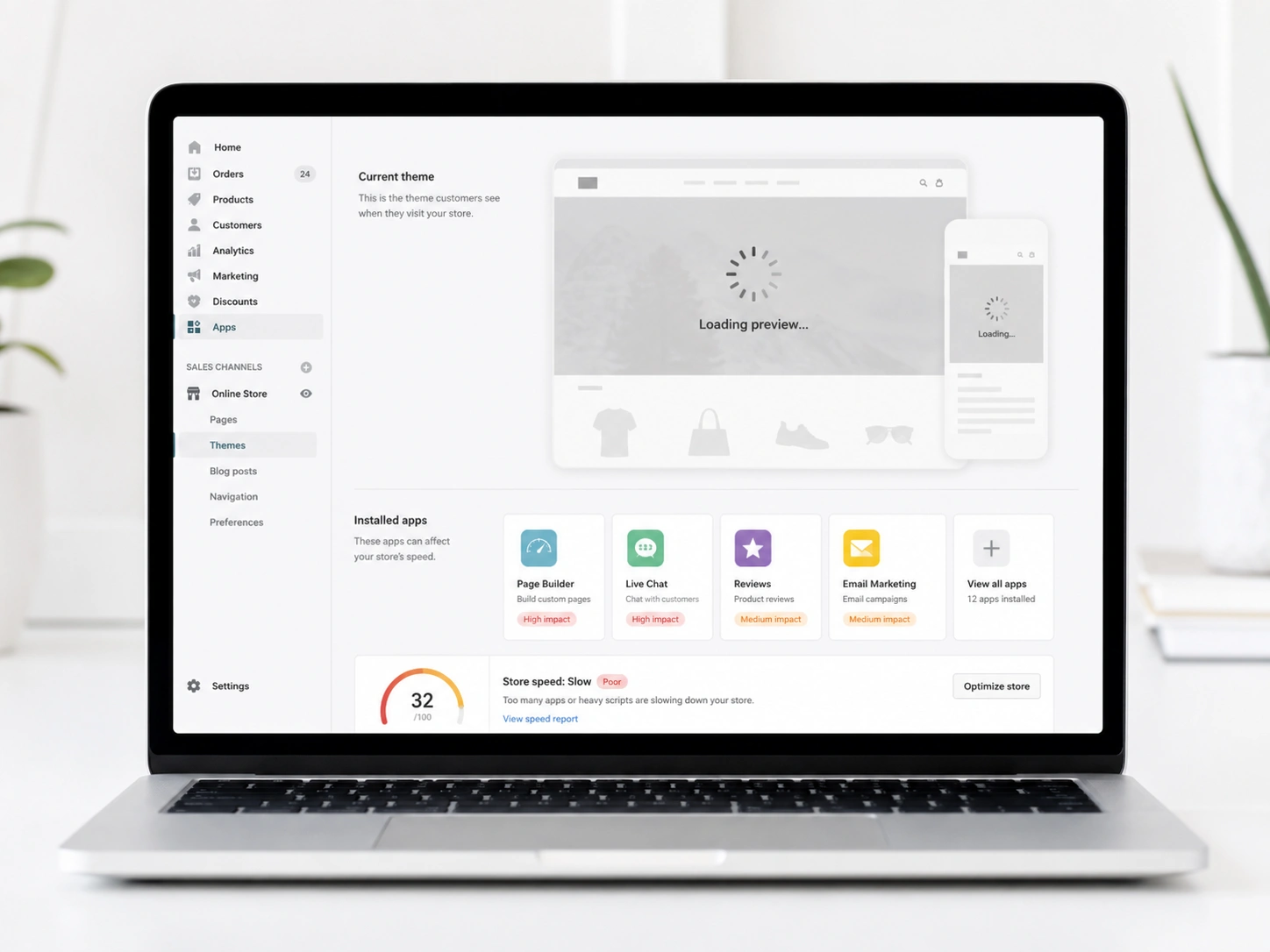
You install a few apps from the Shopify app store. Everything feels exciting at first. Then your store starts slowing down without warning.
Pages take longer to load. Customers leave before exploring your products. You start asking yourself, why is my Shopify store so slow suddenly?
In our experience, this happens to almost every growing ecommerce store. More features bring more code. More code leads to a “heavy” site that struggles to load on slower connections.
At Brand’s Bro, we help fix a slow Shopify store. This guide will show you how to reduce Shopify app bloat, improve Shopify page speed, and build a faster store that converts better.
But before we show you the fix, let’s first understand what causes the slowdown.
Why Shopify Apps Slow Down Your Store
Shopify apps slow down your store by adding extra scripts and heavy code. Each app forces the browser to wait for data from outside servers. This extra weight increases loading times and hurts your sales.
Another issue is the leftover code that stays in your theme after you delete an app. Many apps do not clean up their files when you hit the uninstall button. This “ghost code” is one of the biggest reasons for Shopify apps slowing down website performance.
Some apps are simply built poorly. They might use large files or inefficient code that blocks other parts of your site from loading. This is why we always suggest testing your speed before and after every new installation.
Now that you know the problem, let’s move to fixing it.
Best Ways to Improve Shopify Page Speed
To improve Shopify page speed, you should start by auditing your current list of apps. Look at every feature and ask if it truly helps you make more money. If an app does not provide a clear benefit, it is time to reduce Shopify app bloat.
Fewer scripts mean a faster path to checkout for your customers. This is the most effective way to achieve Shopify speed optimization for any store. Another way is to use a high-quality, fast-loading theme.
Some themes are built with speed as a priority, while others focus only on looks. If your base theme is heavy, even a few Shopify apps will make it feel slow. We suggest using themes that are optimized for the latest Shopify standards.
Shopify Speed Audit Checklist
The table below shows some actions that you can take for a faster Shopify store:
Step | Action Required | Expected Result |
App Audit | Remove unused or low-value apps | Fewer external script requests |
Code Cleanup | Delete leftover snippets from old apps | Reduced theme file size |
Asset Check | Compress images and minify CSS | Faster initial page load |
Script Loading | Use defer or async for non-critical JS | Better perceived loading speed |
You can also use a Content Delivery Network (CDN) to serve your assets faster. Shopify does this automatically, but you can further optimize how your files load. For example, you can prioritize critical scripts so the main parts of your page appear first.
These small technical shifts make a massive difference in your daily conversion rate.
How Slow Shopify Themes Hurt SEO and Rankings?
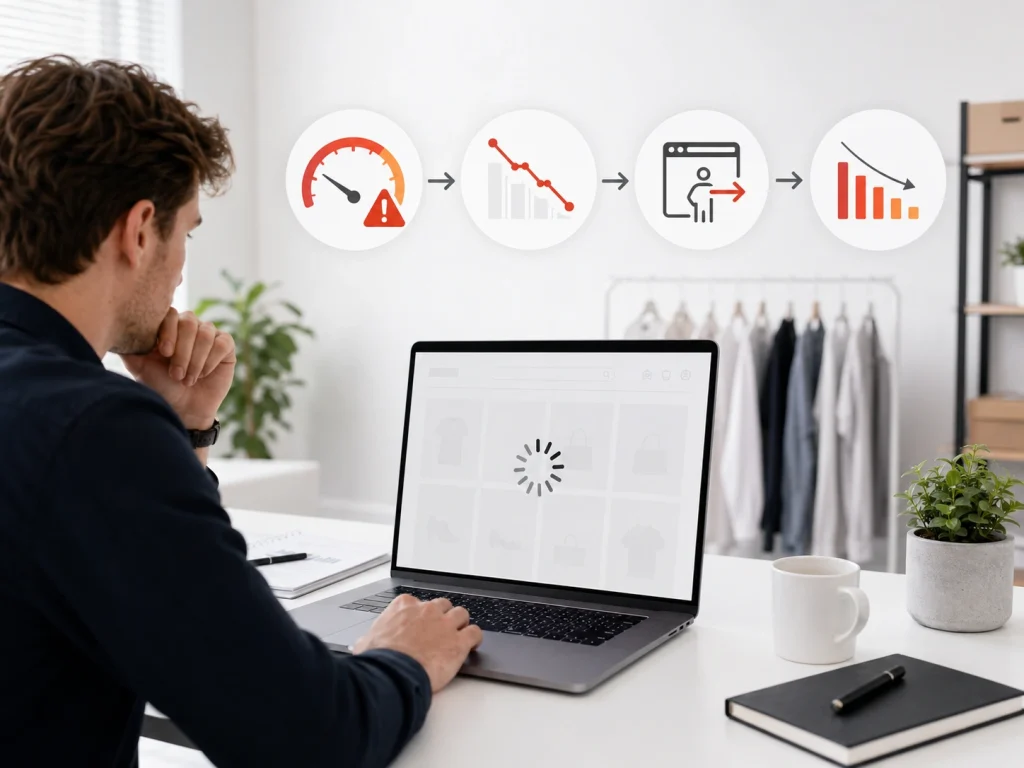
Slow Shopify themes hurt SEO because search engines rank fast-loading websites higher. Visitors often leave your store if a page takes too long to load. This high bounce rate signals a poor user experience, which causes your rankings to drop.
Google uses page speed as a key signal for its search rankings. If you have slow Shopify themes, SEO becomes much harder to manage. Search engines want to provide the best experience for their users.
A slow site is seen as a poor experience, so Google may push you down in the results. This means your Shopify speed and SEO are directly linked to your organic traffic levels.
In our experience, we saw great brands lose their top Google spots because of speed.
That’s why you need an expert SEO team to improve speed and protect your rankings. Even if you have the best products, nobody can find them if our site is buried on page ten.
Slow Shopify themes after installing apps can hurt speed, user experience, and sales. Our team identifies heavy apps, removes conflicts, and optimizes your store performance.
We help Shopify brands keep essential app features without slowing the website down.
Shopify Apps to Remove First for Better Speed
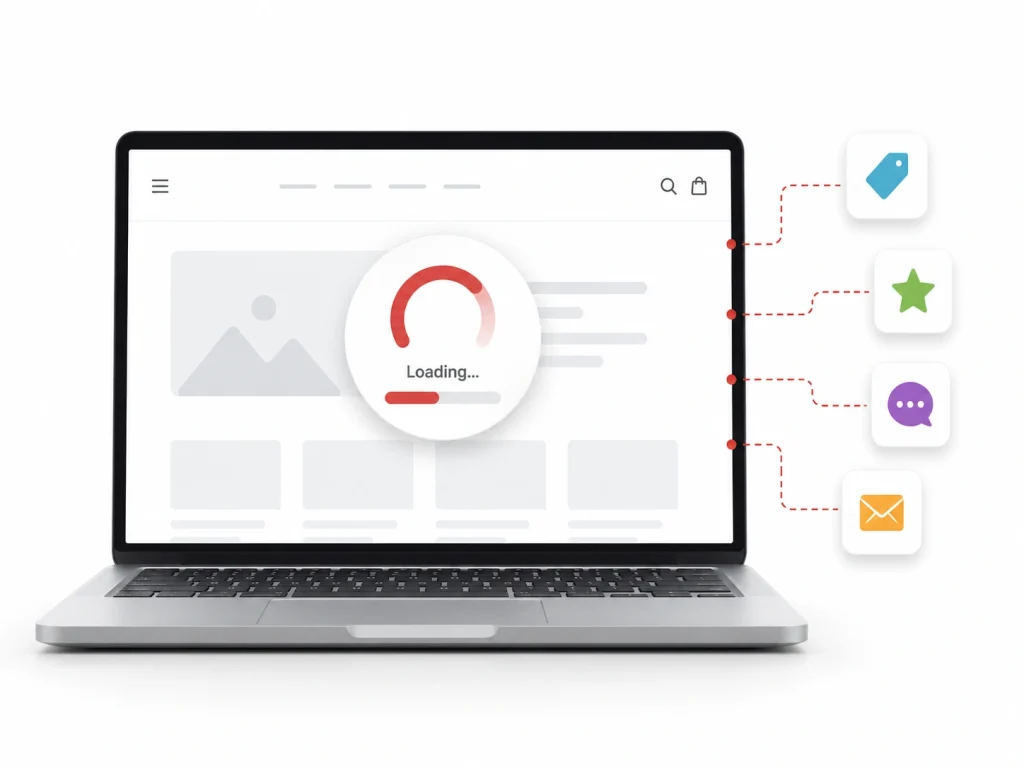
Some apps cause much more damage to your speed than others. In our experience, removing the wrong apps can break your store. So you must know how to remove bad Shopify apps safely.
Apps That Often Slow Down Shopify Stores
Apps that add animations or pop-ups often use heavy JavaScript. These are the bad Shopify apps slowing site down the most. In our experience at Brand’s Bro, we saw that these features often distract customers rather than helping them buy.
Here are the types of apps that can slow down your Shopify store:
- Popup apps with heavy animations
- Chat apps that load on all pages
- Review apps with large scripts
Heatmap and tracking apps are also common culprits. While data is important, running three different tracking scripts at once is unnecessary. Choose one reliable tool and remove the others to save resources.
How to Remove Bad Shopify Apps Safely
First, you must check if the app is still useful. If you find it problematic, uninstall it properly from Shopify. After that, remove the leftover code from your theme.
This process helps reduce Shopify app bloat and improve performance. When done correctly, you will notice faster load times immediately.
Now let’s focus on image optimization.
Image Optimization for Faster Shopify Stores
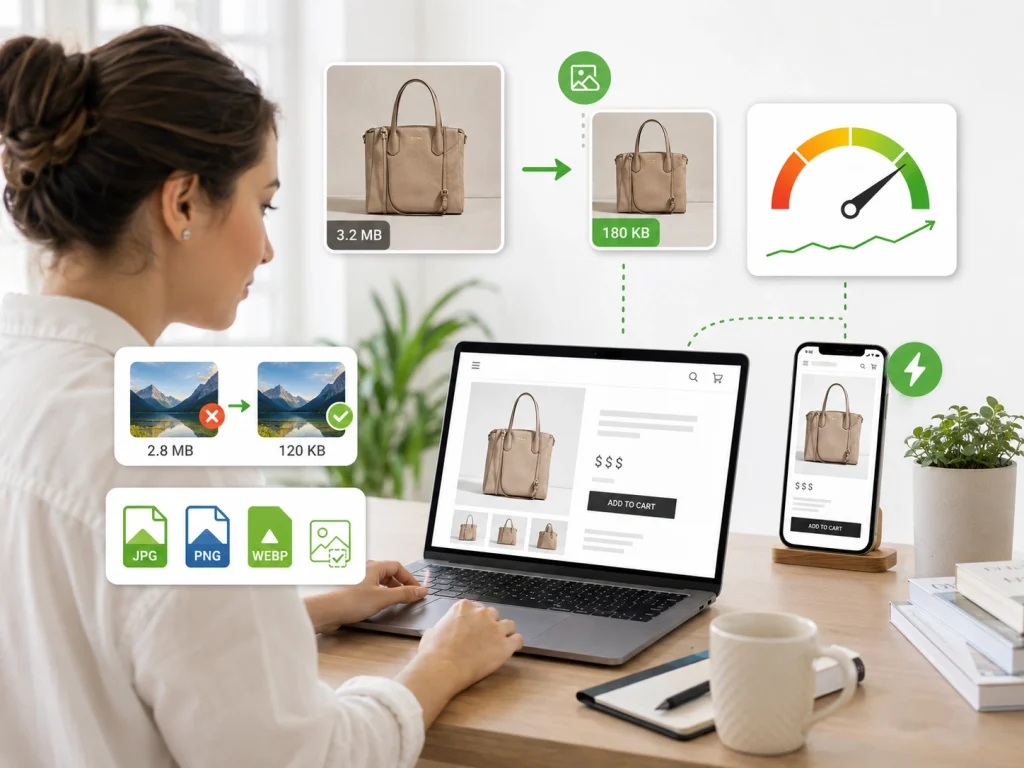
Images are often the heaviest part of a product page. Massive image files will destroy your page speed and mobile experience. Learning Shopify image optimization can save you megabytes of data on every load.
Uncompressed images are the most common cause of slow loading times. That’s why you must reduce image size for Shopify stores. It is important to use professional tools to reduce the image size on Shopify without losing quality.
Using the right file format is also a big factor. WebP is a modern format that provides high quality at very small sizes. Shopify now supports this format automatically, but you should still check your original uploads.
How to Optimize Images for Shopify Stores
In a nutshell, follow these simple aspects to optimize images:
- Compress images before upload
- Use proper formats like WebP
- Avoid oversized files
At Brand’s Bro, we saw homepage banners that were over six megabytes each. This single image took twelve seconds to load on a phone.
We compressed the image to under three hundred kilobytes. This created faster product page images and improved the user experience instantly.
Now that we know how to optimize images for Shopify stores, let’s move to code cleanup.
Shopify Theme Code Cleanup for Better Performance
Over time, your theme can become a mess of old code. A Shopify theme code cleanup is like spring cleaning for your business. You need to look for scripts that are no longer being used by any active apps.
When you remove unused code from Shopify, you make it easier for browsers to read your site. We suggest hiring a professional Shopify developer if you are not comfortable looking at Liquid files. It is easy to accidentally delete something important if you do not know what to look for.
However, many owners can find obvious app names in their theme file. If you see the name of an app you deleted months ago, it is likely safe to remove that line. This manual effort pays off in a leaner, faster theme.
Minifying your CSS and JavaScript is another technical fix. This process removes all the extra spaces and comments from your code. It makes the files much smaller and faster for the browser to download.
Removing unused code from Shopify themes makes your store lighter. Now let’s focus on mobile speed.
Mobile Speed Problems on Shopify and How to Fix Them
Most of your customers shop using their mobile phones while they are on the move. A slow mobile Shopify store will ruin their experience and make them leave. Mobile processors are much weaker than desktop computers, and they struggle with heavy code.
To fix slow Shopify mobile speed, you need to know the common problems related to it. Here are some of the common mobile speed problems on Shopify:
- Large image files slow down your mobile loading times
- Excessive scripts from apps make your pages feel heavy
- A weak theme structure prevents your site from loading smoothly
We recommend testing your site on a real mobile device, not just a desktop simulator. Sometimes a site looks fast on a high-end PC but performs poorly on an older smartphone. We always suggest testing on a 4G connection to see the “worst-case” scenario.
We recently worked with Doublewave to clean up many apps that were slowing down their site. Our team removed unused tools and deleted heavy leftover code to make the store much faster. These changes improved their loading speed by 50% and helped boost their overall sales.
Want to see exactly how we achieved these results?
Lazy Loading vs App Scripts: What Slows Shopify More?
You might hear developers talk about the benefits of the lazy loading feature. Lazy loading means images only load when the user scrolls down to them. This saves time and speeds up the top of your page.
There is often a debate between lazy loading Shopify techniques and the impact of scripts. App scripts slowing Shopify stores are usually the bigger problem because they are “render-blocking.” This means the browser stops everything else until the script is finished.
JavaScript speed issues Shopify stores encounter are often caused by too many third-party apps. Each one adds a new layer of complexity to the loading process. Even if you use lazy loading for your images, a heavy app script can still make the site feel slow.
You need a balanced approach that uses lazy loading for visuals and keeps scripts to a minimum. This ensures that the most important parts of your page load first. We have found that many apps load scripts where they aren’t needed, which wastes resources.
How to Test Shopify Speed Like an SEO Expert?
You cannot fix what you do not measure. You must test the Shopify speed performance properly with the right tools. Google PageSpeed Insights is the industry standard for checking performance.
Running a speed audit for your Shopify store once a month helps you catch new issues before they become permanent problems. Pay attention to “Core Web Vitals” like Largest Contentful Paint (LCP). These metrics tell you how the page feels to a real human.
SEO experts look at these numbers to see how Google will rank the site. A high score is good, but a fast experience is even better for your sales. We also suggest using tools like GTmetrix or WebPageTest.
These tools provide a detailed breakdown of every single request your site makes. You can see exactly which app is taking the longest to load. This data gives you the proof you need to decide which apps to keep and which to cut.
Speed Optimization vs Conversion Optimization: Which Matters More?

Store owners often debate the speed vs conversion Shopify balance. Many believe they need complex apps and pop-ups to drive more sales. However, these heavy tools can easily hurt the overall user experience.
If your site is too slow, your conversion tools never get a chance to work. Maintaining a healthy Shopify speed and conversion rate is a fundamental law of ecommerce. Customers will often leave your store before a sales pop-up even has time to load.
A fast and professional interface is essential for building customer trust. A quick website acts as a powerful signal that your business is modern and reliable. Speed matters much more than flashy animations or aggressive sales tactics.
We have seen stores remove heavy upsell apps and watch their sales actually increase. A smooth shopping experience generates more revenue than an annoying pop-up ever could. Simplicity is often the ultimate form of optimization for a growing store.
Speed vs. Conversion Comparison
The table below shows how common store features impact your speed and conversions, along with our recommendations for each.
Feature | Impact on Speed | Impact on Conversion | Recommendation |
High-Res Video | High (Slow) | High (Positive) | Use only if optimized or below the fold |
Live Chat App | Medium | High (Positive) | Load it only after the user interacts |
Social Media Feed | High (Slow) | Low | Replace with static images and links |
Product Reviews | Low | High (Positive) | Keep, but ensure the code is lean |
How to Identify Which Shopify App Is Slowing Down Your Theme
The easiest way to identify a slow Shopify app is to compare your theme speed before and after disabling app features. Start with apps that load popups, reviews, chat widgets, tracking scripts, upsells, filters, or subscription tools because these often add extra JavaScript.
Run your store through Shopify’s speed report, PageSpeed Insights, or GTmetrix. Check which third-party scripts load the most files, take the longest time, or block the page from loading quickly. The slowest app is not always the largest app; sometimes one small script delays the whole theme.
You can also test apps one by one in a duplicate theme. Disable an app embed, preview the theme, and check loading speed again. If performance improves after disabling one app, that app is likely hurting your Shopify theme speed.
How to Remove Leftover Shopify App Code Without Breaking Your Theme
Never remove Shopify app code directly from your live theme first. Duplicate your theme, then edit the copied version. This gives you a safe backup if a product page, cart, checkout button, review section, or tracking feature breaks.
Search your theme files for the app name, old script URLs, snippets, render tags, or comments left by the app. Common places include theme.liquid, product templates, cart files, sections, snippets, and settings files. Remove only code that clearly belongs to the deleted app.
After removing leftover app code, test the duplicate theme carefully. Check product pages, cart, homepage, collection pages, mobile layout, and tracking events. If everything works, publish the cleaned theme. If you are unsure, ask the app developer or a Shopify expert before deleting code.
Shopify App Embeds vs Hard-Coded Scripts: What Should You Disable First?
Disable Shopify app embeds first because they are easier and safer to control from the theme editor. App embeds are designed to be turned on or off without editing Liquid files, so they are the best first step when testing speed issues.
Hard-coded scripts should come second because removing them is riskier. These scripts may control reviews, analytics, upsells, pixels, or custom design features. Deleting the wrong code can break your theme or stop important tracking from working.
The best order is simple: disable unused app embeds, uninstall unnecessary apps, remove leftover app code, then clean hard-coded scripts. This method reduces speed problems without creating bigger technical issues. For most Shopify stores, app embeds are the safest first target.
Frequently Asked Questions (FAQs)
Here are some common questions customers have when it comes to fixing slow Shopify themes:
Each app adds new code and external scripts to your website files. The browser has to download all this extra data before the page can show up for the user.
No, most apps leave leftover code inside your theme files after you delete them from the dashboard. You must manually perform a code cleanup to remove these hidden scripts and restore speed.
You should only keep the apps that are necessary for your daily business. In our experience, having more than ten apps usually starts to hurt your loading speed significantly.
Google PageSpeed Insights is the best tool for a professional speed audit of your store. It gives you a clear score and shows you exactly which scripts cause the most delay.
Yes, a faster website builds trust and keeps customers from leaving your site in frustration. Most mobile users will abandon a store if it takes more than three seconds to load properly.
You can do basic things like compressing images and deleting unused apps by yourself. However, you might need a professional for a deep code cleanup to avoid breaking your theme layout.
Start Fixing Your Shopify Theme Speed for Better Rankings
You now have a clear roadmap to fix slow Shopify themes after installing apps. Start by running a speed test today to see where you stand. Identifying heavy background processes allows you to reclaim your store’s speed immediately.
A faster store leads to happier customers and higher profit margins. Focus on the core features that drive sales and cut the rest. This simple approach builds a more reliable and successful brand over time.
Do not let a slow site hold your business back any longer. Take control of your theme performance and watch your rankings climb. Reach out today to start a full-speed audit and unlock your store’s true potential.
