
You built your Shopify store. The design looks clean, products are ready, and everything feels set for customers to arrive. But the traffic doesn’t show up. Google barely surfaces your pages, clicks stay low, and sales feel inconsistent.
That’s where the best SEO apps for Shopify start to matter. These tools help improve visibility, fix technical issues, optimize images, and make your store easier for search engines and shoppers to understand.
Stores that use strong optimization setups often see organic traffic grow significantly, sometimes from low single digits to over 30%, along with higher conversion rates and stronger monthly revenue after proper adjustments.
But here is what many store owners miss. Software doesn’t automatically rank your store on its own.
Real growth comes from combining strategy with tools. Keyword research shapes demand, technical fixes improve how Google reads your store, and content structure helps turn visitors into buyers.
These applications mainly handle repetitive work like metadata, schema, image compression, and performance tweaks. To get long-term results, you still need a clear strategy for improving Shopify SEO and building steady organic growth over time.
What Are Shopify SEO Tools? What Can They Do?
Shopify SEO tools are custom apps that connect to your store and improve technical elements, speed, and metadata. They support UXO and SXO by improving the user experience and search journey.
But remember, they don’t do keyword research or strategy. You still need proper planning.
Manual SEO Actually Fails at Scaling
Doing everything by hand is a trap. You can write one meta tag. You can fix one image. But can you do it for 5,000 products? No. You would spend all your time in spreadsheets.
Apps use NLP SEO to help you automate these tasks. Natural Language Processing SEO makes your store readable at scale.
App Blocks vs. Theme Liquid
Modern Shopify stores use “Online Store 2.0.” This is great for your WPO (Web Performance Optimization). Older apps used to inject messy code directly into your theme files.
Now, we use App Blocks. These are cleaner. They do not break your store when you update your theme. They keep your site light and fast.
The Hidden Ghost Code Audit
Many apps leave “Ghost Code” behind when you delete them. This old code slows down your store. It hurts your CTR. A low Click-Through Rate means Google will stop showing your store. Always check for leftover scripts to keep your site healthy.
Searching for the right platform? Many merchants compare Shopify SEO vs WordPress SEO before they build. Shopify wins because the best SEO for Shopify apps handle the technical side, so you can focus on selling.
Need the right SEO app for Shopify but not sure what fits your store?
BrandsBro helps with Shopify ads, theme development, and SEO setup to improve visibility, speed, and conversions. Book a free discussion with our team.
Top 15 SEO Apps for Shopify: Our Fine Picks
Selecting the right tool requires a fair test. We looked at speed impact, features, and price. Here is our master list for you.
Rank | App Name | Intent | Best For | Pricing Model | Strategic Role |
1 | Booster SEO | All-In-One | Hands-off Automation | From $39/mo | All-In-One |
2 | Avada SEO Suite | All-In-One | Beginners/High Value | Free Plan / $35/mo | All-In-One |
3 | SEOAnt | All-In-One | Bulk Content/Tracking | Free Plan / $29/mo | All-In-One |
4 | SEO Manager | All-In-One | Power Users/Control | From $20/mo | All-In-One |
5 | Plug In SEO | All-In-One | Education/Audits | From $29/mo | All-In-One |
6 | TinyIMG | Speed & Image | Image-Heavy Stores | Free Plan / $9/mo | Speed & Image |
7 | Crush.pics | Speed & Image | Automatic Compression | Free Plan / $4.99/mo | Speed & Image |
8 | AltText.ai | Speed & Image | AI Accessibility | From $19/mo | Speed & Image |
9 | JSON‑LD for SEO | Rich Snippets | Earning Google Stars | One-time Fee | Rich Snippets |
10 | Smart SEO | Rich Snippets | Large Catalogs | From $9.99/mo | Rich Snippets |
11 | SearchPie | Rich Snippets | Mobile/AMP Performance | Free Plan / $39/mo | Rich Snippets |
12 | Tapita SEO | Rich Snippets | Technical Store Audits | Free Plan / $29/mo | Rich Snippets |
13 | Yoast SEO | Content & Analytics | Blogging/Content Sites | Free Plan / $19/mo | Content & Analytics |
14 | SEOmeter | Content & Analytics | Real-time Store Health | From $15/mo | Content & Analytics |
15 | SEO AB Tester | Content & Analytics | Maximizing CTR | From $29/mo | Content & Analytics |
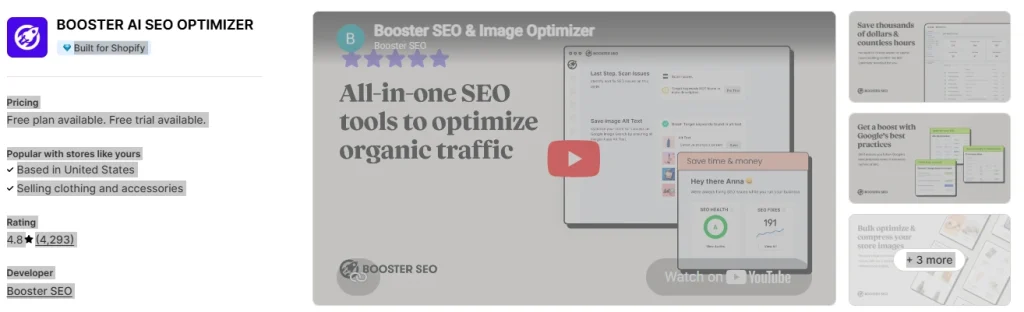
Booster SEO is a good choice for store owners who want more tasks handled for them. It works as an all-in-one ai seo app for shopify because it helps with meta tags, image alt text, structured data, and checks from one dashboard. Here is what you get:
- Automated Meta Tags – creates meta titles and descriptions across product and collection pages
- JSON-LD Structured Data – helps search engines understand product details more clearly
- Image Alt Text Automation – supports image SEO and accessibility
- SEO Audits – scans for common on-page and technical issues
The main gap is strategy. This software can fix issues inside Shopify, but it does not handle full keyword research or competitor checks. For that, use Ahrefs or Semrush. Google Search Console also helps track indexing issues and real search results.
Pros:
- Excellent for automation of meta tags and broken links.
- Combines image optimization with technical fixes.
Cons:
- Does not provide deep competitor analysis or keyword research.
- Advanced users may find the options too simplistic.
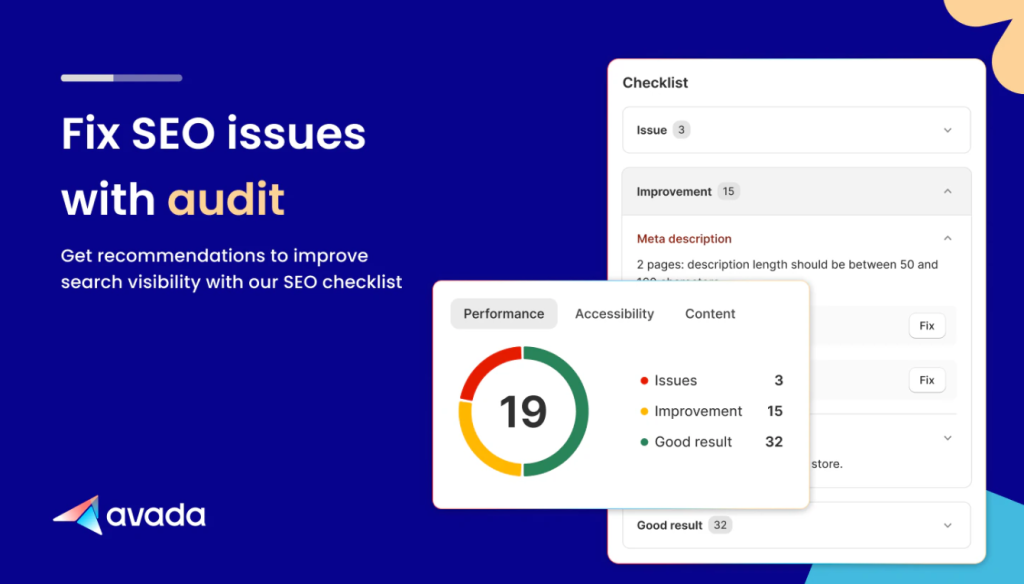
Avada SEO Suite is a strong option for beginners. We like it because the dashboard is clear and easy to use. It also covers many important basics without feeling too technical. It includes features like:
- Sitemap Generation – helps search engines find important pages
- Meta Tag Optimization – improves titles and descriptions across key pages
- Snippet Preview – shows how pages may appear in Google results
- Google Search Console Integration – connects real search data with tasks
It works well for stores with missing metadata, weak snippets, and basic issues. The snippet preview is helpful because search results need clicks, not just rankings.
The main gap is deep technical checking. For that, use Screaming Frog with Avada. Screaming Frog can find duplicate titles, redirect chains, canonical issues, and broken internal links across the store.
Pros:
- Very beginner-friendly interface.
- Useful snippet preview tool to optimize for click-through rates.
Cons:
- Lacks advanced technical auditing capabilities found in dedicated crawlers.
- Bulk editing features can be limited for very large catalogs.
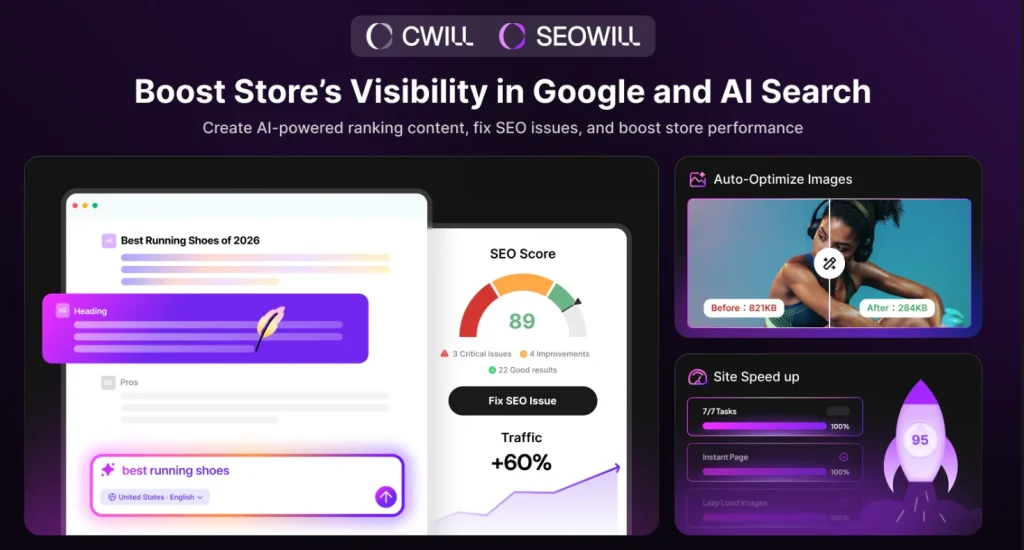
SEOWILL or SEOAnt is a useful Shopify SEO app for stores with large catalogs and regular product updates. We would consider it when manual edits start taking too much time across product pages, collections, and images. Key features here are:
- Bulk Editing – updates SEO fields across many pages at once
- Broken Link Fixes – finds dead URLs and helps repair them
- Keyword Rank Tracking – tracks page movement in search results
- SEO Health Checks – scans for technical and content issues
SEOAnt is helpful when a store has hundreds of products. Large catalogs often create clutter. Product removals can cause 404 errors. Weak metadata can spread across many SKUs. Missing alt text can also become hard to manage by hand.
The main gap is deeper strategy. For that, use Ahrefs or Semrush with SEOAnt. Google Search Console also helps show which pages need attention first.
Pros:
- Powerful bulk editing features save hours of manual work.
- Built-in rank tracking.
Cons:
- Requires external tools for comprehensive keyword strategy.
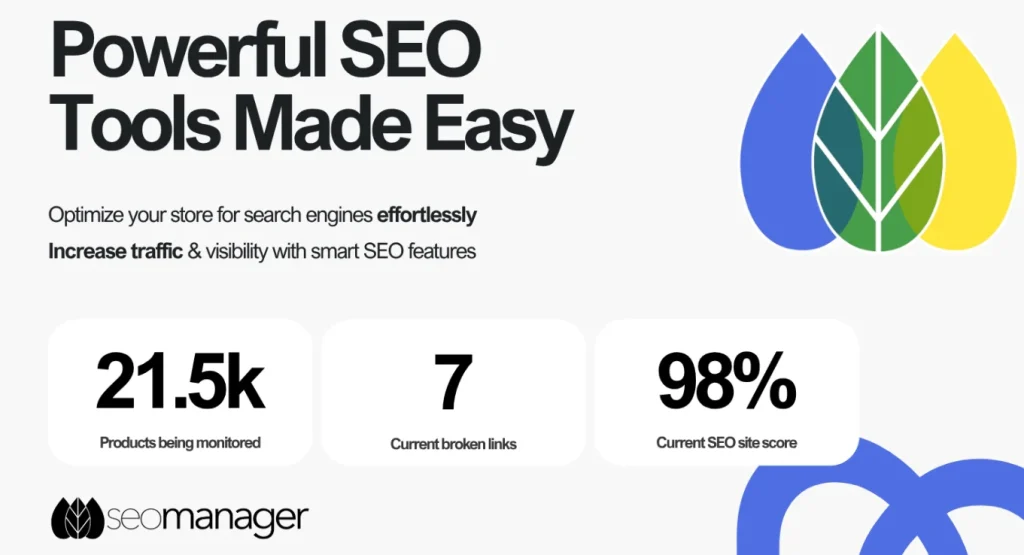
SEO Manager is better suited for users who want more technical control. It is not the easiest beginner app, but it gives more precision for redirects, 404s, metadata, sitemaps, and page-level settings.
It includes features like:
- Advanced Redirection – manages old URLs after product or collection changes
- 404 Tracking – finds broken pages that hurt user experience
- Sitemap Generation – helps search engines discover important pages
- Page-Level SEO Control – gives more control over individual optimization settings
We would use this when a store has frequent URL changes, deleted products, or redirect cleanup needs. These issues can hurt organic performance if they are ignored.
Its gap is full-site diagnosis. It helps fix problems inside Shopify, but Screaming Frog is better for finding them across the whole store. Google Search Console also helps validate crawl issues and indexing signals after fixes are applied.
Pros:
- Granular control over redirects and 404 errors.
- Highly reliable for managing complex site structures.
Cons:
- Focuses more on fixing issues than proactive keyword discovery.
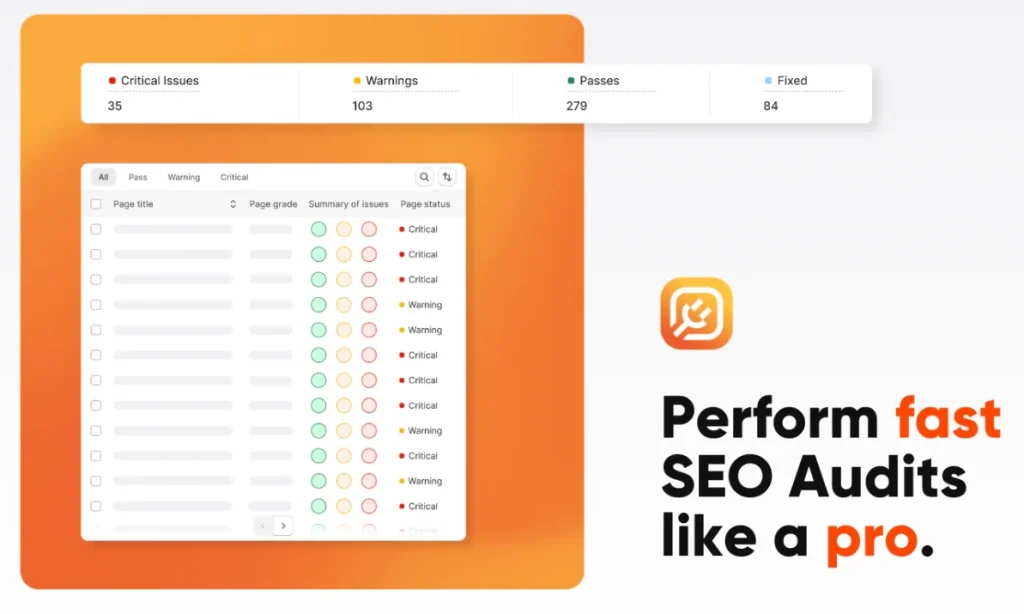
Plug In SEO feels more like a guided coach than a silent automation app. We would recommend it for merchants who want to understand what needs fixing and why it matters. You will find features like:
- SEO Task Management – turns issues into clear tasks
- Actionable Audits – scans for missing metadata and technical problems
- Performance Checklists – helps store owners follow best practices
- Guided Fixes – explains how to resolve common Shopify issues
This app works well for merchants who are still learning. Some apps show errors without much context. Plug In SEO gives more direction, which makes the cleanup process easier to follow.
Its weak spot is content and keyword discovery. We would pair it with AnswerThePublic for customer questions. Ahrefs or Semrush can also help find keyword gaps before you optimize product pages, collection pages, or blog content.
Pros:
- Excellent educational resource for beginners.
- Prioritizes tasks, making it less overwhelming to fix issues.
Cons:
- Limited advanced features for seasoned experts.
6. TinyIMG SEO & Speed Optimizer
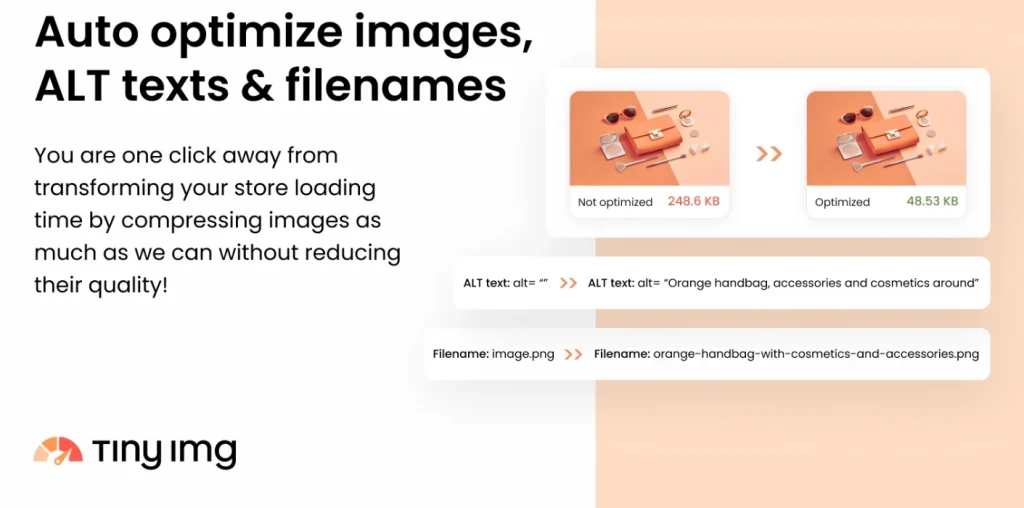
TinyIMG is one of the best SEO apps for Shopify we liked most because it solves a very common issue: slow image-heavy pages. It started as an image optimization app, but it now works more like a lightweight speed and toolkit. It includes features like:
- Image Optimization – compresses product images for faster loading
- WebP Conversion – changes images into lighter file formats
- Lazy Loading – loads images only when shoppers need them
- Alt Text Generation – supports visual SEO and accessibility
TinyIMG is useful for stores with many product photos, banners, lifestyle images, or collection graphics. Faster images can improve user experience, especially on mobile.
Its limitation is broader strategy. TinyIMG helps performance, but it does not handle full keyword planning or competitor analysis. We would pair it with Google Search Console and PageSpeed Insights to check performance results. Ahrefs or Semrush can guide keyword direction.
Pros:
- Significant impact on page load times and Core Web Vitals.
- Simple set-up with immediate performance benefits.
Cons:
- Does not offer schema or meta tag editing.
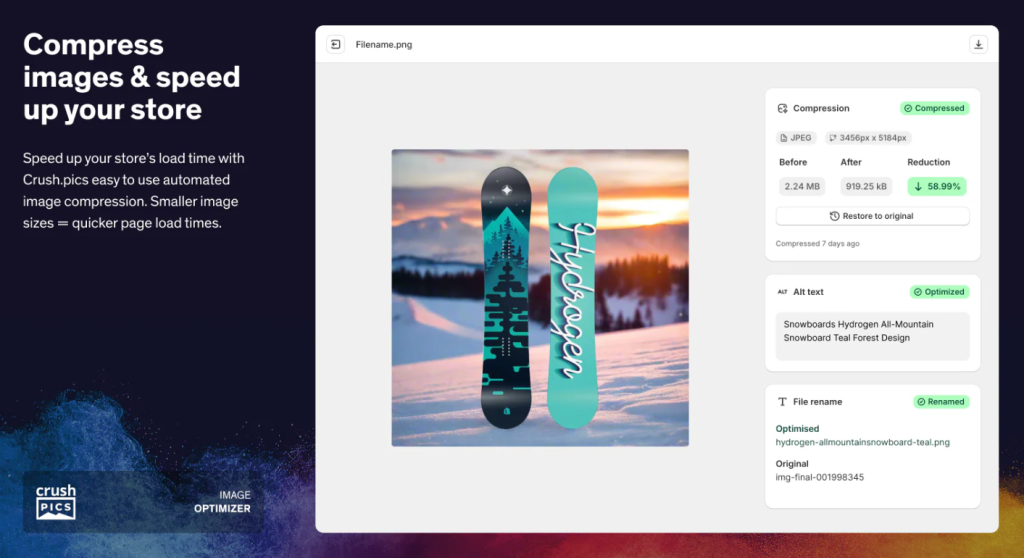
Crush.pics is a focused app for image compression. It does not try to be a full suite, which can be useful if your main problem is large image files and slow product pages. Key features of it are:
- Automatic Compression – optimizes new images after upload
- Lossless Compression – reduces image size while keeping visuals clear
- Mobile Optimization – helps images load better on smaller screens
- Background Processing – handles image cleanup without constant manual work
We would use Crush.pics for stores that upload product photos often and need automatic compression. Each new image can add more page weight if it is not optimized.
However, this app does not handle metadata, schema, redirects, or keyword planning. We generally pair it with Avada SEO Suite or Smart SEO for broader tasks. PageSpeed Insights or Lighthouse can help test the speed impact after compression.
Pros:
- Set-and-forget automation for new images.
- Highly effective at reducing file sizes without visible quality loss.
Cons:
- No features for on-page SEO or metadata.
- Requires another app to handle technical site structure.
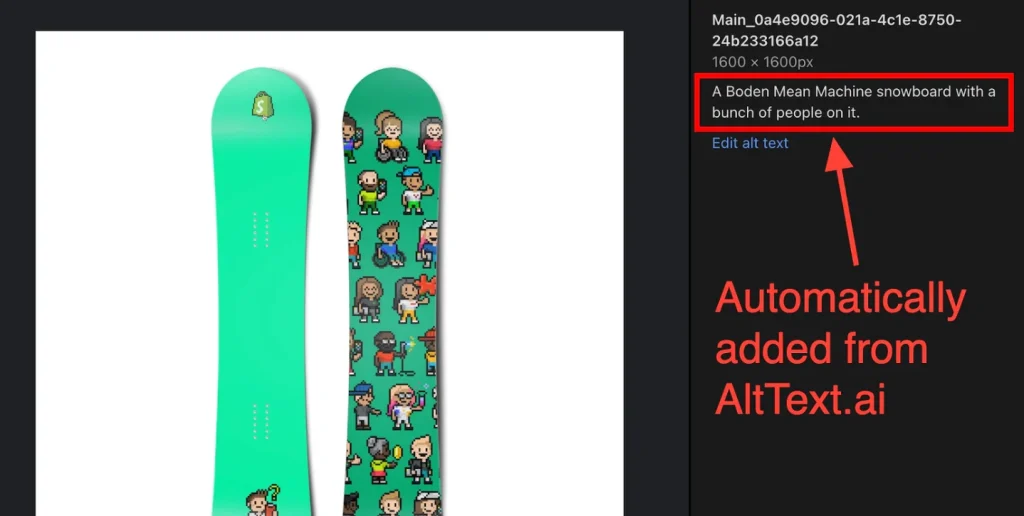
AltText.ai is a focused app for AI-generated image alt text. It is useful for stores with many product images and limited time for manual descriptions. It includes features like:
- AI Image Context – reads images and creates descriptive alt text
- Visual SEO – helps search engines understand image content
- Accessibility Support – gives screen readers more useful descriptions
- Bulk Alt Text Creation – helps manage large image libraries faster
We would consider AltText.ai for fashion, beauty, furniture, accessories, and lifestyle stores. These categories depend heavily on visuals, so image context matters.
Its main limitation is that it does not deeply handle compression or speed. Alt text helps meaning, but it does not reduce image weight. We would pair it with TinyIMG or Crush.pics for performance. We would also review important AI-generated descriptions manually because product-specific wording still needs human judgment.
Pros:
- Drastically improves accessibility compliance.
- Saves massive amounts of time on writing descriptions.
Cons:
- AI descriptions occasionally lack specific marketing nuance.
- Does not improve site speed (file size).
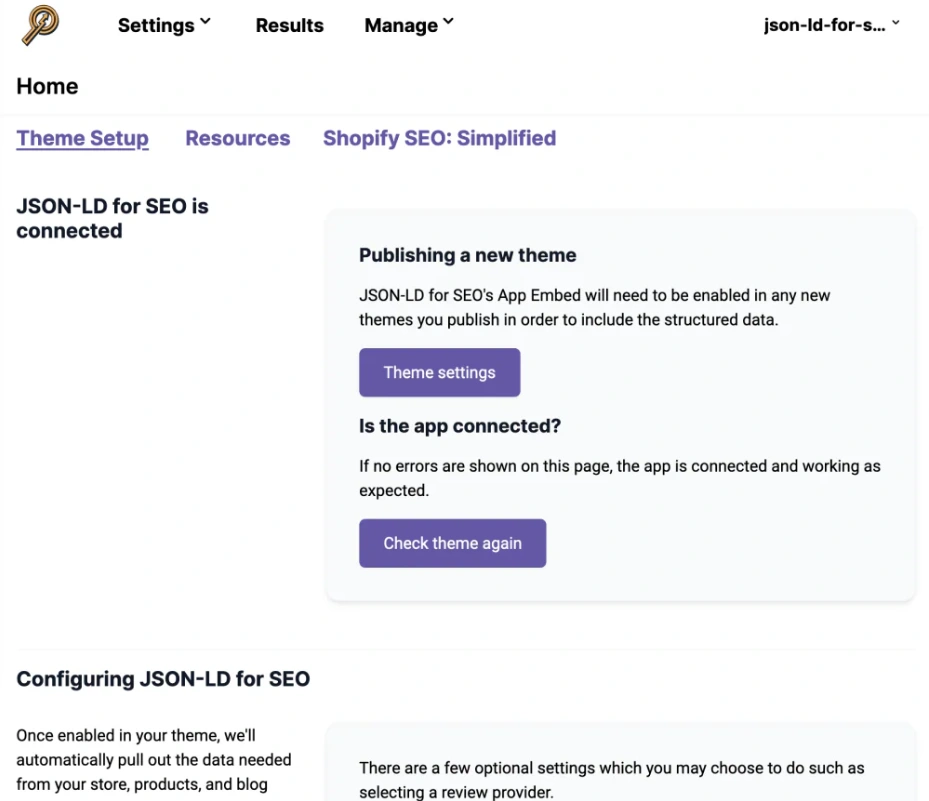
JSON-LD for SEO is a focused app for structured data and rich results. We would use it when a store needs cleaner schema markup for products, reviews, prices, availability, and brand details. It comes equipped with tools such as:
- Product Schema – adds structured data to product pages
- Rich Snippet Support – helps search engines display ratings and price details
- Entity Clarity – gives search engines clearer product information
- Structured Data Updates – helps keep markup aligned with schema needs
Its strength is focus. It does not try to handle every task, which can help keep schema cleaner.
The gap is broader coverage. This app does not manage image speed, metadata, broken links, or content strategy. We would pair it with Avada SEO Suite or Smart SEO for metadata and sitemap work. Google Rich Results Test is useful for checking if the schema works properly.
Pros:
- Extremely clean, error-free code implementation.
- Highly effective at earning rich snippets (stars, prices).
Cons:
- Premium price point for a single-feature tool.
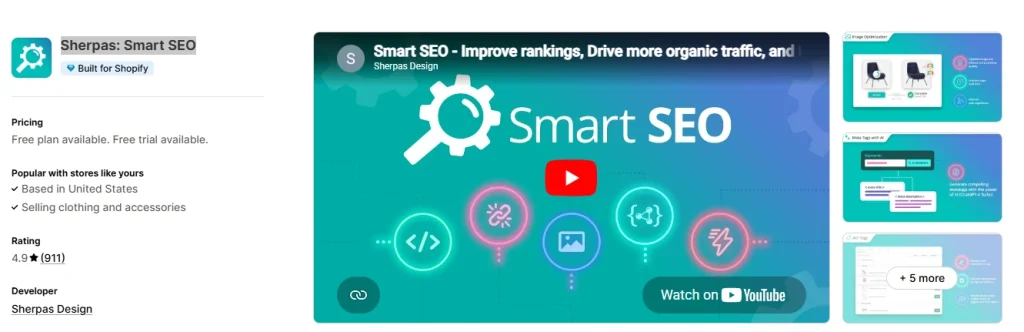
Smart SEO is a strong app for larger stores, multilingual stores, and brands that need bulk control. It helps with metadata, alt text, structured data, sitemaps, and international SEO. Here’s what you get at a glance:
- Bulk SEO Management – updates meta tags and alt text across many pages
- Structured Data Support – helps search engines understand product information
- Multilingual SEO – supports localized SEO fields for different markets
- Sitemap Control – guides search engines toward important pages
We would use Smart SEO when a store has too many products or languages for manual work. It is especially useful for stores that sell in different regions.
Its limitation is research and validation. Smart SEO can help apply changes across the store, but it does not replace international keyword research. We would pair it with Ahrefs or Semrush to compare search demand across markets. Google Search Console helps validate indexing and country-level performance.
Pros:
- Essential for large catalogs with thousands of products.
- Excellent multilingual support for global stores.
Cons:
- Overkill for small stores with few products.
- Does not provide keyword research data.
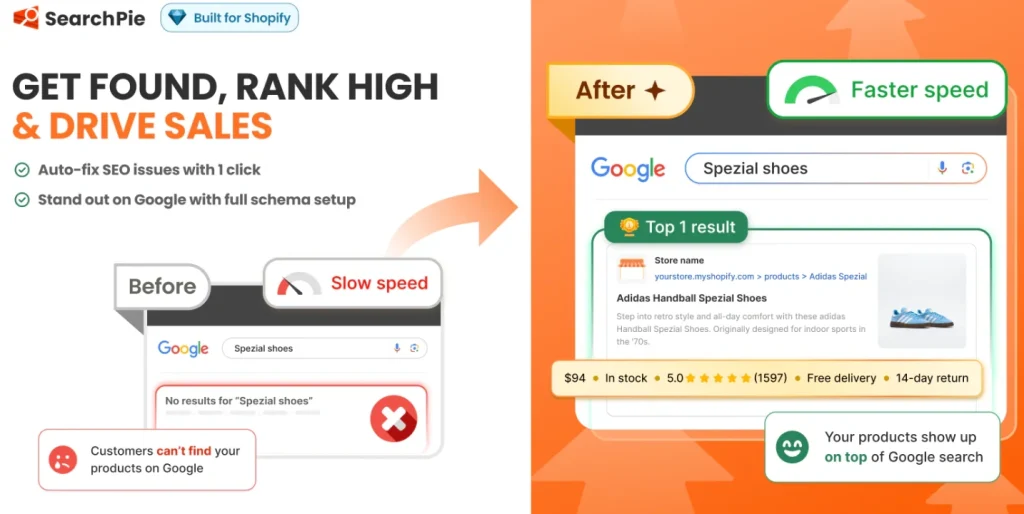
SearchPie is a shopify seo app focused on mobile SEO, broken links, technical checks, and ongoing monitoring. We would use it for stores that need regular cleanup instead of a one-time audit. Key highlights of this app are:
- 404 Error Fixes – scans broken links and helps redirect users
- Mobile Performance Support – improves the mobile shopping experience
- Crawl Budget Protection – cleans URL issues that waste search engine attention
- SEO Audits – checks technical and on-page problems
SearchPie is useful after product deletions, URL changes, or collection updates. Those changes can create dead links if nobody reviews them.
Its missing piece is content strategy. SearchPie can help keep the store clean, but it does not decide which keywords or pages deserve more effort. We would pair it with Google Search Console for query data and Ahrefs for competitor research. PageSpeed Insights can also help check mobile performance.
Pros:
- Great at maintaining site health over time.
- Strong focus on mobile performance metrics.
Cons:
- Limited features for content optimization or blogging.
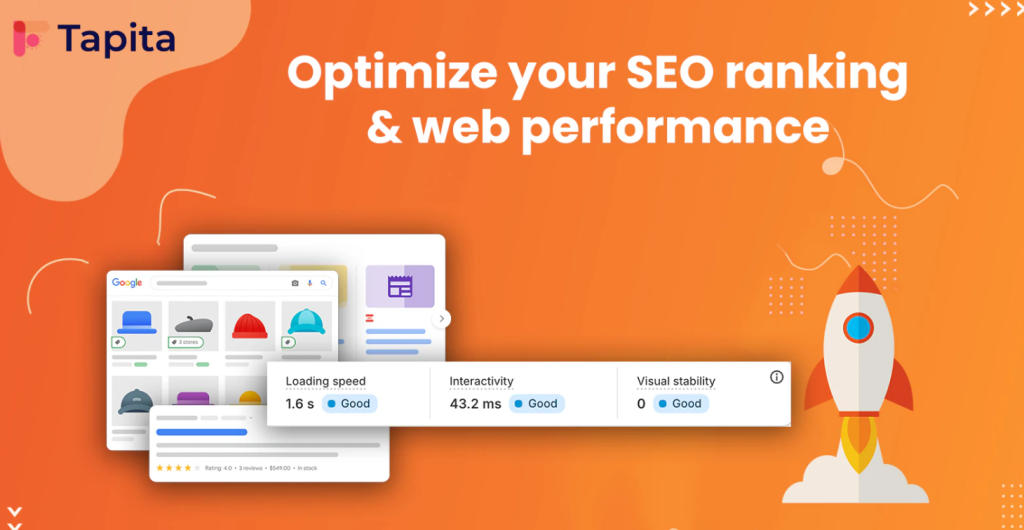
Tapita SEO focuses on technical audits and answer-focused search structure. We would consider it for stores that want clearer product information and better page readability for search engines. You can take advantage of features like:
- Technical Store Audits – scans issues that may hurt visibility
- Intent-Based Content Support – helps structure content around buyer questions
- Technical Site Analysis – flags crawling and indexing problems
- AEO-Friendly Structure – supports question-based content for modern search
Tapita is useful because shoppers now search with more specific questions. Product pages with direct answers and clear FAQs can support that behavior.
Its limitation is question research. Tapita can help shape answer-focused content, but it does not replace real topic discovery. We would pair it with AnswerThePublic for questions. Semrush or Ahrefs can confirm search demand. Google Search Console can show which real queries already bring impressions.
Pros:
- Unique focus on Answer Engine Optimization (AEO).
- Helpful schema templates for FAQs and how-to content.
Cons:
- May not be as comprehensive for traditional e-commerce metadata.
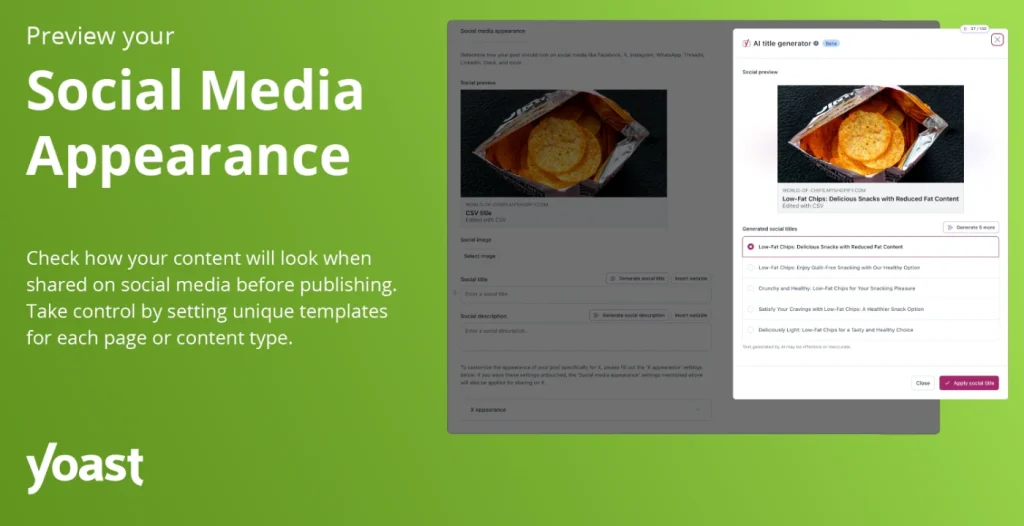
Yoast SEO is often considered the best SEO plugin for Shopify when your store focuses on blogs, buying guides, and educational content to drive traffic. We would not choose it as the main app for image compression, redirects, or technical schema work. Here, you will find features like:
- Content Readability Score – checks if content is easy to read
- Blog Keyword Optimization – gives feedback on keyword use and page structure
- On-Page SEO Suggestions – helps improve headings, metadata, and clarity
- Content Marketing Support – helps improve long-form content
Yoast is useful when a store wants to rank beyond product keywords. Blog content can target early-stage buyers, comparison searches, and how-to questions.
Its gap is research and technical depth. Yoast helps optimize content after you choose a topic, but it does not find the best topics by itself. We would pair it with Ahrefs or Semrush for content gaps. Screaming Frog can help audit published content.
Pros:
- Industry-standard for content optimization.
- Readability analysis helps improve user engagement.
Cons:
- Not a full solution for product pages or technical store issues.
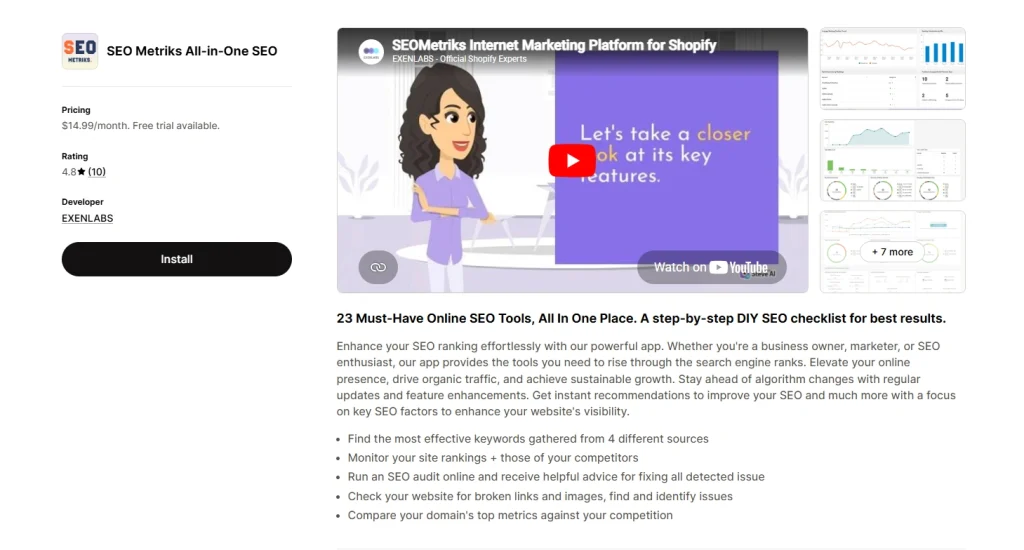
SEOmeter works as a monitoring tool. We would use it for stores that want a dashboard view of health, ranking changes, and technical issues. This app comes with:
- Real-Time SEO Monitoring – tracks changes and possible issues
- Store Health Audits – reviews technical and content-based problems
- SERP Analysis – checks how pages compare in search results
- Ranking Signal Tracking – helps spot search performance changes
SEOmeter is useful when several people work on the store. Product edits, app installs, theme updates, and content changes can all affect performance.
Its limitation is action. Monitoring tells you something changed, but it does not always solve the root problem.
We would pair it with SEO Manager for redirect fixes, Avada SEO Suite for metadata cleanup, and Screaming Frog for deeper crawl diagnosis. Google Search Console can help confirm which issues affect real search performance.
Pros:
- Excellent for tracking changes and diagnosing drops in traffic.
- Simple, visual dashboard for quick health checks.
Cons:
- Primarily a diagnostic tool; it doesn’t fix issues for you.
- Can be redundant if you are already using Google Search Console daily.
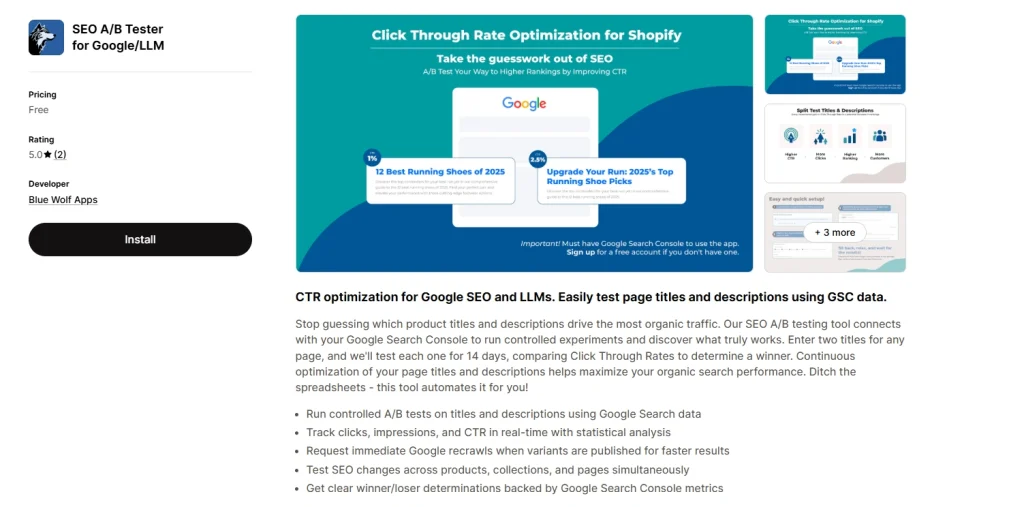
SEO AB Tester is built for stores that already receive meaningful organic traffic. We would not recommend it as the first app for a new store because it needs enough impressions and clicks to produce useful results. You’ll find the following capabilities:
- Meta Title A/B Testing – compares title versions to see which earns more clicks
- Meta Description Testing – tests description copy for stronger search performance
- Data-Driven Decisions – helps teams avoid guessing
- CTR Optimization – helps existing rankings bring more traffic
SEO AB Tester becomes useful after the foundation is already in place. If a page ranks but gets weak clicks, better snippets can help attract more visitors.
Its gap is traffic creation. It improves click-through rates, but it cannot create keyword demand by itself. We would pair it with Google Search Console to find low-CTR pages. Ahrefs or Semrush can help refine keyword angles.
Pros:
- Tests titles and descriptions directly in search results.
- Data-driven approach to increasing CTR without changing rankings.
Cons:
- Takes time to gather statistically significant data.
Picking the Right SEO App for Your Shopify Store (The Lifecycle Framework)
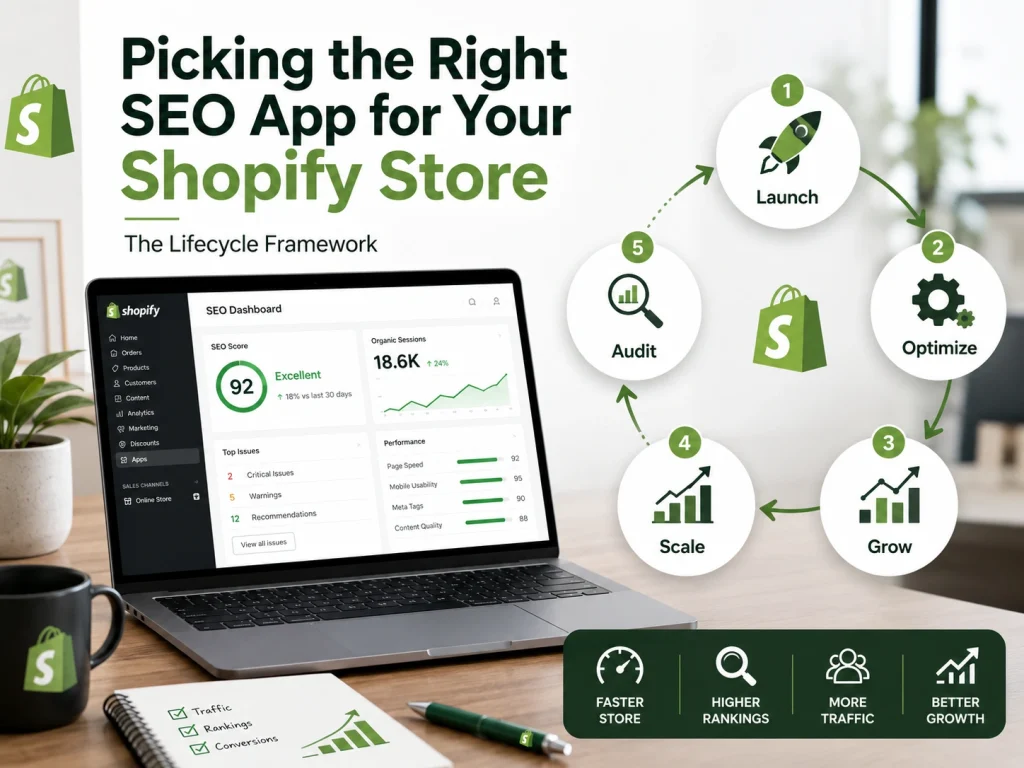
As your business grows, you need to bring in changes. A brand-new store does not need the same tools as an enterprise giant. You must pick the right tool for your current stage to protect your DSO. Digital Search Optimization is about building a foundation that lasts.
Start by looking at your data. Use TSO (Topic Search Optimization) to find your topic gaps. It tells you what your customers are looking for. Once you know what to build, you can pick the “Muscle” to build it.
But here is a warning from the top. John Mueller from Google often reminds us that there is no “magic button” for rankings. He says that Google does not give you a bonus just for using a specific app or plugin. They only care about the final result on the page.
Pro-Tip: Does your app make the site better for a human? Does it help the search engine understand your content? If the app just adds heavy code without helping the user, it is a bad investment.
The Ethical "Trial Audit" Hack
Most premium apps offer a free trial. You can install one and run a full technical report. Fix the high-priority issues. Then, uninstall the app cleanly. This gives you an expert audit for free.
It is a great way to boost your SXO without a high monthly bill. Search Experience Optimization is about the full journey, and this hack jumpstarts it.
Watch Out for Red Flags
Avoid apps that make big promises. If an app says it can “get you 500 backlinks,” stay away. These are usually link farms. They will get your store banned. Also, watch out for apps that block your Entity SEO. If Google cannot see the “Entity” of your brand, you will never rank for your own name. Entity-Based Search Optimization is too important to risk on shady tools.
Privacy and Consent Mode
Privacy is a big deal now. Your apps must follow the rules. Google Consent Mode v2 is a must. If your apps break your tracking, your data will be wrong. You won’t know where your sales are coming from. Accuracy is the key to growth.
Checklist for Your Search Strategy: Step-by-Step
Choosing the best shopify SEO app comes down to catalog size and your core pain points. Because one-size-fits-all does not exist, use this list to evaluate your options:
- Identify Your Core Gaps: If you have hundreds of products, look for apps like Avada SEO Suite that use templates to automate title tags and Alt-text. If you need rich snippets, consider dedicated schema apps like JSON-LD for SEO.
- Check for AI Readiness: Look for modern apps that optimize your data so AI models can crawl and summarize your product details.
- Review Shopify Features First: Shopify handles many on-page basics. Only add an app when you find a real feature gap.
- Evaluate the Cost: Pay attention to whether the app scales fees based on your catalog size. Look for risk-free trials to test performance. Always track total Shopify costs to maintain a strong ROI.
- Use Free Strategy Tools: No matter the app, always use Google Search Console to track queries and Google Keyword Planner to research keywords.
Scaling a business takes Programmatic SEO (PSEO). This PSEO allows you to grow without hiring a giant team. You use rules to manage thousands of pages. Success is about working smart, not just working hard.
Getting Your Store Ready for AI Search (AEO, AGO, and GEO)
Your Shopify customers now talk to their phones or ask AI chatbots for advice instead of typing into standard search boxes. This is where AGO matters. It helps AI tools like ChatGPT and Gemini recommend your specific products first.
Google is also shifting. To show up in AI search results, your store needs a clear context. Retrieval-Augmented SEO helps by feeding AI detailed data about your inventory. This improves your GSO and makes it more likely that AI will suggest your items to shoppers looking for solutions.
Use the LLMs.txt File
Your store needs a menu for AI bots. This is the LLMs.txt file. It is a simple file that tells AI which parts of your store are ready to be read. This is a key part of LLMO (Large Language Model Optimization). It helps these bots trust your product data, which is the foundation of modern AI search optimization or AISO.
Focus on Meaning, Not Just Keywords
Frankly speaking, AI looks at entities and how your brand relates to your collections. This is part of AIO (Artificial Intelligence Optimization), which breaks down your text to uncover its true meaning.
Tokenization helps machines understand your content, while entity salience makes your smart app integration easier for these systems to read and index correctly.
5 Steps to Make Your Products AI-Ready
To rank in AI search, stop chasing simple keywords and start acting like a trustworthy answer engine. AI platforms pull information for conversations, so your store needs a clear structure and direct Q&A formats. Follow these steps to make your store AI-ready:
- Write Conversational Descriptions: Make sure your product text answers buyer questions, such as “who is this for?” or “what problem does it solve?”
- Use Q&A Formats: AI bots love Q&A layouts. Build detailed FAQs on your product pages for sizing, ingredients, or shipping using clear question-style headings.
- Add Schema Markup: Use JSON-LD structured data so AI crawlers can read and verify your product prices and availability easily.
- Clean Up Navigation: Ensure your collection pages are text-rich and clearly organized. Make sure your return policies and customer service contacts are easy for bots to find within your theme.
- Track AI Traffic: Treat AI platforms like their own traffic source. Check your analytics to see how many people come from ChatGPT or Perplexity and what they actually buy.
Pro-Tip: To rank in AI search, use tools like Smart SEO, Avada, and JSON-LD for automation, while adding clear structure and Q&A content manually.
Having Multiple SEO Apps Fail: Here’s Why
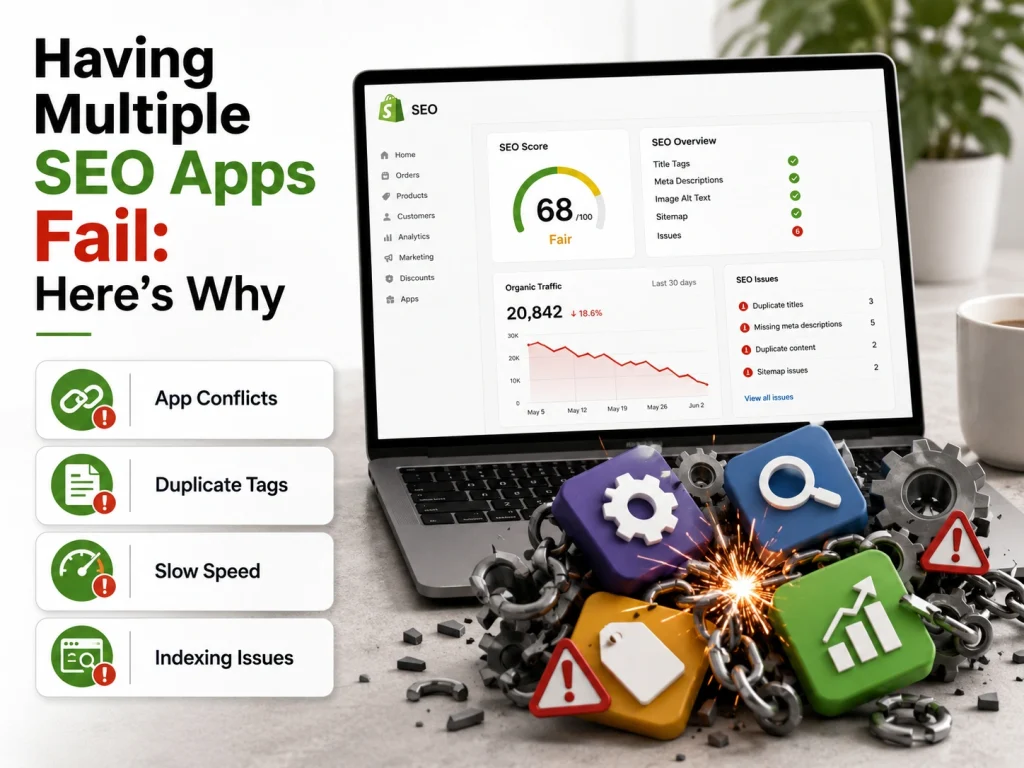
Installing several tools at the same time creates a bloated site. This makes it hard for search engines to crawl your pages. Your store becomes slow, and the data becomes inconsistent. Here is why this approach fails to improve your rankings.
Many apps slow down your site speed
Every app adds JavaScript and CSS files to your theme. These files increase the time it takes for your pages to load. Slow sites reduce the quality of the user experience.
Google ranks slow sites lower in search results. This directly hurts your WPO and MEO. You must learn how to fix slow Shopify themes if you see your performance scores drop. Most users will leave your store if the page does not load quickly.
Multiple apps create code conflicts
Using multiple apps for the same task can lead to code conflicts. Two apps trying to generate Schema data at the same time create bad signals. Google gets confused by these redundant scripts.
This ruins your SXO (Search Experience Optimization) and can even break your site layout. You end up with inconsistent data that prevents search engines from understanding your store.
Software cannot improve poor content
We found that most stores have a quality problem rather than a tool problem. An app cannot fix a bad product description. It cannot fix weak metadata or broken internal links.
If your content is thin, your CTR will stay low. You need high-quality information to help customers decide to buy. Providing better information is the most important part of User Experience Optimization (UXO).
App settings often cause duplicate pages
Installing too many apps can create technical problems. Some tools mishandle product variants and canonical tags, creating duplicate URLs that split ranking power.
Images may also stay hidden from search when automation fails. This weakens your Entity SEO because Google struggles to properly understand and identify your products.
Use one tool and focus on better text
Stop these failures by making speed your main goal. Use one comprehensive tool instead of five small ones. Audit your store in Google Search Console regularly. Do not just look at app dashboards. Spend your time writing something unique.
Advanced Shopify SEO (Faceted Navigation, Robots.txt and Zombie Pages)
Technical clutter can slow growth and hide your best products. Faceted navigation creates too many low-value links, wasting crawl budget and hurting visibility.
You should organize product filters to protect your index. If you are struggling to manage this manually, apps like Avada SEO Suite or SEOAnt can automate your canonical tags and noindex rules across thousands of product variations.
We like to use this AI prompt for custom logic: “Create a list of high-value filter combinations for my
InsertNiche store and explain which ones should be canonicalized versus noindexed. Here is my site [www.BrandsBro.com](http://www.Brandsbro.com) “
After this, use Canonical tags for filtered pages. Apply Noindex to results you do not want to rank. Add Nofollow to internal links so bots avoid junk.
Your robots.txt should block search and staging pages while still allowing CSS, JavaScript, and sitemap access.
Zombie pages are outdated or thin pages with little value. Merge, delete, or redirect them with 301s to stronger pages to protect authority and improve Entity SEO.
A strong app helps automate these tasks and keeps your store clean, searchable, and easy to navigate.
Issue | Primary Fix | Purpose |
Faceted navigation | Canonical tags / Noindex | Stop duplicate content |
robots.txt | Disallow Filters / Search | Save crawl budget |
Zombie pages | 301 redirect / Delete | Remove thin content |
Shopify Apps For Mobile SEO & Accessibility: Speed for the 70%
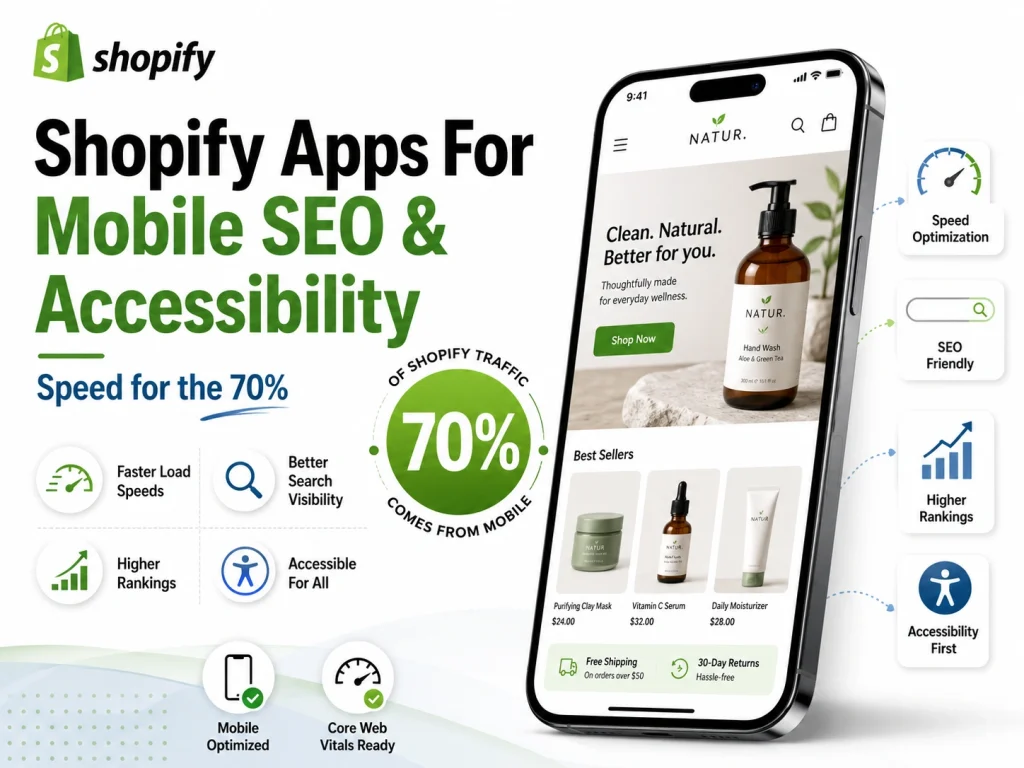
Search engines now prioritize the user experience on phones. You need tools that make your store fast and easy to navigate for everyone. This includes people with disabilities who use assistive technology. When you focus on both, you improve your SXO and build a better business.
Why Mobile Performance and INP Matter
Google now tracks a metric called INP. This stands for Interaction to Next Paint. It measures how fast your site reacts when a user clicks a button or menu.
Heavy apps often ruin your INP score. This is a key part of your Core Web Vitals. You should clean your theme code to keep your UXO high and your response times fast.
Accessibility and the Value of Visual SEO
Accessibility is a major ranking factor. Alt-text is not just a tool for search bots. It helps people who use screen readers to understand your products. This is a vital part of Visual SEO.
When you make your store accessible, you satisfy both Google and your customers. You must optimize site visuals to make sure every image has a clear purpose and description.
Solving the LCP Challenge on Mobile
Your main product image must show up instantly to keep users engaged. This is your LCP, or Largest Contentful Paint. It is a major part of your search score.
You need to boost your loading speed to hit the targets Google sets. Apps that optimize images and scripts help you reach these goals without manual coding.
Best Apps for Mobile Visibility and Compliance
Many apps now combine AI with performance features. These tools help you follow ADA and WCAG rules while boosting your MEO.
- Corpowid: This widget provides AI Alt-text and JSON-LD schema. It helps you follow global accessibility laws.
- AccessiRank: This tool focuses on speed. It ensures you follow compliance rules without slowing down mobile performance.
- SearchPie: This app is a specialist in speed. It helps with broken links and mobile audits.
- Smart SEO: We use this to generate Meta tags and Alt-text using AI. This improves the mobile experience for every visitor.
Free Tools to Test Your Store
You do not always need to pay to check your progress. Several free tools give you a clear look at your mobile health.
- Lighthouse (Chrome): This is the best free tool for testing mobile performance scores.
- WebAbility: WebAbility is a free scanner that checks if your store follows accessibility rules.
Using a solid seo app for Shopify helps you manage these mobile requirements at scale. You protect your rankings and ensure every customer can buy from you.
Multi-Language In International SEO Apps For Shopify
Selling across borders is the fastest way to grow your store. But global expansion can cause technical messes. If you do not manage your international settings correctly, you will face duplicate content issues and confuse your NSO.
A good shopify seo app handles this by automating hreflang tags. These tags tell Google exactly which language to show shoppers in different countries. Without them, search engines struggle to deliver the right page, which harms your SXO.
When you add new languages, you must protect your Entity SEO. Your brand needs to be recognized as one authority, even when your content changes by region.
We use apps like Langify or Weglot to handle these translations. They allow for easy content updates while keeping your site structure clean. You should use subfolders like /fr/ or /es/ rather than subdomains.
This strategy consolidates your domain authority, helping your global store rank faster. If you want to sell on Shopify to a worldwide audience, always watch your speed. A large multi-language site can get heavy.
Keep your WPO strong by using apps that load language files only when needed, so international shoppers still get a fast, smooth experience.
Seasonal SEO: Preparing for BFCM and Holiday Spikes
Black Friday is the Olympics of e-commerce. You cannot wait until November to get ready. You need a DSO plan months in advance. Digital Search Optimization ensures your holiday pages are indexed and ready to rank before the rush starts.
And for the big sales, you need SSO. Search Space Optimization means your deals show up on Pinterest and Bing, not just Google. You should also check your BEO. Bing Engine Optimization is a secret weapon during the holidays. Many shoppers use Edge and Bing on their new laptops to find gifts.
But watch out for the “Holiday Hangover.” After the sales end, many stores see a traffic drop. This is where ORM helps. Online Reputation Management keeps your brand strong all year. If you see a dip, check our guide on Shopify sales drops to find the fix.
Now, let’s get you started with a clear plan for your first week.
How To Use SEO Apps For Shopify: Your First 7 Days Action Plan
We all want to fix everything at once, but that usually leads to burnout before results show up. When building a premium Shopify store, it works better to follow a simple step-by-step plan. One day at a time is enough.
- Day 1 (Run your audit): Use a tool like Ahrefs to find topic gaps and understand what your customers are actually searching for.
- Day 2 (Fix 404 errors): Repair broken links to improve UX and avoid dead ends for users and search engines.
- Day 3 (Speed up visuals): Install apps like TinyIMG or Avada SEO Suite to improve image speed and overall WPO.
- Day 4 (Set up llms.txt): Add it as a signal for AI systems and prepare your store for AI-driven search.
- Day 5 (Check mobile speed): Review INP and LCP scores to make sure your store feels fast on mobile.
- Day 6 (Remove zombie pages): Delete or clean up pages with no traffic or value to improve site quality.
- Day 7 (Review SXO): Walk through your store like a customer and make sure everything feels smooth and easy to use.
Not sure which Shopify SEO app is actually worth installing? Brand’s Bro can audit your store, review your app stack, fix technical SEO issues, and build a cleaner organic growth system. Book a free Shopify SEO audit today.
Unlock Higher Shopify Rankings and More Sales
It turns out, picking the best SEO app for shopify setup is not about using one tool for everything. The smartest approach is to build a hybrid stack that covers strategy, technical fixes, speed, and content optimization.
Apps like TinyIMG, SearchPie, and Smart SEO help improve store performance and fix technical issues. Pair them with stronger platforms like Ahrefs, Semrush, Google Search Console, Google Analytics, and PageSpeed Insights for deeper insights and tracking.
But tools alone are never enough. The real goal is creating a better experience for shoppers. Fast pages, helpful content, strong trust signals, and clear navigation matter far more in the long run.
That is how modern SEO and SXO work together. Stay consistent, keep learning, monitor your E-E-A-T, and your store will continue growing over time.
How We Tested and Scored the Best Shopify SEO Apps
We evaluated Shopify SEO apps based on technical SEO features, usability, automation, reporting, pricing, and customer support.
Higher scores went to apps that detect broken links, optimize metadata, compress images, generate structured data, and identify indexing problems without requiring coding.
We also considered whether each app provides accurate recommendations, avoids unnecessary theme changes, and delivers measurable value for growing Shopify stores.
Best Free vs Paid Shopify SEO Apps: Features, Limits, and Real Costs
Free Shopify SEO apps usually provide basic audits, image alt-text optimization, limited metadata editing, and simple SEO reports.
However, free plans often restrict the number of pages, images, scans, or automated fixes. Important tools such as structured data, redirects, and advanced monitoring may require an upgrade.
Paid apps generally cost between a few dollars and several dozen dollars monthly. Choose one only when its features save more time or generate more revenue than its subscription cost.
Shopify Native SEO vs SEO Apps: When Do You Actually Need an App?
Shopify already supports editable title tags, meta descriptions, image alt text, canonical tags, sitemaps, redirects, and mobile-friendly themes.
A small store with limited products may not need an SEO app. Most essential optimizations can be completed manually through Shopify’s built-in settings.
An app becomes useful when managing hundreds of products, automating repetitive tasks, monitoring technical errors, adding structured data, or scaling international SEO.
Recommended Shopify SEO App Stacks by Store Size and Business Type
Small stores should begin with Shopify’s native tools, Google Search Console, and one lightweight image or SEO audit app.
Growing stores may benefit from separate tools for image optimization, broken-link monitoring, schema markup, keyword tracking, and bulk metadata editing.
Large or international stores need advanced technical auditing, automated redirects, multilingual SEO, structured data management, and professional analytics. Avoid installing overlapping apps because duplicate features can slow the store and create technical conflicts.
Frequently Asked Questions (FAQs)
Shopify forums repeat the same questions about which tools actually work. Real results don’t come from quick fixes, but from using the right tools with a clear strategy. Here are the most common questions focused on long-term growth:
Which Shopify SEO app actually works and boosts traffic?
We avoid “one-click” fixes that bloat your site. Instead, we use focused tools for specific tasks. TinyIMG handles image compression and WebP. SearchPie helps with basic automation. Smart SEO is great for bulk edits, alt text, and AI meta tags. These tools help automate your workflow.
Are SEO apps necessary, or does Shopify do it automatically?
Shopify covers basics like canonical tags and mobile-friendly design. But as your store grows, you need apps for bulk edits, 404 redirects, and schema markup. At scale, best free SEO app for Shopify options or paid tools become essential to manage optimization efficiently.
Which apps are best for Schema Markup (JSON-LD)?
Schema helps Google understand your products and display rich results like ratings and prices. Tools like Smart SEO or dedicated JSON-LD apps add structured data without coding, keeping your Entity SEO clean and accurate.
Will SEO apps slow down my Shopify store?
Some heavy apps can affect speed and Core Web Vitals. Avoid tools that constantly run background audits or tracking scripts. Always choose lightweight apps and fix theme speed issues first to protect performance.
How do I perform keyword research or fix SEO errors?
Start with Google Search Console to find issues. Then use your best SEO tools for Shopify to fix them. For deeper optimization, combine audit tools and AI features. If things get complex, a Shopify expert can help you scale properly.
Unlock Higher Shopify Rankings and More Sales
It turns out, picking the best SEO app for shopify setup is not about using one tool for everything. The smartest approach is to build a hybrid stack that covers strategy, technical fixes, speed, and content optimization.
Apps like TinyIMG, SearchPie, and Smart SEO help improve store performance and fix technical issues. Pair them with stronger platforms like Ahrefs, Semrush, Google Search Console, Google Analytics, and PageSpeed Insights for deeper insights and tracking.
But tools alone are never enough. The real goal is creating a better experience for shoppers. Fast pages, helpful content, strong trust signals, and clear navigation matter far more in the long run.
That is how modern SEO and SXO work together. Stay consistent, keep learning, monitor your E-E-A-T, and your store will continue growing over time.
