
Finding the right SEO reporting tool sounds simple at first. You want accurate rankings, clean dashboards, competitor tracking, and reports that clearly show what is working. Then you start testing platforms, and things get messy fast.
Some tools overload you with charts you never use. Others look polished but leave gaps in keyword data or traffic attribution.
A few do provide solid numbers. But do not connect reporting to real business decisions.
For marketing teams and agencies managing multiple clients, this becomes even more important. Investing in dedicated reporting tools for SEO is often the only way to scale without losing accuracy or clarity.
The right platform should not just display data, it should help interpret performance trends and guide decisions.
At BrandsBro, reporting has always focused on improving performance across SEO, e-commerce, paid media, and multi-niche campaigns. Clear data helps us find content gaps, improve targeting, and drive better results across industries like batteries, wellness, networking hardware, and watersports.
In one instance, enhanced SEO visibility tracking led to a 58% lift in organic traffic and a 37% reduction in bounce rate within the battery niche.
In the wellness space, refined reporting workflows helped cut wasted ad spend by 72% while improving ROI by 3.4x. Meanwhile, campaigns in networking hardware benefited from improved reporting systems, driving over 130% growth in impressions through better optimization and visibility.
In this guide, we’ll break down the best SEO reporting tools in 2026. They are all based on accuracy, automation, competitor tracking, integrations, pricing, and ease of use.
Our goal is simple. Help you find the tool that turns data into clear, actionable growth.
Why Most SEO Reports Fail (And How to Fix It)
Most SEO reports fail because they show data without explaining what it means. You get keyword lists, rankings, and traffic numbers, but no real story. It’s a great starting point, just not the final result.
What usually happens is simple: tools pull lots of data, people copy it into a report, and it gets shared as if it explains something. But it doesn’t.
Clients look at these reports and still ask, “So what does this actually mean for the business?”
It gets worse when AI is added. AI can process huge amounts of SEO data, but if the logic is weak, it starts guessing. It might see traffic going up and claim it’s because of “better SEO,” when it could just be a seasonal spike or one viral page. This is how reports start sounding confident but drift away from reality.
Third-party cookies are being phased out. GA4 now relies heavily on modeled data. Because of this, SEO reports can sometimes take credit for conversions that were actually part of a multi-touch journey. If your reporting does not account for these attribution gaps, your data is fundamentally skewed.
The fix is to keep things simple and grounded:
- Start with the real question: did this bring more leads or sales?
- Group keywords by intent, not long lists (what people want, not just what they typed)
- Separate “what happened” from “why it happened”
- Tie organic data to CRM platforms (like HubSpot or Salesforce) to prove true ROI, rather than relying solely on last-click analytics.
- Use AI to summarize data, not invent explanations
- Always ask: “Does this help someone make a decision?”
Good SEO reports aren’t about showing everything. They’re about showing only what matters, and explaining it so clearly that anyone can understand it.
What Are SEO Reporting Tools in the Age of AI?
An SEO reporting tool is software that collects SEO data from various platforms and presents it in a clear dashboard or report.
SEO data is spread across tools like Google Analytics, Search Console, Ahrefs, and Semrush. This actually makes reporting slow and repetitive when checked separately.
For us, these tools solve this by consolidating all key metrics into a single dashboard. They connect through APIs, update automatically, and reduce manual reporting while keeping data current.
Today, the most advanced automated AI SEO reporting tools go even further. They don’t just collect data. They actively analyze performance, spot ranking changes, and summarize SEO trends for faster insights.
In 2026, these tools must also expand to include GEO (Generative Engine Optimization) trackers. Tools that monitor your brand’s visibility inside AI-generated search responses from ChatGPT, Perplexity, and Google SGE. This shift aligns with broader ecommerce trends reshaping how customers discover products.
Most platforms also support automated reports in PDFs, spreadsheets, or shareable links, including white-label options for agencies. Common SEO metrics include:
- Keyword rankings: Position changes in search results
- Organic traffic: Visitors from search engines
- Backlinks: External links pointing to a site
- Technical SEO issues: Crawl errors, indexing problems, and site health signals
- AI Visibility/Citations: How often your brand is referenced and positioned within generative AI search outputs.
Top 11 SEO Reporting Tools: Tested For 2026
To help you compare your options at a glance, we put together a simple breakdown of the top SEO reporting tools.
Here’s a comparison table to help you out (Note: Pricing reflects standard monthly rates at the time of writing; annual billing and promotions may vary):
Tool | Starting Price | AI Features | Best For | Key Integration |
$139.95/mo | AI Insight Generation | Overall Best | Looker Studio, GA4 | |
$109/mo | AI Intent Classification | Backlink Analysis | BigQuery, GA4 | |
$65/mo | AI On-Page Checker | Small Business | Looker Studio, GSC | |
$99/mo | Limited / Native Algorithms | Beginners | GA4, Google Ads | |
Free | N/A | Essential Free Data | Looker Studio, GA4 | |
Free | N/A (Connect to AI) | Custom BI Dashboards | BigQuery, Supermetrics | |
$18/campaign/month | Automated Anomalies | White-Label Reports | Shopify, Google Ads | |
Custom Pricing | AI Citation Tracking | GEO / AI Search Visibility | BigQuery, Slack | |
$39/mo | Auto-Suggestion AI | Local SEO Reporting | GA4, GMB, Looker Studio | |
$69/mo | AI Text Analysis | All-in-One | Slack, GA4 | |
$39/mo | N/A | Competitor Research | Google Ads, GSC |
No two tools are built the same way. Some excel at crawling huge websites, while others make client reporting simple and fast. Let us explore our top-tier tools in detail.
1. Semrush - Best Overall SEO Reporting Suite
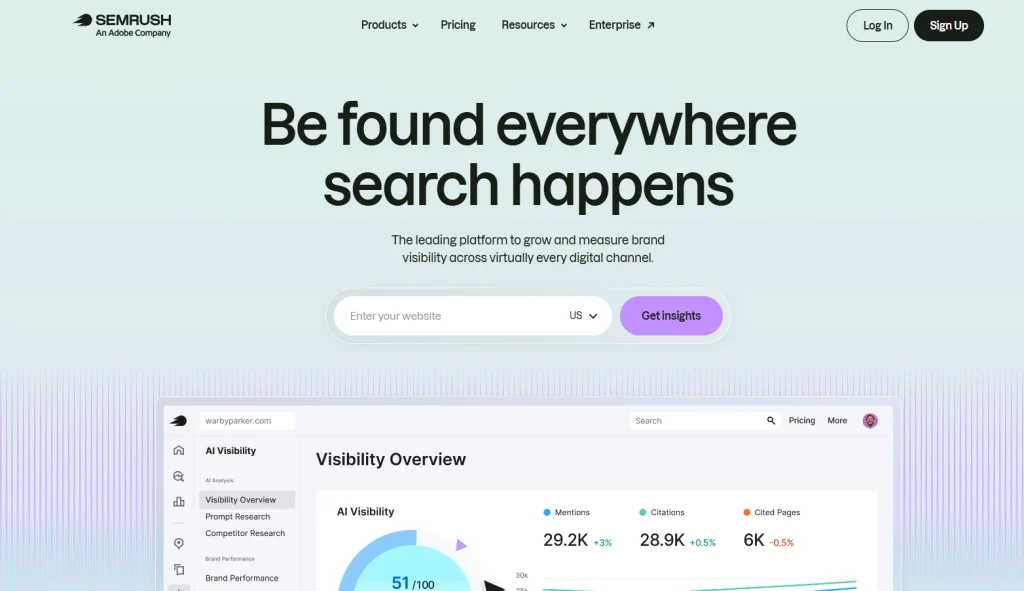
Semrush is a complete powerhouse that brings your search, paid ads, and social data into one place. If you want a single tool that does almost everything, this is the one.
The platform helps you build beautiful, automated reports with very little effort. Instead of jumping between tools, you get a clean dashboard that connects to your key accounts. It makes your work look polished and professional.
For brands targeting stateside audiences, it is crucial to use SEO tools for reporting USA data accurately. Semrush provides some of the most robust regional databases available. These are the key AI & Automation features of Semrush:
- Position Tracking: Track your daily keyword rankings across 142 countries with updates that show you exactly where you stand.
- AI Insight Generation: Automatically surfaces significant traffic shifts and rank changes, writing natural-language summaries for your reports.
- Site Audit: Run a fast technical SEO audit with over 150 checks to fix broken links and slow pages.
The reporting engine inside Semrush is incredibly smooth. You can drag widgets for organic traffic, keyword rankings, and backlinks directly onto a clean page.
You can connect your Google Search Console and GA4 accounts directly to the builder. This means you can show your actual Google data alongside your competitor insights in one beautiful report.
For teams, you can set these up as monthly client SEO reports that send automatically on the first of the month. It keeps your clients happy and saves you hours of manual work.
Pros:
- Massive, accurate database
- Highly customizable white-label reports on Guru plans
- Clean, modern UI
- Excellent integrations.
Cons:
- There are so many features that it takes time to learn them all.
2. Ahrefs - Best for Backlink Analysis & Content Intelligence
Most marketers agree that backlinks are the currency of the web. If you want to build high-authority links that push your pages to the top, you need a tool that watches your links like a hawk. Ahrefs is famous for running the most active link crawler in the industry.
The software makes it incredibly simple to reverse-engineer what your competitors are doing. You can instantly see where they get their links and what content brings them the most visitors. For deeper insight into how backlinks build authority and improve rankings, Ahrefs provides the essential data. Here are some key features of Ahrefs:
- Content Explorer: Search a database of billions of web pages to find popular articles, now enhanced with AI scoring for traffic potential.
- Keywords Explorer: Get deep keyword ideas with accurate difficulty scores and search volume numbers, powered by AI intent classification to group terms by user journey stage.
- Rank Tracker: Keep a close eye on your list of target keywords with simple charts that show your daily progress.
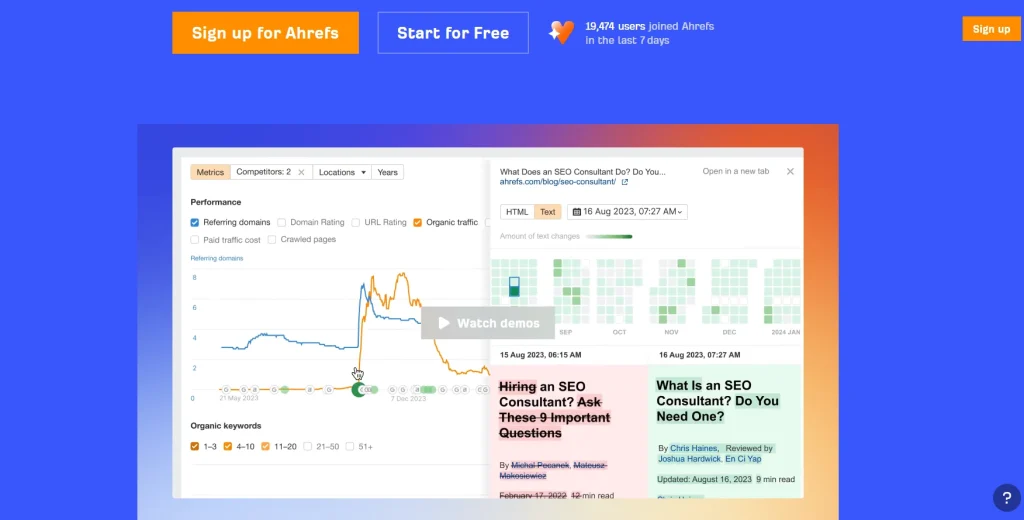
Ahrefs approaches reports differently than most paid systems. It does not offer a complex drag-and-drop report builder. Instead, the platform focuses on giving you incredibly clean, pre-built tables that you can export with one click. These visual graphs make competitor keyword research fast and painless. You can easily show stakeholders your steady backlink growth and rising keyword rankings through clean charts.
The dashboard presents complex technical data in a visual way. It helps your team spot drop-offs in link building or rank tracking before they hurt your business.
Pros:
- Unmatched link database
- Incredibly helpful charts
- Trusted Domain Rating metric.
Cons:
- Limits on crawl credits can run out quickly.
3. SE Ranking - Best Value for Small Business & Boutiques
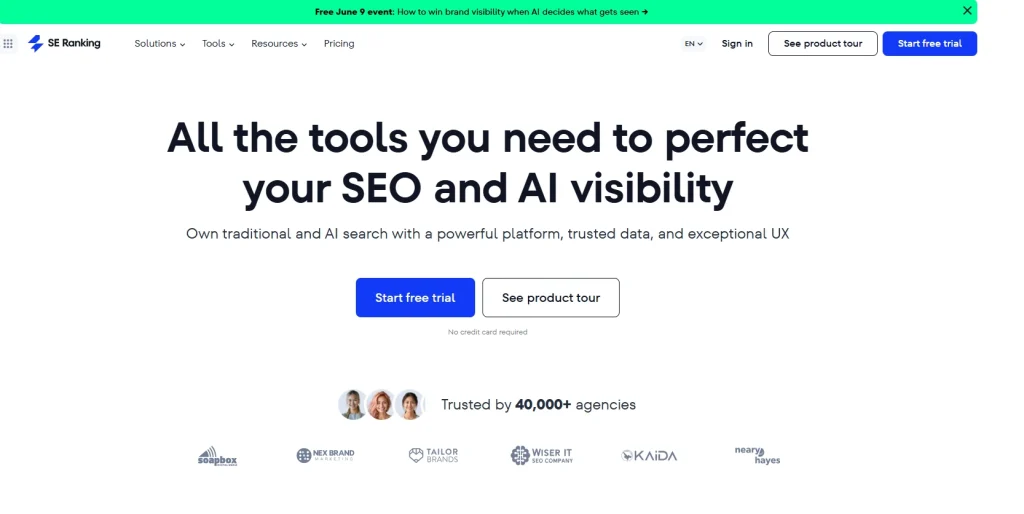
Growing a brand requires watching your expenses. You need accurate data to show your clients, but paying hundreds of dollars a month can eat up your margins. SE Ranking bridges this gap perfectly.
This platform provides premium features and acts as one of the best automated SEO reporting tools on the market. You get daily rank tracking, detailed site crawls, and scheduled updates at a fraction of the usual cost.
For brick-and-mortar stores and service-area businesses, local SEO insights matter even more. You need tools to track Google Maps rankings, manage local citations, and monitor search performance by area. SE Ranking handles this well. Key features of SE Ranking include:
- Rank Tracker: Track your daily keyword rankings across multiple locations, including Google Maps results.
- On-Page Checker: Run your pages through an AI checker to get exact steps to improve your rankings.
- Website Audit: Scan up to one million pages to find hidden errors and slow load times.
The report builder in SE Ranking is surprisingly robust. It allows you to set up automated SEO reporting schedules that send directly to your clients.
Unlike other budget options, you get access to white-label reports on almost every plan, making it one of the best value white label SEO reporting tools for consultants who want to look highly professional while keeping overhead low. Boutique marketing agencies, freelance consultants, and local businesses, all can benefit from it.
Pros:
- Excellent value
- Full white-label options
- Daily ranking updates
- Easy to learn.
Cons
- Smaller database and fewer integration options compared to enterprise tools.
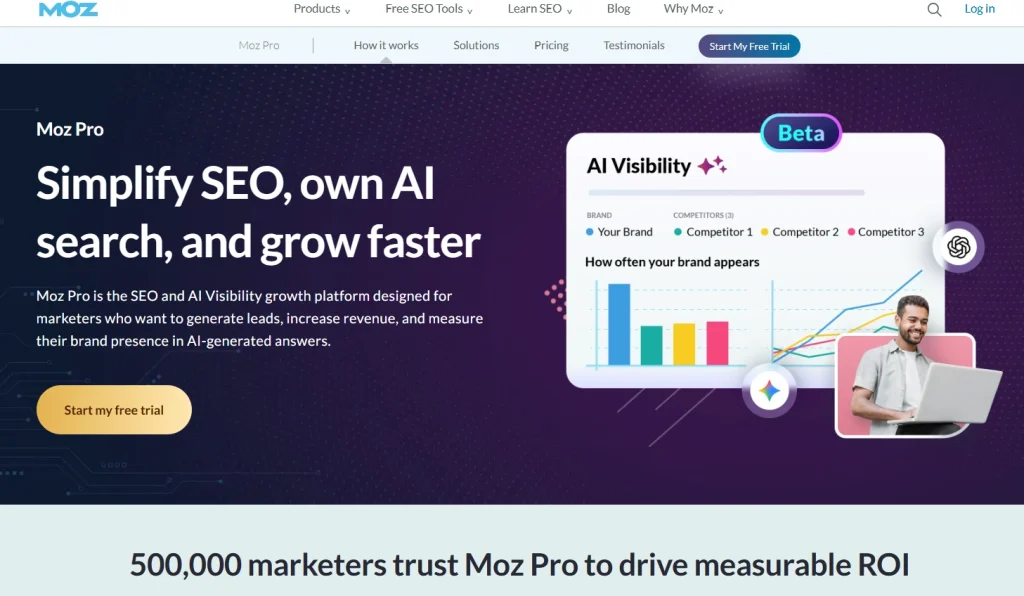
4. Moz Pro - Best for Beginners & In-House Teams
Search engine optimization can feel difficult at first. With so many acronyms and metrics to track, beginners can easily feel lost. Moz Pro makes the process easier.
It presents SEO data in clear, simple language instead of complex reports. The platform also guides you step by step to improve your pages.
That makes Moz Pro a strong choice for beginners, new marketers, and in-house teams. It also helps teams show results and explain ROI to leadership in a clear way. Now, let’s check some of the core features of Moz Pro:
- Keyword Explorer: Find new terms using a clean difficulty score that tells you exactly how hard it will be to rank.
- Link Explorer: Track your Domain Authority and watch for toxic links pointing to your site.
- On-Page Grader: Enter a page and a keyword to get a simple score showing how well your content is optimized.
Reporting & Integrations Deep Dive
Moz Pro creates simple, focused client reports that do not overwhelm your readers with too many numbers. The platform uses clean layouts to show your progress over time. Small marketing teams, in-house business owners, and beginners can JUST drag-and-drop elements to build a basic monthly PDF.
Because Moz created the “Domain Authority” metric, showing this score in your reports gives them instant credibility. It serves as a solid keyword rank tracking tool that helps you explain your wins to stakeholders who are not tech-savvy.
Pros:
- Most beginner-friendly platform
- Domain Authority is highly respected
- Excellent free lessons.
Cons:
- Rankings only update weekly
- Lacks advanced, native AI generation features found in newer platforms
5. Google Search Console - Best Free & First-Party Data Source
No matter how many paid platforms you use, you should always set up Google Search Console. It is Google’s official, direct channel to website owners, making its data incredibly valuable.
The platform shows you exactly how Google sees and indexes your pages. It provides first-party performance data that paid tools can only estimate, and it is completely free to use. Let’s see the key features of Google Search Console:
- Performance Report: View your actual clicks, impressions, and average positions for the keywords driving your traffic. It also breaks down SERP features (like Featured Snippets), allowing you to track zero-click visibility where users get answers without visiting your site.
- Index Coverage: See which of your pages are indexed by Google and fix any errors, keeping them out of search results.
- Core Web Vitals: Monitor your page speed and user experience metrics based on real user data.
Google Search Console data is the most accurate source of search performance on the web. It shows you the exact queries users typed into search engine results pages to find your site.
But here’s the thing: it does not have built-in automated scheduling or competitor research features. To turn it into a reporting machine, you can connect it to Looker Studio. This allows you to build custom, real-time dashboards that pull your data directly from Google. It is an incredibly powerful setup for tracking your technical SEO audit performance and organic traffic trends for free.
Pros:
- Most accurate search data available
- Essential for detecting indexation problems
- Completely free.
Cons:
- No competitor tracking
6. Looker Studio - Best for Custom BI Dashboards
For in-house teams that already have data pipelines and business intelligence needs, Looker Studio (formerly Google Data Studio) is the ultimate connector. It is not an SEO tool out of the box, but it becomes a powerhouse when connected to data sources.
This platform allows you to pull data from Google Analytics, Search Console, Semrush, Ahrefs, and CRM systems into one custom-built dashboard. Let’s look at some key features of Looker Studio:
- Data Blending: Combine data from multiple sources to calculate true SEO ROI against ad spend.
- Interactive Dashboards: Allow stakeholders to filter by date, geography, or product line themselves.
- Real-Time Updates: Dashboards refresh automatically as connected data sources update.
Looker Studio offers total creative freedom. You can design reports that look exactly how you want them to, matching corporate branding perfectly. By using third-party connectors (like Supermetrics), you can pull in paid social and SEO data side-by-side.
It is heavily relied upon by enterprise teams who use reverse ETL pipelines to push data into BigQuery or Snowflake for advanced statistical modeling, and then visualize it back in Looker.
Pros:
- Completely free
- Unlimited customization
- Perfect for cross-department data blending.
Cons:
- Requires technical setup
- No native SEO data (requires connectors)
7. AgencyAnalytics - Best for White-Label Client Portals
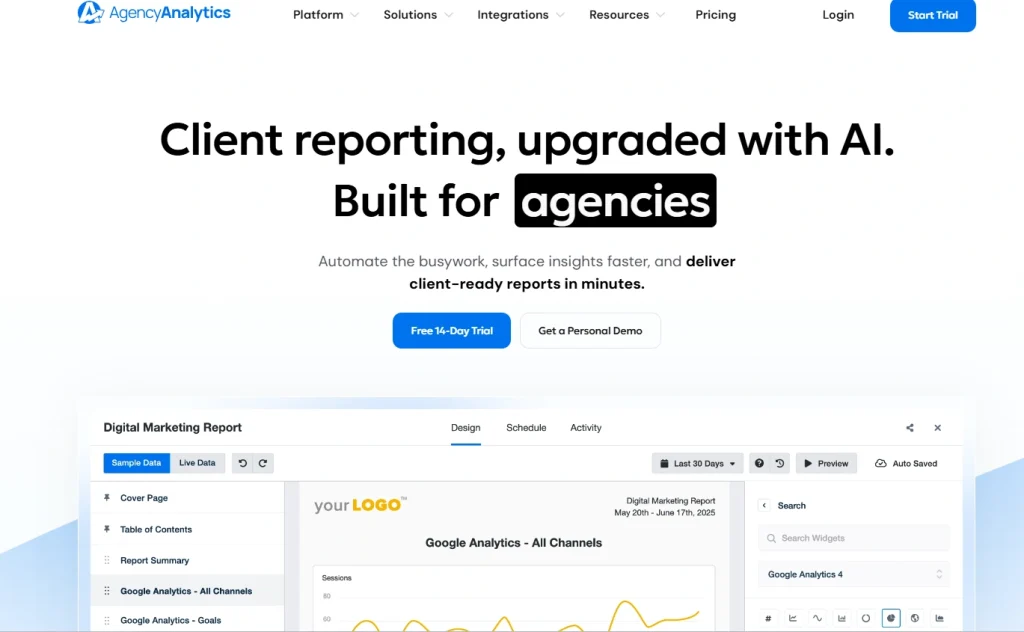
Running a busy digital agency means clients expect clear communication and professional reporting. They want to track organic traffic, paid search, and social media performance in one place. AgencyAnalytics helps make that easy.
It lets you build custom dashboards and client portals for real-time updates. When it comes to dedicated tools for SEO client reporting, AgencyAnalytics improves transparency and helps turn complex SEO data into clear business results.
For agencies managing multiple clients, branding also matters. White-label reporting lets you remove third-party logos, add your own branding, and send reports from your own domain. AgencyAnalytics specializes in this. Here are some Key Features you get with AgencyAnalytics:
- Automated Anomaly Detection: The system flags unusual dips or spikes in traffic automatically.
- Integrations: Connect your dashboards to Google Ads, GA4, Shopify, Facebook, and major SEO platforms.
- Custom Dashboards: Build private portals where clients can log in to check their data.
The platform integrates with over 75 marketing channels. This allows you to pull all your data into custom reports that update automatically.
You can create clean PDFs that send automatically on a daily, weekly, or monthly schedule. It is the ultimate choice for marketing agencies that manage multiple client campaigns.
Pros:
- Most polished white-label dashboards
- Massive integration list
- Easy client access.
Cons:
- SEO data depth is not as deep as Semrush or Ahrefs
8. Profound - Best for GEO & AI Search Visibility
Traditional SEO tools track links and clicks, but generative search is changing the game by providing zero-click answers. Profound is part of a new wave of GEO (Generative Engine Optimization) reporting tools built specifically for 2026.
It tracks how often your brand is cited, recommended, or summarized inside AI search engines like ChatGPT, Perplexity, and Google’s AI Overviews (SGE). Let’s look at some of the key features of this SEO tool:
- AI Citation Tracking: Monitors when and how your brand appears in AI-generated responses, tracking your “Share of Voice” in the new search landscape.
- Competitor GEO Audits: See which competitors are being recommended by AI models for your target queries.
- Sentiment & Context Analysis: Understand not just if you are mentioned, but how the AI is positioning your brand.
For agencies and brands, reporting on AI visibility is quickly becoming mandatory. Profound allows you to generate reports that prove to stakeholders that your SEO strategy is working, even when traditional click-through rates drop due to zero-click AI answers.
Pros:
- First-mover advantage in GEO tracking
- Provides data that legacy SEO tools completely miss
Cons:
- Does not replace traditional keyword/backlink tracking tools
9. BrightLocal - Best for Local SEO Reporting
If your agency manages brick-and-mortar businesses or service-area clients, general SEO tools aren’t enough. You need dedicated local SEO reporting tools.
BrightLocal is the gold standard for tracking local pack visibility, Google Business Profile (GBP) performance, and local citations. Key features of BrightLocal include:
- Local Search Grid: Track keyword rankings in the Google Map Pack across specific neighborhoods and zip codes, not just nationally.
- GBP Audit & Reporting: Automatically pull data on directions, calls, and website clicks from Google Business Profiles.
- Citation Tracker: Monitor your NAP (Name, Address, Phone) consistency across local directories.
BrightLocal’s reports are fully white-label and can be automated. For local businesses, showing a “Local Grid” report that visualizes your dominance in the local map pack is far more impactful than a standard organic keyword chart.
Pros:
- Unmatched local grid tracking
- Specifically designed for agency client reporting
- Integrates with Google Business Profile seamlessly
Cons:
- Not a tool for deep backlink analysis or technical site audits
10. Serpstat - Best All-in-One Growth Platform
Some businesses quickly outgrow basic tools. But they are not ready for expensive enterprise software. They need something in the middle that works well for daily SEO tasks.
Serpstat fits this need. It brings rank tracking, site audits, and competitor analysis into one simple dashboard.
It started as a keyword research tool. Over time, it has grown into a full marketing platform. It now offers strong analytics to help improve search visibility. Here are some key AI & automation features of Serpstat:
- AI Text Analysis: Evaluate your content’s semantic relevance against top-ranking competitors.
- Batch Analysis: Compare up to 200 domains at the same time to spot new opportunities.
- Competitor Analysis: Look up what keywords and ads your competitors use to win traffic.
Serpstat makes reporting easy with automated scheduled updates you can share on time. Its dashboards are clean and simple, so even non-SEO team members can understand them quickly. It also connects with tools like Slack and GA4, helping you keep workflows smooth and automated.
Pros:
- Massive 6-billion keyword database
- Excellent batch analysis
- Highly affordable for the feature set.
Cons:
- Backlink index is not as fast as Ahrefs.
11. SpyFu - Best for Competitor Keyword & Ad Research
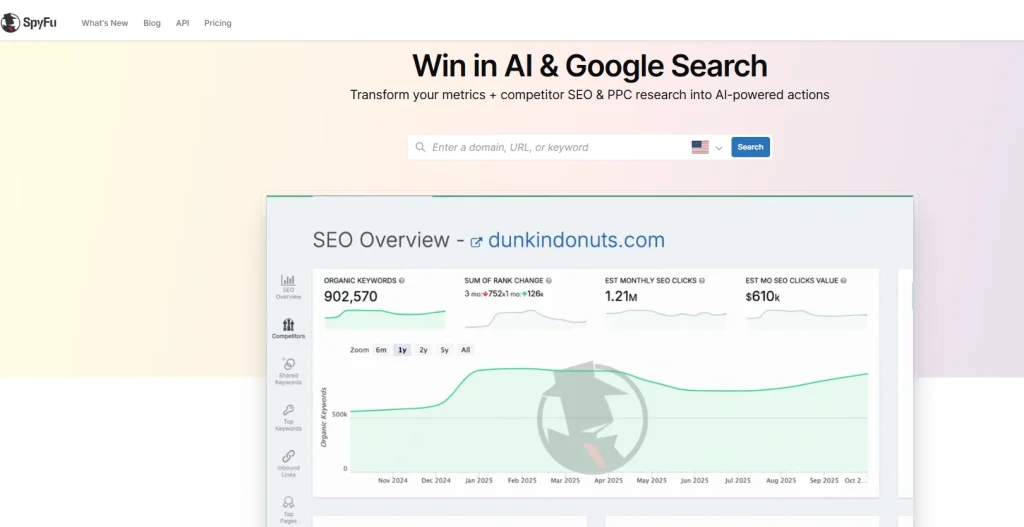
Every market has a leader, and the fastest way to beat them is to study their playbook. You need to know what keywords bring them business and what paid ads they run. SpyFu acts as your eyes and ears inside your competitors’ campaigns.
This platform specializes in historical search data. It allows you to search for any domain to see every keyword they have ranked for over the last 15 years. Combine it with proper PPC strategies, and you will have better sales in no time. Here are the most loved features of SpyFu:
- Competitor Research: View the exact terms your competitors rank for organically and in paid search.
- Keyword Gaps: Compare your site against two rivals to find terms they rank for, but you miss.
- Ad History: Look back at years of ad copy variations to see which ads performed best.
SpyFu gave us clear, actionable sales intelligence. Its reports made it easy to show clients exactly where they were losing ground to competitors and what they needed to do to win that traffic back.
We could also generate custom lead reports that quickly highlight gaps in the market, making it much easier to pitch new business. It also connected smoothly with Google Ads and Search Console.
Pros:
- Unmatched historical data
- Excellent for PPC and SEO overlap
- Very affordable.
Cons:
- Limited technical SEO audit features
How Generative Search is Changing SEO Reporting
SEO reporting used to be simple. You checked rankings, tracked traffic, and watched clicks grow over time. If pages ranked higher, things usually looked good.
That model is changing fast. Generative search is shifting how people find information online. Instead of clicking through multiple websites, users now get direct answers from AI-powered search engines.
In many cases, the search ends before a website visit even happens. That means traditional SEO reporting is no longer enough.
Businesses now need to measure more than rankings and traffic. The focus is moving toward brand visibility, authority, and how often a business appears inside AI-generated responses.
It also matters how a brand is positioned compared to competitors and whether that visibility leads to real business outcomes like conversions and revenue. Here’s how SEO reporting is changing in the generative search era:
Traditional SEO Reporting | SEO Reporting in the Generative Search Era |
Focused heavily on keyword rankings and SERP position | Focuses on brand visibility and citations within AI-generated responses |
Measured success through organic clicks and CTR | Tracks zero-click visibility, share of voice, and AI mentions |
Prioritized short-tail keyword performance | Emphasizes conversational queries and user intent tracking |
Optimized individual pages for specific keywords | Measures overall brand authority and digital footprint across multiple sources |
Relied mainly on traffic volume as a key KPI | Focuses on qualified traffic, conversions, and revenue impact |
Limited reporting on brand sentiment and positioning | Includes sentiment analysis, context of mentions, and competitor comparisons |
Data came mostly from search engines and analytics platforms | Uses AI visibility and monitoring tools (like Profound) to track presence across generative search platforms |
The shift is bigger than just new metrics. SEO reporting now needs to show how visible a brand is inside AI search experiences, how trusted it appears, and whether that presence drives meaningful business growth.
As generative search continues to grow, businesses that adapt their reporting strategy will be in a stronger position to stay visible, competitive, and relevant.
Must-Have Integrations for Your SEO Reporting Stack
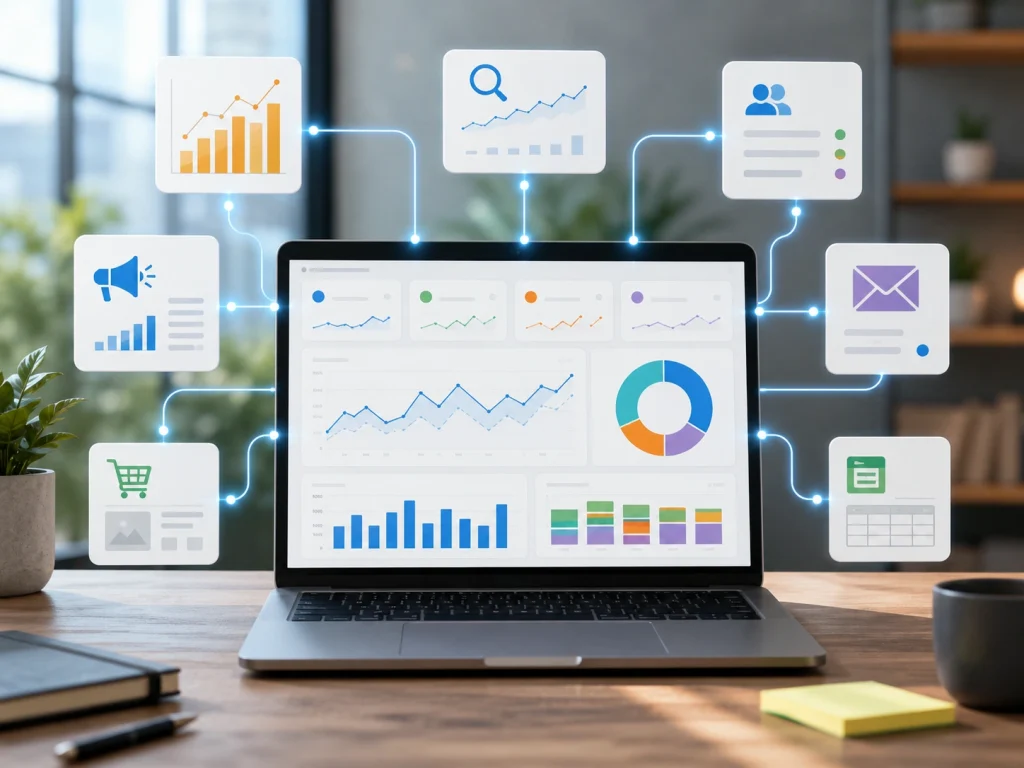
SEO reporting tools are powerful, but they work best when connected to your wider marketing stack. On their own, they show rankings, traffic, and technical issues. Useful, but incomplete.
Most clients need more than surface-level metrics to understand what actually drives leads, sales, and revenue.
The real value comes when SEO data flows into the tools your team already uses. That’s when reporting moves from static dashboards to decision-making tools tied to growth and performance.
Google Search Console, GA4, and Core Data Sources
Everything starts here. Google Search Console shows how your site performs in search, while GA4 shows what users do after they arrive.
When connected properly, these tools go beyond vanity metrics and reveal which queries drive engagement, conversions, and revenue. Without this foundation, even advanced reporting setups fall short.
Semrush, Ahrefs, and Competitive Insights
First-party data shows what’s happening on your site. Competitive tools explain why it’s happening in the market.
Semrush and Ahrefs add keyword tracking, backlink data, and competitor insights. This helps uncover content gaps, ranking changes, and new opportunities before they show up in traffic reports.
Integrated into dashboards, they turn SEO reporting from reactive to forward-looking.
Looker Studio, BigQuery, and Centralized Reporting
As data grows across tools, fragmentation becomes a problem. Centralization solves this.
Looker Studio brings everything into one dashboard. BigQuery and Snowflake take it further for larger datasets and enterprise-level reporting. By using reverse ETL pipelines, enterprise teams can pipe SEO data into their data warehouse, blend it with CRM and sales data, and push it back to Looker for true ROI visibility.
Instead of switching between tools, teams get a single view of performance across channels.
CRM, Slack, and Real-Time Automation
The most overlooked part of SEO reporting is action. Data is only valuable when it leads to a response.
Connecting SEO data to CRMs like HubSpot or Salesforce ties organic traffic directly to leads and revenue. Slack or Zapier alerts keep teams updated in real time when rankings drop, traffic spikes, or technical issues arise.
This turns reporting from informational into operational.
The best SEO reporting stack isn’t defined by tools alone, but by how well those tools connect. Plus, how quickly they help teams make better decisions.
For In-House Teams (Proving ROI to the C-Suite)
In-house teams rely heavily on attribution because they need to prove SEO is driving revenue, not just traffic. That means choosing tools that integrate well with CRM systems and support custom executive dashboards.
- Our Top Choice: Looker Studio + Semrush / Moz Pro
- The Tech Stack Recipe: Push Semrush data into BigQuery, blend it with HubSpot/Salesforce revenue data, and visualize it in Looker Studio.
- Essential Features: CRM integration, executive dashboards, clear Domain Authority metrics
For Marketing Agencies (Scaling & White-Labeling)
Running a digital marketing agency is all about scale and trust. You have to keep clients informed and satisfied while avoiding time-consuming manual reporting. When evaluating agency reporting tools for SEO, focus on platforms with strong automation and white-labeling features.
- Our Top Choice: Semrush Guru or AgencyAnalytics
- The Tech Stack Recipe: Use AgencyAnalytics for automated, white-labeled client portals, and supplement with BrightLocal for local SEO clients.
- Essential Features: Automated scheduling, custom logo branding, private client portals
For E-commerce Businesses (Product & Revenue Tracking)
In e-commerce businesses, you need to understand which products drive customer purchases and how your category pages perform relative to competitors. It’s also important to use a tool that integrates directly with your e-commerce platform.
- Our Top Choice: SE Ranking or Ahrefs Standard
- The Tech Stack Recipe: Use Ahrefs for deep backlink and content gap analysis, then pipe that data into Looker Studio alongside Shopify revenue metrics.
- Essential Features: Product rank tracking, deep keyword research, technical SEO audit tools
For Enterprise Organizations (Massive Data & API Needs)
Enterprise-level websites need powerful software that can crawl millions of pages without breaking down. You need full API access to pull your search data into your company’s private databases and business intelligence platforms.
- Our Top Choice: Semrush Business or Ahrefs Advanced
- The Tech Stack Recipe: Ahrefs Advanced for backlinks + Screaming Frog for technical audits + Snowflake/BigQuery for centralized data modeling.
- Essential Features: Full API access, unlimited team seats, massive search databases
How To Use AI Agents For SEO Reporting: Step By Step
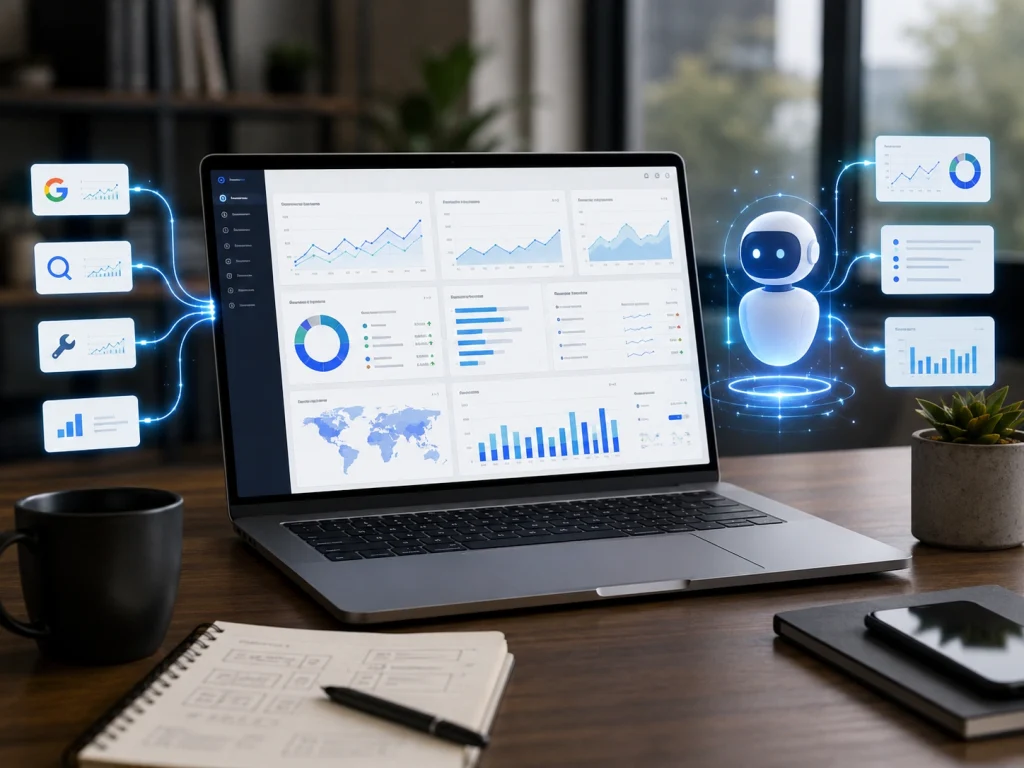
At BrandsBro, AI agents are already part of how we handle SEO reporting. Instead of manually pulling data every week, we use agents to collect, structure, and summarize performance data from tools like Google Search Console and GA4. It reduces the time we spend on reporting, allowing us to focus more on strategy and execution.
AI agents do not just move data around. They pull it, organize it, and highlight meaningful changes in performance. They can also draft first-pass reports, which are then reviewed and refined before being shared. This makes reporting faster, more consistent, and easier to scale.
Here is a practical framework you can use to set up the same system.
Step 1: Connect Your Data Sources
Start by linking Google Search Console and Google Analytics 4 using APIs, webhooks, or automation tools like n8n or Gumloop.
Set scheduled pulls so the agent automatically collects metrics like clicks, impressions, CTR, rankings, and traffic on a weekly or monthly basis.
Prompt example:
“Pull the latest GA4 and Search Console data and organize it by date, landing page, and query. Include MoM and YoY comparisons.”
Step 2: Define How the Agent Should Analyze Data
Give the agent clear instructions so it behaves like a structured SEO analyst.
Set comparison rules such as Month-over-Month and Year-over-Year. Define key metrics to monitor, like CTR changes, ranking shifts, impression spikes, and traffic drops.
Prompt example:
“Compare this period with the previous one. Flag significant changes in CTR, rankings, impressions, and conversions. Focus on anomalies and ignore minor fluctuations.”
Step 3: Turn Data Into Insights (With Context, Not Assumptions)
This is where AI agents add the most value. They should explain what changed and provide possible reasons, not fixed conclusions.
For example, a traffic drop may be linked to a lost ranking, seasonal changes, or competitor movement. The agent should present these as hypotheses, not confirmed causes.
It should also suggest practical next steps based on the data.
Prompt example:
“For each major change, suggest possible reasons based on SEO factors such as rankings, content changes, search intent shifts, or competitor activity. Provide one actionable recommendation per issue.”
Step 4: Generate Client-Ready Reports
The agent should turn analysis into a clear, structured report that is easy to understand. This should include a short summary, key insights, and action points without unnecessary technical detail.
Prompt example:
“Write a client-ready SEO report with a short summary, 3 key insights, and 3 recommended actions. Keep the language simple and non-technical.”
Step 5: Human Review and Final Approval
AI agents are strong at processing and structuring data, but they still require human validation. At BrandsBro, every report is reviewed to ensure insights are accurate, context-aware, and aligned with business goals before being shared.
Check for correctness, refine recommendations, and ensure conclusions match real-world campaign context.
AI agents are best used as support systems. They handle repetitive analysis, while humans make final strategic decisions.
How We Tested and Scored the Best SEO Reporting Tools
We tested each SEO reporting tool using the same criteria: data accuracy, reporting features, integrations, customization, usability, automation, scalability, and overall value. This consistent process allowed us to compare platforms fairly.
We created SEO reports using real-world tasks, including keyword tracking, backlink analysis, technical SEO monitoring, competitor reporting, and Google Analytics and Search Console integration. We also checked dashboard speed, data freshness, and export quality.
Each tool received a weighted score. Data accuracy and reporting capabilities carried the most weight, followed by automation, ease of use, integrations, customer support, and pricing. Tools with strong features but poor usability or limited data were scored lower.
How to Choose the Best SEO Reporting Tool for Your Business
The best SEO reporting tool depends on your business size, SEO goals, reporting frequency, and budget. Small businesses may need a simple dashboard, while agencies require automated, white-label reports for multiple clients.
Check whether the platform connects with Google Search Console, Google Analytics 4, Google Ads, social media platforms, and major SEO tools. Strong integrations reduce manual work and create more complete performance reports.
Before subscribing, compare keyword limits, user seats, client accounts, reporting templates, update frequency, and export options. Choose a scalable tool that can support additional websites, campaigns, and team members as your business grows.
Essential SEO Metrics Every Reporting Tool Should Track
An effective SEO reporting tool should track organic traffic, keyword rankings, impressions, clicks, click-through rate, conversions, and revenue. These metrics show whether SEO efforts are increasing visibility and producing business results.
Technical SEO metrics should include crawl errors, broken links, page speed, Core Web Vitals, indexability, mobile usability, and website health scores. These insights help identify problems that may prevent pages from ranking.
The platform should also monitor backlinks, referring domains, domain authority, competitor rankings, and keyword position changes. Combining traffic, technical, backlink, and conversion data gives businesses a complete view of SEO performance.
Frequently Asked Questions About SEO Reporting
Most people just want to know what matters, how to measure it, and which tools to use. These FAQs give simple answers to help make SEO reporting easier to understand:
What should an SEO report include?
An SEO report should include keyword rankings, organic traffic growth, backlink profile changes, and technical site errors. In 2026, it must also include zero-click visibility and AI citation metrics. It must tie these metrics to business goals, like leads and sales, to tell a clear story.
How much do SEO reporting tools cost?
SEO reporting tools cost between $39 and over $500 per month. Simple tracking tools start around $39, while mid-tier platforms cost between $65 and $150. Advanced enterprise packages can exceed $400 a month. Dedicated GEO tracking tools may require custom enterprise quotes.
Is there a completely free SEO reporting tool?
Yes, Google Search Console is completely free. It gives you direct, accurate performance data straight from Google. You can connect this data to Looker Studio to create clean, automated reports at no cost.
Can AI generate SEO reports?
Yes, modern platforms use AI to generate SEO reports. They can automatically write narrative summaries of data changes, highlight anomalies in traffic, and suggest optimization steps without manual input.
How do I track my brand in ChatGPT and Google SGE?
Traditional SEO tools cannot track this. They are built for search engines, not AI answers. To measure this, you need a GEO (Generative Engine Optimization) tool like Profound. These platforms simulate conversational queries across AI search engines. They then show how often your brand is cited, recommended, or summarized in the AI response.
How do I connect SEO data to Looker Studio?
You connect SEO data to Looker Studio using native Google connectors for Google Analytics and Search Console. For third-party tools like Ahrefs or Semrush, you use official partner connectors like Supermetrics. For enterprise data blending, you can connect Looker Studio directly to a BigQuery or Snowflake data warehouse.
Ready to Build Your SEO Reporting Dashboard
SEO data can get messy fast. Dashboards, metrics, and reports pile up, but clarity often gets lost.
All you have to do is know what’s working and what isn’t without wasting time. That’s where the best SEO reporting tools come in, paired with consistent A/B testing to guide better decisions.
Begin with Google Search Console as your free foundation. Then add one paid tool that fits your needs. SE Ranking works well for value, AgencyAnalytics for client reporting, Profound for GEO tracking, and Semrush for deeper analysis. For Shopify stores, these tested SEO apps can complement your core reporting stack.
The point isn’t more data, it’s better decisions. A clean setup turns reports into action instead of noise.
BrandsBro helps brands set up these reporting systems for clearer insights and stronger performance outcomes like higher ROAS and improved impressions.
