

That red notification bell in Seller Central can spike the heart rate fast. One moment, sales climb quietly. The next, a shipment gets flagged. A box goes missing.
Sometimes an entire pallet sits in a warehouse corner because one label printed slightly off. It happens more than most sellers admit.
Even experienced logistics teams slip up. Amazon’s rules change constantly, and the system rarely gives second chances. These mistakes aren’t harmless paperwork issues either. They cut directly into profit.
What stands out to many operators is how small the trigger can be. A smudged barcode. A carton a pound too heavy. Suddenly, the shipment stalls, and inventory just sits there.
Fixing Amazon FBA shipment problems takes patience and a sharp eye inside Seller Central. Shipping to Amazon isn’t passive. One wrong step and inventory turns into a problem instead of a profit.
Why Messing Up a Shipment Costs More Than You Think
Shipping mistakes act like a slow leak in a boat. At first, it’s just a few dollars in fees. Eventually, the whole operation starts to sink under the weight of suppressed listings and account warnings.
Hidden Fees and Service Charges
Amazon doesn’t provide free labor. If a warehouse worker has to stop the line to apply a missing FNSKU label or tape a leaking bottle, the seller pays. These “unplanned service fees” add up fast.
A $0.20 per-unit fee sounds small until it’s applied to a 5,000-unit shipment. Then there are the inbound defect fees. These are penalties for sending items that don’t match the shipping plan.
This isn’t routine billing. It’s Amazon’s way of nudging sellers back in line when shipment rules aren’t followed. The costs aren’t always visible on the surface. There’s the cost of capital tied up in “received but not active” stock.
There’s the cost of lost sales. If a shipment is sidelined for three weeks during a peak season, the damage is measured in thousands of dollars. Not just a few labeling fees.
Furthermore, if your listings aren’t fully optimized to convert sales quickly once inventory arrives, you’re compounding the loss. Utilizing professional Amazon listing optimization services makes sure the moment your stock hits the warehouse, it starts paying for itself.
Shipment Errors Affecting Your IPI Score
The Inventory Performance Index (IPI) isn’t just a vanity metric. It’s the gatekeeper for storage limits. Frequent shipment discrepancies include missing items, overages, or late arrivals. This signals to Amazon that a seller’s supply chain is chaotic.
This can drag down the score. Low scores mean restricted storage. Restricted storage means empty shelves during Q4. It’s a vicious cycle that starts with a poorly packed box.
When the IPI dips below the threshold, Amazon often imposes overage fees for existing stock. You can’t send new stuff in, and you’re being charged extra for the stuff already there. Consistency in inbound shipments is the only way to keep the IPI healthy.
Getting Banned from FBA Shipping
Amazon values efficiency above all else. If a seller repeatedly sends shipments that break the rules, Amazon will simply revoke their right to use FBA. This usually starts with a temporary suspension of shipping privileges.
The seller has to submit a Plan of Action (POA) explaining how they’ll fix their warehouse flow. Losing the ability to send stock for two weeks can be a death sentence for a trending product.
This isn’t an empty threat. The algorithm identifies patterns. A single overweight box is a warning. Three overweight boxes in a month is a crisis.
Once the shipping privileges are revoked, the process to get them back is grueling. It involves multiple appeals and a total overhaul of the inbound workflow.
7 Most Common Amazon FBA Shipment Problems
Success in the FBA world depends on following a very specific, very rigid script. Deviate from it, and the system breaks.
Common Problem | Amazon’s Typical Action | Financial Penalty |
Missing FNSKU Labels | Amazon applies labels for you | High per-unit service fee |
Overweight Boxes (>50 lbs) | Shipment flagged; warning issued | Potential loss of shipping rights |
Incorrect Quantities | Units marked as “Inbound Defect” | Administrative fee per unit |
Damaged Packaging | Units marked as “Unsellable” | Removal or disposal fees |
Wrong Warehouse | Shipment rejected or rerouted | Massive shipping surcharges |
No Suffocation Warning | Manual bagging by Amazon | Polybagging service fee |
Expired Goods | Immediate disposal | Total loss of inventory value |
1. Labeling Failures: Missing, Unscannable, or Incorrect FNSKUs
Labels are the DNA of an FBA shipment. If the barcode is smudged, too small, or placed over a seam in the box, the scanners at the fulfillment center will fail. This is the most frequent headache.
Sometimes, a manufacturer leaves the original UPC visible alongside the FNSKU. This confuses the system. Is it commingled? Is it private label? Amazon won’t guess. They’ll just move the box to a “sideline” area where it might sit for weeks.
The Solution: Use a thermal printer. Inkjet labels smudge when wet. Also, always place labels on a flat surface. Avoid corners.
2. Preparation Violations: Polybagging, Taping, and Suffocation Warnings
Amazon expects products to survive a “three-foot drop test.” If an item is plush, it needs a polybag to stay clean. If it has a liquid, it needs a double seal.
The most common “gotcha” is the suffocation warning. Any bag with an opening larger than five inches must have a printed warning. Forget this, and the shipment hits a wall.
3. Box Compliance Issues: Overweight, Oversized, and Prohibited Materials
A standard FBA box cannot exceed 50 lbs unless it contains a single oversized item that weighs more than 50 lbs. This is a safety rule for warehouse workers. Going over by even half a pound can trigger a performance alert.
Also, stay away from “shipping peanuts” or shredded paper. Amazon hates them. They create a mess. Stick to air pillows or crumpled paper.
4. Quantity Discrepancies: Missing Units vs. Unexpected Inventory (Overages)
Sent 100, but Amazon found 98? That’s a discrepancy. Sent 100, but they found 102? That’s also a problem.
Overages are just as bad as shortages because they mess up Amazon’s storage calculations. It suggests the seller doesn’t have a handle on their own inventory.
5. Carrier and Logistics Errors: LTL vs. SPD and Missing Bill of Lading (BOL)
Less-than-Truckload (LTL) shipments are cheaper but more complex. They require a stamped Bill of Lading (BOL) to prove the warehouse actually received the pallets. Small Parcel Delivery (SPD) via UPS is easier but more expensive.
Many sellers fail because their carrier doesn’t book a delivery appointment through the Carrier Central portal. If the truck just shows up, it gets turned away.
6. Shipment Splitting and Placement Service Complications
Amazon introduced new fees for “minimal shipment splits.” If a seller wants to send everything to one warehouse, they pay a “Placement Service Fee.” To avoid it, shipments must be split across multiple locations.
Trying to game this system by deleting parts of a shipment after creation is a fast track to an account ban.
7. Hazardous Materials (Hazmat) and Safety Non-Compliance
Lithium batteries. Flammable liquids. Even certain perfumes. If these aren’t declared correctly in the SDS (Safety Data Sheet) upload, the shipment will be quarantined. Worse, if a hazmat item leaks and damages other sellers’ property, the liability is staggering.
With 11+ years of experience, the BrandsBro team helped a client identify and solve the most common Amazon FBA shipment problems, including shipment delays, missing units, labeling issues, inventory discrepancies, and reconciliation errors. We improved their shipment process, reduced operational confusion, and helped create a smoother, more reliable FBA workflow.
Struggling with Amazon FBA shipment issues? Book a free meeting with our team, and we’ll review your problem, understand the cause, and guide you toward the right solution.
How to Identify and Resolve Problems in Seller Central?
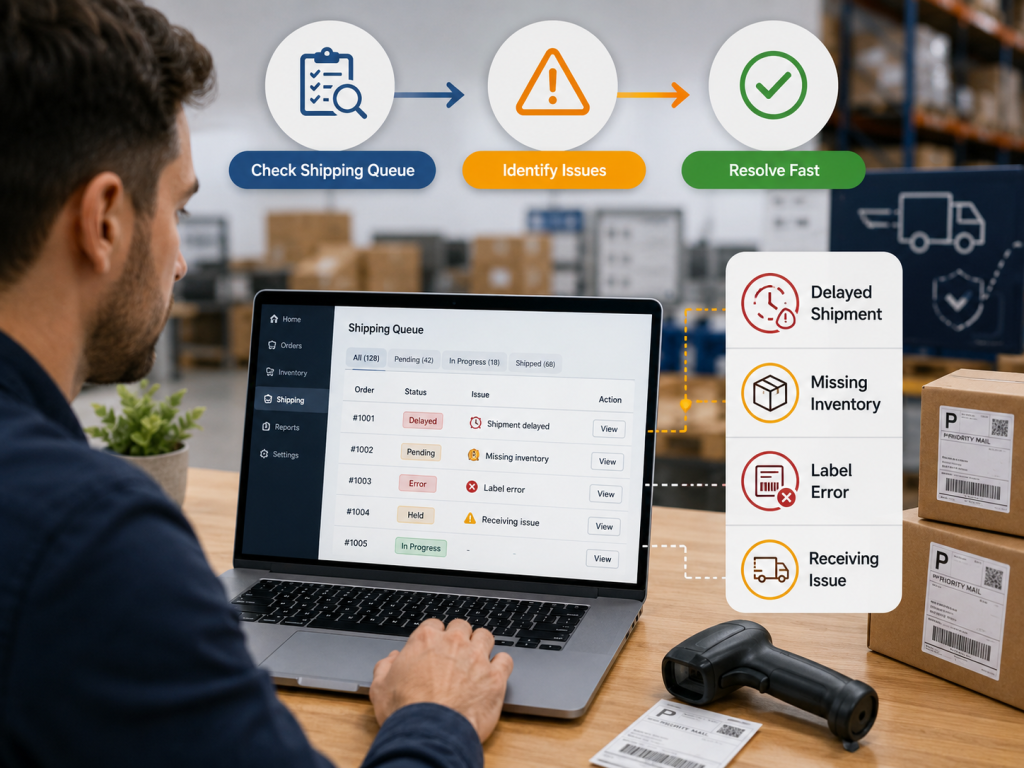
Solving these issues requires staying glued to the “Shipping Queue.” Problems don’t fix themselves.
Monitoring the 'Shipping Queue' and 'Inbound Performance' Dashboards
The Shipping Queue is the pulse of the operation. Check it daily. Look for the “Track Shipment” button. Once a shipment moves from “In Transit” to “Delivered,” the clock starts.
If it stays in “Delivered” for more than 10 days without moving to “Checked In,” something is wrong. The Inbound Performance dashboard tracks the health of the last 120 days of shipments. Keep the defect rate near zero.
Decoding Amazon’s 'Problem Summary' and Defect Alerts
When a shipment is flagged, Amazon provides a “Problem Summary.” It often includes photos. These photos are gold. They show exactly what the warehouse worker saw.
A torn box, a missing label, or a messy pallet. Don’t just ignore them. Use them to train the prep team or the manufacturer.
How to Acknowledge Defects and Provide a Plan of Action (POA)
Sometimes, Amazon requires the seller to “Acknowledge” the defect before they can create new shipments. If the error was a one-time fluke, acknowledge it and move on.
But for recurring issues, Amazon might demand a formal POA. Be concise. State what happened, why it happened, and the specific steps taken to ensure it never happens again.
Fixing Stranded Inventory Resulting from Shipment Issues
If a shipment arrives but the units aren’t “live,” they might be “stranded.” This usually happens when the listing is inactive or there’s a pricing error.
Check the “Fix Stranded Inventory” page. Often, a simple “Relist” command clears the hurdle. If not, a removal order might be necessary to fix the physical labels.
If listings are frequently suppressed due to content errors, it might be time to invest in Amazon SEO. With it, your product pages will meet Amazon’s strict compliance standards.
The FBA Shipment Reconciliation Process: Recovering Lost Revenue
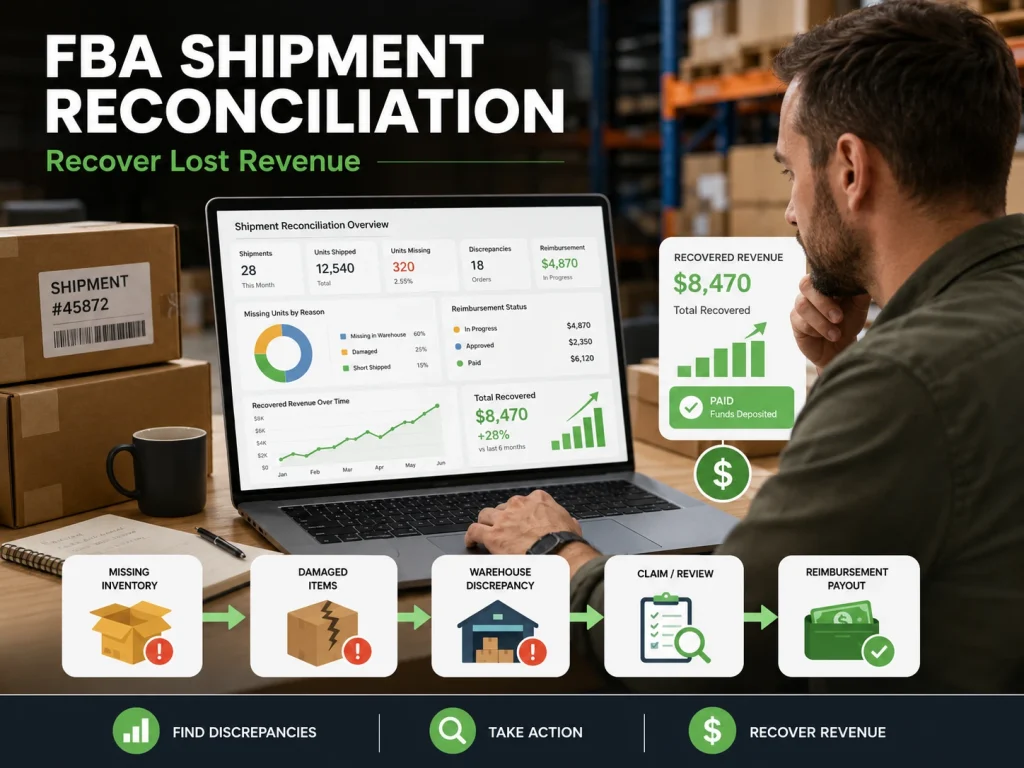
Amazon loses things. It’s a fact of life when dealing with millions of square feet of warehouse space. Reconciliation is the process of getting paid for those mistakes.
Understanding the 'Closed' Status and Eligibility Windows
A shipment cannot be reconciled until it is “Closed.” Amazon usually allows itself 14 to 30 days after the last unit is received to finalize the count.
Only then does the “Contents” tab show the “Reconcile” button. Don’t waste time contacting support before the eligibility date. They will just give you a canned response.
Essential Documentation: Invoices, Packing Slips, and Proof of Delivery
To win a reconciliation claim, the evidence must be airtight.
- Manufacturer Invoices: Must show the date, the number of units purchased, and the name of the seller.
- Packing Slips: Should match the shipping plan exactly.
- Proof of Delivery (POD): For SPD, this is the tracking number. For LTL, it’s the signed BOL with the Amazon stamp.
Navigating the 2025 FBA Reimbursement Policy Updates
Amazon is getting stricter. In 2025, the windows for filing claims have tightened. Sellers now have a shorter period. Often just 60 days from the shipment closure to flag missing units.
Wait too long, and the money is gone. Also, Amazon is increasingly using “automatic reimbursements,” but don’t trust them. They often miss things. Manual audits are still necessary.
How to Dispute Unfair Inbound Defect Fees
Sometimes Amazon is wrong. A worker might flag a box as “Overweight” because they weighed it with a heavy pallet still attached. In these cases, dispute the fee. Provide the manufacturer’s spec sheet showing the item’s weight.
If the photos in the Problem Summary show a box that clearly isn’t yours, point it out. Persistence pays off.
Advanced Strategies to Prevent FBA Shipment Problems
Prevention is cheaper than a cure. That’s why a disciplined warehouse is a profitable one.
Implementing Two-Step Verification for Packing Lists
The person who picks the items should not be the person who packs the box. A second set of eyes catches the “I thought I put 50 in there” mistakes.
Use a scan-and-pack system where each item’s barcode is scanned into the box. This creates a digital paper trail that matches Amazon’s expectations.
Using Amazon-Partnered Carriers for Better Tracking and Protection
Using UPS or FedEx via the Amazon Partnered Carrier program is a massive advantage. If a partnered carrier loses the shipment, Amazon is generally more lenient with reimbursements.
Why? Because it’s their account. The tracking is integrated. There’s no “he said, she said” between the carrier and the fulfillment center.
Leveraging Third-Party Prep Centers for Compliance Outsourcing
For many, the best way to handle FBA shipment problems is to never touch the product. Specialized FBA prep centers live and breathe Amazon’s TOS.
They know the exact thickness required for polybags and the precise placement for FNSKUs. It’s an extra cost, but it acts as insurance against account suspension.
Additionally, once your inventory is prepped and ready, driving traffic becomes the next priority. You can run Amazon ads to perfectly prep products and get the visibility they deserve.
Standardizing Warehouse SOPs for FBA Shipments
Standard Operating Procedures (SOPs) are the backbone of logistics. A good SOP should include:
- Weight Check: Every box goes on a scale before the label is applied.
- Photo Log: Take photos of the open box showing the dunnage and the labels before sealing.
- Tape Quality: Use reinforced water-activated tape. Plastic tape peels in hot warehouses.
What to Do When Your FBA Shipment Is Stuck in Receiving or FC Transfer
If your FBA shipment is stuck in Receiving or FC Transfer, first check the shipment status inside Seller Central. Go to the Shipping Queue, open the shipment, and review the tracking, received units, discrepancies, and estimated processing updates. Amazon’s shipment summary page is designed to show shipment details, carrier updates, ASIN updates, and estimated lead times.
A shipment stuck in Receiving usually means Amazon has checked in the shipment but has not finished counting, scanning, or placing the inventory into sellable stock. This can happen during busy seasons, when carton labels are unclear, when quantities do not match the shipment plan, or when the fulfillment center is backed up. Do not open random support cases too early. Wait until the shipment becomes eligible for reconciliation, then use the Contents tab to review discrepancies and request research.
If units move into FC Transfer, Amazon is usually moving inventory from one fulfillment center to another to position products closer to customers. This is frustrating because your stock may not be fully available for immediate sale, but it is often part of Amazon’s internal inventory placement process. Check the Reserved Inventory report to understand whether units are reserved due to customer orders, FC processing, or FC transfer.
FBA Shipment Documentation Checklist: Photos, Invoices, Packing Slips, BOL, POD, and Carton Counts
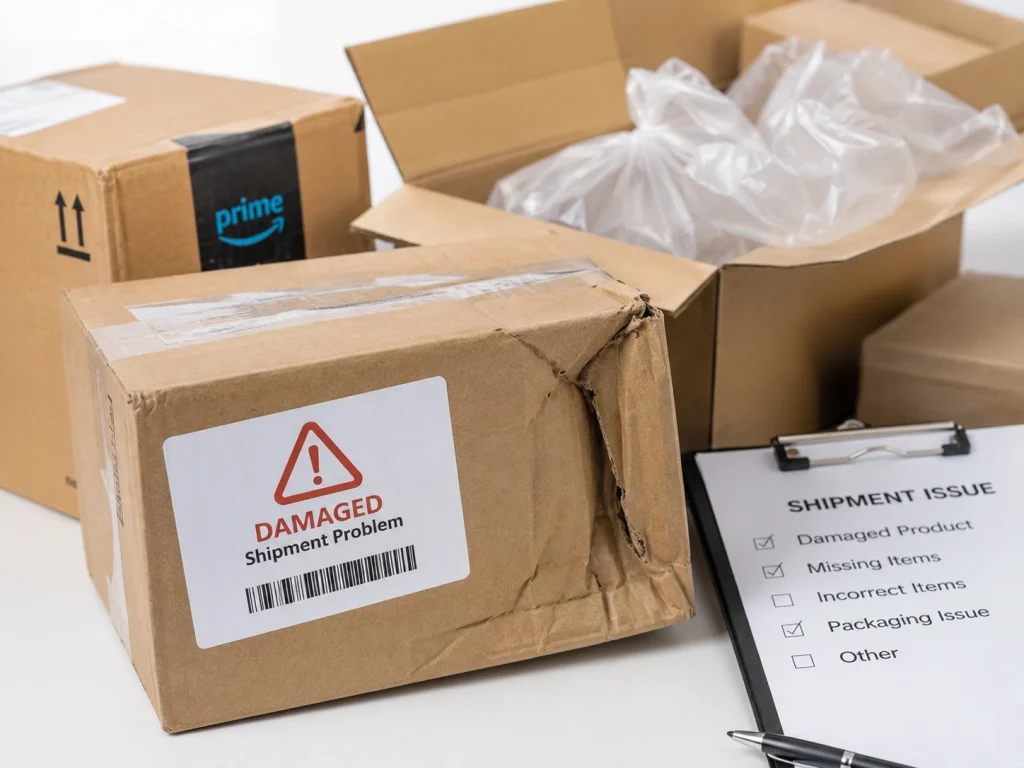
For any stuck, missing, or short-received FBA shipment, documentation is your strongest defense. Keep product invoices, supplier receipts, shipment labels, box labels, carrier tracking, packing slips, carton counts, pallet counts, and photos of the packed shipment before pickup. Amazon may ask for proof that you owned the inventory and proof that the shipment was delivered correctly.
For LTL or FTL shipments, the Bill of Lading is critical. Amazon states that a valid BOL is required for Less Than Truckload and Full Truckload shipments, and non-compliant BOLs may cause delivery refusal. A proper BOL should include Amazon reference IDs, shipment IDs, seller name, carrier name, PRO number, handling unit quantity, freight terms, and other shipment details.
Your Proof of Delivery should show that the shipment reached the correct Amazon fulfillment center. For carton-level accuracy, keep a simple record showing each carton number, SKU, FNSKU, units per carton, total carton count, total unit count, and shipment ID. This helps Amazon compare what you sent against what the fulfillment center received. Without clean documents, your reimbursement or investigation request becomes weak.
FBA Shipment Prevention Checklist Before Sending Inventory to Amazon
The best way to avoid stuck FBA shipments is to prepare the shipment correctly before it leaves your warehouse or supplier. Confirm the shipment plan, SKU quantities, FNSKU labels, carton labels, box weight, box dimensions, and destination fulfillment center. A small labeling mistake can delay receiving, trigger manual checks, or cause Amazon to receive fewer units than expected.
Before pickup, take clear photos of every carton, shipping label, pallet, stretch wrap, and final loaded shipment. Save invoices, packing slips, carton count sheets, and carrier pickup confirmation in one folder named with the FBA shipment ID. For LTL shipments, make sure the BOL matches the actual number of cartons or pallets being handed to the carrier. This is not optional paperwork; it is the evidence you will need if Amazon reports missing units later.
Finally, do not mix SKUs carelessly, do not reuse old box labels, and do not send more or fewer units than the shipment plan shows. Match your physical inventory to the Send to Amazon workflow before pickup. Amazon FBA works by letting sellers send inventory to Amazon fulfillment centers, where Amazon stores, picks, packs, ships, and handles customer service, so your inbound accuracy directly affects how fast your inventory becomes available for sale.
Frequently Asked Questions (FAQs)
There is no “magic number.” Amazon looks at the defect rate and the severity. Three overweight box warnings in a month might trigger a suspension, whereas ten minor labeling errors in a high-volume account might just result in fees.
These are “overages.” Amazon will usually receive them into inventory, but they will flag it as a defect. If this happens frequently, they may suspect the seller is trying to bypass storage limits or placement fees.
No. Once the shipment is “Working,” the destination is locked. Deleting a shipment to try and get a better warehouse location is considered “gaming the system” and can lead to the loss of shipping privileges.
Once a reconciliation claim is filed, it typically takes 5 to 10 business days for an initial response. If the case is complex, it can stretch to 30 days.
Ready To Achieve a Flawless FBA Supply Chain
Mastering Amazon FBA shipment problems isn’t about being perfect. It’s about being systematic. The goal is to minimize mistakes and keep a solid paper trail for when things go wrong.
Stay organized and audit your shipping queue daily. When your supply chain runs smoothly, you can finally focus on scaling.
To truly maximize your brand’s potential, pair your logistical precision with high-impact A+ content writing. You should also utilize professional design services to create a listing that converts every click into a customer.
