

Have you ever added an item to your Amazon cart? The next day, you find the price has surprisingly gone up. This common frustration is why an Amazon price tracker extension is your secret weapon to track every deal.
You can solve this with an Amazon price tracker extension. This smart browser add-on handles Amazon’s dynamic pricing system for you. It is the most effective way to ensure you never overpay for a product.
Let’s begin your journey to becoming a master of Amazon deals. We will guide you through the best extension to track Amazon prices. You will learn everything needed to make your online shopping more affordable
What Is an Amazon Price Tracker Extension?
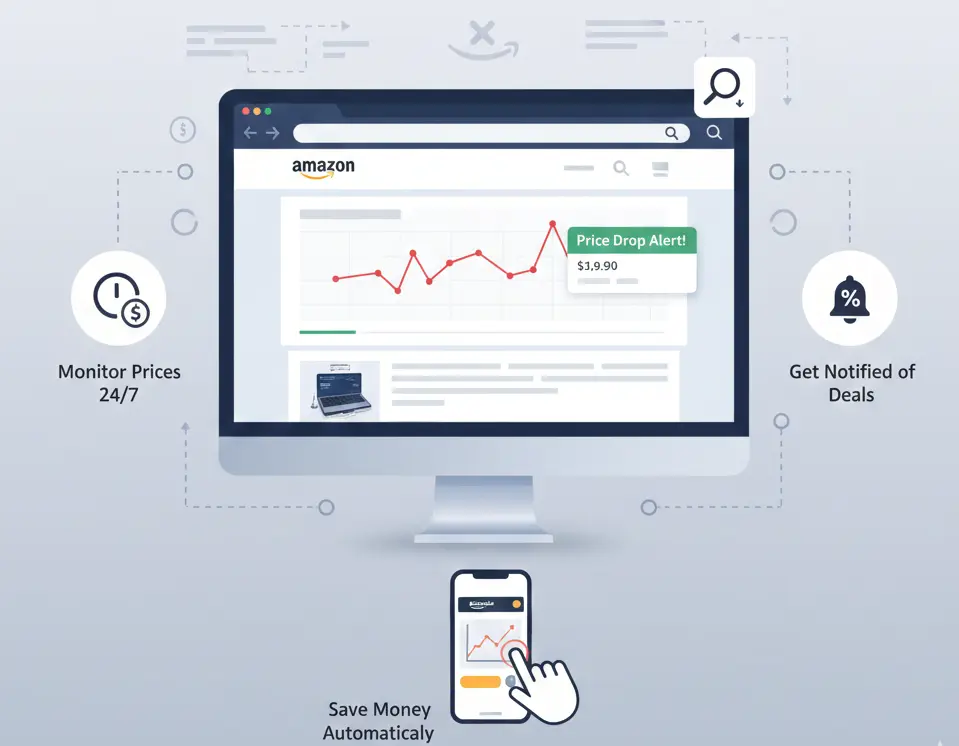
An Amazon price tracker extension is a helpful tool for your browser. Think of it as a small, smart application. It works with browsers like Chrome, Firefox, or Safari to improve your shopping experience.
This price tracker Amazon extension has one main job. It automatically watches the prices of products you like on Amazon. The tool records the item’s price history for you. It then displays this data in simple price graphs.
You can also set up helpful notifications called drop alerts. For example, imagine you want a camera that costs $300. You can set an alert to get an email if its price falls below $250.
Some of the most popular and trusted extensions are Keepa and CamelCamelCamel. Tools like Honey also offer price tracking features for many online stores, including Amazon. They integrate directly into your browser.
A price tracking extension removes all the guesswork. It makes sure you always get the best possible deal. You can shop, certain that you are not overpaying for your desired items.
How Amazon Price Tracker Extensions Work?
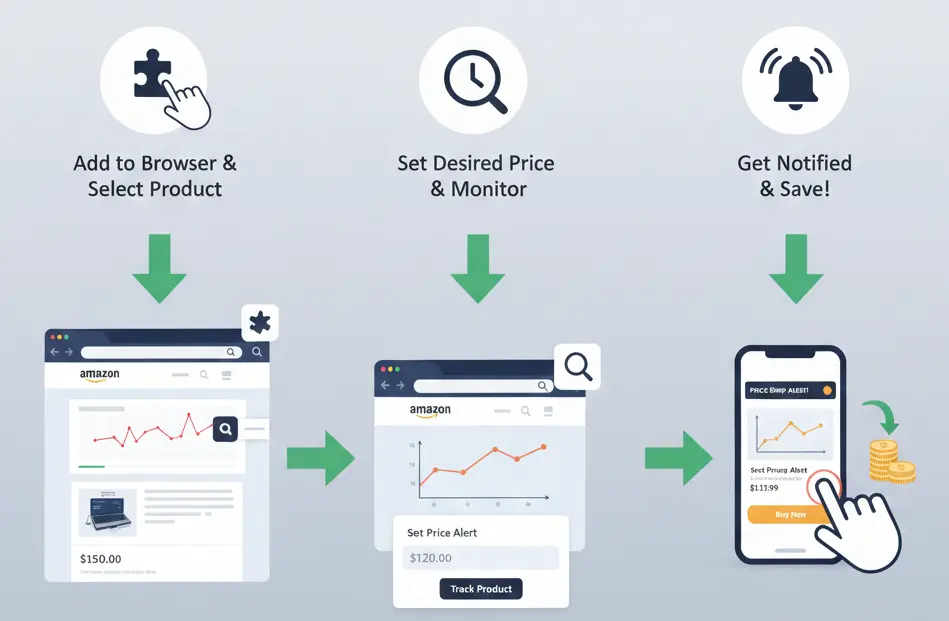
An Amazon price tracker extension follows a simple but powerful process. It makes complex price data easy for you to understand. The tool works in four key steps to track any price change effectively.
First, the extension pulls live price data. It automatically scans the product page you are currently viewing. This action finds the current listed price on Amazon. The whole process happens instantly in the background for you.
Next, it saves this information to build a price history. Every recorded price is stored in a large price database. This action creates a detailed historical log. It shows you all the price changes for that item over time.
Then, the tool visualizes this data for you. The extension takes all the stored information from its database. It then turns this data into an easy-to-understand Amazon graph. This chart interface makes price trends very clear.
Finally, you can set an alert for your desired price. You tell the extension Amazon price tracker your ideal purchase cost. The tool then monitors the Amazon listing for you. It will send a notification the moment the price drops.
Benefits of Using Amazon Price Tracker Extensions
The value of an Amazon price tracker extension extends to both sides of the marketplace. These tools offer powerful advantages for shoppers who want to save. They also provide a competitive edge for sellers aiming to grow their business.
For the Savvy Buyer
For shoppers, these tools are a direct gateway to smarter purchasing and significant savings. They help you get the best value with minimal effort.
- Achieves Automated Savings: A price tracker extension can help you save an average of 10-15%. It finds the lowest prices for you.
- Makes Smarter Decisions: Historical price graphs reveal if a discount is a genuinely good deal. This data prevents you from overpaying.
- Stops Wasting Time: You get automatic deal alerts for items you want. This means you no longer have to check pages daily.
For the Strategic Seller
For sellers, this tool is essential for gathering market intelligence and refining strategy. It provides the data needed to compete effectively on Amazon.
- Monitors Your Competition: You can easily track the pricing history of your rivals. This helps you stay one step ahead in the marketplace.
- Optimizes Your Own Prices: The data helps you find the perfect price point. This can help you win the Buy Box and increase sales.
- Improves Inventory Planning: Price trends often signal changes in product demand. This insight helps you manage your stock more efficiently.
Best Amazon Price Tracker Chrome Extensions to Explore
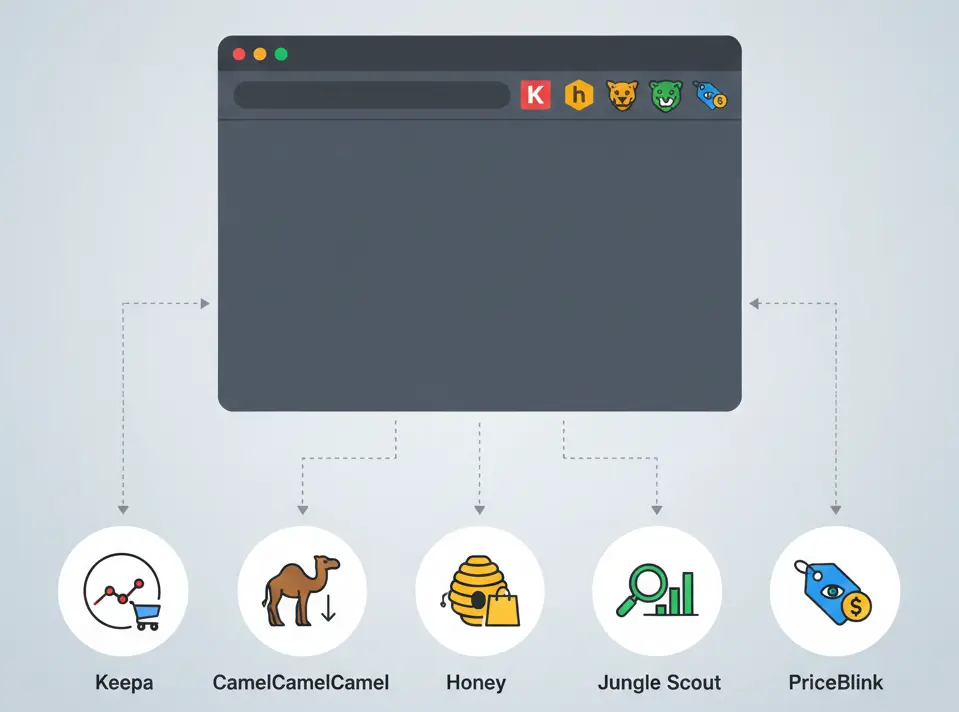
Now it is time to choose the right tool for your needs. Many options are available in the Chrome Web Store. Each one offers unique features for different types of users.
Let’s look at the best Amazon price tracker Chrome extension choices. We have included options for both dedicated buyers and serious sellers.
1. Keepa
Keepa is perhaps the most powerful Amazon price history tracker extension. It is famous for its incredibly detailed price history graphs. This tool is a favorite among data-focused buyers and professional Amazon sellers who need deep insights.
Its key features include very detailed historical price charts. It tracks the Buy Box price, along with prices for new and used items. The tool also monitors stock levels and offers counts. It even supports all international Amazon marketplaces.
- Pricing: Keepa has a free version with basic tracking. The premium data features require a paid monthly subscription.
- Browser Support: It is available for Chrome, Firefox, Edge, Safari, and Opera.
- Alert Type: You can receive alerts through email, Telegram, and web push notifications.
- Pros: Offers the most comprehensive data. It is highly reliable for serious tracking.
- Cons: The most valuable features are behind a paywall. The interface can be complex for beginners.
2. CamelCamelCamel
CamelCamelCamel is a long-standing favorite among Amazon shoppers. It is a completely free tool that focuses on doing one job perfectly. It tracks prices and sends you alerts when they drop. Its simplicity makes it the best Amazon price tracker extension for new users.
This tool presents simple and clean price history charts. It gives you the ability to import your entire Amazon Wishlist. A handy bookmarklet feature also makes tracking very easy. Best of all, every feature is completely free to use.
- Pricing: CamelCamelCamel is 100% free. It is supported by donations and affiliate links.
- Browser Support: It offers an extension for Chrome, Firefox, Safari, and Edge.
- Alert Type: It sends price drop alerts via email and Twitter notifications.
- Pros: It is completely free and very easy to use. The wishlist import is a great feature.
- Cons: Its data is not as detailed as Keepa’s. The website interface looks a bit dated.
3. Honey
Honey is a popular browser extension owned by PayPal. Its main function is to find and apply coupon codes at checkout. However, it also has a useful price tracking feature called “Droplist.” It is a great all-in-one tool for saving money online.
Honey automatically finds and applies coupon codes at checkout. Its “Droplist” feature tracks prices on Amazon and many other online stores. The “Honey Gold” rewards program can also offer you cash back on purchases.
- Pricing: Honey is completely free for all users.
- Browser Support: It is available for Chrome, Firefox, Safari, Edge, and Opera.
- Alert Type: Honey sends Droplist price alerts directly to your email.
- Pros: It combines coupons and price tracking. It works on many sites, not just Amazon.
- Cons: Its price tracking is less detailed than dedicated tools. The focus is more on coupons.
4. Jungle Scout
Jungle Scout is a professional suite of tools built for Amazon sellers. Its browser extension is a powerful product research tool. While aimed at sellers, it provides price and sales history that savvy buyers can also use.
Jungle Scout tracks historical sales data and estimated revenue. It includes a unique “Opportunity Score” for new products. The tool provides price history alongside important sales rank data. It also integrates with a larger suite of tools for sellers.
- Pricing: Jungle Scout is a premium service. It requires a paid monthly or annual subscription.
- Browser Support: The extension is available for Google Chrome and Firefox.
- Alert Type: This tool does not offer price drop alerts for buyers. It is for research.
- Pros: It gives access to valuable sales data. It is the industry standard for seller research.
- Cons: It is expensive for just tracking prices. Its features are overkill for a casual buyer.
5. PriceBlink
PriceBlink works a bit differently from the others. While you are viewing a product on Amazon, it automatically scans thousands of other retailers. It then tells you if a lower price is available somewhere else.
PriceBlink compares prices for an item across thousands of online stores. It displays a top bar on your screen with lower price options. The tool also alerts you to available coupon codes. It even shows product review scores for your convenience.
- Pricing: PriceBlink is a completely free browser extension.
- Browser Support: It is available for Google Chrome, Firefox, and Safari.
- Alert Type: It does not offer email alerts for price drops on a single site.
- Pros: It is excellent for comparison shopping. It can find deals you would otherwise miss.
- Cons: It is not an Amazon-specific price history tracker. It lacks detailed historical graphs.
Why Do You Need to Track Amazon’s Constant Price Changes?
Amazon’s prices are not set in stone. In fact, they can change multiple times in a single day. This happens because Amazon uses a complex strategy called dynamic pricing. It is a system that constantly adjusts prices based on market data.
The main cause is a powerful Amazon pricing algorithm. This system analyzes supply, product demand, and competitor prices in real time. It then automatically changes the price to be the most competitive at that specific moment.
Many Amazon sellers also use their own AI repricing tools. These programs help them constantly compete for your business. This is why Amazon’s price changes daily, sometimes even every hour. It is a constant battle for the best price listing.
For shoppers, this creates a frustrating and unpredictable experience. A great deal you find might disappear in just a few hours. This constant price variation can make you second-guess your purchase. You might always wonder if you are getting a good value.
Let’s look at a real-life example. Imagine you want a new laptop priced at $950. You decide to wait for a slightly better deal. An extension that tracks Amazon prices would be very helpful here.
On Tuesday morning, the price suddenly drops to $880. You are busy with work and plan to buy it later. By the afternoon, the price had jumped back up to $970. You have now missed the best deal completely because you did not act fast.
This common scenario shows why manual tracking is nearly impossible. An Amazon price tracking extension automates this entire process. It removes all the frustration and guesswork. This ensures you never miss out on a great deal again.
How to Install and Use an Amazon Price Tracker Extension
Now that you have explored the options, let’s put one to work. The installation of an Amazon price tracker extension is very easy. The entire process takes less than two minutes to complete. After these steps, you will be ready to set your first alert. Let’s begin the installation now.
- First, open your browser and go to the Chrome Web Store. Use the search bar in the store to find your chosen extension, such as Keepa. Click on its name to open its official page.
- You will see a prominent blue button that says “Add to Chrome.” Click this button to begin the quick and automatic installation. The process only takes a few seconds to complete.
- A small pop-up window will appear to confirm the installation. It will ask for permission to add the new tool. Click the “Add extension” button to give your approval and finish the setup.
- Now, go to any product page on Amazon.com. The extension is now active. You should see the dashboard or price graph appear on the page, usually below the product’s main description.
- Take a moment to look at the historical chart. This shows you the item’s past price changes. It will help you decide on a good price to set for your alert. Find the tracking section of the tool.
- Next, you need to set your price threshold. Enter the ideal price you are willing to pay into the input field. Some tools may require a free login to manage and save your alerts.
- Finally, click the button to start tracking the product. The extension Amazon price tracker will now monitor the item for you. You will receive an email or notification when the price drops.
How to Solve Errors in Amazon Price Tracker Extensions
Even the best tools can have small issues sometimes. An Amazon price tracker extension is usually very dependable. But if you face an error, the fix is often very simple. Here are some common problems and their quick solutions.
Problem 1: The price graph is not showing up on the page. You visit an Amazon product page, but the extension’s dashboard does not appear at all.
Solution: First, try a simple refresh of the web page. If that fails, you should clear your browser’s cache. Sometimes, another extension can cause a conflict. Try pausing other extensions to see if that solves it.
Problem 2: Your price alerts are not arriving in your inbox. You set a notification for a price drop, but you never received the email alert for it.
Solution: Make sure you are logged into your account inside the extension. You should also double-check that your email address is correct. Remember to check your spam or junk folder just in case.
Problem 3: The extension shows old or inaccurate price data. The price in the historical graph does not match the current price on the Amazon page.
Solution: Your extension, Amazon price tracker, might just need an update. You can go to the Chrome Web Store to get the latest version. This simple step usually fixes any data synchronization problems.
Tips for Getting the Most Accurate Price Data
An Amazon price history tracker extension is a powerful tool. However, you can take a few extra steps to get the most reliable alerts. These expert tips will help you improve tracking accuracy and make better decisions with the data you receive.
- Set the Correct Amazon Region: Make sure your extension’s settings match the Amazon marketplace you are shopping on. Prices on Amazon.com (US) are different from those on Amazon.co.uk (UK). Correct region settings are crucial for accurate data.
- Download from Verified Sources: Only install an extension to track Amazon prices from official web stores. Go to the official Chrome Web Store or Firefox Add-ons site. This ensures you are using a safe and legitimate version.
- Occasionally refresh your data cache: If a price graph ever looks stuck or outdated, a hard refresh can help. This simple action forces the browser to pull the very latest data. It helps avoid any browser cache issues that might occur.
- Understand Historical Data Ranges: Remember that price history shows trends over time. A price from two years ago is less relevant than a price from last week. Focus on recent price trends to predict the best time to buy your items.
- Check Different Product Variations: A t-shirt in blue might have a totally different price history than the same shirt in red. Always check the specific color and size you want. This ensures you get reliable alerts for the exact product.
Frequently Asked Questions(FAQs)
You might still have a few questions about these tools. Here are clear, direct answers to some of the most common ones.
Keepa and CamelCamelCamel are the most popular and trusted options. Keepa is ideal for users who want very detailed data. The best Amazon price tracker extension for simplicity and free features is definitely CamelCamelCamel.
Yes, extensions from official sources like the Chrome Web Store are generally very safe. Always review the data permissions an extension asks for before you install it. Avoid any tools that request unnecessary access to personal information.
Most price trackers update their data multiple times throughout the day. The exact update frequency can vary between tools. For popular items, the prices are checked more often to provide the most timely and accurate alerts.
These tools are primarily browser extensions for desktop computers. They do not work inside mobile browsers like Chrome or Safari. However, some services like Keepa and CamelCamelCamel offer dedicated mobile apps for tracking on the go.
Many of the top extensions support multiple international Amazon marketplaces. Tools like Keepa work for the UK, Germany, Canada, and Japan. Always check the tool’s description to confirm it supports your specific country’s marketplace.
Final Thoughts
The goal of smart e-commerce is to save both time and money. An extension to track Amazon prices automates your deal hunting perfectly. It works in the background so you can focus on other important things.
Apply this same efficient mindset to your other goals. Explore other Amazon tools that save you time. This focus on smart automation is the key to smarter shopping and more profitable selling on the platform.


