

You launched your Amazon product. The listing looks polished. The photos are professional. The price is competitive. Everything seems ready for sales to grow.
But the traffic never shows up. For many Amazon sellers, the problem is not the product. It is visibility.
If customers cannot find your listing through Amazon search, even a high-quality product can struggle to generate consistent sales. That is why choosing the best Amazon keyword research tool is so important.
Amazon uses keywords to understand what your product is, who should see it, and where it should appear in search results. A strong keyword strategy can improve rankings and attract more buyers. A weak one can leave your product buried beneath competitors.
The right keyword research tool helps you discover high-intent search terms, analyze competitors, and uncover opportunities that can drive more traffic to your listings.
Without reliable keyword data, many sellers rely on guesswork. That often leads to poor rankings, wasted advertising spend, and missed sales opportunities.
To find the top options available today, we tested 12 of them to identify the best tool for Amazon keyword research. But ended up with 7. We compared keyword databases, search volume accuracy, competitor insights, reverse ASIN features, pricing, and ease of use.
One platform consistently stood out. Helium 10 delivered the most complete keyword data and competitor intelligence during our testing, making it one of the strongest choices for Amazon sellers looking to grow faster and compete more effectively.
How We Tested These 7 Amazon Keyword Tools
A list of the best Amazon keyword research tools is only useful if the testing reflects real ecommerce workflows. That’s why we evaluated every platform using the same keyword research process our team uses to help brands improve Amazon visibility, rankings, and advertising performance.
At BrandsBro, we have worked with Amazon e-commerce businesses for more than a decade across industries such as home goods, electronics, beauty, supplements, and pet products. In all of these campaigns, Amazon keyword research has been a major factor in driving organic growth and improving PPC efficiency.
For this review, we tested each tool, including every Amazon product research tool in the lineup, using 250 ASINs across five categories: home, electronics, beauty, supplements, and pet supplies. The testing took place over six weeks, from April to May 2026.
Each platform went through the same process: generating seed keywords, running reverse-ASIN analysis, exporting search volume data, and comparing results for consistency and depth.
We evaluated every tool based on six key areas:
- Data accuracy
- Database size
- Reverse-ASIN depth
- User experience
- Pricing transparency
- Customer support
To keep our recommendations current, we re-test all tools every six months to account for platform updates and changes in Amazon search.
Disclosure: We may earn a commission through some links, but compensation never affects our rankings or recommendations.
The 7 Best Tools For Amazon Keyword Research (Comparison Table)
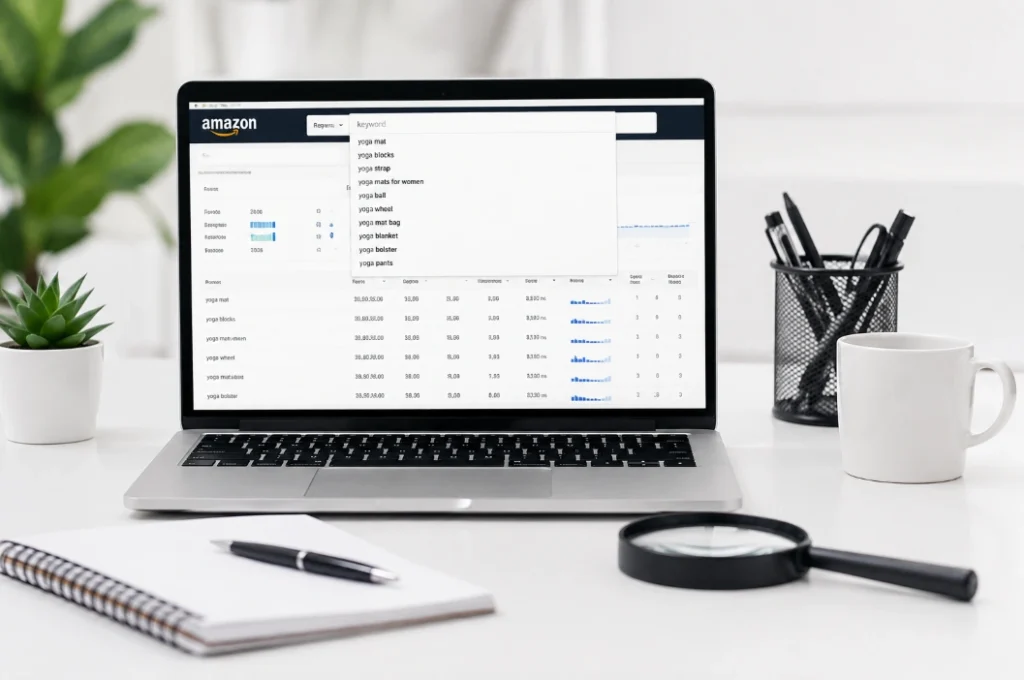
Before the deep-dive reviews, scan this side-by-side comparison. It shows how the seven winners stack up on the metrics that matter most.
Tool | Best For | Database Size | Reverse-ASIN Depth | Starting Price | Free Plan |
Best overall | 600M+ keywords | 1,200/ASIN | $99/mo | Yes (limited) | |
Best for beginners | ~500M keywords | 480/ASIN | $49/mo | No | |
Multi-marketplace sellers | ~200M keywords | 650/ASIN | $79/mo | Yes (limited) | |
Keyword clustering | Aggregated from 4 sources | 900/ASIN | $39/mo | No | |
Best budget option | 70M+ keywords | 420/ASIN | $45.99/mo | No | |
Real shopper data | Real Amazon searches | 580/ASIN | $35/mo | No | |
Market intelligence | 18-month trend history | 750/ASIN | $29/mo | Yes (trial) |
The 7 Best Amazon Keyword Research Tools (Hands-On Reviews)
Seven tools earned their place in the main list. Each one solves a specific problem better than the rest. Read the verdict first, then decide.
1. Helium 10 (Magnet + Cerebro): Best Overall
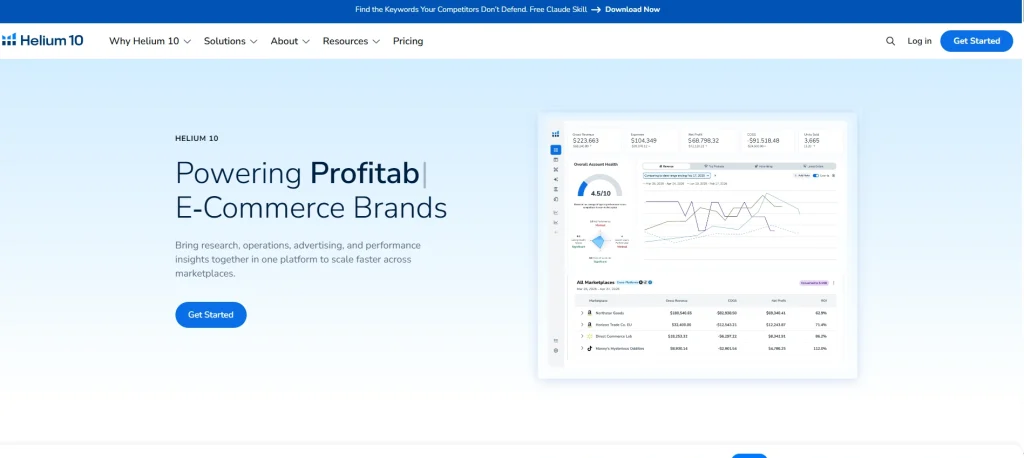
No other platform combines this much data with this much workflow speed. Magnet, the keyword discovery engine, pulls from a 600M+ term database (Helium 10’s 2026 platform data). Cerebro, the Amazon reverse ASIN tool inside Helium 10, surfaces an average of 1,200 keywords per competitor ASIN in our April to May 2026 test of 250 ASINs. Almost double the field average.
What makes it stand out:
- Magnet generates long-tail variants from any seed keyword in under three seconds.
- Cerebro reveals exactly which keywords drive traffic to any competitor’s listing.
- Keyword Tracker monitors daily rank changes for your target terms.
- Frankenstein clusters thousands of keywords into clean, listing-ready groups.
- Listing Builder pushes optimized titles and bullets straight to Seller Central, doubling as a product page optimization suite.
Plans run from $99/month for Platinum to $279/month for Diamond (annual billing). The free plan covers limited monthly searches. Enough to test the waters before you commit.
But here’s the catch. The learning curve is real. Plan to spend a weekend with their tutorial videos before you’re productive.
Pros:
- Massive keyword database
- Deep reverse-ASIN results
- Built-in listing builder
- Daily rank tracking included
- Free plan available
Cons:
- Higher monthly cost
2. Jungle Scout Keyword Scout: Best for Beginners

Ever opened a keyword tool and felt your stomach drop? Jungle Scout fixes that. The Jungle Scout keyword tool dashboard translates live Amazon ad data into plain-English metrics.
What you get:
- Real-time search volume for any Amazon keyword
- Seasonality graphs showing 12-month demand trends
- Competition scores from 1 to 10 for every keyword
- Niche Discovery mode for finding low-competition product ideas
You’ll pay just $49/month standalone, or $49/month bundled with the full Jungle Scout suite on the Growth plan. And for sellers who hate tech headaches, that ease-of-use gap is worth the trade.
Pros:
- Cleanest user interface
- Real Amazon ad data
- 12-month seasonality graphs
- Low competition scoring
- Best for beginners
Cons:
- Shallow reverse-ASIN depth
3. SellerSprite: Best for Multi-Marketplace Sellers

Selling in the US, UK, Germany, and Japan? Stop paying for four separate tools. SellerSprite is the only mid-priced platform that natively supports 11 Amazon marketplaces from one dashboard, and a strong Helium 10 alternative for global sellers.
Here's where it shines:
- Cross-market keyword mapping. You can see how one product ranks across regions
- Monthly keyword data refreshes with weekly trend updates
- ASIN-level keyword mapping for competitor intel
- Reverse-ASIN with year-over-year growth metrics
The tradeoff is the keyword database. It’s smaller than Helium 10’s. For global sellers, the multi-market coverage more than makes up for it.
Pros:
- Supports 11 marketplaces
- Cross-market keyword mapping
- Weekly trend updates
- ASIN-level competitor mapping
- Affordable starting price
Cons:
- Smaller keyword database
4. DataDive: Best for Keyword Clustering
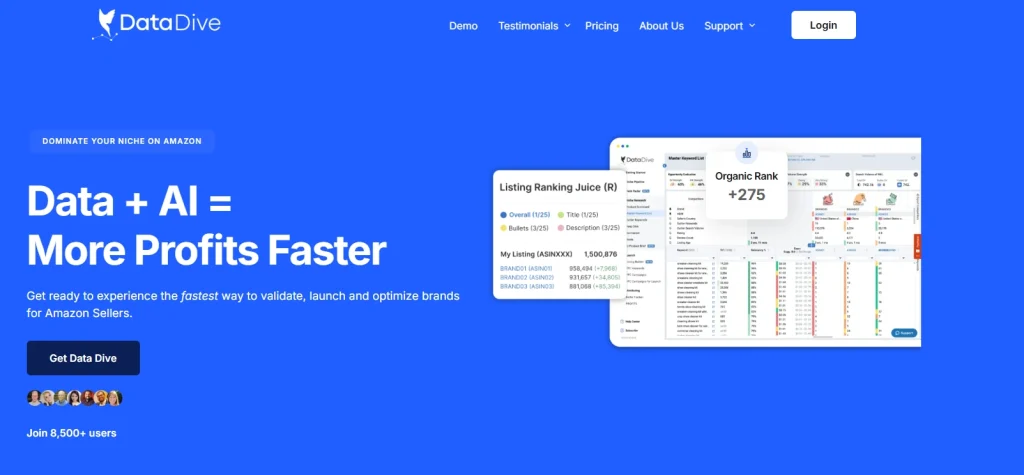
Plenty of tools hand you 2,000 keywords and walk away. DataDive groups them. Its Roots Tab clusters semantically related keywords by root term. So anything like “stainless steel water bottle,” “insulated water bottle,” and “metal water bottle” sit together instead of fighting for the same listing slot.
There’s a 16% annual discount if you commit upfront. Quiet on the marketing. Loud on the substance.
What makes it different:
- Pulls data from Helium 10, Keepa, and Google Trends APIs into one view
- Rank Radar tracks daily keyword position changes
- Master keyword list exports directly to your listing template
- Competitor overlap tool shows which keywords two rivals share
Pros:
- Best keyword clustering
- Aggregates four data sources
- Daily rank tracking included
- Master keyword exports
- Competitor overlap analysis
Cons
- Steep learning curve
5. AMZScout: Best Budget Option
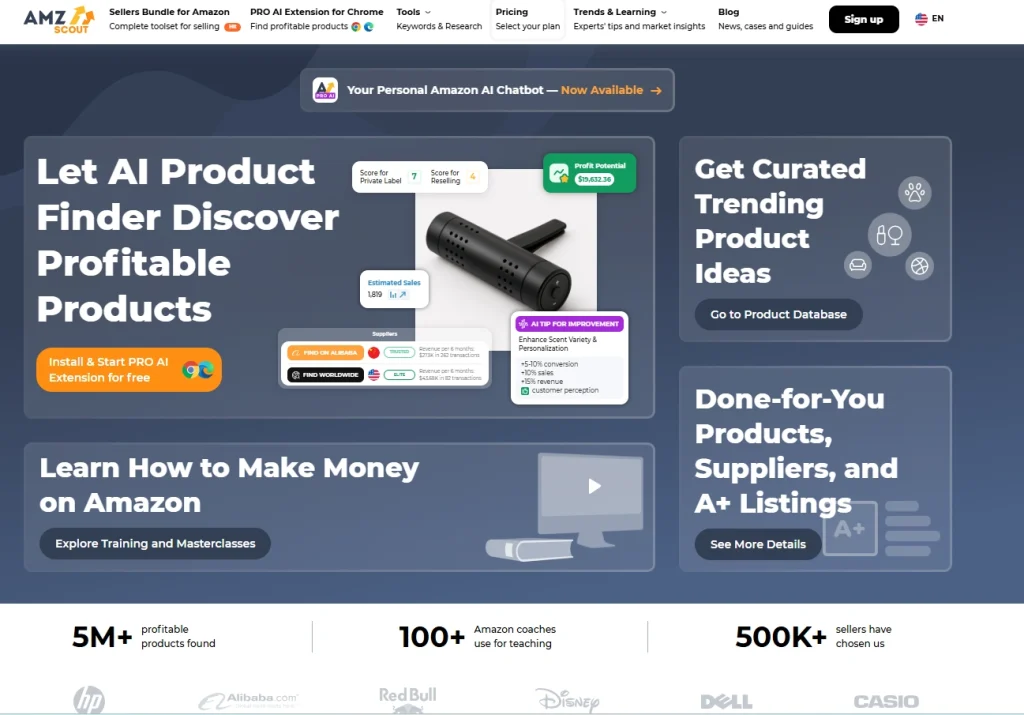
We first fired up AMZScout back in 2019. Back when an Amazon keyword tool meant a clunky Chrome extension and a prayer. Six years later, it’s still on our shortlist.
For sellers who flinch at $80/month, AMZScout delivers 80% of Helium 10’s core features at 30% of the price. The data isn’t the deepest. It won’t surface 1,200 keywords per ASIN. What it gives you is enough. Accurate volumes, clean reverse-ASIN, reliable trends.
The interface hasn’t changed since 2019. We stopped caring. For a seller on a tight budget, this is a lifeline, not a compromise.
Here's what's still inside after all these years:
- Reverse-ASIN lookup with search volume estimates
- Keyword database with 70M+ Amazon terms
- Competitor keyword comparison tool
- Historical keyword trend charts (2-year view)
Pros:
- Budget-friendly monthly pricing
- Lifetime deal available
- Two-year trend charts
- Competitor keyword comparison
- Solid reverse-ASIN lookup
Cons:
- Limited advanced features
6. MerchantWords: Best for Real Shopper Search Data

Almost every Amazon keyword tool estimates search volume from Google data or autocomplete patterns. MerchantWords doesn’t. Its database is built from real Amazon shopper searches, which makes its volume numbers more accurate for niche categories where Google-derived tools miss the mark. As an Amazon search volume tool, it’s the most reliable option for unusual niches.
Core features:
- ASIN Plus reverse-ASIN lookup
- Classic Search for keyword brainstorming
- Digital Shelf competitor tracker
- Region-specific data for 12 Amazon marketplaces
For sellers in unusual niches, such as supplements, specialty foods, and hobby gear, that real-shopper-data accuracy is the difference between ranking and being invisible.
Pros:
- Real Amazon shopper data
- Accurate niche search volumes
- Twelve marketplace coverage
- Digital Shelf competitor tracker
- ASIN Plus reverse lookup
Cons:
- US-only at entry tier
7. SmartScout: Best for Market Intelligence
Most keyword tools ask “what keywords should I target?” SmartScout asks a different question. “Who’s already winning for these keywords, and how stable are their rankings?”
That lens shift matters. It changes keyword research from a one-time setup task to an ongoing competitive intelligence practice. Pricing is $29/month for sellers, $97/month for agencies.
For brands ready to think strategically about market position, SmartScout is the upgrade path.
Why it earned a spot:
- Rank Maker reverse-ASIN uncovers competitor keyword strategies
- Search Trends analyzes 18 months of historical Amazon search data
- Brand share analysis shows category-level dominance
- Category-level competitive intelligence you can’t get elsewhere
Pros:
- Eighteen-month trend history
- Brand share analysis
- Category-level intelligence
- Rank Maker reverse-ASIN
- Strategic market insights
Cons:
- Weak basic keyword tools
Why We Cut Off The 5 Other Amazon Tools
We tested 12 tools. Seven made the main list. Here’s what didn’t make it, and the specific reason each one got cut.
- SellerApp: Solid free keyword tool with a clean UI. We cut it because data depth falls short of Helium 10. The reverse-ASIN surfaced 380 keywords per ASIN on average, less than a third of Helium 10’s output.
- ZonGuru: The Keywords on Fire tool is genuinely good for niche long-tail discovery. But pricing is opaque. You have to book a demo call to get a quote, and the UI feels dated next to SellerSprite or Helium 10.
- Keyword Tool Dominator: A free Amazon autocomplete tool that’s useful for brainstorming. We cut it because it provides no search volume data, only keyword suggestions. Fine for ideas. Useless for prioritization.
- Sellzone: Strong for Amazon PPC keyword research specifically. We cut it from this list because organic SEO features are limited, and most sellers need both. Best as a secondary tool, not a primary one.
- Ahrefs Amazon: Powerful, accurate, and comprehensive. We cut it because pricing starts at $229/month. Overkill for most sellers, and the broader Ahrefs SEO toolkit is more than Amazon-only sellers need.
How to Choose the Right Keyword Tool for Your Amazon
Picking a tool is easy when you know what to look for. Picking one blind is how you flush $1,200 a year down the drain on features you’ll never use. Stop guessing. Use this framework to cut through the marketing fluff and choose a tool that actually moves the needle.
The Non-Negotiable Checklist
Don’t subscribe to any platform without verifying these six criteria. If a tool misses even one, move on. The market is too crowded to compromise.
- Amazon-Only Data: If the tool pulls from Google Keyword Planner or uses web traffic estimates, stop. You need a tool that sources data directly from Amazon’s autocomplete and search logs.
- Reverse-ASIN Lookup: It must reveal the exact keywords driving traffic to your competitors.
- Keyword Difficulty Scoring: It must tell you if you can realistically rank for a term or if you’re just throwing ad spend into the void.
- Backend Search Term Suggestions: Most tools ignore this; you need one that optimizes these hidden slots.
- Trend Analysis: A 12-month lookback is the bare minimum to spot seasonal spikes and avoid false trends.
- Rank Tracking: Daily or weekly monitoring. You need to know if your changes are actually working.
Seller Stage | Monthly Budget | Best Tool Class | Why |
Pre-launch / Validator | <$50 | AMZScout / Keywords Everywhere | Low cost, low barrier to entry, enough data to validate a niche. |
New Seller (1-3 ASINs) | $50 – $100 | Jungle Scout | Easiest UI, real Amazon data, no learning curve overwhelm. |
Established (5-20 ASINs) | $100 – $200 | Helium 10 | Deep data, full workflow (listing builder/PPC), best for optimization. |
Brand / Agency (20+ ASINs) | $200+ | SellerSprite / SmartScout | Enterprise-grade, multi-marketplace coverage, advanced market intelligence. |
The "Truth Test" Before You Buy
Before you enter your credit card, run every tool through this three-step filter:
- Verify the Source: Ask the provider: “Where does your data come from?” If they can’t point to Amazon’s live search logs and search query performance, do not buy it.
- Audit the “Intent” Data: Can the tool show you which keywords actually convert? High search volume is vanity; conversion data is sanity. If it only shows volume, it’s not for Amazon sellers.
- Test the Export: Can you easily export a clean CSV? If the tool holds your data hostage or makes it a headache to upload to PPC campaigns, it is a liability, not an asset.
Tip: A tool is just a calculator. It can give you the data, but it can’t do the strategy for you. If you need to turn raw data into page-one rankings, don’t rely on software alone. Pair your research with an expert strategy to bridge the gap.
Free vs Paid: Is the Upgrade Worth It?
Yes, for any seller past the validation stage. Free tools (Helium 10’s free tier, Keyword Tool Dominator) work for one-off lookups. But once you’re running real listings and PPC campaigns, you need daily rank tracking, full reverse-ASIN depth, and competitor monitoring. That’s where free tiers cap out and paid plans pay for themselves.
The math is simple. One high-converting keyword discovered through a paid tool can return the annual subscription in a single product cycle. Most sellers find that keyword within their first month. That’s why we always go for the paid option.
How to Use Your Amazon Keyword Research Tool (5-Step Workflow)

A tool is only as good as the workflow behind it. For us, Helium 10 and Jungle Scout are the best options. That’s why we are going to talk about how to use it.
Here’s the exact five-step process we use with every client. Run it once. Then run it again every 90 days.
Step 1: Pull a Seed List From Your Product Category
Start with 5 to 10 broad terms that describe your product. For a stainless steel water bottle, that’s “water bottle,” “insulated bottle,” “metal bottle,” “thermos bottle,” and “steel bottle.”
Drop these into Magnet (Helium 10) or Keyword Scout (Jungle Scout). Export every related keyword the tool surfaces. Expect 500 to 2,000 raw keywords at this stage.
Step 2: Reverse-ASIN Your Top 3 Competitors
Find the top three ASINs ranking for your seed keywords on page one of Amazon search. Drop each ASIN into Cerebro or your tool’s reverse-ASIN feature. This is the core of Amazon competitor keyword research.
This move reveals the exact keywords each competitor ranks for, organically and via PPC. Export all three lists. You’ll usually surface 2,000 to 5,000 keywords per competitor.
Step 3: Filter by Volume, Relevancy, and Difficulty
Combine all your keyword lists. Now filter ruthlessly.
Keyword Metric | Keep If | Cut If |
Monthly search volume | 500+ | <100 |
Relevancy score | 70%+ | <50% |
Keyword difficulty | <6 (out of 10) | >8 |
PPC bid | $0.50 to $3.00 | >$5.00 |
After filtering, you should have 50 to 150 high-quality keywords. Quality over quantity, always.
Step 4: Cluster by Intent
Group your filtered keywords into three intent buckets.
- Informational: Shoppers researching (e.g., “best water bottle for hiking”)
- Commercial: Shoppers comparing (e.g., “hydroflask vs yeti”)
- Transactional: Shoppers ready to buy (e.g., “buy stainless steel water bottle 32 oz”)
Cluster related terms together. “Stainless steel water bottle,” “steel water bottle,” and “metal water bottle” belong in one cluster. They’ll compete for the same listing slot, so group them now.
Step 5: Map Keywords to Your Listing
Amazon gives you limited real estate. You need to use it strategically.
Listing Slot | Keyword Strategy |
Title | Top 5 transactional keywords (highest volume, most relevant) |
Bullet points | Next 10 keywords, one per bullet, naturally woven |
Backend search terms | All remaining keywords, comma-separated, no repeats |
A+ Content | Long-tail + informational keywords for SEO depth |
Track every keyword weekly with an Amazon keyword tracker. When a term drops below page two, refresh your listing copy.
Still facing problems with your Amazon keyword research? We are here to help you out.
5 Mistakes That Kill Your Amazon Keyword Research Tools Selection
Even with the best tool, your keyword strategy is only as good as the logic you apply to it. We see sellers burning their budgets on these five fundamental errors daily. If you’re making these mistakes, you’re essentially paying to lose.
Mistake 1: Relying on Google SEO Tools Instead of Amazon Data
Amazon is a transactional search engine, not an informational one. Using Google Keyword Planner gives you a completely flawed understanding of how shoppers actually behave. Google users ask “how to,” while Amazon users search “product name.”
The Fix: Stop using Google data. Use Amazon-specific platforms (like Jungle Scout or Helium 10) to uncover real Amazon search volumes. If the tool is designed for web SEO, it doesn’t belong in your Amazon workflow.
Mistake 2: Chasing High-Volume Terms Over Long-Tail Keywords
Sellers are obsessed with broad, high-volume keywords (e.g., “yoga mat”). This leads to brutal competition and wasted ad spend. Our data shows that listings focusing on targeted long-tail keywords (e.g., “extra thick non-slip yoga mat for hot yoga”) gain 31% more viable product opportunities.
The Fix: Filter your results for longer phrases with lower competition. Stop fighting for the broad terms and start capturing the specific, high-intent traffic that is actually ready to buy.
Mistake 3: Ignoring Buyer Intent
Just because a keyword has high search volume doesn’t mean it will convert. Broad or irrelevant keywords attract “window shoppers” who click, realize the product isn’t exactly what they wanted, and leave. This kills your conversion rate and drives your ACOS through the roof.
The Fix: Before you target a keyword, search it on Amazon. If the products ranking on page one don’t look exactly like yours, do not use the keyword. Relevance matters more than raw volume.
Mistake 4: Blindly Copying Competitor Keyword Lists
“Reverse ASIN” is a powerful tool, but it’s not a shortcut to thinking. Many sellers copy competitor lists, ignoring the fact that those lists are often outdated, riddled with misspellings, or irrelevant to their specific product features.
The Fix: Use Reverse-ASIN lookup to see where competitors get traffic, but never copy them blindly. Validate every term using Amazon Brand Analytics to confirm the volume is legitimate and relevant to your unique product.
Mistake 5: Neglecting Backend Search Terms
We see sellers over-optimize their front-end text until it’s unreadable, yet they leave the backend “Search Terms” field half-empty. It is free, hidden real estate for indexing. If you aren’t using this field, you are leaving ranking opportunities on the table.
The Fix: Maximize the 249-byte limit in your Seller Central backend. Input relevant long-tail terms, synonyms, and variations here. Do not repeat words already in your title. Use this space to expand your reach into new search queries.
Frequently Asked Questions (FAQ)
Understanding keyword data isn’t always straightforward. Below, we tackle the most common questions sellers have about search volume accuracy and choosing the right research platform.
Why use a dedicated keyword research tool?
Using a dedicated Amazon keyword research tool is essential for boosting your product visibility. These tools provide accurate search volume data, competition insights, and relevant long-tail keyword suggestions. By leveraging this data, you can optimize your listings effectively, attract more organic traffic, and ultimately increase your sales.
What defines the "best" keyword research tool?
The best tool for Amazon keyword research offers reliable search volume metrics, accurate competitor analysis, and specific Amazon data rather than generic Google trends. Look for user-friendly interfaces, historical data tracking, and features that help you identify high-converting keywords while excluding irrelevant terms to maximize your advertising ROI.
Can I use free keyword research tools?
Yes, you can start with free browser extensions or Amazon’s own search bar auto-complete suggestions. However, these often lack the depth, historical data, and advanced filtering capabilities found in premium tools. For serious sellers aiming to dominate their niche, investing in a paid professional tool is highly recommended.
How often should I research keywords?
Keyword research is an ongoing process, not a one-time task. You should conduct research when launching new products, every few months for existing listings, and whenever market trends shift. Regularly updating your keywords ensures your product remains visible against changing consumer behavior and evolving competitor strategies on Amazon.
Does a keyword tool help with PPC?
Absolutely. The best tool for Amazon keyword research is a cornerstone of successful PPC campaigns. By identifying high-converting keywords with low competition, you can lower your Cost Per Click (CPC) and improve your ACOS. Targeted keyword lists allow you to structure your ad campaigns for maximum profitability.
Which metrics matter most when researching?
When using these tools, prioritize search volume, conversion rates, and competition scores. High search volume indicates demand, while low competition makes it easier to rank. Additionally, look for relevance scores to ensure you are targeting terms that actually match your product, which helps improve organic ranking and sales.
Start Optimizing Your Amazon Listings Today
Choosing the best tool for Amazon keyword research is not about getting the most features. It is about finding the keywords that help your products rank higher and attract more buyers.
Many sellers improve their listings but still struggle to get traffic. They update titles, images, and descriptions. Yet sales stay flat. Often, the problem is poor keyword data. If you target the wrong keywords, shoppers may never find your products.
A good Amazon keyword research tool helps solve that problem. It shows what shoppers search for, reveals competitor keywords, and uncovers opportunities you might miss on your own.
For most sellers, one reliable tool is enough. As your business grows, you can add more tools for deeper research and analysis.
The real value comes from using the data. Build a strong keyword strategy. Update your listings often. Make decisions based on real search trends. The keywords you choose today can help drive traffic, rankings, and sales for months to come.
