
Finding a registry on Amazon should be simple, but many shoppers still waste time searching in the wrong place. Whether it is a wedding registry, baby registry, birthday gift list, or custom Amazon wish list, the key is knowing where Amazon stores these lists and how to search by name, email, or event details.
For ecommerce brands, this matters more than most people think. Gift lists and registries are not just customer convenience tools. They influence product discovery, repeat purchases, seasonal demand, and high-intent shopping behavior. When a product appears in the right registry or gift category, it can reach buyers who are already ready to purchase.
At Brand’s Bro, we have worked with Amazon sellers and ecommerce brands across the USA, Canada, the UK, and Australia. We help clients improve product visibility, listing structure, keyword targeting, and customer purchase flow so their products are easier to find and easier to buy.
One client struggled with weak product discovery during seasonal campaigns. After we improved their Amazon listing structure, keyword placement, and gifting-focused positioning, their product visibility increased and sales improved within 90 days.
Amazon registries are not only useful for shoppers. They also show how buyers search, save, and purchase products with clear intent. If your Amazon products are not positioned for these buyer moments, you may be missing easy revenue opportunities.
If you want your Amazon products to reach more gift-ready shoppers, Brand’s Bro can help you optimize your listings, improve visibility, and build a stronger Amazon sales strategy. You can book a meeting with us today.
What is an Amazon Registry?
An Amazon registry is a list of items you want or need for a special occasion. It helps you organize your gift preferences and makes it easy for others to shop for you.
Instead of getting items you don’t want, your friends and family can pick exactly what you need. You can share your registry with anyone you choose. Amazon registries make gift-giving simpler and faster for everyone involved.
Types of Amazon Registries:
Amazon offers a variety of registries designed to facilitate the creation and sharing of lists for special occasions. Every occasion has a registry that allows friends and family to select gifts.
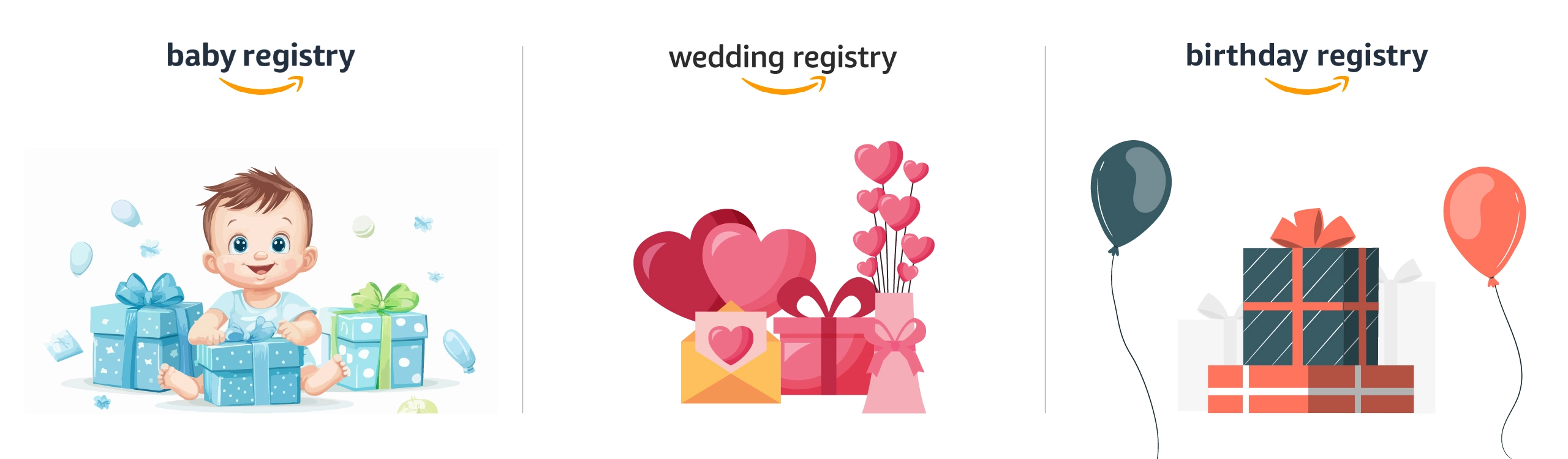
- Baby Registry: Created for expecting parents. It helps them select essential items like clothes, toys, and baby gear. Also, it simplifies the shopping experience for family and friends by offering a clear list of the most needed items.
- Wedding Registry: This registry is for engaged couples who want to choose their wedding gifts. They can pick everything from home decor to personal items. It ensures that the couple gets the gifts they truly want for their new life together.
- Birthday Registry: It is designed for birthdays and special celebrations, which lets individuals set their gift preferences. Friends and family can easily pick out presents that match the celebrant’s style and taste to simplify the gift-giving process.
- Other Event Registries: Amazon also has registries for occasions like housewarmings and graduations. These are as simple as baby or wedding registries. Hosts can create wish lists for any event to make it easier for guests to choose the perfect gift.
Why Use an Amazon Registry?
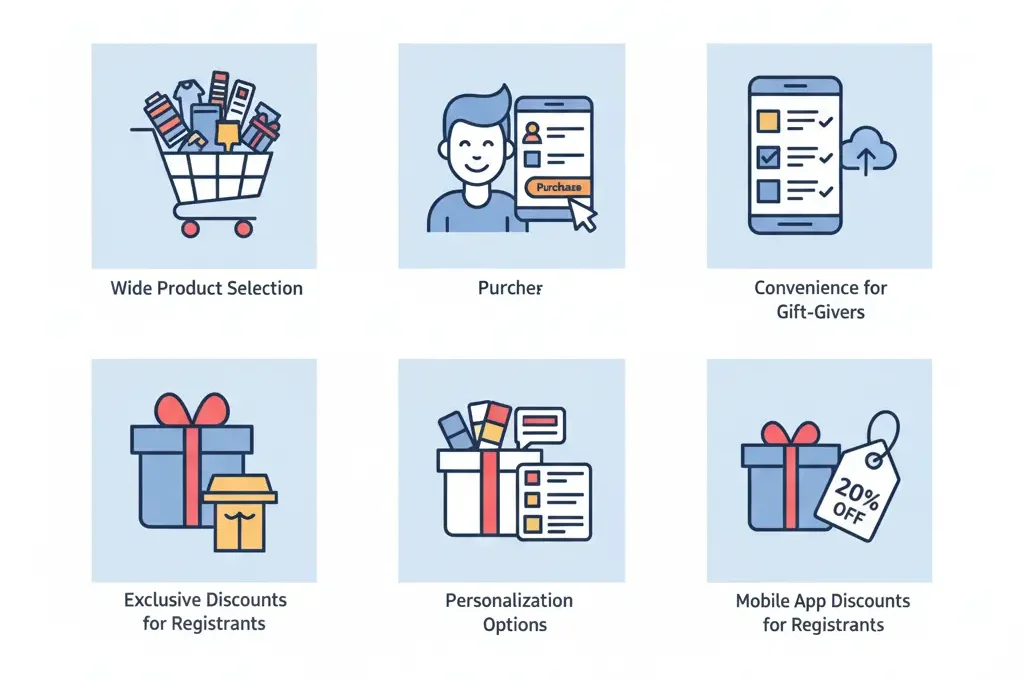
Use an Amazon Registry to organize gift ideas, share your list easily, avoid duplicate purchases, and help friends or family buy the right items faster.
Amazon registries provide many benefits that make them an excellent choice for organizing gift lists. They simplify the process for both the registrant and the gift-giver by offering numerous benefits.
Here’s why you should use an Amazon registry:
Wide Product Selection
Amazon provides a wide range of products for your registry. You can add items from various categories to ensure you get everything you need. This flexibility helps you create a registry that matches your preferences.
Your guests will also benefit from the large selection available to them. They can choose gifts that fit within their budget while still selecting something you will truly appreciate.
Convenience for Gift-Givers
Gift-givers can easily find the items on your registry without wasting time. They search for your name or event type to access your curated list. It eliminates the need for them to guess what you want or accidentally buy duplicates.
They can shop from a desktop or mobile device whenever it’s convenient. Your registry makes the process smooth and ensures they get exactly what you need.
Personalization Options
Amazon allows you to personalize your registry according to your needs. You can specify preferences like color, size, and other details to help your guests make the best choice.
This ensures you receive gifts that match your taste and style. Personalizing your list also helps you avoid receiving duplicate items. It makes the entire shopping experience smoother for both you and your gift-givers.
Exclusive Discounts for Registrants
One key advantage of using an Amazon registry is the exclusive discounts Amazon offers after your event. Once your event is over, you may receive a completion discount on any items left on your list.
This makes it easier to purchase the remaining items you still need at a reduced price. It’s a practical way to save money while ensuring you get all the items on your list.
Mobile App Integration
Manage your Amazon registry anytime, anywhere using the mobile app. You can add items, make changes, and share your list directly from your phone.
The app lets you stay on top of your registry, no matter where you are. It’s a convenient way to manage your list while on the go. Take control of your registry wherever you are, at home or out handling daily tasks.
How to Find a Registry on Amazon? Step-by-Step Guide
It can be hard to find a registry on Amazon if you’re not sure where to start. If you’re searching for a baby, wedding, or birthday registry, the process becomes simple once you know the steps.
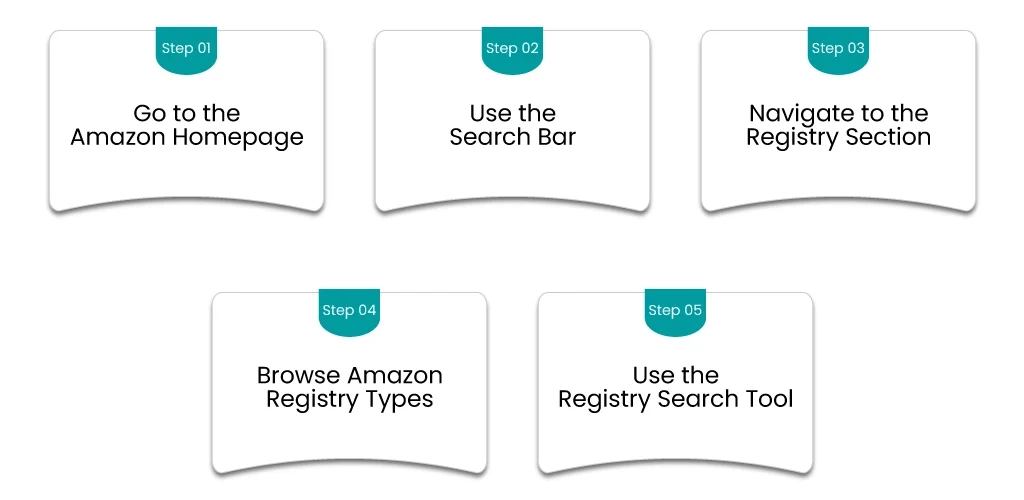
To find a registry on Amazon, go to Account & Lists, select Find a List or Registry, then search by the recipient’s name or registry type.
We’ll show you exactly how to find the registry and shop for the perfect gift quickly.
Step 1: Go to the Amazon Homepage
The first step to finding a registry is visiting the Amazon homepage. Go to www.amazon.com from any browser. Once you’re on the homepage, you’ll see all the usual options for shopping and account management.
From here, you can begin your search for registries. The Amazon homepage acts as a central hub, so everything you need is easily accessible from this page.
Step 2: Use the Search Bar
The search bar is one of the quickest ways to find a registry on Amazon. Simply type in the recipient’s name or the event type, like “John’s wedding registry.” You can also enter the registry ID if you have it.
It will bring up results that are directly related to the registry you’re searching for, cutting out unnecessary steps and saving you time. If you’re looking for a more general registry, entering keywords like “wedding” or “baby shower” can help narrow down the results.
Step 3: Navigate to the Registry Section
Next, you’ll want to go to the “Accounts and Lists” section at the top right of the Amazon homepage. Hover over or click on this section to access more account options. From the dropdown menu, click on “Your Account” and then select “Your Registries”.
It will show you all public and private registries associated with your Amazon account. You can view registries you’ve created or been invited to. This feature helps you easily track multiple registries.
Step 4: Browse Amazon Registry Types
Amazon offers various types of registries, each designed for different events. You’ll find options for Baby, Wedding, Birthday, and even Housewarming registries. To filter the results based on the type of registry, use the dropdown menu or the sidebar options.
It allows you to easily browse through the different categories and find exactly what you need. If you’re looking for a baby shower or wedding gift, this step narrows your search. It helps focus on the specific event you’re interested in.
Step 5: Use the Registry Search Tool
If you have specific details about the registry, the “Find a Registry or List” tool makes it easy to find. You can find this tool directly on Amazon’s website. Use it to search for registries by name, event, or even the registry number if you have it.
This powerful search feature helps you find the exact registry you’re looking for, without having to scroll through multiple options. It’s especially helpful if you have more details but don’t know the full name or registry ID of the person you’re searching for.
What to Do If You Can’t Find a Registry?
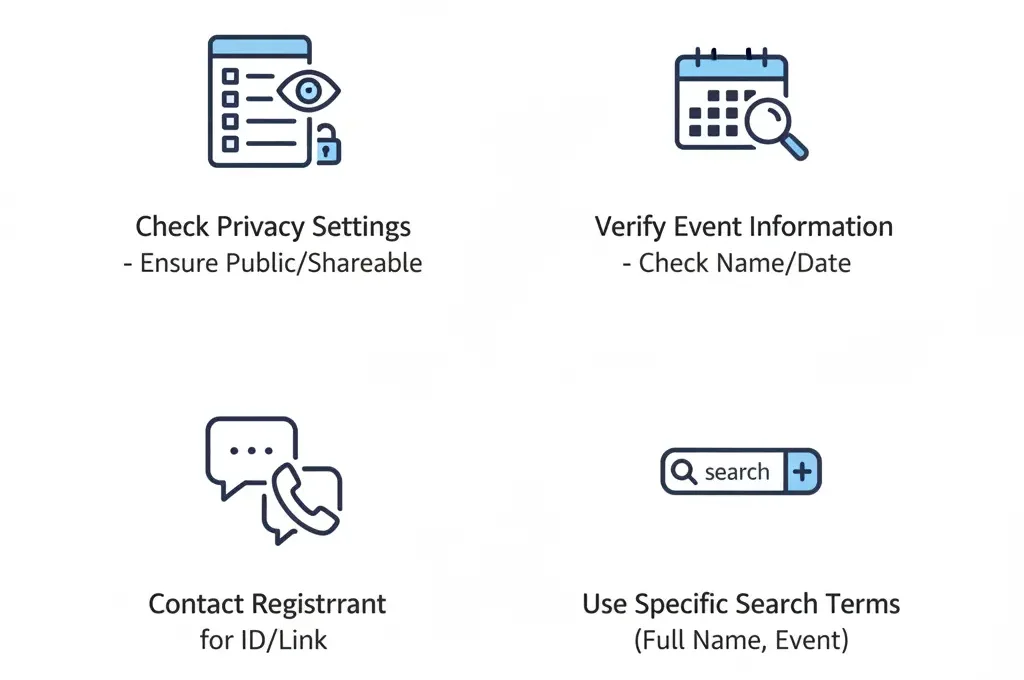
If you can’t find a registry, check spelling, search by full name, use the store’s registry page, contact the person directly, or ask the host for the correct link.
If you’re struggling to find a registry on Amazon, don’t worry. There are a few simple things you can try to locate it. Sometimes it’s as easy as adjusting your search or confirming certain details.
Here’s what you can do:
- The registry may not show up if it is set to private. Make sure the registry is set to public or shareable so you can access it.
- Incomplete event information can prevent the registry from appearing. Double-check that all event details, like the name and date, are filled out correctly.
- If you’re still unable to find it, contact the person who created the registry. They can provide the correct registry ID or share a direct link with you.
- Try using the recipient’s full name, event name, or event location. Being more specific with your search can help you find the right registry.
How to Access a Registry’s Details?

To access a registry’s details, open the registry link or search by the owner’s name, then view shared items, shipping options, event info, and purchase preferences.
Looking for someone’s registry on Amazon? Once you find it, getting all the details is quick and easy. You’ll see everything they’ve picked out, so you can shop without any guesswork.
Viewing the Registry
Click the link to open the registry page. You’ll find a full list of items the person has added. For each product, you’ll see:
- Name
- Price
- Availability
- Available options (like size or color)
Picking the Right Gift
See something you want to buy? Click on the item to check out more details. You can read the product description and choose options like color or size. Once you’re ready, hit “Add to Cart.” You can also add several items to your cart if you’re feeling generous.
Keeping Track of What’s Been Bought
Amazon makes sure you don’t accidentally buy the same gift as someone else. Items that are already purchased will be marked clearly. Anything still up for grabs will show as “unfulfilled” or “remaining.”
Some registries also include extra notes like gift wrapping requests or special instructions, so keep an eye out for those.
How to Manage Your Registry?
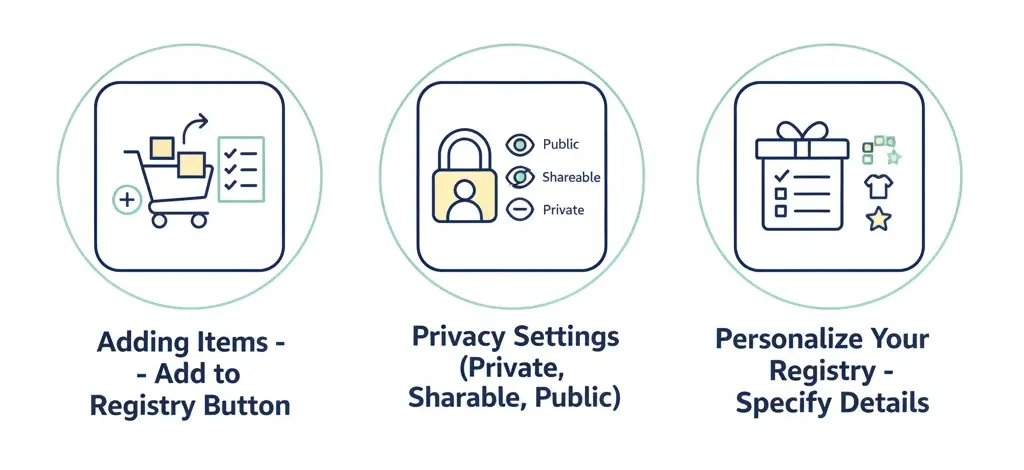
To manage your registry, update items, adjust quantities, set privacy, review shipping details, remove unwanted products, and share the registry link so guests can easily find your preferred gifts.
It’s easy to manage your Amazon registry. You can update your list, track progress, and adjust your privacy settings.
Here’s how to stay on top of your registry and make sure it’s always up to date.
Adding Items
You can add new items to your registry at any time, even after sharing it with others. To add items, simply search for the product you want on Amazon. Once you find it, click the ‘Add to Registry’ button on the product page.
There are no restrictions on what you can add, so feel free to create the list you truly want.
Privacy Settings
You can manage your registry’s privacy settings at any time. There are three options:
- Private: Only the people you invite can see your registry.
- Shareable: Anyone with the link can access your registry.
- Public: Anyone can search for your registry using Amazon’s search tools.
Personalize Your Registry
You can add items to your registry that match your exact preferences. Specify details like color, size, and style to ensure the gifts you receive are exactly what you want. This also helps avoid duplicates.
Keep your registry updated with new items so your gift-givers can easily choose what you need.
How to Share Your Registry?
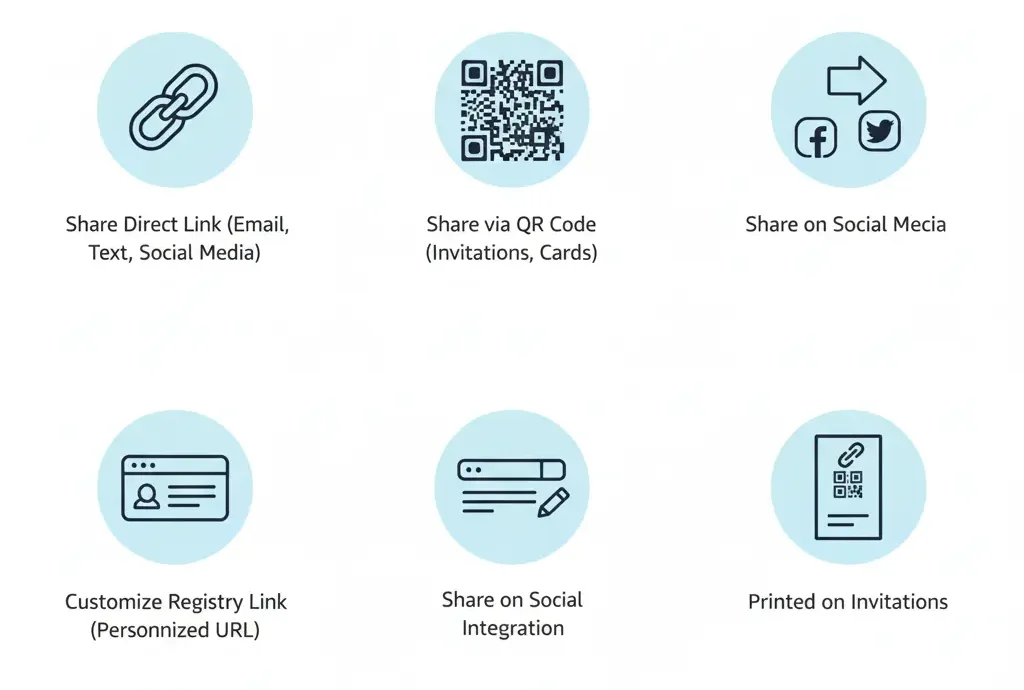
To share your registry, open your registry page, copy the share link, and send it by email, text, or social media so guests can view and buy gifts easily.
It’s easy to share your Amazon registry with others once you know the right steps. There are several effective ways to ensure your guests can easily find and purchase the gifts you’ve selected.
1. Direct Link
The easiest way to share your Amazon registry is by copying the link from your registry page. Once you’ve found your registry, copy the URL from the address bar.
You can then share it with family and friends through email, text, or social media. This method is quick and easy for everyone to access your registry.
2. QR Code
Another simple way to share your registry is by using a QR code. Amazon lets you create a QR code that links directly to your registry. Once you have the QR code, print it on invitations, thank you cards, or flyers.
Guests can scan the code with their phone, and it will take them right to your registry. This is a great option for events like weddings or baby showers.
3. Social Media Integration
Sharing your registry on social media is a great way to spread the word. Amazon allows you to share your registry directly on platforms like Facebook or Twitter.
Simply click the share button on your registry page and choose the platform you want to use. This helps you reach a large group of friends and family, even those not in your immediate circle.
4. Customizing the Registry Link
You can customize your registry link to make it easier for guests to remember. Amazon lets you change the URL by adding your name, event type, or date.
For example, you could use something like “amazon.com/JohnsWedding2025.” This makes the link unique and memorable for your guests.
5. Printed Invitations
If you prefer physical invitations, you can include the registry link or QR code on them. This allows your guests to easily find your registry when they receive the invite.
The QR code is especially helpful for guests who can scan it with their phones. This method works great for weddings, birthdays, or baby showers.
BrandsBro worked on an Amazon “Share Your Registry” project in the outdoor niche, where the client had weak presentation, poor visibility, and low customer engagement.
We improved the registry layout, product flow, and shopping experience to build trust and create a stronger storefront. Facing similar issues? Book a free discussion.
How to Find Someone’s Amazon Registry on the Amazon App
To find someone’s Amazon Registry on the Amazon app, open the app and tap the three-line menu icon at the bottom of the screen. Then go to Gifting & Registry and select Registry & Gift List. From there, you can search by the person’s name and choose the right registry type. Amazon confirms this app path for finding registries and gift lists.
For the best result, enter the registrant’s full name instead of only a first name. If many results appear, check the location, event date, or occasion details to make sure you select the correct registry.
If you cannot find the registry, it may not be public. In that case, ask the person to send you the direct registry link. Amazon allows users to keep registries private or share them only with selected people.
How to Search by Registry Type: Wedding, Baby, Birthday, or Gift List
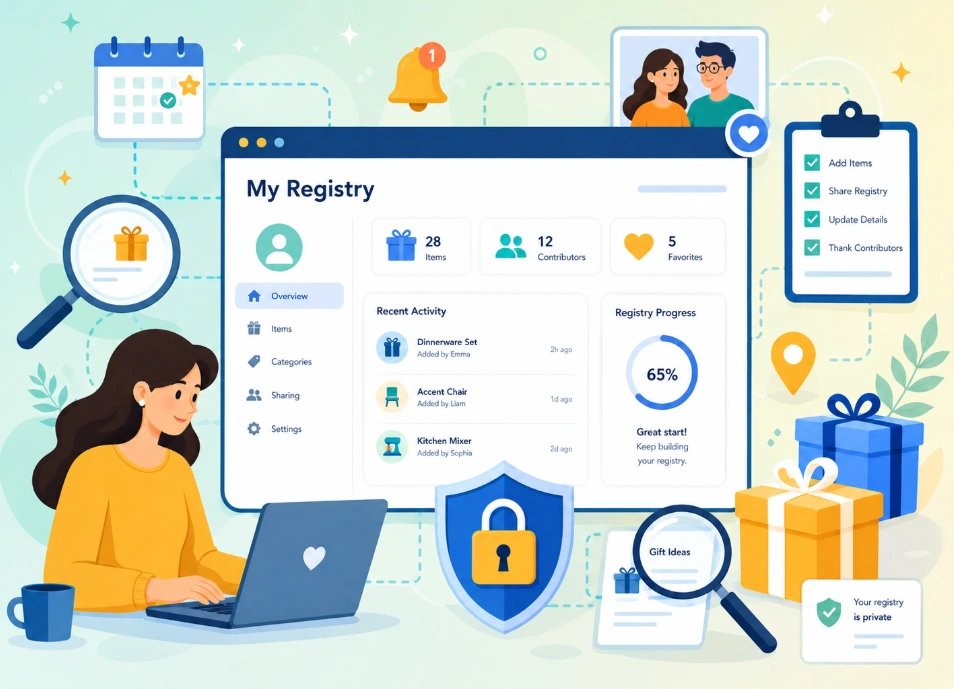
Amazon lets shoppers search by registry type, including Wedding Registry, Baby Registry, and Gift List. If the list is not specifically a wedding or baby registry, choose Gift List because Amazon uses that option for birthdays, graduations, holidays, pets, and other occasions.
After opening Registry & Gift List, type the person’s name and select the correct registry category. Choosing the wrong type is one of the main reasons people fail to find a registry, even when it exists.
For wedding or baby registries, check the event date and location before buying. For birthday or general gift lists, look carefully at the list owner’s name and shipping details. This avoids buying from the wrong list, especially when several people share the same name.
How to Buy From an Amazon Registry Without Buying Duplicate Gifts
To avoid duplicate gifts, buy directly from the Amazon registry page instead of searching for the item separately. When you purchase through the registry, Amazon can track the item and update the list so other buyers know it has already been purchased.
Before adding an item to your cart, check the requested quantity and the purchased quantity. If the registry shows that the item has already been bought, choose another gift unless the list owner requested more than one.
Do not copy the product name and buy it from a normal Amazon search page unless you are sure the registry will still update. The safest method is to click the item from the registry itself, add it to cart from that page, and complete checkout using the registry gift option.
Also, avoid waiting too long after adding a registry item to your cart. Another shopper may buy the same product before you finish checkout. For expensive gifts, check whether group gifting is available, since Amazon registries may allow multiple people to contribute toward higher-priced items.
Frequently Ask Questions(FAQs)
Got questions about using Amazon registries? You’re not alone. Here are the most common questions people ask, with clear answers to help you easily manage and shop registries.
You can always add new items to your registry, even after it’s been shared. Just visit your registry, select the products, and they will be updated automatically for your guests to see.
It’s easy to change your registry’s privacy settings. Simply go to your registry’s settings and select whether you want it to be public, shareable, or private at any time.
Amazon allows guests to contribute to a gift through the Group Gift feature. This way, they can pool together money for larger items that may be out of their individual price range.
If some items are left unpurchased after your event, Amazon may offer a completion discount. This discount lets you buy any remaining items at a reduced price.
Items can be removed from your registry, even after they’ve been purchased. Doing so keeps the list up-to-date, helps you track what’s still needed, and prevents guests from buying duplicates.
Start Managing Your Amazon Registry Today
If you’ve registered an event on Amazon, now is the perfect time to start managing your registry. Amazon’s simple tools help you update your list, track gift progress, and make sure your guests can easily find Amazon registry details when they need them.
Whether you’re managing a wedding, birthday, baby shower, or special event, knowing how to find Amazon registry pages makes the process easier for both you and your guests. Many people also search for how to find someone’s registry on Amazon, especially when looking for a friend or family member’s gift list. For weddings, the Amazon wedding registry search feature helps guests quickly locate the right registry and choose gifts with confidence.
Got questions about managing or finding an Amazon registry? Drop them in the comments, and we’ll help you out!
