
Amazon prices change often. One day, a product is $50. The next day, it drops to $35. These sudden changes cause many shoppers to miss out on better deals. Most people don’t even notice the drop until it’s too late. Learn exactly how to set a price alert on Amazon and grab the lowest price before it changes.
The fastest way to set a price alert on Amazon is by using a price tracking tool like Keepa or CamelCamelCamel. You just paste the product link, choose your target price, and get notified the moment it drops.
This article explains what a price alert is, how to set a price alert using tools, and what to expect after setting one. You’ll find step-by-step instructions, tips for tracking an Amazon product, and ways to stay ahead of every price change. Learn how to catch an Amazon price drop fast and avoid missing the deal again.
What Is a Price Alert and How Does It Work?

A price alert notifies shoppers when a product’s price drops or reaches a chosen amount. It works by tracking price changes and sending updates through email, apps, or browser alerts.
A price alert is a tool that tells you when the price of a product drops. It works through a price alert system that tracks the product’s price every day. Once the cost reaches your target, it sends a price drop notification right away.
You can set alerts using a price tracker on websites or apps. Just enter the Amazon product link, pick your ideal price, and wait for the alert. The system helps monitor price changes and notifies you the moment your target price becomes available. Most tools send alerts by email, push notification, or browser message.
Some Benefits of using a price alert is given below:
- Saves money by catching deals the moment prices fall.
- Avoids daily checking and manual tracking.
- Helps build better habits for smart shopping.
Does Amazon Offer Built-In Price Alerts?

Amazon offers built-in price history and limited deal notifications, but shoppers usually need third-party price trackers for custom price-drop alerts on specific products.
Amazon does not offer a full price alert system that tracks exact product price drops automatically. It does include a few built-in tools, but none of them can monitor price changes fully.
- Wishlist: You can save an item to your Amazon Wishlist and get a wishlist notification if the price changes. This alert only works sometimes, and it doesn’t let you set a target price.
- Alexa Deal Alerts: Alexa can track some items and send shopping alerts to your Echo device or Amazon app. These Amazon deal alerts only apply to items marked as eligible, not everything you want to follow.
- Amazon Assistant: The Amazon Assistant browser tool shows product updates and helps compare prices across tabs. It does not send alerts based on your ideal price or track price drops over time.
Amazon Price Alert Options for Mobile, Desktop, and Browser
Good table idea:
| Platform | Best Method | Notification Type | Best For |
|---|---|---|---|
| Mobile | Amazon app alerts | Push notification | Quick deal updates |
| Desktop | CamelCamelCamel / Keepa | Email or browser alert | Detailed tracking |
| Alexa | Amazon shopping notifications | Voice/app notification | Hands-free alerts |
Best Tools to Set a Price Alert on Amazon
You don’t need to refresh product pages all day to catch a discount. A good Amazon price alert tool does the tracking for you. These alert tools help you save time, stay updated, and never miss a price drop again.
Each price tracking tool has different strengths, and some are better for mobile, history graphs, or coupon features.
The table below shows how the best tracker tools compare side by side.
| Tool | Platform | Alerts | Price History | Cost |
|---|---|---|---|---|
|
CamelCamelCamel |
Browser |
Email |
Yes |
Free |
|
Keepa Extension
|
Mobile |
Email, Push |
Yes |
Free + Paid |
|
Honey |
Browser Extension |
Push (Droplist) |
Limited |
Free |
|
Visualping |
Browser, Email |
Email (Visual alerts) |
No |
Free + Paid |
CamelCamelCamel works in your browser and shows full price history for every Amazon product. It sends email alerts and works without an account. This free price tracking tool is great for quick alert setup.
Keepa offers more detailed features and works on mobile or browser extensions. You get push and email alerts, plus deep history tracking across countries. It’s one of the most complete Amazon price alert tools available today.
Honey focuses on coupons, but the Droplist feature tracks product prices and sends alerts. It doesn’t include full graphs, yet it works well for simple price alerts.
Visualping tracks visual changes instead of raw price data. It fits users who need alerts across different websites, not just Amazon.
Let’s set up your first alert. Each tool works differently, but all of them help you track Amazon price drops fast. Below, you’ll find clear steps to set up a price alert system using CamelCamelCamel, Keepa, and Honey. Each one takes just a few minutes and can save you money on the next Amazon product you want.
How to Set a Price Alert on Amazon (Step by Step Setup)
To set an Amazon price alert, copy the product link into a trusted price tracker, choose your target price, and receive a notification when the price drops.To set an Amazon price alert, copy the product link into a trusted price tracker, choose your target price, and receive a notification when the price drops.
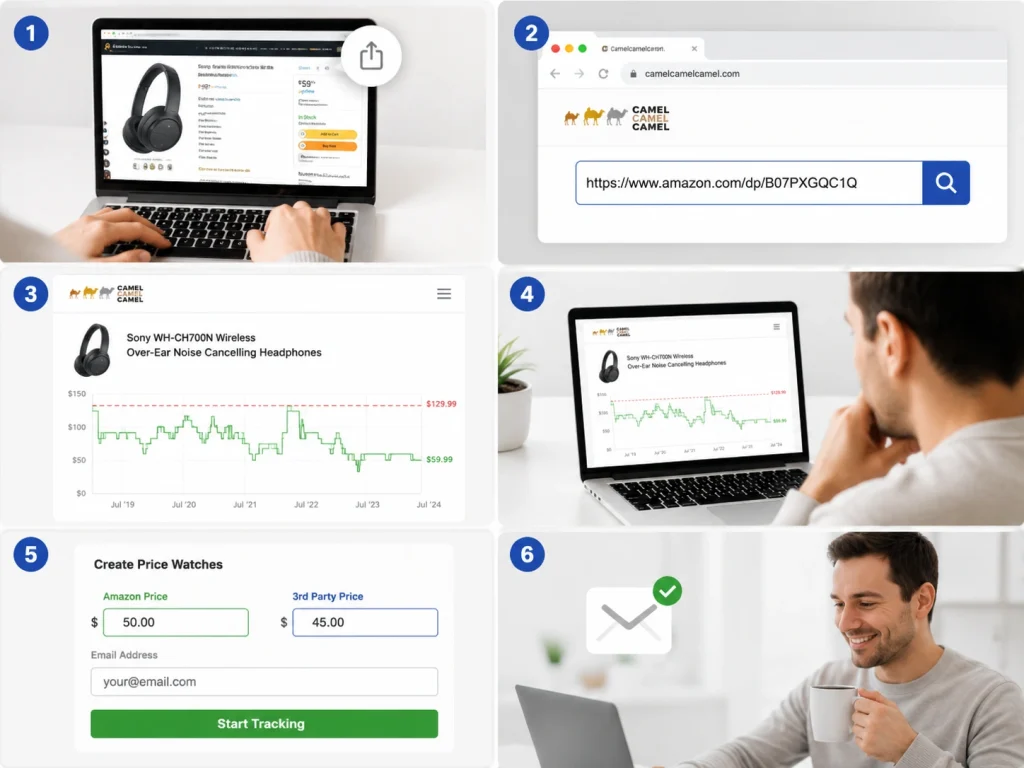
Set a Price Alert Using CamelCamelCamel
CamelCamelCamel is one of the easiest ways to set a price alert. It works in any browser and doesn’t ask you to sign up.
- Step 1: Copy the link of the Amazon product you want to track.
- Step 2: Go to camelcamelcamel.com and paste the product URL in the search bar.
- Step 3: Press Enter and wait for the product page to load with a price graph shown below.
- Step 4: Look at the graph to view the price history for that item over time.
- Step 5: Scroll down to the alert section and set your desired price in the Amazon or 3rd-party box.
- Step 6: Enter your email address to receive the alert. Click the “Start Tracking” button to confirm your setup.
Note: CamelCamelCamel now tracks the price in the background. You’ll receive a price drop email alert when the price hits your target.
Set a Price Alert Using Keepa
Keepa gives more options for serious shoppers. It shows more detailed graphs and lets you track more price types.
- Step 1: Go to keepa.com and install the browser extension for Chrome, Firefox, or Microsoft Edge.
- Step 2: Open any Amazon product page. You’ll see a chart from Keepa right under the product title.
- Step 3: Click on “Track Product” inside the chart area to access the alert settings panel.
- Step 4: Choose which price types you want to track, including Amazon, 3rd-party new, or used offers.
- Step 5: Type in your target price for each box that applies to your alert preferences.
- Step 6: Sign into your free Keepa account. If you don’t have one yet, it takes one minute to create.
- Step 7: Click “Start Tracking.” Keepa will now monitor price changes and send alerts by email or push.
Note: This tool setup takes slightly longer than CamelCamelCamel, but it gives more alert options and detailed filters.
Using Honey for Price Tracking
Honey focuses more on coupons, but its Droplist feature helps with basic price alert setup on Amazon.
- Step 1: Visit joinhoney.com and install the extension for Chrome, Edge, or Firefox browsers.
- Step 2: Open the Amazon product you want to track. If it’s supported, you’ll see the “Droplist” button appear.
- Step 3: Click the “Droplist” button. A small window will pop up with tracking settings.
- Step 4: Choose how long you want Honey to watch this item. You can select 30, 60, or 90 days.
- Step 5: Enter the price you want. Honey will send alerts when the product falls to or below your price.
- Step 6: Confirm by clicking “Add to Droplist.” Honey will now monitor the item and send push notifications.
Note: Honey doesn’t show full price history like the other tools, but it works well for basic Amazon price alert setup. It also alerts you when coupon codes are available during checkout.
Tracking Amazon Prices on Mobile
You don’t need a computer to track price drops. Your phone can do it just as well.
Here’s what you need before starting:
- A smartphone with internet access
- The Amazon product link you want to track
- One of the alert tools listed below
- Access to the App Store or Google Play
Keepa offers a mobile app that works on both Android and iOS. After installation, log in to your account. Open the Amazon app, copy a product link, and paste it inside Keepa. Set your target price, then enable mobile alerts or push notifications.
Honey works only through a mobile browser. Open Honey in Chrome or Safari and access your account. Tap the Droplist icon on any Amazon product to set your alert. Honey sends mobile alerts if the price drops within your selected time range.
Visualping supports mobile tracking through its app. Paste the Amazon URL, set the visual area, and confirm the alert delivery method. You’ll get notifications through email or your phone screen.
Both Android and iOS users can receive mobile alerts, but iOS users may need to adjust push settings.
Best Times to Use Price Alerts for Maximum Savings

Price alerts help most when used before deals begin. Timing alerts right means you don’t pay full price. You can also pair alerts with promo codes and Lightning Deals for deeper discounts.
Prime Day
This exclusive event lasts 48 hours and includes deep discounts across electronics, home items, and essentials. Prices often rise before the event to create fake drops. Set alerts two weeks ahead to track those shifts and catch real price drops. Many top products sell out quickly, so early alerts give you a better shot.
Black Friday
Black Friday sales start early and change fast. Amazon often releases deals on Monday before, and many don’t return. Setting alerts before that week helps you spot early drops. Alerts let you compare Lightning Deal prices and decide faster before limited-time offers expire.
Cyber Monday
Cyber Monday focuses on tech, gadgets, and online-only specials. Many deals are digital and last for hours, not days. Create alerts right after Black Friday to follow these fast-moving prices. Adding promo codes to tracked items gives you extra value at checkout.
Restock and Clearance Events
Out-of-stock items often return quietly with new markdowns. Others go on clearance without much notice. Set alerts on products with limited stock or seasonal interest. That helps you buy right when restocks or last-chance markdowns go live. These alerts are useful when the supply is unpredictable.
Build Your Own Amazon Price Tracker (Advanced Users)
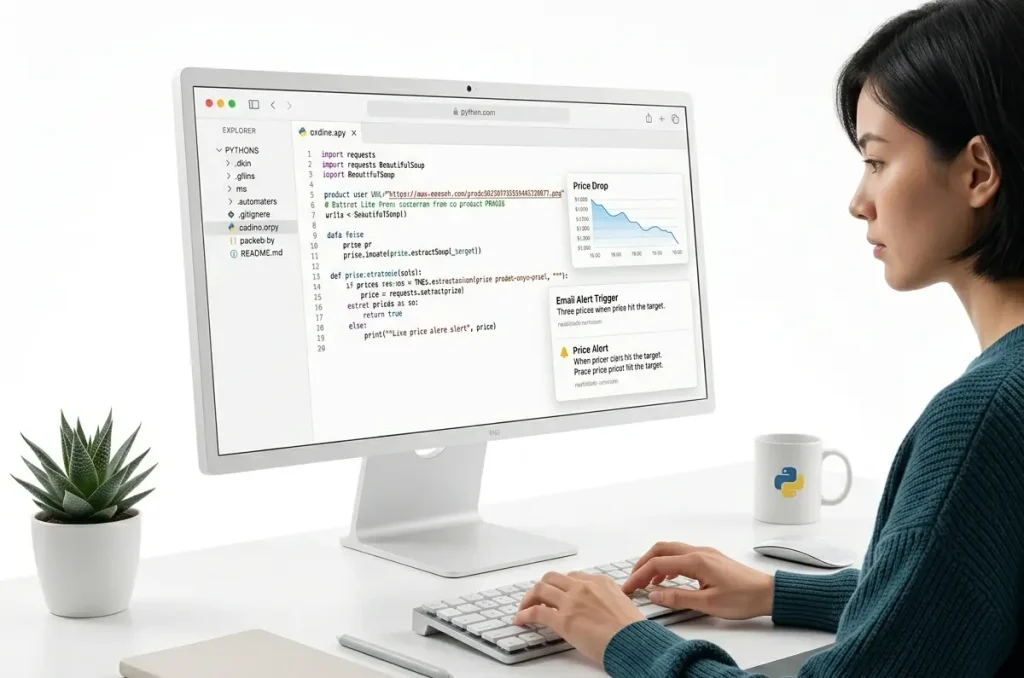
Advanced users can build a custom tracker using tools like Python, requests, and BeautifulSoup. The code gives full control over how you scrape price data and send alerts. Many developers rely on GitHub to share working scripts that track Amazon prices using a product URL.
Start by creating a script that fetches the product page using requests and parses it with BeautifulSoup. Pull the current price, compare it against your target, and trigger an alert if needed. Most setups use an email script or an external API to deliver alerts quickly.
To automate alerts, add a cron job that runs the tracker script at regular intervals. That allows full automation without logging in each time. Several tutorials and open-source projects on GitHub explain how to get started and customize your alerts.
This method suits people who understand basic scraping, data fetch workflows, and price tracking logic. A custom alert system gives you flexibility, control, and stronger tracking across multiple Amazon products without using third-party tools.
BrandsBro worked on an outdoor niche Amazon price tracker project where the client struggled with weak storefront structure, poor product presentation, and low engagement.
We redesigned the tracker experience, improved the visual layout, and made the storefront look more professional. Facing similar issues? Book a free BrandsBro consultation.
Can You Set Price Alerts Directly in Amazon App?
No, Amazon does not offer a dedicated price alert feature that lets you set a target price and receive notifications when an item reaches that amount. To create true price alerts, you need third-party tools such as Keepa, CamelCamelCamel, or Honey.
However, the Amazon app does provide limited deal notifications through Wish Lists, Shopping Lists, and Alexa. These features can notify you about discounts or promotions on products you are interested in.
If you want alerts based on a specific price point, a dedicated Amazon price tracker is the better option. These tools monitor price changes automatically and notify you when the product drops to your desired price.
How to Get the Lowest Amazon Price Possible?
To get the lowest Amazon price possible, use a price-tracking tool like Keepa or CamelCamelCamel, set a target price alert, and wait for the item to drop to your desired price before purchasing. This helps you avoid overpaying and buy when the product reaches its lowest available price.
You can save even more by checking for Amazon coupons, Lightning Deals, and limited-time promotions. Many products have extra discounts that are applied during checkout or through a coupon checkbox on the product page.
It is also a good idea to compare different sellers, monitor Buy Box changes, and check Amazon Warehouse deals for open-box or refurbished items. Combining these strategies can help you find the best possible price on Amazon.
How to Track Multiple Amazon Products at Once
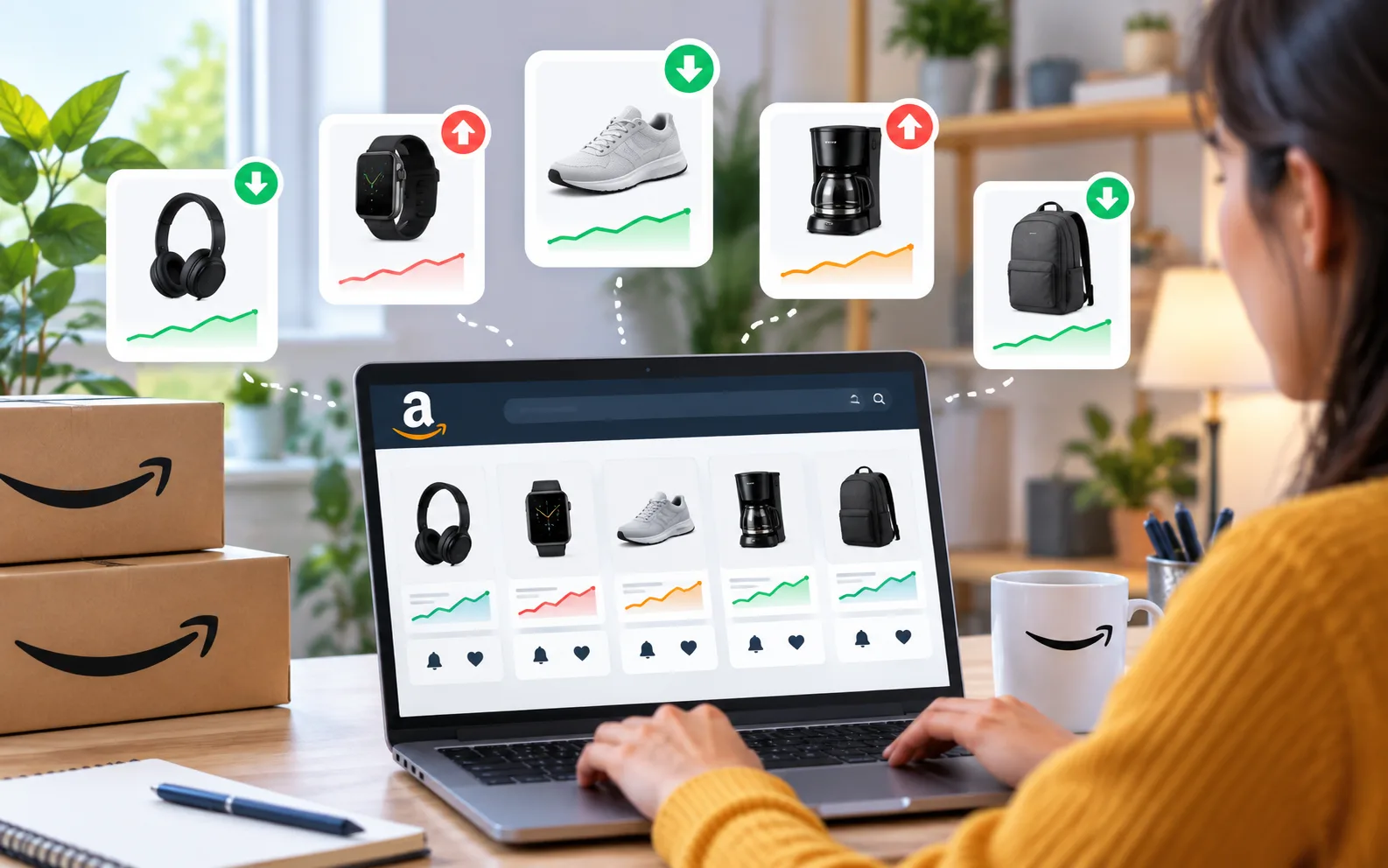
To track multiple Amazon products at once, use a price-tracking tool like Keepa or CamelCamelCamel. Add the Amazon links of all the products you want to monitor, set your target prices, and enable notifications. The tool will automatically track each item and alert you when prices drop.
Most price trackers provide a watchlist or dashboard where you can view all tracked products in one place. This makes it easy to monitor several items without visiting each Amazon product page individually.
Tracking multiple products helps you compare deals and avoid missing discounts. It is especially useful when shopping for expensive items or waiting for major sales events such as Prime Day and Black Friday.
Frequently Asked Questions(FAQs)
Some questions come up often when shoppers try to set or manage price alerts. Below are five important FAQs not yet covered in the guide, each with a clear answer that helps you act with confidence.
Yes. Tools like Keepa allow you to track out-of-stock products. When the item returns with a price drop, you’ll get notified. This helps you buy quickly once restocked without refreshing the page every day.
Yes. Keepa supports international Amazon sites like the UK, Germany, Canada, and Japan. You can set alerts in your region-specific currency. CamelCamelCamel supports fewer countries, so check availability before tracking global product pages.
Yes. Most trackers like Keepa let you monitor used and third-party offers. You can choose alert types such as Amazon direct, 3rd-party new, or used. That gives more flexibility across different seller listings.
You can manage alerts directly from your dashboard. Just log in to your tool account and open the alerts tab. You’ll see options to pause, delete, or edit your tracking settings in real time.
Yes. To monitor a specific variation, make sure you open the exact Amazon page with your preferred choice selected. Then copy that link for the alert setup. Trackers will follow only the selected version’s price.
Want Smarter Amazon Pricing? Brands Bro Has You Covered!
Many sellers lose sales because prices change fast and manual checks miss key drops. A smart price drop notification Amazon system helps you track changes, react faster, and avoid losing profit without realizing it.
At Brand’s Bro, we help sellers understand how to set up Amazon price alerts with automated tracking, custom alert strategies, and better pricing workflows. Whether your audience searches for preisalarm Amazon or price alerts in English, we build systems that help your listings win more clicks and conversions.
Our team helps you track smarter and sell better with Amazon PPC, listing optimization, and account support. Some clients want to scale fast. Others need pricing cleanup. We build strategies that match what drives real results.
