
Still checking out with a personal Amazon account? You’re missing bulk deals, tax perks, and spending control. If you’re buying for work, it’s time to fix that. Here’s how to set up an Amazon Business account so your team stops using the wrong one.
To set up an Amazon Business account, go to the Amazon Business homepage, click “Create a free account,” and follow the steps. Enter your business name, address, and tax details. Once verified, you’ll unlock tools built for smart purchasing.
In this blog, you’ll learn the full Amazon account setup process. We’ll also cover what to prepare, registration requirements, and the business buying tools that help you save time, stay organized, and shop smarter.
What Is an Amazon Business Account?
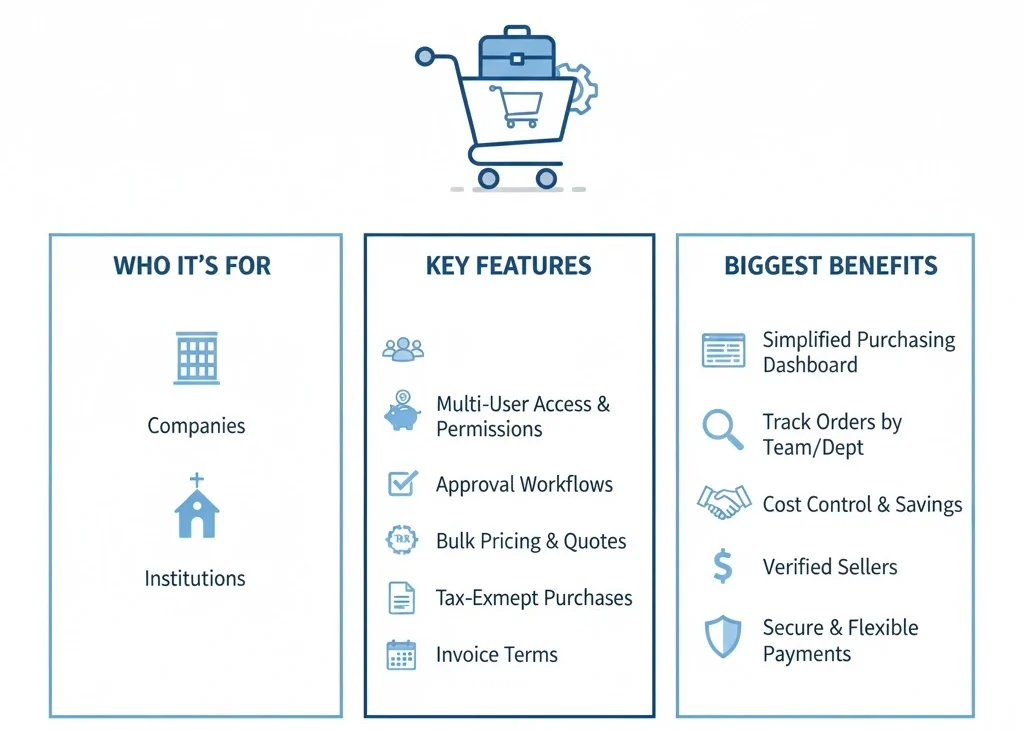
An Amazon Business account is designed for companies, nonprofits, and institutions that want to buy like professionals. It’s not a seller account. Instead, it gives business buyers access to tools made for work-related purchases.
Unlike a regular Amazon account, this version helps teams manage spending and track orders across multiple users. You can invite team members, set permissions, and create approval rules before anyone places an order.
The Amazon Business account also offers access to exclusive features like tax exemption, invoice terms, and bulk pricing discounts. You can request quotes for large orders, buy from verified sellers, and pay with flexible billing options.
One of the biggest advantages is how it simplifies complex purchases. You get a dashboard that organizes your orders by team, department, or location. That means fewer mistakes, faster reorders, and better control over what your business buys.
From small startups to growing operations, the Amazon Business account helps simplify every part of the buying process. If you need smart tools to manage your spending, this account is built for exactly that. And it’s completely free to set up.
Requirements Before You Register
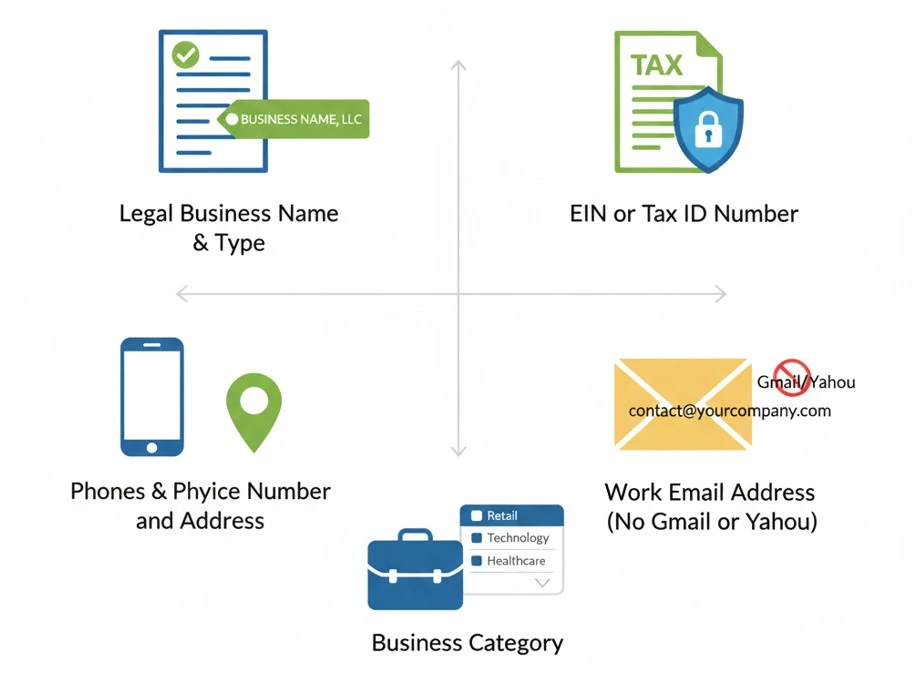
Many users begin the sign-up process and then get stuck because they don’t have the right details ready. That can waste time and interrupt the whole Amazon Business registration process.
Here’s what you need before you start:
- Legal Business Name and Type: Enter your full legal business name and structure. Amazon uses it to verify your registration against public business records.
- EIN or Tax ID Number: This is required to confirm your business identity. This is required to confirm your business identity and meet Amazon’s tax ID requirements during account setup.
- Business Phone Number and Physical Address: Use a real business phone number and office address. Amazon won’t accept personal contact info or home-based locations.
- Work Email Address (No Gmail or Yahoo): Provide a business email tied to your company domain. Free personal email services usually fail during Amazon’s verification.
- Business Category or Industry: Choose the correct industry type that matches your company. Amazon uses this to customize business tools and recommendations.
How Does Amazon Business Work?
Amazon Business uses the same login as regular Amazon, but what you see is built for companies. After approval, users gain access to pricing, tools, and permissions designed for group purchasing, team control, and financial visibility.
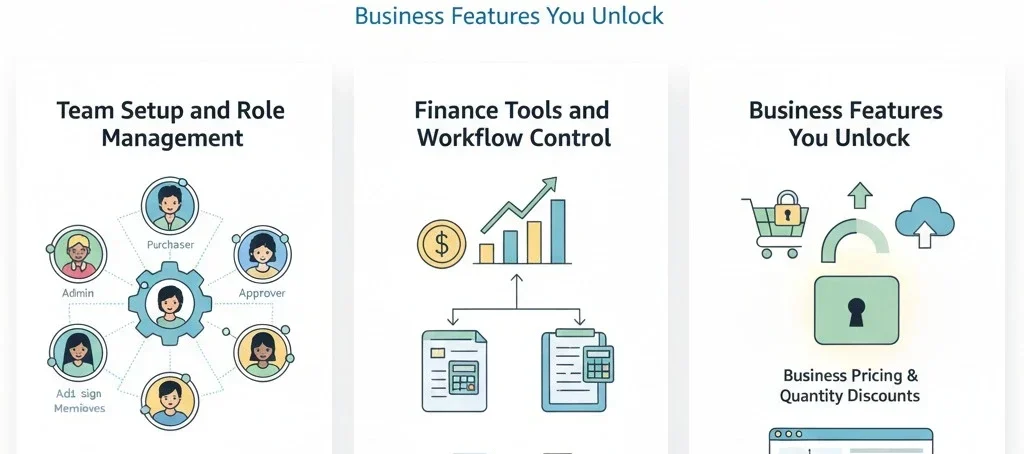
Business Features You Unlock
When logged in, your business dashboard shows pricing and options not available to regular shoppers. Products with volume discounts become visible. Tax-exempt items are clearly labeled. These upgrades help you save money and simplify repeat orders.
Team Setup and Role Management
Each Amazon Business account can include multiple users with different permissions. Admins can assign roles like requisitioner, approver, or viewer. Teams can organize purchases by project, department, or location. This setup avoids confusion and gives each user the right level of control.
Finance Tools and Workflow Control
Amazon Business includes tools that help your finance and operations teams stay organized and reduce errors.
- Purchase approvals give managers a chance to review orders before checkout.
- Billing visibility makes it easy for finance teams to match invoices and payments.
- Reporting tools show spending patterns so your team can make better buying decisions.
Is Amazon Business Account Free?
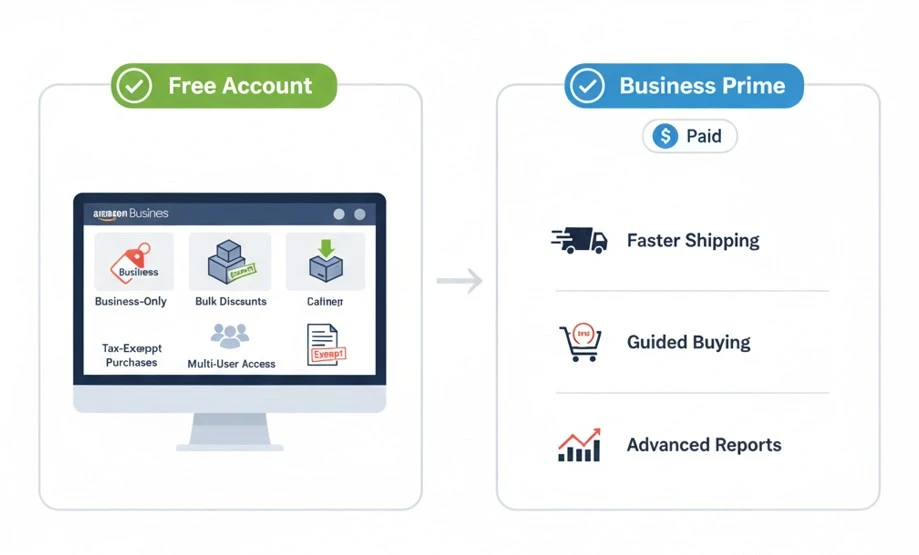
There’s no charge to open an Amazon Business Account. It’s totally free to sign up. Any registered business or organization can sign up without paying anything. You only need valid company information to begin.
The free version comes with tools built for business shopping. It includes business-only pricing, bulk discounts, multi-user access, and tax-exempt purchasing if eligible. You also get approval workflows and order tracking by buyer or department.
You don’t need a subscription to use these features. But if your team needs faster shipping, guided buying, or advanced reports, there’s a paid upgrade called Business Prime. It adds more control for growing teams.
Most businesses find the free account gives them what they need to shop smarter. If your needs grow, you can always add Business Prime later. Signing up is quick, easy, and designed for real business use.
How to Set Up an Amazon Business Account (Complete Process)
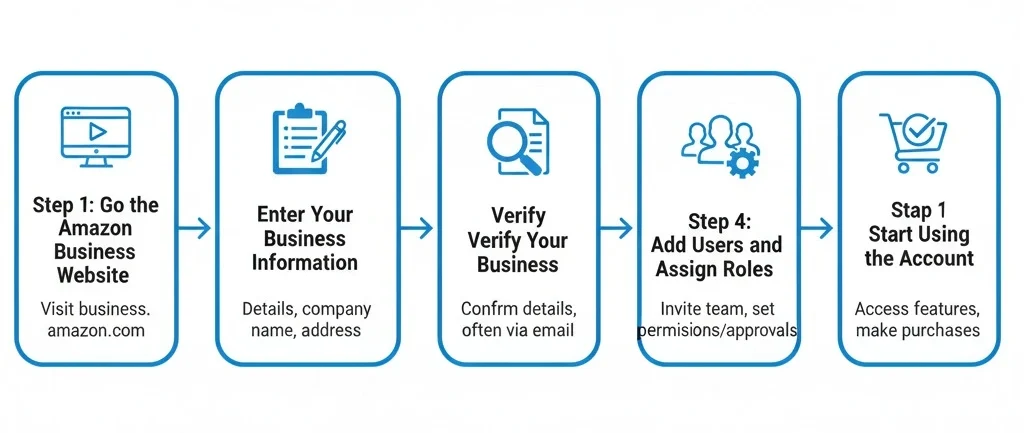
You can set up your Amazon Business account easily when you know what to expect from every step. Those steps unlock tools your team can actually use. This isn’t just another Amazon login.
You’ll get business-only pricing, order controls, and role-based access. Every part of the setup serves a purpose and helps your business save time and stay organized.
Step 1: Go to the Amazon Business Website
Visit the Amazon Business Website to start your account setup. Click the “Create a free account” button. Make sure you sign out of any personal Amazon accounts first.
This ensures the new registration links only to your business email and company details, not your existing shopping history.
Step 2: Enter Your Business Information
You’ll be asked to provide basic company details. Enter your legal business name and business type, such as LLC, corporation, nonprofit, and industry. Add a business phone number and a professional email, not Gmail or Yahoo.
This information creates your registration page and helps Amazon confirm you’re a real business, not an individual shopper.
Step 3: Verify Your Business
Next, Amazon checks public databases to confirm your business exists. If automatic verification fails, they’ll request documents like an EIN letter, business license, or utility bill.
These files help meet Amazon’s account verification steps and support your eligibility for features like tax exemption and invoiced billing.
Step 4: Add Users and Assign Roles
Once your account is approved, you can build your team setup. Invite coworkers using their emails and assign them roles.
Choose from admin, requisitioner, or viewer. Each role comes with its own access level. These team member roles help control spending, manage approvals, and simplify your internal buying process.
Step 5: Start Using the Account
Now, your account is live. You’ll see business-only pricing, bulk options, invoice terms, and seller filters.
The dashboard includes spend reports, reorder tools, and purchase controls tailored for business buyers. This is where Amazon Business starts working for your daily operations.
Benefits of an Amazon Business Account
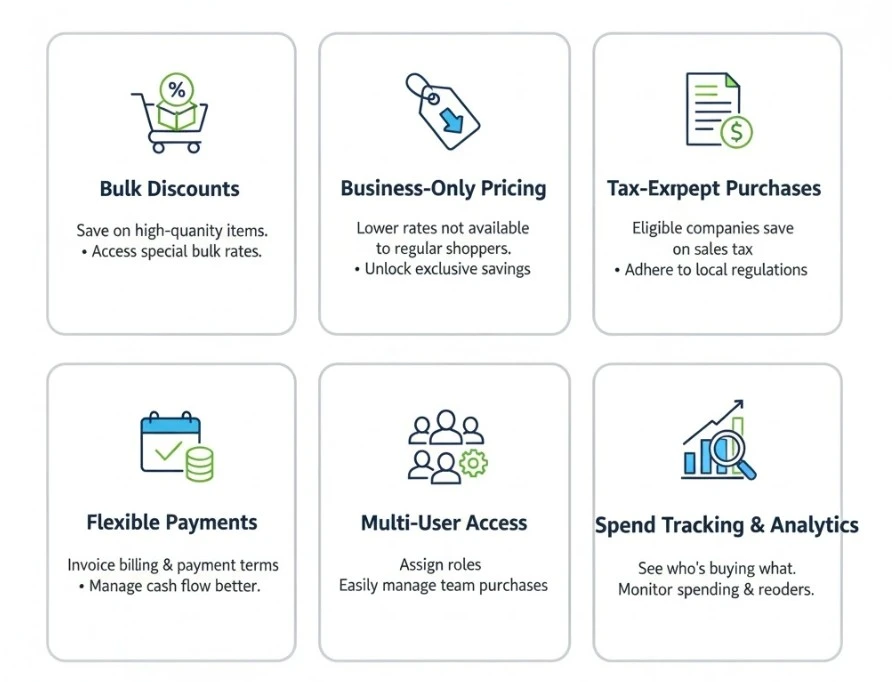
A personal Amazon account isn’t built for business needs. You can’t track spending, manage teams, or access bulk rates.
That’s why Amazon Business includes features that make buying easier, smarter, and more cost-effective for real companies.
Let’s take a look at the key benefits your business can start using right away.
- Amazon offers bulk discounts on eligible products, which helps you save when buying high-quantity items for your team.
- With business-only pricing, your account sees lower rates not available to regular Amazon shoppers.
- Eligible companies can use tax-exempt purchasing to save on sales tax when allowed by local regulations.
- Invoice billing and payment terms let you pay later, giving your business flexibility to manage cash flow better.
- Multi-user access with role permissions allows you to assign roles like admin or viewer to manage purchases easily.
- Built-in spend tracking and analytics show who’s buying, what’s ordered, and how often items are reordered.
- Business Prime access adds faster shipping, guided buying tools, and more controls for large teams.
Tips for Successfully Running Your Amazon Business Account
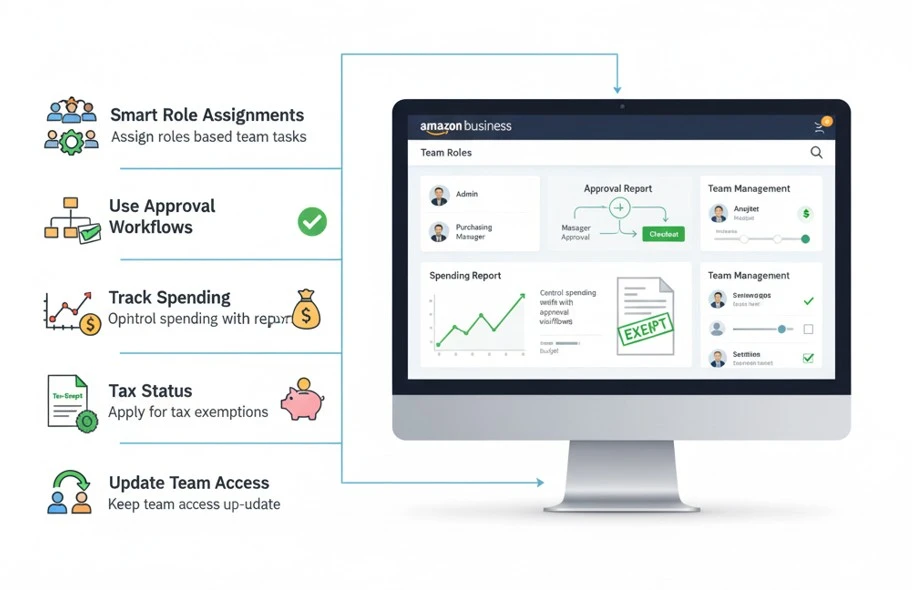
After you set up your Amazon Business account, the next step is learning how to run it the right way. A well-managed account helps your team avoid mistakes, stay on budget, and work faster.
Start with smart role assignments. Give each team member a role that fits their task. This keeps things clear and avoids unwanted purchases.
Use approval workflows to control spending. You can set rules so certain orders need manager approval before checkout. It helps keep your budget in check.
Always track your spending. Use Amazon’s reports to see who buys what and how often. This helps you cut waste and plan ahead.
Check your tax status. If your business qualifies, apply for tax-exempt purchases. It can save money on regular orders.
Update your team access often. Remove users who leave the company. Change roles if someone gets promoted or moves to another team.
Amazon Business VS Regular Amazon Account
Some users aren’t sure which type of Amazon account they need. The truth is that both accounts work, but they serve different purposes. If you’re buying for your home, a personal account works fine. But if you’re placing orders for a company or managing team purchases, a business account makes more sense.
A regular Amazon account is built for everyday shopping. It does not support features like team access or invoice billing. An Amazon Business account includes tools that help real organizations manage costs, control users, and simplify buying.
Let’s look at the major differences below:
| Feature | Personal Account | Amazon Business Account |
|---|---|---|
| Purpose | Personal shopping only | Made for business or organizational purchases |
| Tax Exemption | Not available | Available for eligible businesses |
| User Access | One user only | Add multiple users with defined roles |
| Bulk Pricing | Regular pricing | Access to business-only and quantity discounts |
| Invoice Billing | Pay immediately at checkout | Invoice options with flexible payment terms |
| Purchase Tracking | No built-in tracking | Reports for spending, buyers, and order history |
Frequently Asked Questions(FAQs)
Have more questions before signing up? Here are quick answers to things many business buyers often ask.
Yes. You can use Amazon’s “Switch Accounts” feature to move between accounts quickly. It keeps personal and business purchases separate without needing to log in and out every time.
No. Creating an Amazon Business account is free for everyone. If you want Business Prime features, there’s a paid upgrade. You can choose a plan later if you need those extra tools.
Yes. You can place personal orders using your business account. Just make sure to keep purchases organized. Many users create separate lists or tags to track personal and company spending clearly.
The Amazon Tax Exemption Program lets approved organizations avoid sales tax on eligible purchases. You must submit valid exemption documents. Once approved, tax won’t apply at checkout for qualifying items.
Invoice billing lets you pay for orders later, not at checkout. This helps manage cash flow better. Most accounts qualify after verification. Amazon sets the due date based on your business terms.
Ready to Build Smarter with Brands Bro?
Your Amazon Business account is just the beginning. What matters next is how you use it, such as managing ads, improving content, and tracking performance.
That’s what we do at Brand’s Bro. For over 12 years, we’ve supported sellers with everything from Amazon Ads and Amazon A+ content to full account management. We also run Google Ads, create custom storefronts, and offer reliable support when sellers hit roadblocks.
If you’re ready to move beyond the basics and build something stronger, our team is here to help you make it happen.