
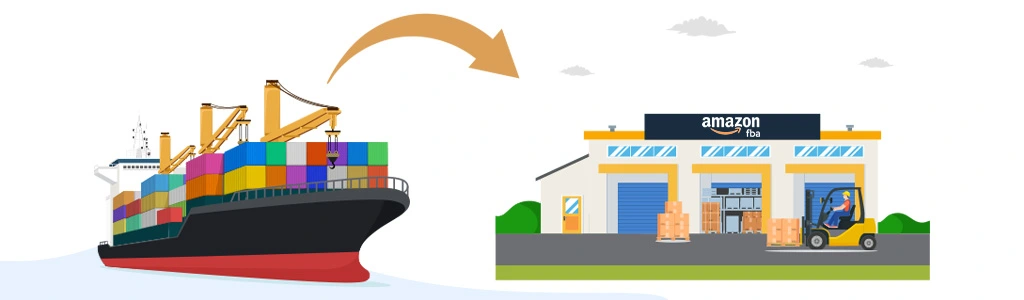
Have you ever felt stuck figuring out how to ship to Amazon FBA without extra costs or delays? Sellers face high fees, missed shipments, and strict rules that make Amazon fulfillment harder than it should be. These problems slow growth and create stress.
There is a clear fix. Understand the FBA shipping process, follow Amazon’s rules, and choose the correct warehouse. These steps prevent compliance issues, lower costs, and keep deliveries fast without needing outside help or extra tools.
This guide explains each FBA shipping step in order. It includes real examples that sellers can easily follow. You’ll learn how to label boxes, select carriers, and send inventory without delays, mistakes, or compliance problems at the warehouse.
What is Amazon FBA?
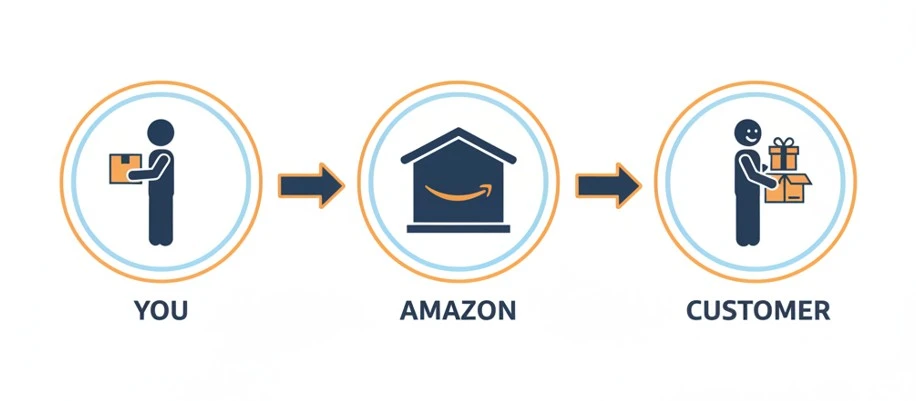
Amazon FBA stands for Fulfillment by Amazon, a service that helps sellers grow without doing all the work. Instead of packing, storing, and shipping orders yourself, you send your products to Amazon. They take care of everything after that.
Here’s how the process flows from seller to customer:
You → Amazon → Customer
You ship your inventory to Amazon’s fulfillment centers. They store it in their warehouses. When a customer places an order, Amazon picks, packs, and ships the product. They also handle returns and customer service.
That’s why new and experienced sellers choose Amazon FBA. It removes a lot of pressure and saves valuable time.
Benefits of Using Amazon FBA:
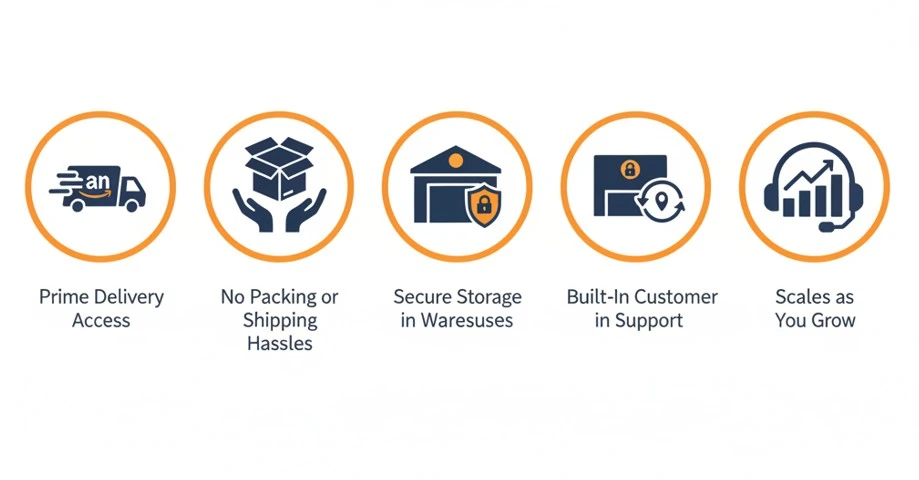
Some benefits of using Amazon FBA is given below:
- Prime Delivery Access: Your products become eligible for fast Prime shipping, which builds trust and boosts sales quickly.
- No Packing or Shipping Hassles: Amazon handles every order, including boxing, labeling, and delivery straight to the buyer’s door.
- Secure Storage in Warehouses: Your inventory stays safe inside Amazon fulfillment centers with real-time tracking and temperature control.
- Built-In Customer Support: Amazon deals with returns, questions, and complaints, so you don’t need to hire a separate support team.
- Scales as You Grow: You can grow fast without opening your own warehouse or building a large shipping operation.
Understanding FBA Shipping Basics
Now that you know how Amazon FBA works, it’s time to learn the basics of FBA shipping. These are the rules, terms, and requirements every seller must follow before sending products to Amazon’s fulfillment centers. Skipping these details often leads to delays, extra fees, or returned shipments.
Let’s start with key terms. A SKU is your internal product code used to manage listings inside Seller Central. Amazon requires a different label called FNSKU, which must go on every product you ship. This barcode links each unit directly to your seller account.
You may also come across terms like MSKU and UPC. MSKU is your own custom version of SKU, while UPC is the universal product code often used in stores.
Shipping methods and packaging rules also matter. Products must be packed inside cartons, which are individual boxes sent to Amazon. If you’re sending a large number of cartons, they may be stacked on a pallet.
For smaller shipments, sellers usually use standard carriers like UPS or FedEx through Amazon’s partnered program. Larger loads use LTL or FTL freight, based on how much space the inventory needs. Amazon allows LTL for shared truck space but enforces strict pallet requirements.
Each carton must meet specific limits. It cannot weigh over 50 pounds unless the item itself exceeds that weight. Cartons must also stay under 25 inches per side unless approved for oversized inventory. Amazon needs a clear shipping label on each box. If you’re using pallets, labels must appear on all four sides.
Amazon also charges inbound placement fees if your products go to different fulfillment centers instead of one. You can lower these fees by choosing the “inventory placement service” and shipping everything to one location. But shipping costs may increase slightly.
How to Ship to Amazon FBA (Step-by-Step)
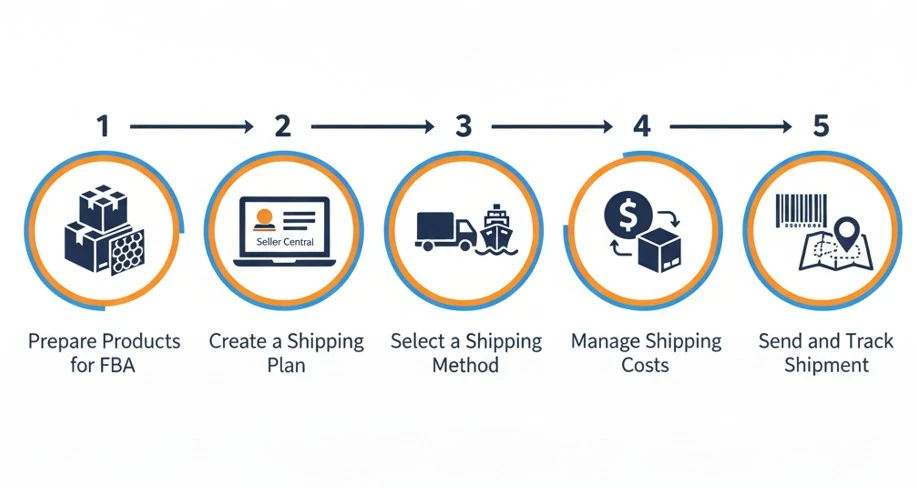
If you’ve made it this far, you’re ready to ship your products to Amazon. But before jumping in, it’s important to understand how each step works. FBA shipping may look simple, but missing small details can cause delays or extra fees. Follow these steps to move forward with clarity and confidence.
Step 1: Prepare Products for FBA
Start by checking if your product is eligible for FBA. Some items fall under restricted categories like batteries, sprays, or supplements. Amazon has a full list of restricted products that you need to review before sending inventory.
Next, choose the right packaging for each item. Fragile products should be packed with bubble wrap or placed inside poly bags. Every item must stay clean, safe, and sealed before reaching Amazon’s warehouse. Amazon has strict packaging rules, so cutting corners is not an option.
Each unit must have a visible FNSKU label, which connects your product to your seller account. You can print and apply these labels yourself or let Amazon label them for a small fee. If items are sold as sets, the label should also say “Sold as set” or “Do not separate.”
Cartons must stay within the weight and size limits. Each box can weigh up to 50 pounds unless the item inside is heavier by nature. Oversized boxes must be approved before shipment, or Amazon may reject the delivery. Avoid mixing different SKUs in one box unless you clearly separate and label them.
Step 2: Create a Shipping Plan in Seller Central
Once your products are ready, log in to Seller Central and create a new shipping plan. Start by selecting the inventory you want to send. Choose the SKUs, confirm quantities, and enter the correct prep details.
Next, provide box information. This includes how many boxes you’ll ship, the weight of each carton, and the dimensions. Make sure your entries match the actual cartons, or Amazon may charge extra or delay the shipment.
After entering carton details, Amazon assigns warehouse destinations. Your inventory may go to one location or be split across multiple fulfillment centers. If you want to avoid splitting shipments, turn on “Inventory Placement Service.” This lets you send everything to one warehouse for a fee.
Before you finish, double-check all entries. Mistakes in weight, dimensions, or SKU labeling often lead to errors during check-in.
Step 3: Select a Shipping Method
Now it’s time to choose your shipping method. For smaller shipments, most sellers use Small Parcel Delivery through Amazon’s partnered carriers like UPS or FedEx. This works well for a few boxes or lower quantities.
If you’re sending a large load, use LTL (Less Than Truckload) or FTL (Full Truckload) options. LTL combines your boxes with shipments from other sellers, which saves money. FTL fills an entire truck with your cartons and works best for large-volume sellers.
Amazon accepts both partnered and non-partnered carriers. Partnered carriers offer better pricing and faster check-in times. If you choose a non-partnered carrier, you’ll need to book delivery appointments and share tracking details manually.
Some international sellers also compare air freight vs ocean freight for cross-border shipments. Air is faster but more expensive. Ocean freight saves money but takes longer to arrive. Choose based on your budget and delivery window.
Step 4: Manage Shipping Costs
Shipping to Amazon always comes with fees. But knowing where your money goes helps avoid surprises. Start with the inbound placement fee, which Amazon charges if your shipment gets divided across multiple warehouses.
Carrier fees also vary by box size, weight, and distance. Amazon’s partnered carrier program usually offers discounted rates compared to outside shipping services. Check the estimated cost in Seller Central before booking your shipment.
If you ship internationally, consider customs, duties, and tariffs. These fees depend on your product type and destination country. Work with a freight forwarder or customs broker if you’re unsure about import rules.
Watch for hidden charges. Amazon may apply penalty fees for missing labels, overweight boxes, or incorrect box counts. Even a small mistake can cost more than expected.
To save money, optimize packaging, avoid oversized cartons, and bundle products when allowed. The more efficient your process, the more profits you keep.
Step 5: Send and Track Shipment
Once your plan is approved, it’s time to send your shipment. Book your carrier pickup or drop off the cartons at your selected location. If you’re using LTL or FTL freight, schedule a delivery appointment through Amazon’s Carrier Central.
Print your carton labels directly from Seller Central and apply them to each box. Labels must be flat, easy to scan, and placed on a smooth surface. Do not place labels over box seams or edges.
After shipping, enter tracking numbers into Seller Central. This allows Amazon to follow your shipment through every stage of delivery. You’ll also see when your boxes arrive and when Amazon starts scanning them into inventory.
Sometimes, delays happen. If your shipment gets held up, check for errors in labeling, weight, or appointment times. Use the shipping queue to monitor progress and stay ahead of any issues.
Amazon receives your inventory and checks in every box at the assigned fulfillment center. After that, your products become available for sale and show as active listings on your Amazon storefront. This final step completes the FBA shipping process and prepares your store for customer orders.
International Shipping to Amazon FBA
Sourcing products from overseas can unlock better prices and bigger profit margins. Many Amazon sellers order directly from China, Vietnam, or India. But international shipping to Amazon FBA comes with rules that feel confusing at first.
If the paperwork isn’t complete, customs might delay your shipment or charge surprise duties. Choosing the wrong freight method can also leave you with extra fees or rejected deliveries at Amazon’s warehouse. That’s why every international seller must learn how global shipping works before placing orders.
This step-by-step guide helps you avoid problems and ship products from overseas to Amazon FBA with confidence.
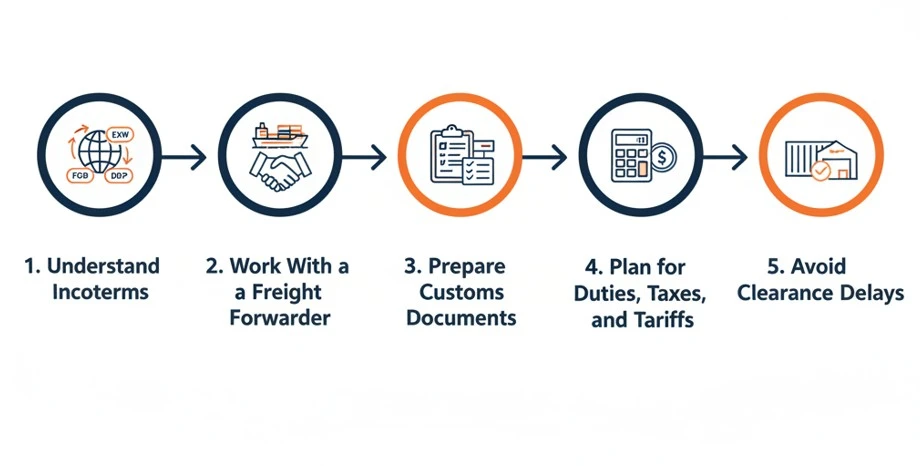
Step 1: Understand the Role of Incoterms
Incoterms are international trade rules that define who handles shipping, customs, and delivery fees. The three most common options are EXW, FOB, and DDP. Each one affects your control and costs.
- EXW (Ex Works) means the supplier handles nothing after pickup. You must manage all shipping and customs.
- FOB (Free on Board) means the supplier delivers goods to a local port. You handle everything from that point forward.
- DDP (Delivered Duty Paid) is the easiest for beginners. The supplier or freight forwarder manages everything, including customs and duties.
For first-time sellers, DDP is usually the safest option. It keeps things simple and avoids clearance problems.
Step 2: Work With a Reliable Freight Forwarder
A freight forwarder is your partner for moving goods across borders. They manage shipping, customs paperwork, and delivery timing.
Choose a forwarder with proven experience handling Amazon FBA shipments. Ask if they offer DDP service and can deliver directly to Amazon warehouses.
Make sure the forwarder understands Amazon’s rules about delivery appointments, labeling, and shipment types. A forwarder who’s unfamiliar with FBA can cause serious delays or returns.
If you’re not sure where to start, ask your supplier for recommendations. Many manufacturers in China already work with trusted forwarders.
Step 3: Prepare the Required Customs Documents
Customs officers inspect all international shipments. They want to know what you’re sending, how much it’s worth, and who it’s for. Always include the right documents:
- Commercial Invoice with product details and value
- Packing List with box dimensions and counts
- Bill of Lading or Airway Bill for carrier info
- Importer of Record details, if using DDP
If the paperwork is incomplete or the values look suspicious, customs may hold your shipment or charge extra taxes. Accurate documents protect your business and avoid long delays at the border.
Step 4: Plan for Duties, Taxes, and Tariffs
Importing goods into the U.S. or other countries involves duties, taxes, and tariffs. These are based on the item’s HS code and declared value.
DDP usually includes all these costs in the shipping quote. But FOB and EXW do not, so you must budget for them separately.
Use tools like SimplyDuty or contact a customs broker to estimate how much you’ll pay. Customs brokers help calculate your costs and ensure smooth clearance.
Never let your supplier guess the HS code or invoice value. That mistake often triggers audits or overcharges. Stay in control of your customs strategy.
Step 5: Avoid Clearance Delays at the Port
Clearance delays cost time and money. To avoid issues, double-check your paperwork, labels, and shipment details before anything ships.
If you’re using FTL or LTL freight, your forwarder must book a delivery appointment with Amazon’s Carrier Central system.
Make sure your cartons follow all Amazon prep and labeling rules. Include FNSKU labels and shipping box labels on every carton.
Your shipment should arrive with all customs cleared, taxes paid, and no surprises at the warehouse.
Common Mistakes to Avoid
Even after clearing customs and reaching Amazon’s warehouse, things can still go wrong if basic steps are skipped. Many sellers face delays or fees just because of small mistakes that could have been avoided.
Here are the most common issues and how to fix them before they cost you time or money.
Mistake 1: Mislabeling FNSKU Barcodes
Problem: Amazon cannot scan unclear or misplaced labels, leading to shipment rejection or rework fees.
Fix: Print FNSKU labels clearly. Place them flat on each product, away from seams or corners.
Mistake 2: Using the Wrong Box Size
Problem: Oversized or overweight cartons break Amazon’s rules and may be refused at the dock.
Fix: Keep each box under 50 pounds unless the item itself weighs more. Measure before confirming shipment.
Mistake 3: Mixing SKUs Without Separation
Problem: Combining different SKUs in one box without clear labels confuses Amazon’s check-in process.
Fix: Use dividers or poly bags to separate SKUs. Label every group with SKU name and quantity.
Mistake 4: Incomplete Shipping Documents
Problem: Missing invoices or incorrect values cause customs delays, fines, or shipment holds.
Fix: Double-check your commercial invoice, packing list, and shipment value before the goods leave port.
Mistake 5: Underestimating Total Shipping Costs
Problem: Many sellers ignore hidden costs like placement fees, taxes, or non-partnered carrier charges.
Fix: Use Amazon’s shipping calculator and get quotes from freight forwarders to avoid surprises later.
Frequently Asked Questions(FAQs)
Even if you follow every step carefully, questions still come up when it’s time to ship your products. These answers cover common situations sellers face after they prepare, pack, and send inventory to Amazon FBA.
Yes, you can. Just make sure your supplier follows Amazon’s prep and label rules exactly. Always confirm labeling, packaging, and delivery appointments with your freight forwarder before shipment begins.
You can file a claim through Seller Central’s “Missing Inventory Reconciliation” tool. Amazon may reimburse you based on your product’s average selling price if it confirms the inventory was lost internally.
Yes, if you’re using EXW or FOB shipping terms. A customs broker handles clearance, duties, and avoids border delays. DDP shipments often include this service, so no extra action is needed on your side.
Ship early and use Amazon-partnered carriers. Always double-check box labels, warehouse assignments, and inventory limits during Q4 and Prime Day. Even one mistake can hold up your shipment during busy seasons.
You can, but only if the box is strong, undamaged, and meets Amazon’s carton size and labeling guidelines. Remove all old barcodes or shipping labels to avoid confusion at the fulfillment center.
Amazon FBA Delays? Brand’s Bro Fixes That Fast
Most FBA sellers focus on products, but forget that the shipping process can ruin everything before it even begins. One wrong label, one rejected pallet, or one missed fee can stop your inventory from reaching Amazon or customers.
Brand’s Bro helps sellers master the full Amazon FBA pipeline. From shipment planning and warehouse prep to global freight and customs compliance, we make sure your products move fast and land right. We also support your listings with Amazon SEO, PPC, and storefront optimization.
We’ve helped brands avoid costly mistakes, fix broken logistics, and scale faster with clear plans, accurate prep, and smart tracking.