

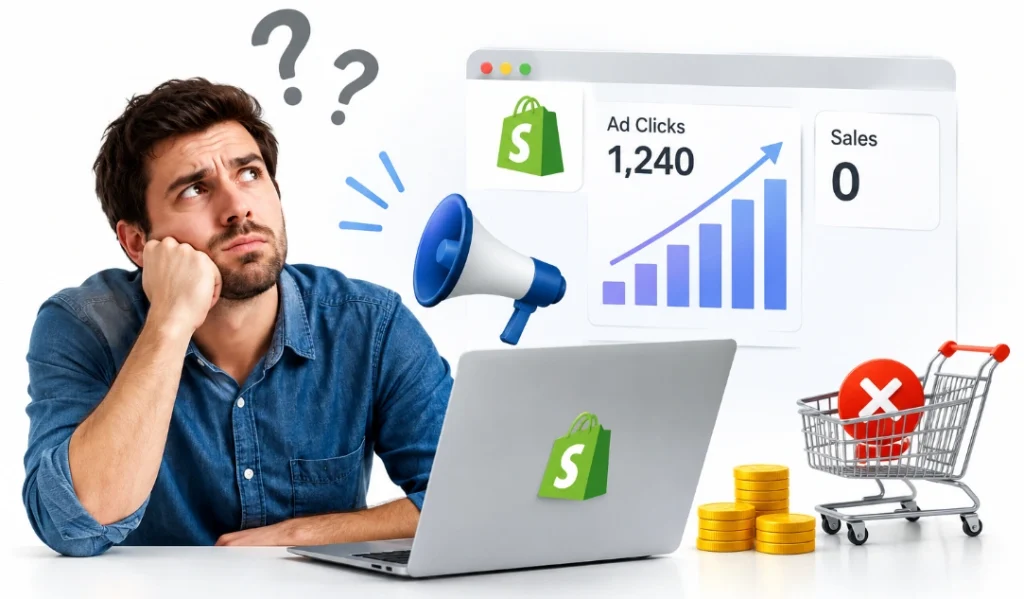
Your ads are working. People click every day. Your sales page stays quiet though, and the money never lands.
The click and the sale are two different jobs. Your ad wins the click. Your store wins the sale. So clicks with no conversions almost always means the problem sits after the click, not in the ad itself.
Why your Shopify ads get clicks but no conversions comes down to eight things. The usual suspects are broken tracking, the wrong audience, an ad that does not match the page, a slow page, a weak product page, thin trust, a leaky checkout, or a poor offer. You find yours by reading where the funnel drops.
Here is the 2026 twist that fools people. Some of those missing sales are not missing at all. Your tracking just cannot see them, so you check that first.
First, Check If the Conversions Are Really Missing
A lot of “no conversions” cases in 2026 are tracking gaps, not real ones. So you rule that out before you spend a dollar fixing anything. Otherwise you fix a problem that was never there. This check takes ten minutes. It saves you weeks of chasing ghosts.
The sales you cannot see
Meta’s pixel alone misses a big share of iOS conversions. Some setups lose 30 to 60 percent of them. So your dashboard and your real sales can tell very different stories.
You fix this by lining up three numbers. Your ad platform count, your Shopify order count, and your actual bank deposits. A good rule is to treat Shopify as your ground truth and expect Meta to report 20 to 50 percent higher than your real orders.
Meta changed the count in 2026
Meta narrowed its click attribution to real link clicks on March 3, 2026. Reported conversions can dip after that with no change to your spend. A store owner who panicked in spring may have chased a drop that was only a counting change.
Clicks that never became visits
Here is a classic from the Shopify forums. One store saw 123 ad clicks turn into just 5 website visits. The causes are simple once you know them. A slow page loses the click before it loads, a redirect strips the tracking tag, or a thumb taps the ad by accident on Reels.
A shopify conversion tracking problem hides real buyers, so you clear it before you judge anything else. Once you trust your numbers, you find out which one is the real problem.
Know Your Benchmarks Before You Judge Anything
You cannot call a number bad without knowing what normal looks like. So here are the 2026 ranges to measure against.
Metric | 2026 normal range | What it tells you |
CTR | 1.4% to 2.2%, strong above 1.5% | ad and targeting fit |
CTR under 0.5% | weak | poor targeting or creative |
CPC | around $0.70 for traffic | cost efficiency |
CPM | around $13.48 median | auction competition |
ROAS | around 1.93x median | overall profit |
Treat these as guardrails, not grades. Your price, your industry, and your offer all move them. A shopify roas low reading on a high-ticket item can still turn a profit, since one sale covers many clicks. Benchmarks tell you if a stage looks weak. The funnel tells you which stage.
One number sits under all the others. Your average order value decides whether any of this can work. A low price with a high cost per click loses money however clean your funnel is, so you check the maths before you blame the campaign.
Read the Funnel to Find the Drop-Off

You open two screens side by side. Your ad dashboard on one, your Shopify analytics on the other. Then you look for the one spot where the numbers fall off a cliff. An ad funnel has four stages. There is the impression, the click, the landing-page visit, and the purchase. A break at each stage has its own cause and its own fix.
This is why guessing wastes money. A checkout fix does nothing when shopify paid traffic not converting is really a product-page problem. So you find the leak first, then you act. The stage that leaks points straight at its cause. Here is the map.
The Stage That Leaks Points to the Cause
You match your drop-off stage to the row below. Each one names the likely reason.
Where people drop | Likely cause |
Clicks, but few reach the site | Tracking gap, slow load, stripped tags |
On the page, but leave fast | Ad-to-page mismatch, slow speed, weak trust |
Browse, but no add-to-cart | Price, product page, thin value |
Add-to-cart, but no purchase | Checkout friction, shipping shock |
Buys, but ROAS stays poor | Wrong audience, low order value, high CPC |
Your leak is rarely all five at once. So you find the row that bleeds the most and start there. The first row fools people most, and you already handled it up top.
Start With an Honest Look at the Offer
Before you blame the funnel, you check the thing itself. No ad and no page can sell a product people do not want. So this is the first hard question, and it stings a little.
Does anyone actually want it?
Search the product name and see the demand. Check Google Trends for the last twelve months. A flat or falling line means the market is thin, not that your ad failed.
Look at your rivals too. If three stores sell the same item cheaper and faster, your ad brings people who then find a better deal elsewhere. So you need a clear reason to buy from you, not just from anyone.
Do the numbers even work?
Some campaigns lose money even when everything works. A $25 product with a $15 cost per sale leaves almost nothing, and one return wipes out the profit. So you do the maths before you scale.
You add up your product cost, your shipping, and your average cost per sale. If the total sits close to your price, the ad is not the problem. The margin is, and a bigger budget only loses money faster.
Sometimes the Ad Itself Is the Problem
Most of your fixes live after the click. A few live before it though, and two of them are common enough to check early. Both starve your campaign of the sales it could get.
Your budget is too low to learn
Facebook needs data to find your buyers. Each ad set needs about 50 conversions a week to leave what Meta calls the learning phase. Until it does, delivery stays rough and expensive.
Here is the maths that catches small stores. A $50 product at a 2% conversion rate needs roughly $2,500 a week per ad set to hit that target. So a $10-a-day campaign rarely works, since the algorithm never gets enough signal to optimise.
You told it to find clicks, not buyers
Your bidding choice decides who sees the ad. Pick “maximize clicks” or “lowest cost” and the platform finds the cheapest clicks it can. Those are rarely the people who buy.
You switch the campaign to optimise for purchases instead. Then Meta chases buyers, not browsers, and your paid traffic starts to match your spend.
Your ad went stale
An ad that worked can wear out. Frequency above 3 means most of your audience has seen it three or more times, so clicks fall, costs rise, and sales dry up. You rotate fresh creative every two to three weeks.
One trap to avoid here. If the real problem is audience saturation, a new image fatigues just as fast, so you also exclude people who clicked in the last 30 days. These ad-side fixes only help when the right people see the ad, so targeting comes next.
Cause 1: The Wrong People Are Clicking
A click is not the same as intent. Broad targeting finds cheap clicks from people who never meant to buy. So a full campaign can look busy and still sell nothing.
Several things pull in the wrong crowd. Broad Advantage+ delivery chases cheap placements. Swipe-heavy Reels and Stories collect accidental taps. Cold traffic gets treated like it already knows your brand.
Geo mismatch is a quiet one too. Your ad reaches someone you cannot even ship to, so the click can never become a sale. Good ecommerce PPC management starts by tightening who sees the ad in the first place.
You fix this from the audience up. Split cold traffic from warm, exclude past buyers when it helps, and set your campaign to optimise for a purchase rather than a click. A shopify ad targeting problem clears fast once the goal is a sale.
Cold traffic is only half the job too. Only 2 to 3 percent of first-time visitors buy, and the rest often need five to seven touches first. So a campaign with no retargeting leaves easy sales on the table, and you set up ads for people who viewed a product or started checkout.
Even the right person leaves fast when the page breaks the promise that earned the click.
Cause 2: The Ad and the Page Do Not Match
Message match is simple. The ad makes a promise, and the page has to keep it. When the two drift apart, the visitor feels tricked and leaves.
The mismatches are easy to spot once you look. A price or discount in the ad that the page does not show. A product from the video buried on a busy homepage. A claim the page never backs up.
So you fix the path, not just the ad. Send the click to the exact product page it advertised, and make the first screen repeat the ad’s promise in plain words. That single change fixes many a shopify landing page issue on its own.
A matched page still loses the sale when it takes too long to load.
Cause 3: The Page Is Too Slow
Speed is not a small thing. Every extra second of load time costs you 7 to 12 percent of your conversions. Ad traffic also lands on mobile first, where slow pages hurt most.
Three numbers measure this. Largest Contentful Paint tracks how fast your main image shows. Interaction to Next Paint tracks how fast a tap gets an answer, and Cumulative Layout Shift tracks how much the page jumps while it loads.
On Shopify the usual causes repeat. Uncompressed images sit at the top, then app bloat, then a heavy theme. A Shopify development team can trim all three faster than trial and error, since the fixes live in the code. A fast page that fails to convince is the next place your sale slips away.
Cause 4: The Mobile Experience Is Broken
Most of your ad traffic is on a phone. Over 70 percent of ecommerce visits now come from mobile, and ads push that share even higher. So a store that only looks good on a laptop loses most of its buyers.
What breaks on a small screen
Buttons sit too close and get mis-tapped. The add-to-cart button drops below the fold, or a sticky bar hides it. Text shrinks too small to read without a pinch.
Your theme editor previews on desktop by default, which is why owners miss all of this. So you open your own store on a real phone and try to buy something.
Popups and covers
Popups do the most damage on mobile. A discount box on entry covers the whole screen, and the close button is often too small to hit.
Chat widgets and cookie banners pile on top of that. Each one sits between the shopper and the buy button, so you turn off anything that blocks the first screen on a phone.
Cause 5: The Product Page Does Not Convince
Sometimes people reach the page and still say no. That is not a speed problem. Why your Shopify ads get clicks but no conversions can come down to a page that fails to sell the product.
The offer
Price gets weighed against value, not against your cost. Shoppers compare you with what they already know. Bundles, guarantees, and a clear shipping promise all shift that maths. You show them early, not at the last step.
The page itself
Images should show scale and real use, not just the product on white. Benefits beat a list of specs every time. Variant choices need to be obvious. Stock status should be visible, and one call to action should stand out above the rest.
The trust gap
Reviews do more than any badge. Policy pages, contact details, and real photos all add up. Ad traffic runs colder than search traffic, so it needs more proof, not less. A facebook ads clicks no sales shopify pattern often traces straight back to a page with no social proof on it. A convinced shopper still walks when the checkout puts up a wall.
See it with your own eyes
Guessing wastes time when you can just watch. Session recordings play back real visits, so you see where people stall, scroll, and quit. Heatmaps show where attention lands and where it never reaches.
Free tools like Microsoft Clarity do both at no cost. Ten recordings of ad visitors teach you more than a week of theories. You watch for the rage clicks, the dead ends, and the exact spot the ad traffic gives up.
Cause 6: The Checkout Leaks
This is the most expensive leak of all. These shoppers already decided to buy, so losing them here wastes the whole ad spend that brought them in.
The causes are familiar. A surprise shipping cost, a long checkout, too few payment options, or a forced account sign-up. Shopify only shows shipping after an address, so the total can jump at the worst moment.
You close these gaps one by one. Show shipping early, turn on express wallets like Shop Pay, and allow guest checkout. A Shopify CRO review finds the exact step where your buyers quit and fixes the shopify ppc problem hiding at the finish line.
Google ads leak in the same spots, with one wrinkle worth a look.
If You Run Google Ads, Not Just Meta
Search and shopping traffic behaves a little differently. People on Google are often further along, since they typed the need themselves. So the checks shift slightly. Your keyword has to match the page it lands on, and your Shopping feed has to show the right price and title.
Branded searches convert far better than broad ones, and a low quality score quietly raises your cost per click. A google ads clicks no sales shopify problem often starts with a keyword aimed at browsers, not buyers. Whichever platform you run, none of the fixes count until you can measure them.
Set Up Tracking You Can Actually Trust
Bad data turns every fix into a guess. So you build tracking you can rely on before you judge a single change. This is the foundation the whole diagnosis sits on.
A few steps get you most of the way:
- Run the Conversions API next to the pixel, with a shared event_id so sales are not counted twice
- Aim for an Event Match Quality score of 7 or higher
- Match your attribution window to how long your buyers really take
- Put UTM tags on every ad so GA4 can check the platform’s numbers
- Compare your ad platform against your Shopify orders every week
A proper shopify campaign audit checks all of this first. With clean data in place, one honest test tells you if the ad itself even works.
The One Test That Ends the Argument
Platforms grade their own homework. So you need a test that sits outside them, and the geo holdout is it. You pick two similar regions. You run ads in one and leave the other dark, then you compare total sales between them.
The difference is the real lift your ads created, past all the tracking noise. Once you know what works, you fix in the order that brings money back fastest.
Fix It in the Right Order
Not every fix pays the same, so you rank them. You start with the leak that costs the most and hides the best.
Tracking comes first, since bad data poisons every decision after it. Then checkout, because those buyers already chose you. Then the product page, then message match, then targeting. Speed sits under all of them, since it helps every stage at once.
One rule holds the whole plan together. You change one thing at a time, since moving your audience, creative, page, and budget at once hides what actually worked. You tie each fix to the one number it should move, then you watch that number. A few questions come up in almost every campaign audit we run.
One more rule keeps you sane. You give each change two to three weeks before you judge it, since a day or two of data tells you nothing. New store owners kill good campaigns too early, and the learning phase needs that time to settle.
Frequently Asked Questions (FAQs)
These come straight from Shopify sellers running ads with no sales to show for it. Six quick answers below.
How much should I spend before I decide the ads failed?
Give each test two to three weeks and enough budget to reach about 50 purchases a week. Spending $10 a day and quitting in three days tells you almost nothing.
Could my product itself be the problem, not the ads?
Yes, and it is worth checking early. Search demand, a clear edge over cheaper rivals, and honest reviews all matter. A product nobody wants will not sell however good the ad is.
Is broad or narrow targeting better for a new store?
Broad works well in 2026, since Meta's system finds buyers on its own. Narrow targeting can starve the algorithm of data, so start broad and let purchase results guide it.
My ads sold for three days then died. Why?
Early sales often come from cheap first impressions, then frequency climbs and the same people stop clicking. Refresh your creative and exclude recent clickers to pull the frequency back down.
Should I run ads at all on a brand-new store with no reviews?
Add a few reviews and trust signals first. Ad traffic is cold and skeptical, so a store with zero proof burns ad money that warmer traffic would have converted.
How much of my budget should go to retargeting?
Many stores put around a quarter to a third toward retargeting. Those visitors already know you, so they convert cheaper than cold traffic and rescue sales you already paid to reach.
Get a PPC and Landing Page Audit Before Your Next Dollar
You now know the eight places a sale can leak. Finding yours takes fresh eyes and the right data. Most stores burn weeks changing ads when the real leak sits in the checkout or the tracking. That guesswork is expensive, since every test day spends real money on clicks.
A proper audit ends the guessing in about a week. We check your funnel from the ad click to the thank-you page. You get the one stage that leaks most, the fix that moves it, and the number to watch after.
Why your Shopify ads get clicks but no conversions is a question we answer with data, not hunches. Book a PPC and landing page audit before your next campaign goes live.
