

Have you ever tried to set up a post-purchase upsell on your Shopify store? You see other stores doing it. They seem to make extra money with every single sale. So you try it, but nothing happens. It can be really frustrating.
The problem is often not the idea itself. The issue usually comes from a few common Shopify post-purchase upsell mistakes. The good news is that these mistakes are easy to fix.
By learning what these errors are, you can avoid them. You can start to increase your average order value (AOV). You can also make your customers happier. This guide will show you the biggest mistakes and give you simple, actionable solutions to fix them.
What Are Post-Purchase Upsells and Why Are They Crucial for Shopify Stores?
Let’s start with the basics. A post-purchase upsell is a special offer you show to your customer. You show it right after they buy something, but before they leave your store. It happens on the thank you page.
This is the perfect, zero-risk time to make another offer. The original sale is already complete and the money is in your account. Your customer already trusts you. They just gave you their payment details. They are in a buying mood. An upsell at this stage can only add revenue; it can’t jeopardize the original purchase.
This is why post-purchase upsells are so powerful. They help you increase your average order value. This means each customer spends more money on average. Over time, this can make a huge difference to your store’s profit. They also improve the customer journey when done right.
Now that we know what they are and why they matter, let’s look at the mistakes. Understanding these errors is the first step to creating a successful upsell strategy.
The Top 10 Common Shopify Post-Purchase Upsell Mistakes (and Their Solutions)
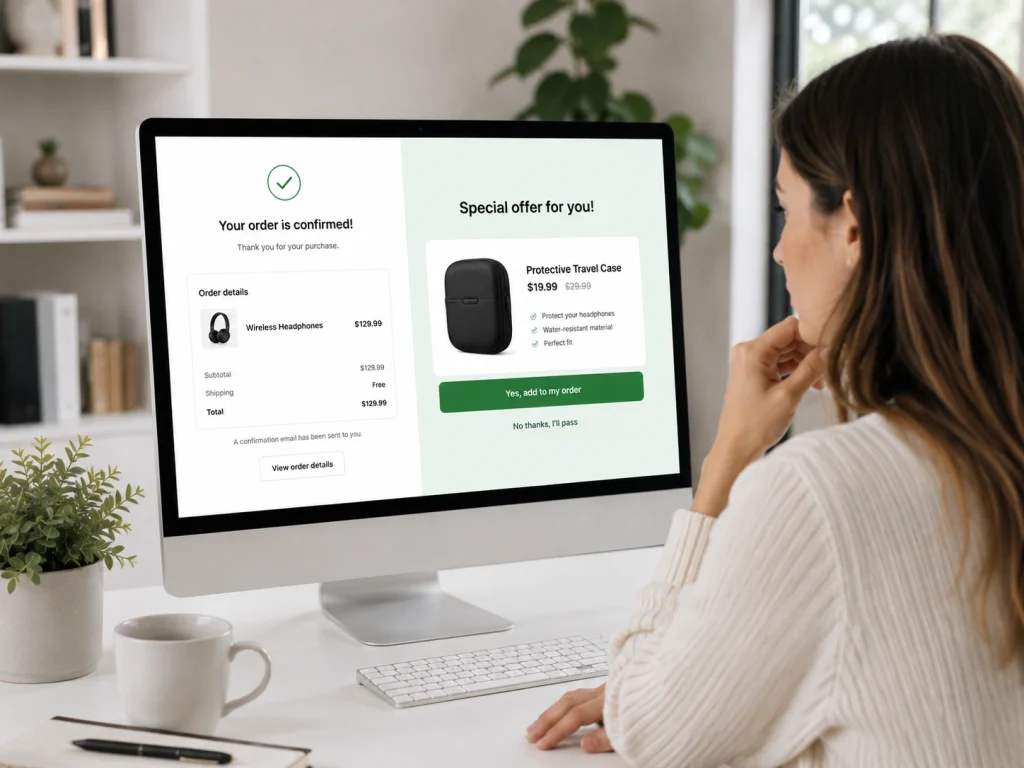
Getting upsells right is like following a recipe. If you miss a step or use the wrong ingredient, it won’t work. Here are the ten most common mistakes people make.
1. The Irrelevant Offer: A Mismatch with the Original Purchase
This is the biggest mistake of all. You offer a product that has nothing to do with what the customer just bought. It feels random and confusing.
Imagine someone buys a new pair of running shoes. Then, you offer them a kitchen blender. It makes no sense. The customer will likely ignore the offer and feel like you don’t understand them.
The Solution: Make your offer a perfect match. If they bought running shoes, offer them high-performance running socks. If they bought a coffee maker, offer a bag of your most popular coffee beans. This is a one-click upsell that feels helpful, not pushy.
2. The High-Priced Hurdle: Making the Upsell a Major Purchase
An upsell should be an easy “yes.” It’s an impulse buy. If your upsell offer is too expensive, the customer has to stop and think hard about it. This hesitation is a conversion killer.
For example, a customer just spent $50 on a new t-shirt. If you offer them a $100 jacket as an upsell, it feels like a whole new purchase. Most people will say no because it’s too big of a leap.
The Solution: Follow the 25% rule. Try to keep your upsell price at 25% or less of the original order value. So, for a $50 order, your upsell should be around $12.50 or less. This keeps it in that “why not?” impulse-buy range.
3. The Overwhelming Onslaught: Too Many Choices, Too Much Confusion
When we have too many options, we often choose none at all. This is called choice overload. Showing a customer a dozen different products after they just made a decision is overwhelming.
Think about it. They just went through the process of choosing an item and completing the checkout process. Forcing them to make another complex decision right away is exhausting.
The Solution: Keep it simple. Offer just one, highly relevant product. This makes the decision incredibly easy. If you want to offer more, consider a sequence. If they say no to the first upsell, you can then offer a less expensive item, known as a downsell.
4. Showing Out-of-Stock Products in Your Offers
This mistake seems obvious, but it happens all the time. You create an upsell offer with a great product, but then that product goes out of stock. If you forget to remove the offer, you create a frustrating experience.
A customer gets excited about the deal, clicks “accept,” and then gets an error message. It makes your store look unprofessional and poorly managed. It’s a guaranteed way to lose the upsell and damage customer trust.
The Solution: Regularly check your upsell offers. Use an inventory management system or an upsell app that automatically hides offers for out-of-stock products. Make this check part of your weekly routine.
5. The One-Size-Fits-All Approach: Ignoring Personalization
Every customer is different. They have different tastes, needs, and buying histories. Showing the same upsell offer to every single person is a wasted opportunity. It’s one of the most common Shopify post-purchase upsell mistakes.
A customer who only buys cat toys is not interested in an offer for dog food. This kind of impersonal offer shows you are not paying attention to their needs.
The Solution: Use customer data to personalize your offers. Look at what they’ve bought before. Create rules for your upsells. For example, if a customer buys a cat collar, offer them a matching cat tag. This makes the customer feel understood and valued.
6. The Friction-Filled Flow: A Clunky or Broken Checkout Process
A post-purchase upsell should be smooth and seamless. The customer should be able to add it to their order with a single click. There should be no need to enter their payment information again.
However, technical issues are common. An upsell app might slow down your site or conflict with your store’s theme. Worse, it can “hijack” your thank you page. This means your tracking pixels for ads might not fire correctly, messing up your sales data.
The Solution: Choose a high-quality Shopify upsell app. Read reviews and make sure the app is known for being fast and reliable. After installing it, test the entire checkout flow yourself to make sure tracking pixels are working and the experience is smooth.
7. The Payment Predicament: Incompatibility with Modern Payment Methods
More and more customers are using express checkout options like Shop Pay or PayPal. They also use “Buy Now, Pay Later” services. Not all upsell apps work perfectly with these payment methods.
This can lead to a broken experience. The customer might accept the upsell, but the app can’t process it correctly with their payment choice. This is a technical glitch that costs you money.
The Solution: Test everything. Before you launch your upsell, go through the checkout process yourself. Use every payment method you offer. Make sure the upsell works perfectly every single time. This step is crucial for conversion rate optimization.
8. The Poorly Timed Pop-Up: Interrupting the Customer Journey
Timing is everything. If you show your upsell offer too early, like before the payment is confirmed, you can create confusion. The customer might worry that their first order didn’t go through.
If you show it too late, like in an email a day later, the buying excitement is gone. They have moved on. The magic moment is lost.
The Solution: The perfect time is immediately after payment confirmation. The original sale is secure. The customer is still on your site and engaged. This is the sweet spot right before they see the final order summary on the thank you page.
9. Forgetting to A/B Test Your Upsells
Launching an upsell is not a “set it and forget it” task. What you think is a great offer might not connect with your customers. If you never test your offers, you could be leaving a lot of money on the table.
Maybe a different product would convert better. Perhaps a 15% discount would work better than a 10% one. You will never know unless you test.
The Solution: Treat A/B testing as a core part of your strategy. Create two different versions of your upsell offer and show them to different segments of your audience. Let the data tell you what works best. Always be testing to improve your acceptance rate.
10. Offering No Extra Value to the Buyer
An upsell should be a win-win. The store wins by increasing the order value. The customer should win by getting a great deal on a product that genuinely benefits them.
If your upsell feels like a selfish cash grab, customers will see right through it. An offer that doesn’t add value or solve a problem for the customer is just noise.
The Solution: Frame your upsell around customer value. Explain why this product is the perfect companion to their original purchase. Offer it at a small discount to make it feel like an exclusive deal they are getting for being a customer.
Avoiding these mistakes is a huge step. But to truly succeed, you need a plan. Let’s talk about how to build a strategy that works.
BrandsBro helped a Shopify client fix post-purchase upsell mistakes, weak presentation, and low customer engagement through better layout, clearer strategy, and smoother shopping flow.
After the improvements, the storefront looked more trustworthy and performed better. Book a free meeting to discuss your Shopify upsell issues.
Building a Winning Post-Purchase Upsell Strategy
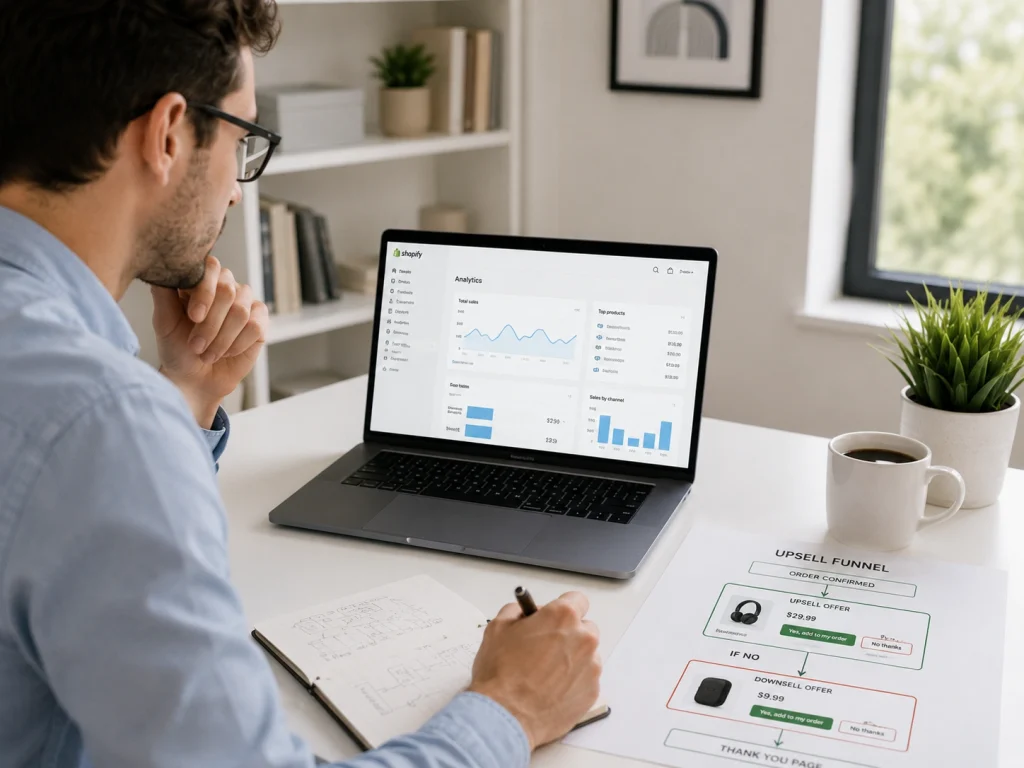
A great post-purchase upsell strategy is not about luck. It’s about being smart and deliberate. It is about understanding your customers and your products.
First, use your data. Look into your Shopify analytics. Find out which products are frequently bought together. These are natural pairs and make for perfect upsell offers. Also, identify your best-selling, low-cost items that could be great impulse buys.
Next, build a funnel with a downsell. If a customer says “no” to your first upsell offer, don’t give up. Have a second, lower-priced offer ready. This is called a downsell. It can capture extra revenue from customers who were interested but not ready for the first offer.
For those looking to take their post-purchase offers to the next level, developing a comprehensive Shopify upsell offer strategy can be a game-changer, ensuring that every offer is optimized for both relevance and profitability.
Turning Mistakes into Momentum
Post-purchase upsells are one of the most effective ways to grow your Shopify store. But they have to be done correctly. As we’ve seen, there are several pitfalls that can stop your success before it starts.
Let’s recap the key things to avoid. Don’t offer irrelevant or out-of-stock products. Don’t price your upsells too high. And don’t overwhelm your customers with too many choices. Make sure your timing is perfect and that the technical experience is smooth.
By steering clear of these common Shopify post-purchase upsell mistakes, you can create a better experience for your customers. You can build more trust and loyalty. And you will see a real, measurable increase in your revenue.
How Shopify Post-Purchase Upsells Work After Checkout
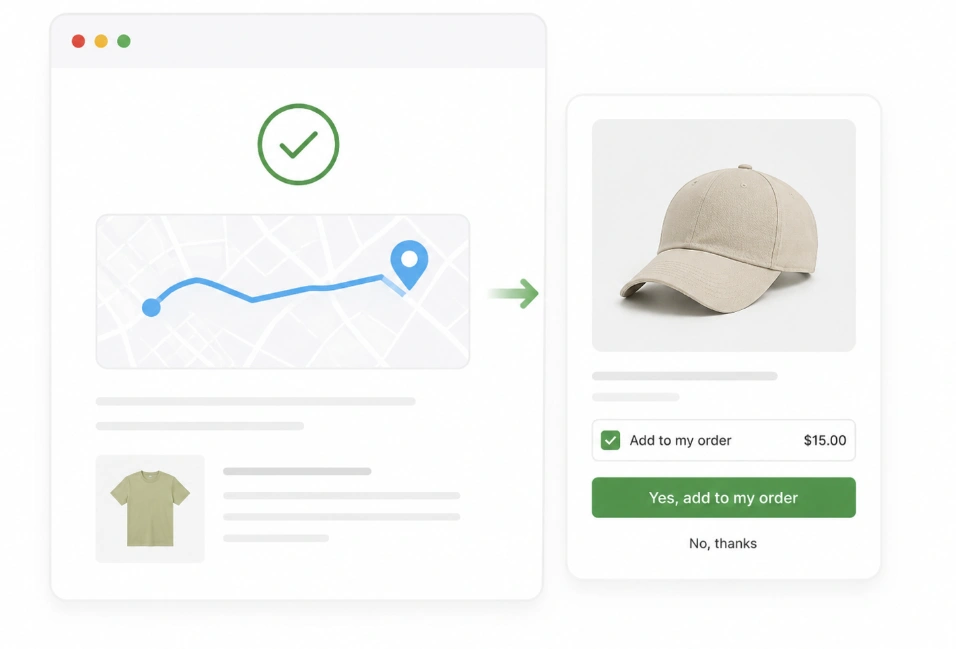
Shopify post-purchase upsells appear after a customer completes checkout but before they reach the final thank-you page. This means the customer has already paid, so the upsell offer does not interrupt the original purchase flow.
The offer usually appears as a one-click add-on. Customers can accept the extra product without re-entering payment details because Shopify uses the same payment authorization from the completed order.
For example, if someone buys a skincare product, the store can show a matching serum, refill, travel-size item, or bundle discount immediately after checkout. This works because the customer is already in a buying mindset.
Post-purchase upsells help increase average order value without forcing customers back into the cart. When the offer is relevant, simple, and time-sensitive, it can generate extra revenue from traffic you already paid to acquire.
Best Types of Products to Use for Shopify Post-Purchase Upsells
The best Shopify post-purchase upsell products are closely related to what the customer just bought. Random offers usually perform badly because they feel disconnected from the original purchase.
Low-cost add-ons work well because customers can say yes quickly. Examples include accessories, refills, replacement parts, travel-size versions, warranties, gift wrapping, or care kits.
Consumable products are also strong choices for post-purchase upsells. If the main product runs out over time, you can offer an extra pack, subscription, refill, or bulk discount right after checkout.
The strongest upsell products solve the customer’s next problem. For example, after buying a coffee machine, filters or cleaning tablets make sense. After buying shoes, socks or protection spray make sense. Relevance matters more than discount size.
Post-Purchase Upsell vs Thank-You Page Upsell: What Is the Difference?
A Shopify post-purchase upsell appears immediately after payment but before the order confirmation page. Customers can accept the offer without re-entering payment details, which reduces friction and can increase average order value.
A thank-you page upsell appears after the order has been fully confirmed. It may promote additional products, subscriptions, discounts, referral programs, or future purchases.
The main difference is timing and purchase convenience. Post-purchase upsells are better for immediate one-click add-ons, while thank-you page upsells are more suitable for continued engagement and repeat-purchase offers.
Why Is My Shopify Post-Purchase Upsell Not Showing?
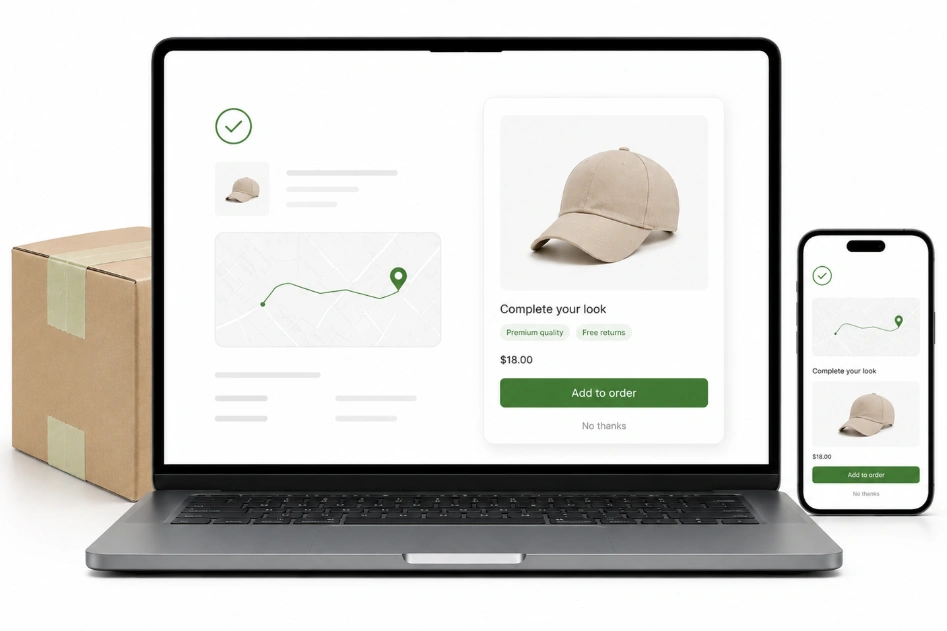
A Shopify post-purchase upsell may not appear because the payment method, checkout type, product conditions, or upsell app settings do not meet the offer requirements.
Some express payment methods, subscription orders, local payment options, or incompatible checkout customizations may prevent the upsell page from loading. The offer may also be hidden if the customer does not match its targeting rules.
Check whether the upsell app is active, the products are available, inventory is sufficient, and the offer conditions are correctly configured. Test the checkout using an eligible payment method and a private browser window.
How to Measure Shopify Post-Purchase Upsell Performance
Measure post-purchase upsell performance using offer views, acceptance rate, additional revenue, average order value, and revenue per customer.
The acceptance rate shows how many customers purchased the upsell after seeing it. Calculate it by dividing accepted offers by total offer views and multiplying the result by 100.
Compare upsell revenue with discounts, product costs, refunds, and app fees. A successful offer should generate profitable incremental revenue without increasing cancellations, customer complaints, or refund rates.
Frequently Asked Questions (FAQs)
Have a few more questions? Here are some quick, straightforward answers to the most common things people ask about Shopify post-purchase upsells.
A healthy and realistic acceptance rate for a well-targeted post-purchase upsell is between 3% and 8%. Even at this rate, you can significantly increase your store’s annual revenue from sales you have already made.
The ideal place is immediately after the customer completes their payment but before they reach the final “Thank You” or order confirmation page. This timing captures their buying momentum without risking the original sale.
No, and that is its biggest advantage. The offer is only shown after the original transaction is complete and paid for. This makes it a zero-risk way to add revenue without any chance of cart abandonment.
A one-click upsell allows a customer to accept an offer and add it to their existing order with a single click. They do not need to re-enter any payment or shipping information, which makes it a frictionless experience.
A good rule of thumb is to keep the upsell price at or below 25% of the customer’s original order value. This keeps the offer in the impulse-buy range and makes it an easy decision for the customer to say “yes.”
A downsell is a second, lower-priced offer that you show to a customer after they have declined your first upsell offer. It’s a great strategy to capture extra revenue from customers who were still interested but not at the first price point.
Ready to Build a High-Converting Upsell Funnel?
You now have the knowledge to avoid the most common Shopify post-purchase upsell mistakes. But turning that knowledge into a powerful, automated strategy is the next step. It can be the difference between a small bump in sales and a significant boost to your average order value.
Don’t let guesswork slow you down. If you want to build a truly optimized upsell system without the headache, our team can help. We specialize in creating the kind of data-driven Shopify upsell offer strategy that converts clicks into cash. Reach out today and let’s turn your thank you page into your store’s most profitable asset.
