

A successful brand on Amazon isn’t just about listing products, it’s about building a connection. To build that connection, it’s important to learn how to create an Amazon Storefront. This gives you a space to showcase your brand’s personality and helps you connect with customers in a competitive market.
To launch your Amazon Storefront, join the Brand Registry. Create a clear brand story that connects with your audience. Select products that meet their needs and keep your messaging simple and focused.
This guide will take you through the process step by step. First, we’ll discuss how to join the Amazon Brand Registry and set up your account. Then, we’ll cover the process of creating your Storefront, adding products, and optimizing your layout for a smooth shopping experience.
What is an Amazon Storefront?
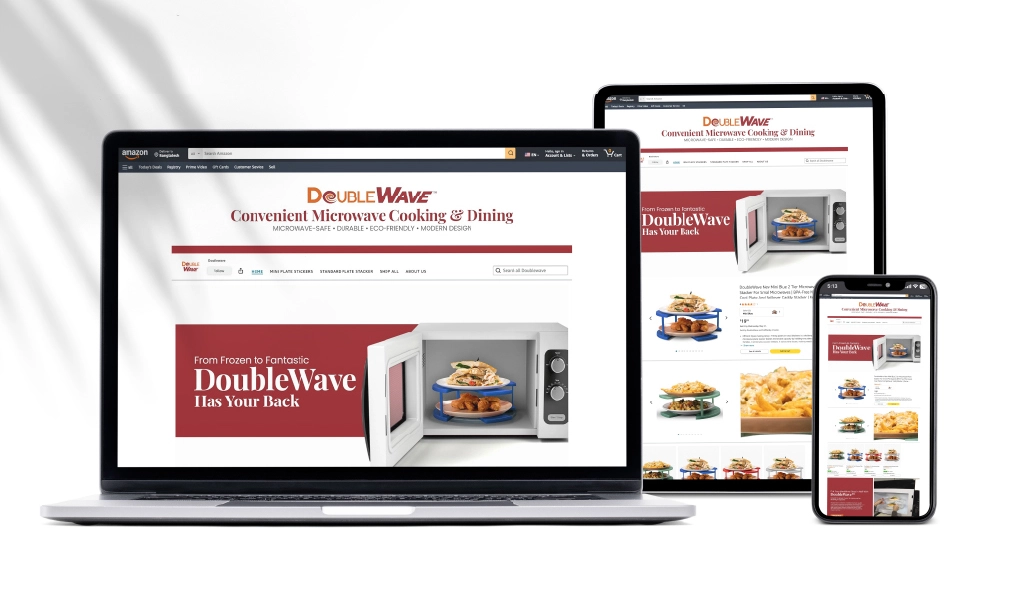
Okay, so you might have heard about Amazon Storefronts, but do you know what an Amazon Storefront is exactly? Well, it is like a private shop inside Amazon that is made just for your brand. Instead of just listing products, you create a full page. You can add your logo, pictures, and brand story.
Customers can view everything in one place and understand your brand more. They can also see all your products together and learn what makes your brand unique.
Now, why would you want one? Well, it makes your brand look much stronger. People see you’ve put effort into your own space, so they trust you more.
Additionally, when your products are displayed well, customers are more inclined to make a purchase. Amazon also gives you tools to see who visits your Storefront and what they look at. This helps you know what’s working and what isn’t.
One important thing to remember is that you need to be part of the Amazon Brand Registry to get a Storefront. This is like a club for brands that want to protect their stuff on Amazon.
So, the question is, can anyone have an Amazon Storefront? Not exactly, you need to be a brand-registered seller. This ensures a level of authenticity and control over your brand’s presence.
Why Should You Open an Amazon Storefront?

When you open a store on Amazon, more people can find your products. With millions of shoppers using Amazon, a well-designed storefront pulls in more attention.
But it’s not just about selling. It’s about creating a space that’s easy to use, looks great, and makes people want to come back.
Still not sure? Let’s check out a few more advantages of opening your Amazon Storefront below:
- Simplified Customer Journey: This approach guides customers seamlessly from product discovery to checkout. It reduces distractions and keeps customers focused on your products, which increases the chance of a purchase.
- Improved SEO Opportunities: Your Amazon Storefront can utilize targeted SEO strategies more effectively. Optimized keywords and content are used to increase visibility on Amazon and bring in more shoppers.
- Greater Control Over Brand Narrative: Your Storefront ensures every detail, including product descriptions and images, matches your brand’s message and style. This alignment presents a unified brand identity to customers.
- Opportunities for Cross-Selling and Upselling: Strategically place related products within your Storefront to encourage additional purchases. This strategy not only increases order value but also improves the shopping experience by suggesting relevant products.
- Detailed Analytics and Insights: Gain access to comprehensive data about how customers interact with your Storefront. These insights allow you to adjust your offerings and marketing strategies based on real user behaviors and preferences.
- Exclusive Promotional Opportunities: Use your Storefront to offer unique promotions, such as exclusive discounts and bundle deals. These offers can attract more customers and encourage quicker decision-making and boosting sales.
- Increased Customer Loyalty: Your Storefront provides a consistently enjoyable and personalized shopping experience, which helps cultivate customer loyalty. Satisfied customers tend to return and buy more often.
- Integration with External Marketing: Easily link your Storefront with external marketing efforts, such as social media or email campaigns. Directing traffic from these sources to your Storefront can lead to higher engagement and sales conversions.
Amazon Storefront Requirements
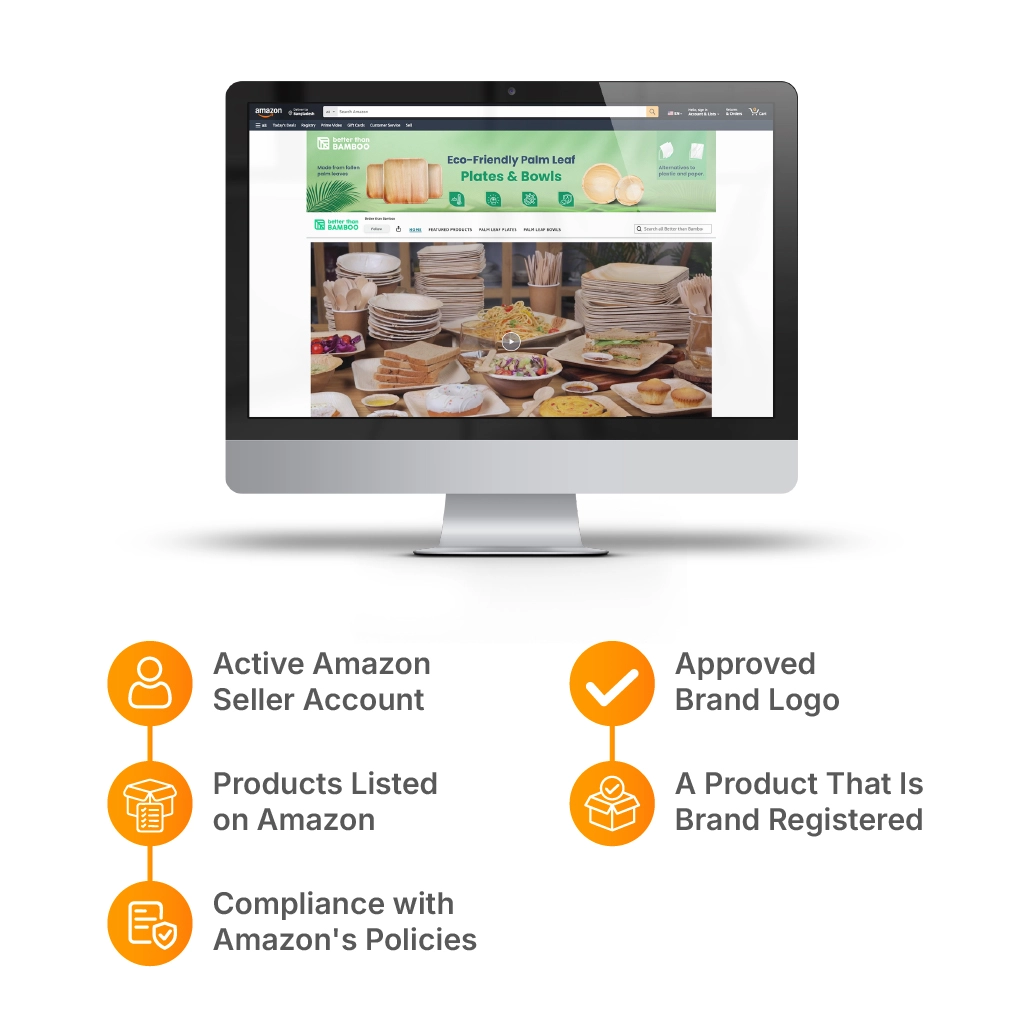
To proceed with an Amazon Storefront, ensure you’re prepared to meet all necessary Requirements. Let’s see what the requirements for Amazon Storefront are:
Active Amazon Seller Account
To proceed with setting up a Storefront, you need an active Amazon Seller account in good standing. This allows you access to Amazon Seller Central, where you can manage your products, inventory, and orders.
Products Listed on Amazon
A Storefront without products is like a shop with empty shelves. You need active product listings before setting up your store.
Make sure your listings have clear images and detailed descriptions. Good and optimized keywords help too. Your Storefront will highlight your best products, new arrivals, and deals. A well-stocked Storefront looks more inviting to customers.
Compliance with Amazon's Policies
Amazon has strict rules to keep shopping safe and fair. Your brand, products, and Storefront must follow these rules.
This rule includes ad guidelines, product safety, and customer service standards. Breaking the rules can lead to account suspension or Storefront removal. So, stay updated with Amazon’s policies to avoid trouble.
Approved Brand Logo
Your logo is a big part of your brand’s identity. Amazon requires a high-quality, professional logo that represents your brand well.
There are specific size and file format requirements. Since your logo will be front and center, make sure it looks sharp and matches your brand’s style.
A Product That Is Brand Registered
Simply registering your brand is not enough. You must enroll at least one product in the Brand Registry. Also, ensure your listing includes A+ content. This demonstrates your active selling and brand-building on Amazon.
We help businesses Create an Amazon Storefront that looks professional, organized, and easy for customers to shop.
From layout design to product presentation, we build storefronts that improve brand trust, customer experience, and sales potential.
How to Create an Amazon Storefront: A Step-by-Step Guide
An Amazon Storefront allows sellers to arrange their products in a store customized to their branding.
We’ll take you through setting up your Storefront to making the process clear for both new and experienced sellers.
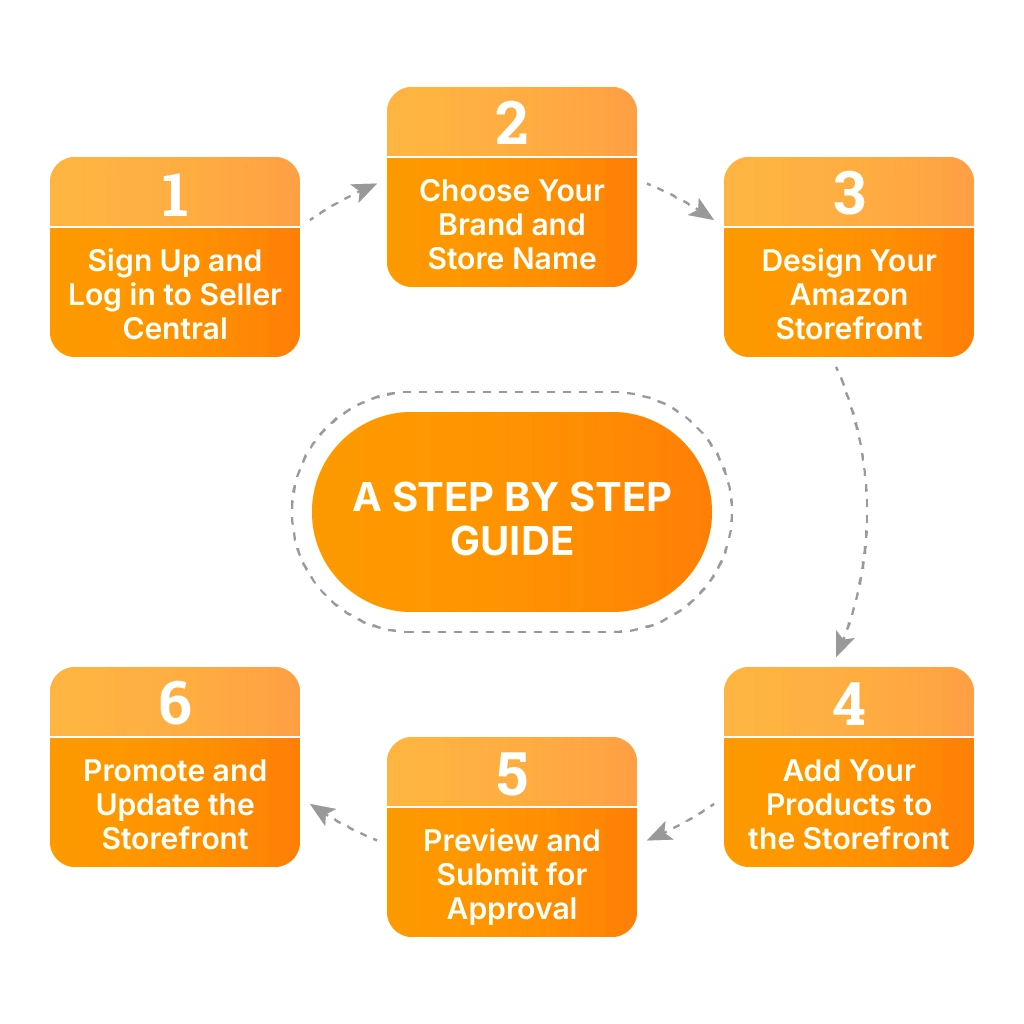
Follow these steps to open an Amazon Storefront and grow your brand.
Step 1: Sign Up and Log in to Seller Central
To set up your Amazon Storefront, the first step is to sign up for a Professional Amazon Seller Account.
Once you’re in Seller Central, you can manage your Storefront, track sales, and update listings.
How to Sign Up for Amazon Seller Central:
- Visit the Amazon Seller Central sign-up page.
- Choose the Professional Selling Plan to create a Storefront.
- Enter your business name, address, and tax information.
- Upload documents to verify your identity, such as a government-issued ID and bank account details.
- Add a valid credit card for billing, as Amazon will charge you the monthly fee for the Professional plan.
Step 2: Choose Your Brand and Store Name
Amazon requires every Storefront to be linked to a brand. If your brand is registered, it will automatically appear in the system. Select it and proceed to choose a store name that represents your business.
Your store name should be simple and recognizable.
Avoid using symbols, random words, or names that don’t match your brand. A strong name makes it easier for customers to find your store in search results.
Once you confirm your brand and store name, Amazon will take you to the store builder, where you can start designing your Storefront.
Step 3: Design Your Amazon Storefront
Amazon provides an easy-to-use store builder that allows you to customize your Storefront. You can add pages, sections, and banners to create a professional look. Your design should be clean and user-friendly so customers can navigate easily.
Start by adding a header image that includes your logo or a high-quality brand image. Then, arrange your homepage with product categories and featured items.
Amazon offers pre-designed templates, but you can also create a custom layout. Make sure your store reflects your brand identity while keeping the design simple and organized.
Step 4: Add Your Products to the Storefront
After designing your Storefront, the next step is adding products. This ensures customers can browse and purchase items directly from your store. Use clear images and detailed descriptions to make your listings more appealing.
Go to the store builder and select the option to add product sections. Amazon allows you to add products in different formats, such as grids or featured categories.
Make sure all listings are correctly linked to avoid broken pages. Organizing products into categories makes shopping easier for customers and helps them quickly find what they need.
Step 5: Preview and Submit for Approval
Before publishing, review your store carefully. Check for errors in text, images, and product links. A mistake-free Storefront creates a better experience for customers and increases your chances of approval.
Amazon requires all stores to meet quality guidelines before they go live. If everything looks good, submit your store for review. The approval process usually takes a few days.
During this time, Amazon checks your store layout, product listings, and branding elements. If changes are needed, they will notify you with specific instructions on what to fix.
Step 6: Promote and Update Your Amazon Storefront
Once your store is approved, it’s time to attract customers. Share your store link through social media, websites, and email campaigns to increase traffic. Additionally, consider running Amazon Ads to reach a broader audience.
Regular updates keep your store fresh and engaging. Add new products, seasonal promotions, and special deals to keep customers interested.
A well-maintained store not only improves sales but also strengthens your brand presence on Amazon. Keeping your Storefront active ensures long-term success.
Amazon Storefront Examples for Inspiration
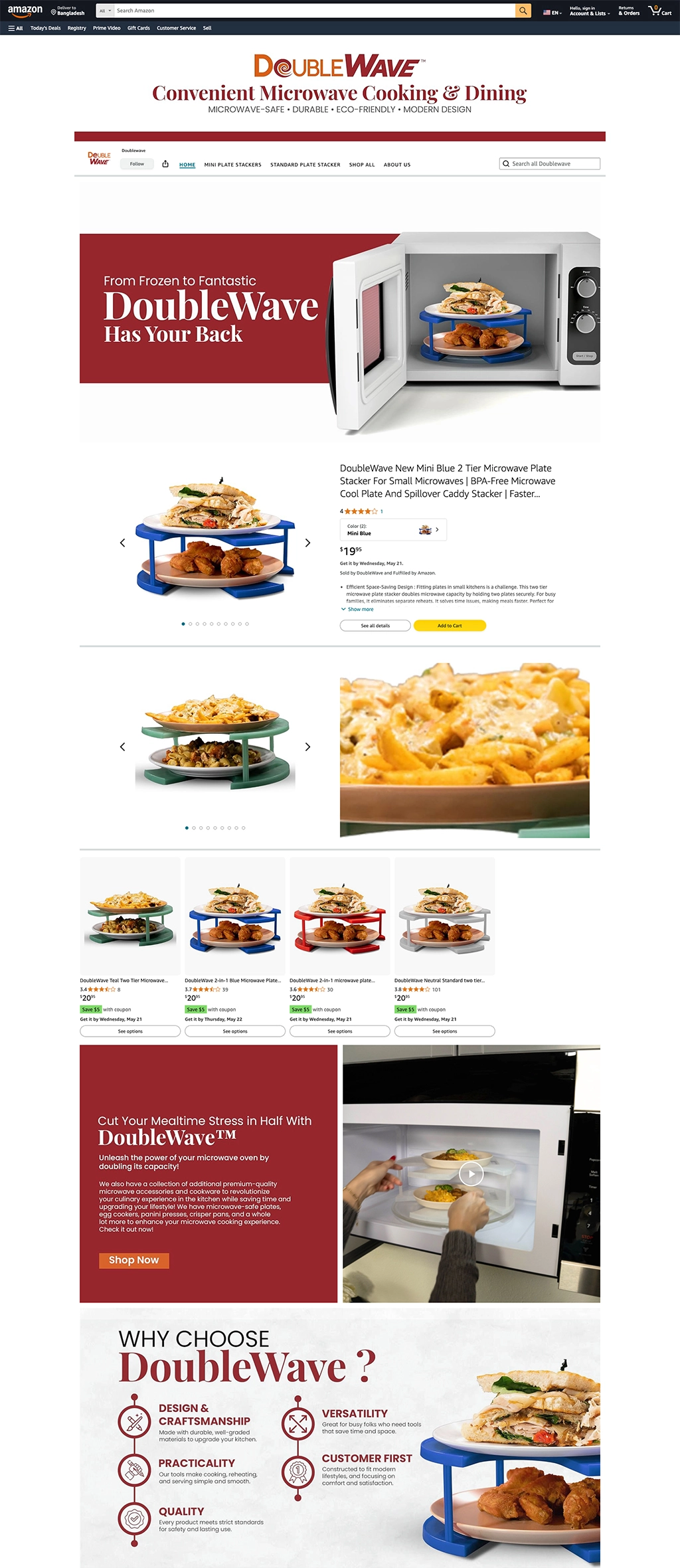
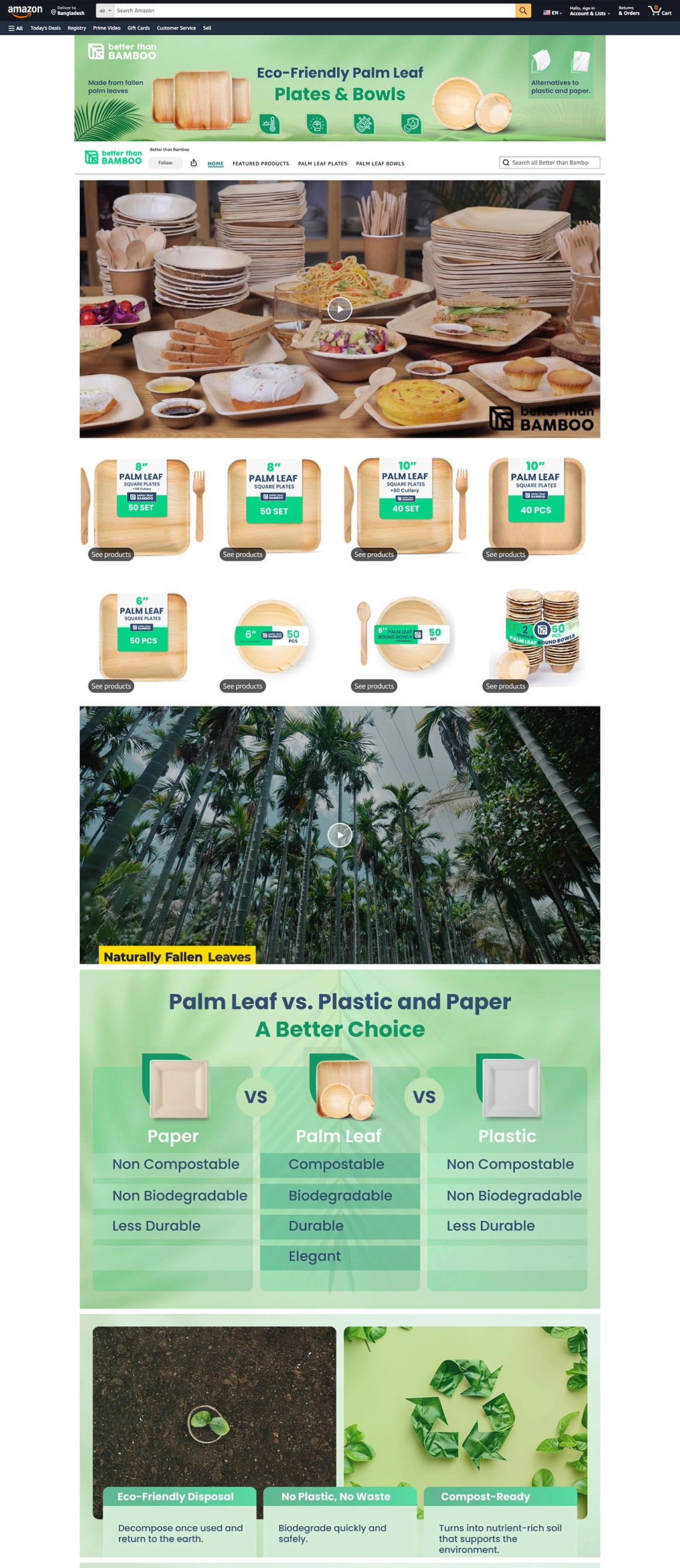
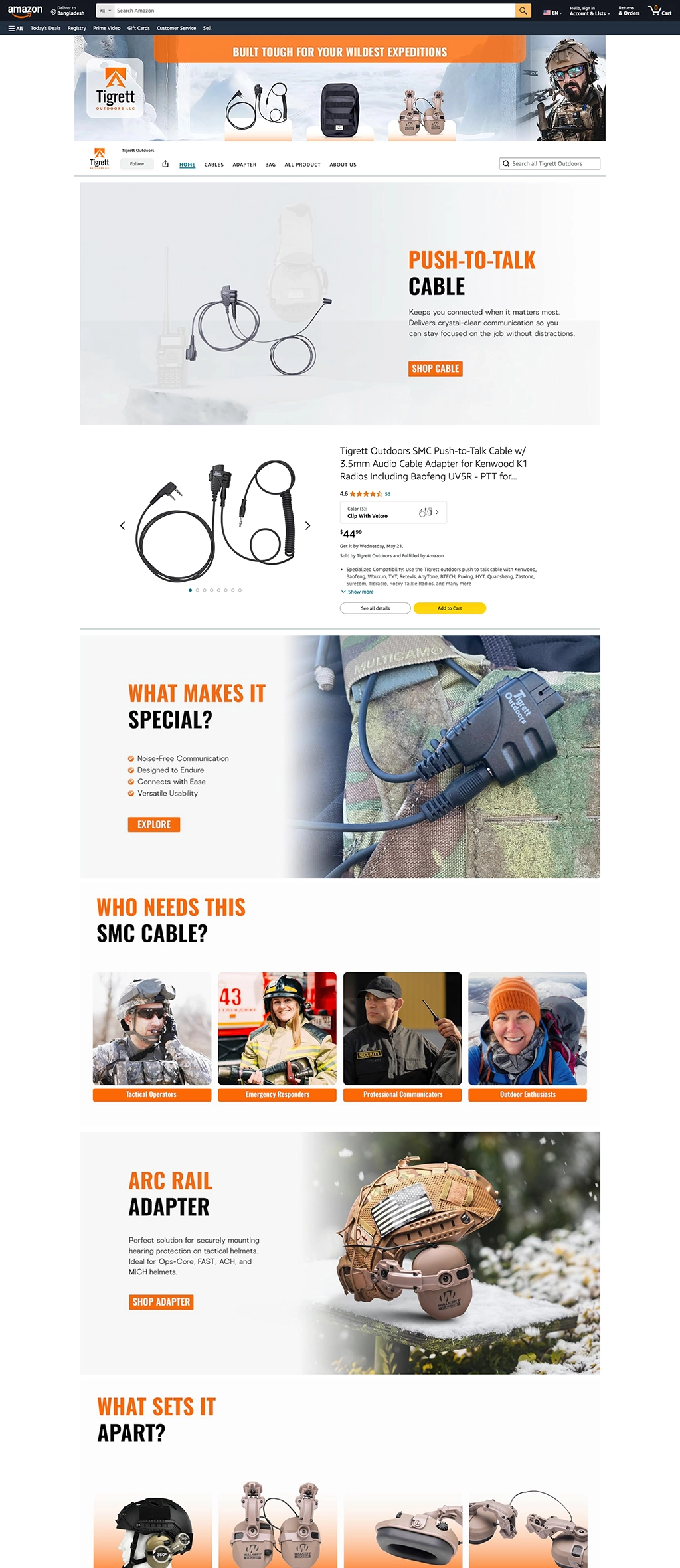
You need to put effort into developing an Amazon Storefront. To make it easier, here are some great examples from Brand’s Bro. With 10 years of experience helping clients create standout Amazon Storefronts, they delivered well-designed layouts and engaging content.
Check out these examples of successful Storefronts created by our team. You may be inspired by their work too.

How to Optimize Your Amazon Storefront for Higher Sales?
Your Amazon Storefront setup is just the foundation. To consistently achieve good results, you must understand how to have an Amazon Storefront that adapts and optimizes according to market trends.
A store with high-quality images, clear product descriptions, and strategic promotions can increase customer trust and improve conversions. To boost sales, ensure that your store is well-structured, visually engaging, and easy to browse.

Below are some proven ways to optimize your Storefront for better results.
Use High-Quality Images and Videos
Clear, high-resolution images make a huge difference in customer buying decisions. Show products from different angles and use lifestyle images to demonstrate real-world use.
Adding short videos can further increase trust by showcasing product features, benefits, and quality. A well-presented product is more likely to sell.
Write Clear and Engaging Product Descriptions
A strong product description should be concise but informative. Highlight key benefits, materials, and special features in simple language.
Using bullet points can make the content easy to scan. Avoid complex wording and focus on what makes your product valuable to the customer.
Organize Products into Easy-to-Navigate Sections
A cluttered store can confuse customers, leading to lost sales. Group products into clear categories like “Bestsellers” or “New Arrivals.” A structured layout helps visitors find what they need quickly, improving the shopping experience and increasing conversions.
Optimize for Search and Keywords
Using relevant keywords in titles and descriptions improves your store’s ranking on Amazon. Include natural search terms, but avoid overstuffing them. A well-optimized store is more likely to appear in customer searches, bringing in organic traffic.
Promote with Deals and Ads
Promotional tactics such as discounts, Amazon Ads, and social media can increase traffic. Running limited-time deals encourages quick purchases. Regular promotions help maintain engagement and boost overall sales.
Common Amazon Storefront Mistakes You Should Avoid
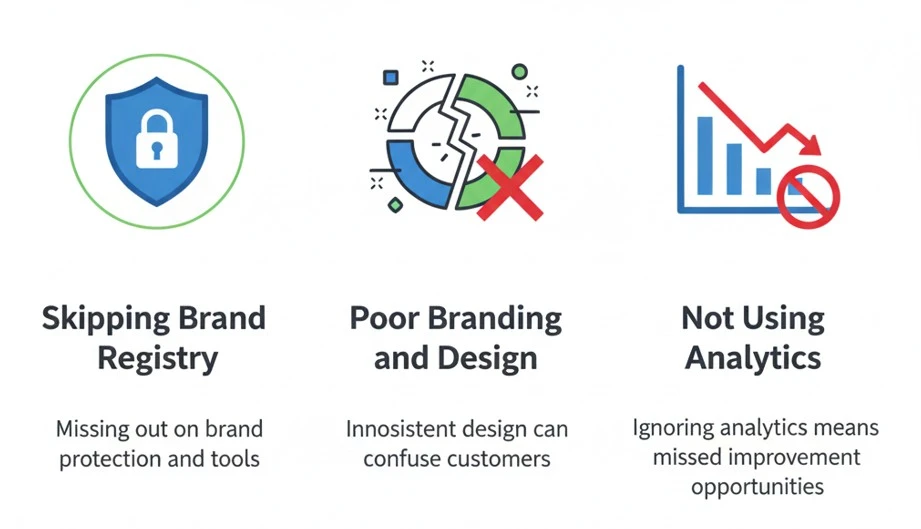
A well-designed Amazon Storefront boosts brand expansion. But some mistakes can slow things down. Here’s what to avoid to keep things running well:
- Skipping Brand Registry: Joining Amazon’s Brand Registry is a must. It gives you access to special features that help protect your brand and improve your ads. If you skip this step, you might miss out on these great tools.
- Poor Branding and Design: Your Storefront should look good and feel like your brand. Make sure your logo, colors, and design match what your brand stands for. A messy or unclear Storefront can confuse customers and make them leave.
- Not Using Analytics: Amazon gives you tools to see how your store is doing. These analytics help you understand what’s working and what’s not. If you’re not checking these, you’re missing out on chances to make your Storefront better.
Do You Need Amazon Brand Registry to Create a Storefront?
Yes, you usually need Amazon Brand Registry to create an Amazon Storefront, also called a Brand Store. This is because Amazon Storefronts are designed for brand owners, not general resellers. Brand Registry proves that you own or officially represent the brand you want to promote.
To enroll in Brand Registry, you need a registered trademark or a pending trademark application accepted by Amazon’s supported trademark process. Your brand name should also match your product packaging, logo, and listings. If your branding is messy or inconsistent, Amazon may reject or delay approval.
Without Brand Registry, you can still sell products on Amazon, but you will not get full access to brand-building tools like Storefronts, A+ Content, Sponsored Brands, and stronger brand protection features. That is the real limitation.
So, if your goal is only to list products, Brand Registry is not always required. But if your goal is to build a professional Amazon Storefront that looks like a real brand page, Brand Registry is basically a must.
Amazon Storefront vs Amazon Seller Profile: What’s the Difference?
An Amazon Storefront is a custom brand page where shoppers can explore your products, categories, brand story, videos, images, and promotions. It works like a mini website inside Amazon. The goal is to build trust, organize products, and increase conversion.
An Amazon Seller Profile is different. It is the public profile connected to your seller account. Customers usually see it when they click the seller name on a product listing. It shows seller information, ratings, feedback, return details, and customer service performance.
The biggest difference is purpose. A Storefront is for branding and shopping experience. A Seller Profile is for seller credibility and transparency. One helps customers understand your brand; the other helps them judge whether they can trust you as a seller.
For serious private-label sellers, the Storefront matters more for marketing. But do not ignore the Seller Profile. Bad feedback, weak seller ratings, or unclear business details can reduce buyer confidence, even if your Storefront looks good.
What to Prepare Before Building Your Amazon Storefront

Before building your Amazon Storefront, prepare your Brand Registry approval first. Without it, you may not be able to access the Store builder. You should also make sure your Amazon account is active, professional, and in good standing.
Next, prepare your brand assets. You need a clean logo, lifestyle images, product images, short videos, category banners, and simple brand messaging. Do not start building with random images. A messy Storefront makes your brand look cheap.
You also need a clear product structure. Group your products by category, use case, collection, or customer need. For example, instead of showing every product on one page, create separate sections such as best sellers, bundles, new arrivals, or problem-based collections.
Finally, prepare your SEO and conversion copy. Your Storefront should explain what your brand sells, who it is for, and why customers should trust it. Keep the wording simple, benefit-focused, and easy to scan. A good Storefront is not just decoration; it should guide shoppers toward buying.
Frequently Ask Questions(FAQs)
Creating an Amazon Storefront itself is free, but you need a Professional Seller Account, which costs $39.99 per month. Additional expenses may include hiring professional designers and marketers to enhance your Storefront’s appearance and functionality.
The approval process for an Amazon Storefront typically takes about 72 hours. Amazon reviews your Storefront to ensure it meets all branding and quality guidelines. If your submission requires revisions, this could delay the approval process.
Yes, you can run various types of ads for your Amazon Storefront. Amazon Advertising offers tools like Sponsored Products and Sponsored Brands, which are effective in boosting visibility and driving more traffic to your Storefront.
To create an Amazon Storefront, start by meeting Amazon’s Brand Registry requirements. Then, log into Seller Central, select your brand, design your Storefront with high-quality images and detailed product descriptions, and submit it for approval.
If you’re new to selling on Amazon and want a Storefront, begin by registering for a Professional Amazon Seller account. Next, enroll in the Amazon Brand Registry to protect your business and meet all the requirements to successfully set up your Storefront.
Start Building your Amazon Storefront with Brand’s Bro
If you’re brand-registered on Amazon, it’s time to create your Storefront. Don’t wait any longer. Brand’s Bro is here! We specialize in Amazon Storefront creation and optimization to help you build a strong brand.
With our expertise, you’ll get more customers, higher visibility, and increased sales, while keeping your Storefront aligned with your brand’s identity.
If you have any questions about an Amazon Storefront, simply DM us! We will respond within an hour and help you move forward with your project.
Let’s get started with Brand’s Bro and bring your Amazon Storefront to life today!
