

Building a brand on Amazon feels like shouting in a stadium. Shoppers find one product, buy it, and forget your name by Friday. Your other products might as well not exist.
We understand that problem because we solve it every week. At Brand’s Bro, we have managed brand assets for 200 sellers since 2019. Our clients sell across the USA, Canada, the UK, and Australia.
We have built and rebuilt more than 340 Amazon Brand Stores since then. That volume shows us which layouts move units. It also shows which ones look pretty and do nothing.
One case still stands out. A kitchenware client came to us with 22 products and no store page. Their catalog sat scattered across search results with no home.
We grouped those products into four use-case categories. A hero page went up for their top seller. Store visitors then spent 2.3 times more per order than other shoppers.
Their attributed sales climbed 68 percent over the next quarter. The catalog never changed. Only the structure did.
Another client burned the ad budget pointing every campaign at one listing. We rebuilt their category pages and redirected those Sponsored Brands ads. Cost per sale dropped 41 percent inside three weeks.
So why do new Amazon brands need a storefront? It comes down to eight repeatable wins. This guide covers each one for sellers in the USA and beyond. You also get a build plan and a measurement method.
We ranked these eight wins using four filters from our own client data. Each filter reflects what we track across live accounts.
- Repeat results across at least ten client accounts.
- Measurable change inside Store Insights within 90 days.
- Relevance to brands under two years old.
- Low build cost against the revenue returned.
Every win below earned its place through repeat results, not theory. The summary table comes first for anyone short on time.
The 8 Amazon Storefront Wins at a Glance
This table sums up all eight wins before the detail. Each row names the payoff and the brand type that gains most. Skipping to your situation works fine.
No | Win | Ideal For | What Moves |
1 | Branded destination | Brands with 5+ products, no recognition | Homepage bounce drops |
2 | Product discovery | Catalogs with 10+ ASINs | Units per visitor rises |
3 | Brand trust | Private label launch, under 100 reviews | Conversion rate climbs |
4 | Ad landing pages | Sellers spending 1000 dollars monthly | Cost per sale drops |
5 | External traffic home | Social and influencer campaigns | Attribution becomes visible |
6 | Higher order value | Complementary products under 40 dollars | Average order value climbs |
7 | Launch pad | Brands shipping new products yearly | New arrivals sell faster |
8 | Performance data | Any brand running ads | Sales attribution unlocks |
The table gives you a map of the whole article. Wins one through four affect discovery and trust. Revenue and measurement drive wins five through eight.
Each section below explains the mechanism behind the number. Definitions come first for anyone new to the format.
What Is an Amazon Storefront?
An Amazon storefront is a free multi-page shopping destination that Amazon gives brand-registered sellers. The page holds your full catalog under your own URL and branding. Amazon also calls it a Brand Store.
Buyers reach it through the product detail page byline above your product title. They can also arrive from your ads or an outside link. Both paths land them on the same branded page.
Your Amazon store page differs from a product listing in one clear way. A listing sells one item to one shopper. Your store sells the whole brand.
Amazon supplies the traffic and the checkout while you control the layout. You can read Amazon’s own storefront overview for the full feature set. Structure decides how well any of it works.
Do New Amazon Brands Really Need a Storefront? The Short Answer
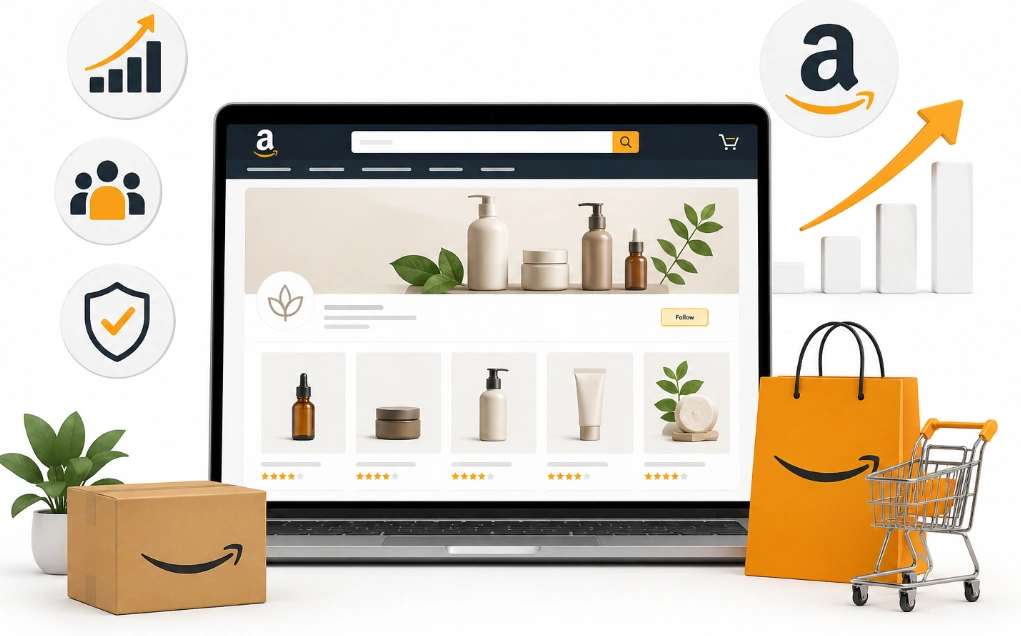
Yes, your brand needs a storefront from the first month of selling. Amazon reports that store visitors buy more often than shoppers who skip the page. They also add more to their cart per visit.
The page costs you nothing to build or host. Brand Registry unlocks it, and no coding skill is needed. Drag-and-drop tiles handle the whole layout.
Your Amazon storefront works as a branded destination inside a marketplace built for search. Shoppers land on one page that holds everything you sell. That single page changes how they browse.
One caveat matters before you start. A store cannot rescue weak listings or thin reviews. Knowing what the page really is helps you plan around that.
Storefront vs Product Listing vs A Plus Content
These three tools do different jobs on Amazon. Product listings convert a shopper who already found your item. A+ Content adds visual detail below the bullets.
Your store sits above both and catches shoppers earlier in the journey. It answers what else this brand makes. Neither of the other two can do that.
Tool | What It Does | Scope | Main Job | Cost |
Amazon Storefront | Multi-page brand destination | Whole catalog | Brand awareness | Free |
Product Listing | Single item sales page | One ASIN | Direct conversion | Free |
A+ Content | Visual section on listing | One ASIN | Product education | Free |
The table shows where each tool fits in the shopper journey. Listings close single sales while stores build catalog awareness. Both matter, and they work best together.
Eligibility decides whether you can build any of it. That gate is simpler than most sellers expect.
Who Can Create an Amazon Storefront?
Only Brand Registry sellers can create Amazon Storefront pages on Amazon. Enrollment costs nothing and requires an active registered trademark. A Professional selling plan is the second requirement.
Vendors and agencies with brand permissions qualify too. Resellers and arbitrage accounts stay locked out. Brand ownership is the deciding factor.
Brand Registry brings more than the store itself. Sponsored Brands, Brand Analytics, and A+ Content all unlock together. Our guide to Amazon storefront requirements covers each eligibility step in order.
A trademark filing takes six to twelve months through USPTO. Enrollment through the Amazon Brand Registry program opens every brand tool at once. Cost comes up next for most new sellers.
How Much Does an Amazon Storefront Cost?
An Amazon storefront costs nothing to build, host, or maintain on Amazon. The platform charges no fee for the page or the traffic it receives. Your only cost is design time or an agency build.
Templates make a basic build free in every sense. Drag-and-drop tiles need no developer. The first version takes an afternoon.
Design work becomes the real expense once you want custom banners. The full breakdown of Amazon storefront cost explains where that money goes. Most agencies build land between 500 and 2000 dollars.
Some sellers confuse this with opening a seller account. The two costs stay separate. Eight wins explain why the free page earns its build time.
8 Wins New Amazon Brands Get From a Storefront

Eight Amazon Storefront benefits explain the case for building one in year one. Each solves a problem that search results alone create. The parts below name the payoff and the brand type that gains most.
A Branded Destination Instead of a Dead End
Your brand byline sits above every product title on Amazon. Shoppers tap it to learn who made the item. Without a store, that tap goes nowhere useful.
A brand shopping experience keeps that shopper inside your catalog. Your custom brand page shows the range instead of a filtered search list. Marketplace branding starts at that exact click.
Ideal for: Brands with more than five products and no name recognition. New sellers gain the most from this one.
How we handle it: We build the homepage around one promise and one image. Visual merchandising choices follow that promise on every page.
Product Discovery Across Your Whole Catalog
Search shows shoppers one product at a time. Your store shows them everything at once. Product discovery jumps the moment a shopper sees the full range.
Category pages group related items into collections. Your Amazon store page holds them all under one roof. Cross-selling happens without any sales pitch.
Ideal for: Catalogs with ten or more ASINs across two or more use cases. Single-product brands gain less here.
How we handle it: We map your Amazon catalog structure to shopper language. That mapping beats sorting by product type.
Brand Trust That Reviews Alone Cannot Build
New brands carry no name recognition on Amazon. Shoppers see an unfamiliar seller and hesitate before buying. A store page closes part of that gap.
You build brand trust when your company looks established. Brand Story and factory photos both live in the store. Trust building costs nothing but writing time.
Ideal for: Private label launch brands with fewer than 100 reviews. Perception carries more weight at that stage.
How we handle it: We write the brand story around a specific origin detail. Vague mission statements get cut in the first draft.
Better Landing Pages for Sponsored Brands Ads
Sponsored Brands ads can point to a storefront landing page instead of a product. That choice often lifts campaign performance. Shoppers who land on a store see options, not a single item.
Amazon Ads reports higher engagement on store landing pages. Paid traffic converts better when the destination matches the ad.
Ideal for: Sellers already spending 1000 dollars or more each month on ads. The savings scale with the budget.
How we handle it: We match each campaign to a category page. The homepage rarely wins.
Ad Destinations and Click Value
Sponsored Display retargeting works the same way. Amazon PPC results depend on where each click lands. Product comparison happens inside your catalog instead of a competitor tab.
Testing both destinations settles the question for your catalog. Run one campaign each way for two weeks. The cheaper cost per sale wins.
A Home for Traffic From Outside Amazon
External traffic needs somewhere branded to land. A raw product listing feels abrupt to someone arriving from Instagram. Your store gives that visitor context first.
Social media traffic and email marketing both work better with a store link. Influencer traffic follows the same pattern. One URL covers your whole catalog.
Ideal for: Brands running social campaigns or influencer partnerships. Direct-to-consumer sellers moving to Amazon gain the most.
How we handle it: We tag every link so Store Insights separates each channel. Organic Store traffic then shows up as its own row.
Higher Average Order Value From Product Bundles
Store visitors spend more per order than shoppers who skip the page. Amazon Ads data backs that pattern across categories. Product collections drive most of the lift.
Bundle tiles help you cross-sell products that work together. Shoppers add two instead of one. Average order value and add-to-cart rate both climb.
Ideal for: Brands with complementary products under 40 dollars each. Consumables and accessories perform best.
How we handle it: We build product assortment tiles around one shopper job. Grouping by price band rarely works as well.
A Launch Pad for New Products
New arrivals need visibility before reviews arrive. A dedicated page inside your store gives them that. Shoppers who already trust you see the item first.
Best sellers pages work the same way in reverse. Your hero product carries traffic toward newer items. Customer engagement and repeat purchase rates climb from that flow.
Ideal for: Brands shipping two or more new products each year. Brand loyalty builds fastest in that group.
How we handle it: We place new arrivals one scroll below the bestsellers row. Deals pages then carry seasonal promotions without new listings.
Why it compounds: Amazon growth strategy gets easier once the page structure holds. You swap tiles instead of rebuilding.
Performance Data You Cannot Get Anywhere Else
Store Insights reports traffic, sales, and engagement by source. No other Amazon tool splits data that way. Sales attribution becomes possible for the first time.
You see which page holds attention and which one loses it. Page engagement metrics guide your next edit. Attributed sales tie revenue back to each traffic source.
Ideal for: Any brand spending on ads or outside promotion. Data replaces opinion once the page has traffic.
How we handle it: We set a baseline before launch. Review lands on day 30.
So are you ready to build your store the right way?
Our team audits your catalog, ad plan, and listings before design starts. You get a page structure built around how your shoppers search.
How to Create an Amazon Storefront Step by Step

You create an Amazon storefront through the Stores tab inside Amazon Ads. The process runs from template choice through Amazon review. Most first builds take two to three hours.
Asset prep matters more than the builder itself. Gather your logo, banners, and lifestyle images before you start. Amazon rejects images that miss the size specs.
- Open the Stores tab inside Amazon Ads.
- Pick a template that fits your catalog size.
- Upload your logo and hero banner.
- Add product tiles and group them into categories.
- Write short headers for each section.
- Preview every page on desktop and mobile.
- Submit the store for Amazon review.
You can follow how to create an Amazon storefront walkthrough screen by screen. Review takes about 24 to 72 hours. Edits go live the same way.
Amazon storefront setup gets easier after the first page. Templates carry your Amazon storefront setup choices forward. Page structure decides how well it converts.
What Every New Brand Should Put on the Homepage
Your store homepage should answer who you are within three seconds. A hero banner carries that message with one image and one line. Everything below supports it.
Store homepage design works best with four blocks. A hero banner opens, and a bestsellers row follows. Category tiles come third, and your brand story closes.
Shoppable images let buyers add products straight from a lifestyle photo. Video tiles hold attention longer than static images. Both raise page engagement.
Banner mistakes undo all of it. Text placement tops our list of Amazon storefront banner design mistakes every time. Fixing that takes one afternoon.
Category Pages and Hero Product Pages
Category pages group your catalog by use case or product type. Each one holds a banner and a product grid. Shoppers filter without leaving your brand.
A collection page for one use case often beats a generic product type page. Grill accessories win over kitchen tools. Specific language matches how shoppers think.
Hero product pages give your top seller a full page. Video, comparison, and lifestyle images all fit there. Product education happens before the shopper reaches the listing.
Mobile Design That Actually Works
Roughly seven in ten Amazon sessions happen on a phone. Your store has to work on a narrow screen first. Mobile design decides most of your engagement.
Tiles stack vertically on mobile and text inside images shrinks. A three-column grid becomes three stacked rows. Preview every page in mobile view before you publish.
Mobile shopping rewards short headers and clear images. Long paragraphs get skipped at that width. Navigation choices matter just as much.
Amazon Storefront Design That Converts
Good Amazon storefront design follows a hierarchy instead of a mood board. Your best product sits highest. Everything else supports the path toward it.
Amazon brand store design uses your real brand colors and fonts. Good Amazon brand store design carries your Amazon brand identity across pages. Shoppers remember that pairing.
Strong Amazon brand page layouts limit each page to one job. Real builds on our Amazon storefront design services page show that structure. Every Amazon brand page should sell one clear idea.
Amazon store optimization means editing after launch, not before. Real Amazon store optimization starts once data arrives. Insights tell you which tile to move.
Navigation Traps That Lose Shoppers
Poor navigation kills every benefit above. A category page with three products frustrates the shopper who clicked it. Store navigation replaces guesswork with structure.
Almost every Amazon storefront navigation issue traces back to unclear grouping. Dead-end pages cause the biggest drop. Each page needs a clear next step.
ASIN groups let you build collections without new listings. One product can sit in two categories. Shoppers find it either way.
You organize product catalog items into four or five clean groups. More than six confuses people. Fewer than three wastes the format.
How to Measure Your Storefront Performance
Amazon Store Insights shows store traffic, sales, and engagement in one dashboard. You track Store traffic from the Stores tab in Amazon Ads. Data updates daily.
Four metrics matter most for a new brand. Visitors, page views, sales, and units per visitor tell the story. Traffic sources split those numbers further.
Metric | Where to Find It | What It Tells You |
Visitors | Store Insights | Unique shoppers per period |
Page views | Store Insights | Pages opened per visit |
Sales | Store Insights | Revenue attributed to store |
Units per visitor | Store Insights | Products bought per shopper |
Traffic sources | Store Insights | Where each visitor came from |
The table gives you a starting benchmark for each metric. Numbers vary by category and price point. Trends matter more than any single week.
Source tags let you track external traffic separately. Each shared link carries its own tag. Attribution data arrives inside the same dashboard.
Tracking External Traffic With Source Tags
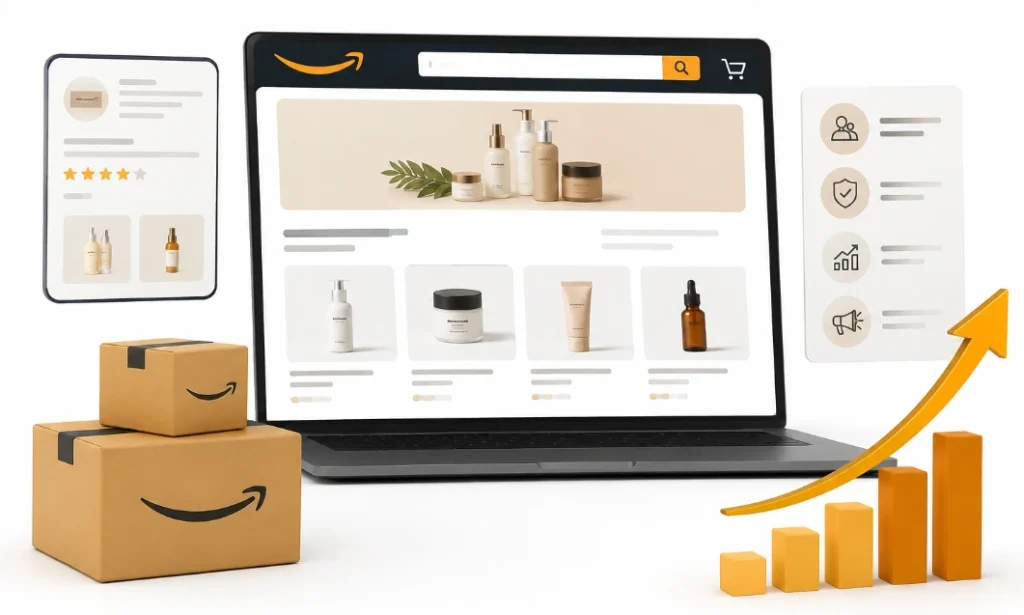
Source tags let you measure traffic from outside Amazon. Each link carries a short code on any store URL you share. Store Insights then splits results by those source tag links.
External traffic tracking answers which channel pays. Your Instagram link and your email link get separate rows. Attribution stops being a mystery there.
Amazon Attribution extends this to non-Amazon ads. Google and Meta campaigns report back into the same view. Attributed sales become visible across channels.
Amazon Storefront Strategy for the First 90 Days
A clear Amazon storefront strategy beats a perfect design in month one. Build a simple three-page store first. Refine it after real data arrives.
Week one covers the homepage and one category page. Your bestsellers and new arrivals pages follow in week two. Sponsored Brands ads point at the store by week four.
Month two and three belong to testing. Move one tile and watch the numbers. Small edits compound over a quarter.
Studying Amazon storefront examples from competitors helps at this stage. Storefront best practices show up fast across three stores. Copy the structure, never the design.
What Strong Storefront Examples Have in Common
Good Amazon storefront examples share the same skeleton. A hero banner opens, categories follow, and a brand story closes. Your version fills that frame with your own assets.
A branded shopping experience comes from consistency, not complexity. Three clean pages beat eight messy ones. Simple structures survive mobile screens better.
Mistakes New Brands Make With Storefronts
Five mistakes account for most weak stores we audit. Each one is easy to avoid once named. The list below comes straight from our audit notes.
- Building a store with no hero banner or brand story.
- Leaving dead-end category pages with three products.
- Skipping the mobile preview before publishing.
- Publishing once and never updating tiles.
- Pointing every ad at one product listing.
Publishing once and never editing tops the list. Your store is not a brochure. Seasonal updates keep it useful.
Skipping the mobile preview ranks second. Most of your shoppers arrive on a phone. A layout that breaks there wastes the whole build.
Which Storefront Approach Fits Your Brand?
The right approach depends on catalog size, ad spend, and launch stage. A three-product brand needs a different build than a 40-product catalog. Matching the two saves you months.
Small catalogs under five products need one page and a strong brand story. Discovery matters less when the range is short. Trust carries the weight instead.
Mid-size catalogs between five and 25 products need category pages. Conversion rate gains follow at that size. Two or three categories usually cover it.
Large catalogs above 25 products need full navigation and a hero page. Store navigation turns into your biggest lever. Search inside the store starts to matter.
Signs Your Current Store Needs a Rebuild
Some brands already have a store that underperforms. Three signals tell you a rebuild will pay. Each one shows up inside Store Insights.
A bounce on the homepage means your hero banner fails. Visitors arrive and leave without a second page view. Message clarity is the usual fix.
Low units per visitor points to weak category grouping. Shoppers browse without adding anything. Product assortment needs regrouping at that point.
Flat traffic from ads means your campaigns still target listings. Redirecting them to the store fixes it in a day. Campaign performance often shifts inside two weeks.
How We Build Storefronts for New Brands
Our team has built brand stores for launch-stage sellers and established catalogs alike. Every project starts with your product mix and your ad plan. Design follows that structure.
We map your catalog into use-case groups before opening the builder. That mapping decides your category pages. Layout work comes after the structure holds.
Every build ends with a measurement plan and a 90-day edit schedule. We set the baseline, then review at day 30 and day 90. Ecommerce conversion guides each revision.
Frequently Asked Questions (FAQs)
New brands ask us some common questions before building their first store. The answers below cover cost, eligibility, timing, and results. Each one reflects what Amazon documents today.
Is an Amazon Storefront free?
Yes, Amazon charges nothing to build or host a brand store. Your only cost is design time or an agency fee. Templates keep that cost at zero for a basic build.
How long does Amazon take to approve a store?
Most stores clear review within 24 to 72 hours. Policy violations or poor image quality can extend that window. You can edit and resubmit right away.
Can I link my Sponsored Brands ads to my store?
Yes, Sponsored Brands campaigns can point to your store or a category page. That option often improves campaign performance. Matching the ad to the right page drives most of the lift.
How many pages should a new brand build?
Three pages cover most new catalogs at launch. A homepage, one category page, and a bestsellers page work well. Larger catalogs need one page per use case.
Does a storefront help Amazon SEO?
Store pages do not rank in Amazon SEO results directly. Higher conversion from store traffic can lift listing rank over time. Your title and bullets still carry the keyword weight.
Can I edit my store after publishing?
Yes, edits go live after a short Amazon review. Most brands update tiles every quarter. Seasonal swaps take under an hour once the structure holds.
Build the Page Before You Need It
Why new Amazon brands need a storefront comes down to compounding returns. Every ad click, social post, and brand byline tap gets somewhere to land. That destination pays off for years.
Start with three pages and one clear hero banner. Point one campaign at the store and watch Store Insights. Edit the layout once real numbers arrive.
The page costs nothing and takes an afternoon. Waiting only wastes the traffic you already earned. Build it now and refine it later.
